ai-video6 min read
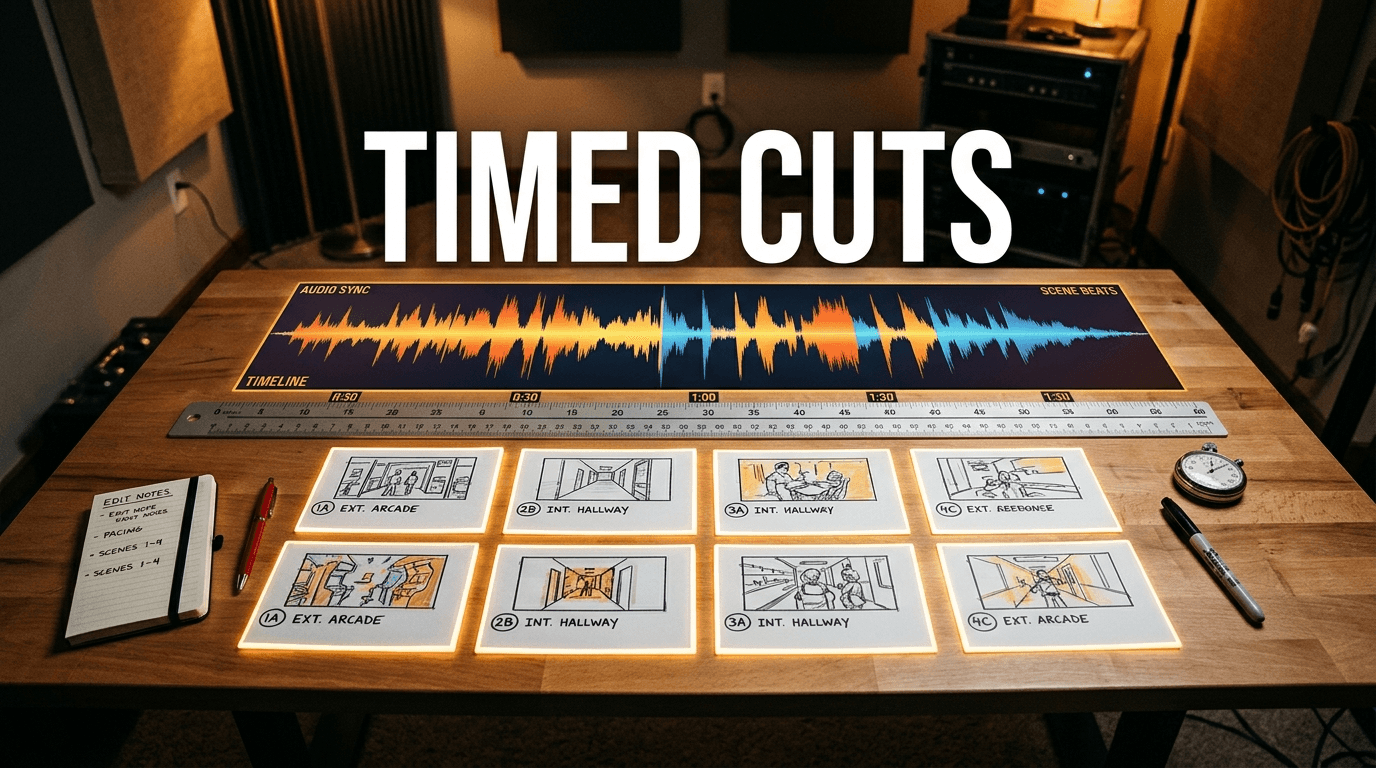
Boords AI Storyboard to Animatic Workflow for Locked Video Pacing
Master the Boords AI storyboard to animatic workflow. Build scripts, prompt keyframes, time cuts to audio, and export clean timelines for editing.
Read the guide

Practical guides for AI creators, faceless videos, and content that grows
Master the Boords AI storyboard to animatic workflow. Build scripts, prompt keyframes, time cuts to audio, and export clean timelines for editing.
700 articles
Learn how Grok Imagine generates video from static images with camera motion, synchronized audio, endpoint conditioning, and resolution limits.

Use Leffa person and garment references with an original shirt exercise detail crops a filled review and a downloadable try-on input and request kit

Plan a Seedance 2.5 API first-frame request with original pinwheel artwork local preflight exact input JSON queue tracking and a downloadable review kit

Choose FASHN Try-On Product to Model Model Swap or Packshot with an original blue-coat study filled review and editable fashion campaign reference kit

Make funny AI videos from prompts with an original office cat scene plan editable timing and a practical review worksheet for setup action reaction captions and sound

Turn an image into a useful prompt with visible observations style inferences an actual text-only recreation and downloadable images prompt JSON and comparison review

Compare documented AI image generation model workflows for photos reference edits text layouts and vectors with an original four-task selection pack and review ledger

Create AI landscape art with an original alpine scene, actual blue-hour reference edit, native downloads, copyable prompts and a landmark review sheet

Create an AI caricature from a photo with gentle and bold briefs, actual reference transformations, native downloads and a practical character review sheet

Edit photos with clear ChatGPT prompts and inspect a real collar-color revision with native source files, a comparison, exact prompt and downloadable review data

Prepare a VidJoy photo-to-video test with an original pet reference, portrait crop study, editable motion brief and a checklist for the finished clip

Plan a Vmaker AI long to short workflow with an original product tutorial brief editable clip selection ledger caption and crop checks and export questions

Use Auto-Editor for a first pass on narrated videos with current installation commands an actual 12 second source cut timeline and downloadable reproduction files

Plan AI VFX with an original clean plate portal edit actual pixel difference report downloadable source images and separate still and video review resources

Make an AI commercial from a product reference with a real twelve second example editable titles shot timing source images and a reproducible video renderer

Plan Grok Imagine API video generation with an original request local status inspector synthetic fixtures and practical download and creative review steps

Check Veo 3 1 Lite Gemini preview shutdown status and plan a video workflow migration with a provider inventory shot brief and output review worksheet

Plan Lucid Origin image guidance with original kettle and gouache references a role preview downloadable input plan and practical review worksheet

Plan ERNIE Image and Turbo product scenes with an original prompt pair enhancer comparison plan and downloadable review worksheet

Plan GLM Image poster workflows with an exact copy brief request JSON local dimension preflight and practical text review worksheet

Create an AI YouTube banner with original background art editable channel text downloadable PNG and centered crop guide based on YouTube dimensions

Plan virtual staging AI with original empty and furnished room images a filled review worksheet and checks for architecture furniture placement and delivery

Create an original AI mascot with transparent PNG poses, a character brief, background checks and small-size previews you can inspect

Explore AI crochet images with an original yarn teapot concept exact detail crops an editable brief and practical checks for pattern and maker evidence

Explore Phosphene AI on Mac with Pinokio setup guidance local resource checks an original sailboat shot brief and an editable first render planning kit

Explore Hitem3D and Hi3D workflows with original cup views Blender GLB and STL files measured export checks and an editable 3D inspection source kit

Create AI T-shirt designs with an original transparent PNG, a free print-size planner and a review sheet for artwork, product requirements and sample checks

Explore an AI graffiti generator workflow with original HORIZON artwork, an exact-word brief and a review sheet for lettering, colors and delivery crops

Make AI coloring pages from prompts or photos with an original fox PNG, a free Letter PDF, a reusable prompt brief and practical outline and print-layout checks

Explore AI car design from photo edits to sketch concepts with original silver and teal coupe images, a reusable finish brief and a visual geometry review sheet

Explore AI jewelry design with original gold-colored and silver-colored pendant images, a reusable component brief and a review sheet for visual finish changes

Plan an AI floor plan workflow with a free area-budget calculator, original room schedule, editable study diagram and checks for generated or recognized layouts

Explore AI kitchen design with an original oak-to-sage cabinet comparison, reusable edit brief and review sheet for windows, appliances, seams and finishes

Create AI book illustrations with an original otter reference, two story moments, downloadable script and continuity review, plus practical layout and text guidance

Make a birthday card front with original balloon art, editable recipient and sender text, a free local SVG download and practical wording and export checks

Explore AI banner workflows and build a local editable SVG from an original product image with two example sizes, source downloads and a filled layout review

Create a magazine cover with original AI artwork and editable typography using a free SVG layout maker plus a complete ceramics cover example

Design an AI art calendar with original landscape artwork and a free monthly SVG maker that calculates dates with Sunday or Monday week starts

Explore AI makeup try on with two original edits from one fictional portrait, a comparison viewer, downloadable examples and practical prompts

Create a distinctive AI invitation with original artwork and editable event details using a local SVG maker plus source downloads and a reviewed example

Compare AI video editors by transcript cuts, clipping, design and extension with primary sources, a task selector and downloadable original edit examples

Explore playable ads with a working local matching-game concept, downloadable HTML and source plus clear production and review steps for AI creative assets

Plan FLUX 2 Pro edits with clear reference roles route-specific limits original product assets a filled sample review and an editable request and dimensions map

Plan FLUX 2 Flex typography tests with explicit steps guidance and exact copy plus original editable citrus posters an unsubmitted matrix and a review kit

Make AI history videos with a sourced script narrated vertical example captions and an editable claim ledger that separates illustration from archival evidence

Plan VidAU AI ad variations with three original six-second hook videos a verified shared body editable source and a practical creative review and test-plan worksheet

Understand Vmake AI and Vmake Labs workflows with an original label detail study three video downloads a filled export review and editable source for a fair comparison

Plan a Pippit AI video workflow with original wide square and vertical product crops editable source and a practical delivery plan from accepted reference to publication review

Plan Topview AI product videos with a practical brief shot review and original six-second vertical concept cut plus editable source and a filled review worksheet

Plan a PixelLab AI directional sprite workflow with route-specific input checks and an original eight-view mailbox pack grid map nearest-neighbor previews and editable source

Plan a Ludo AI sprite workflow with starting-frame and margin checks plus an original sixteen-frame lantern sheet GIF and tested local TexturePacker and Godot exports

Build a reusable Scenario AI asset brief and review workflow with an original transparent inventory set background comparisons manifest and downloadable source

Plan a Rodin AI workflow with clear reference coverage and export checks plus an original radio prop with three views Blender source GLB downloads and a local metadata checker

Plan an AI storybook with readable prose and consistent visual anchors, compare generation and layout workflows, and download an original three-page example with editable source

Create an AI family portrait from separate photos with clear reference roles, studio and holiday prompts, original comparisons and a downloadable review pack

Make a two-choice interactive video with editable labels and local MP4 files, plus an original branching example, self-contained HTML export and source archive

Build social post drafts with matching captions and visuals using an original three-post campaign, editable SVG downloads and a filled copy and asset review

Find the official Perchance image generator and improve your image brief with original prompt examples, native artwork downloads and a filled visual review

Explore facial expression editing with an original neutral portrait, two restrained reaction edits, downloadable source files and a fictional short-drama brief

Compare an original brunette portrait with copper and ash blonde image edits, use a reveal viewer and download the source files and filled hair-color review

Plan a PixVerse V6 short drama shot with an operation picker, original start and end references, a downloadable continuity brief and clear V6 Max differences

Compare AI texture workflows, inspect repeated image seams in a free local preview and download an original terrazzo source with measured edge differences

Explore Adobe Firefly tattoo design prompts with an original moth illustration study, honest style review and a downloadable concept brief for your artist

Plan VideoExpress AI clips with clear subject and framing instructions fair-use checks and an original eight-second reframing video with source frames and crop data

Evaluate Fuser Studio workflows Compositor exports and credit checks with an original editable headphone campaign two copy revisions native sources and flattened PNGs

Plan Dzine AI image edits with clear layout and style requirements current free credit checks and an original ceramic versus paper exercise with editable source

Plan Mootion AI stories with clear source scripts character references and scene timing plus an original four scene storyboard downloadable plan and source audit

Understand Weavy AI and Figma Weave with official node and credit guidance plus an original master image three reviewed crops coordinates and reproducible source

Plan Neural Frames music videos with clear beat and scene cues, current pricing checks and an original downloadable 100 BPM audio and video timing reference

Plan Lovart AI campaigns with clear brand requirements, credit checks and export choices, plus an original three-format editable SVG kit and filled review sheet

Choose a Krea AI image workflow, check free units and pricing, and inspect an original detail-reconstruction exercise with native files and filled observations

Explore Digen AI video workflows, free-access checks and current versus older documentation with an original short-drama brief and planned parcel-state ledger

Create AI fruit stories with an original script, generated storyboard, silent animatic and continuity review for fruit drama and short-form video planning

Plan an AI video agent workflow with a free local brief builder, original product-shot exercise and job ledger for quotes, generation status and output review

Plan HY-WorldPlay camera actions with a free local Python pose calculator, computed example report and landmark review sheet for scene continuity checks

Explore VisualGPT image editing, free versus paid settings and credit checks with an original product-edit brief and downloadable fidelity review sheet

Explore VidGenie story videos, free-credit discrepancies and a practical narration workflow with an original greenhouse script and editable scene storyboard

Explore Deep Dream Generator with official links, task and energy checks, an original botanical scene brief and a practical image and animation review workflow

Explore Craiyon with official links, current free and paid distinctions, edit-credit guidance, an original illustration brief and a practical image-review download

Explore DeeVid AI with official links, an annual-pricing snapshot, credit and Unlimited scope, an original first-shot brief and a practical output-review download

Plan an AI educational video around a learning objective, worked example and learner question with a free original lesson clip, transcript, source and review downloads

Plan MeiGen MultiTalk conversations with sequential versus parallel audio checks, an original dialogue script, planned cues and free speaker and output-review records

Plan AI virtual try on with clear person and garment references, shopping versus merchant workflows and free input and garment-detail review downloads

Prepare a SAM 3D Objects workflow with mask input checks, official setup requirements, splat versus mesh distinctions and free run and asset-review worksheets

Explore AI bedroom design with an original neutral-to-blue room comparison, native image downloads, reusable decor brief and a practical review worksheet

Explore AI packaging concepts with an original brief and a free handoff worksheet covering editable label text, mockups, dielines and supplier review

Create a menu workflow with a free local draft tool, editable item names and prices, standalone HTML export, original sample data and a review checklist

Create an AI lyric video workflow with documented Kaiber and CapCut routes, an original design brief and a timing worksheet for readable lyrics and exports

Read AI video generation news checked October 30 with primary sources for LTX API changes, FlashVSR+ and Pika H3 Flex, plus a workflow review sheet

Make AI video news from an approved script with documented presenter routes, an original bulletin brief and a review sheet for voice, captions and exports

Explore FlashVSR and FlashVSR+ with official setup references, original motion-test downloads and a blank review sheet for video detail and temporal stability

Use an AI architecture generator for exterior concepts with an original sketch-to-image study, photo and SketchUp workflows, and downloadable geometry review resources

Find official Upscayl downloads, distinguish Desktop and Cloud and plan an image-finishing pilot with an original review sheet for texture and detail

Plan an AI dance video with a clear character photo, permitted motion reference and original eight-count brief plus timing and output-review worksheets

Find official Video2X downloads and plan a short upscaling or interpolation test with an original local-processing brief and blank run record

Explore SeedVR2 restoration, its ComfyUI integration and documented limitations with an original temporal-review plan and blank output worksheet

Explore LTX Studio pricing, free credits and storyboard workflows with an original three-shot brief, production manifest and current plan distinctions

Plan LTX audio-to-video with an original eight-second WAV cue, timing worksheet and current distinctions between Studio, ComfyUI and the V2 API

Create an AI moodboard with Adobe Firefly Boards, assign reference roles and hand off a shot brief with original prompts and a downloadable decision map

Create AI movie poster concepts with original prompts, editable title planning and a downloadable review sheet for film key art, print and social layouts

Plan Topaz Video enhancement and upscaling with source-type checks, short previews and an original review worksheet for AI films and creator footage

Find official Pika tools, plan Pikaframes transitions, understand current pricing and evaluate H3 Flex with an original keyframe brief and review worksheet

Check Veo 4 release claims against official Google sources, understand the Veo API migration notice and plan a video using a currently documented route

Explore MindVideo AI text and image video routes, editing, free-access checks and output review with an original product-scene brief and download ledger

Choose the right CapCut AI video route for text, images or scripts, with an original teaser shot plan, practical output checks and a free review worksheet

Create an AI talking avatar with a clear face reference, script or audio, restrained performance and a free presenter test passage and review sheet

Explore Descript AI video editing, Underlord briefs, transcript corrections, current pricing and an original two-take edit plan with a downloadable review sheet

Make an AI explainer video with a worked script, visual teaching plan, source checks and a free scene review worksheet for product and process explanations

Explore Golpo AI video modes, current monthly pricing, free preview limits and a practical whiteboard explainer evaluation with an original brief and review ledger

Make an AI music video with a song-led treatment, consistent references, shot prompts, beat-aware editing and a free 24-second pilot plan and review sheet

Plan AI landscape design from a photo with garden prompts, fixed-site checks, backyard concept comparisons and a free editable brief and review sheet

Create AI pixel art concepts and turn them into usable assets with grid cleanup, palette checks, sprite-sheet planning and an original review checklist

Create AI album cover concepts with original prompts, editable typography, thumbnail checks and a release-art checklist for your distribution workflow

Plan Runway Gen 4.5 text-to-video and image-to-video shots with original prompts, a shot review worksheet, cost checks and practical export guidance

Create AI comic and manga pages with an original four-panel draft, downloadable script and review record, character references and editable lettering guidance

Build an AI music visualizer with an actual audio-reactive export, original generated artwork, source WAV, per-frame RMS data and reproducible rendering code

Plan AI food photography with dish references, lighting prompts, menu accuracy checks and a repeatable restaurant campaign workflow

Posterize an image in your browser compare RGB and grayscale levels and download PNG results with measured palette counts and an original landscape study

Explore WeVisOne VL creator workflows inspect saved boxes and points with a local coordinate reader and separate geometry from masks and actual model results

Create pixel sorting effects with a free local image tool original poster comparisons selection masks and downloadable settings for controlled glitch art

Understand Looking Ahead Future Chunk Prediction and review AI video continuity with original motion reference clips trajectory data and a practical checkpoint pilot

Find where video stuttering starts compare frame gaps and troubleshoot creator exports with an original timing study a local CSV analyzer and an ffprobe workflow

Inspect a real StreamEval CPU mock run with recorded samples receipt timing and an original review workflow that separates acknowledgments from successful AI edits

Learn what focus peaking does how to use manual focus assistance and why contrast markings need inspection with an original chart and a free local image overlay tool

Make a duotone in Photoshop understand grayscale and ink curves and compare continuous RGB color mapping with a hard two color threshold using a free local image tool

Learn double exposure photography and create a digital portrait blend with Screen Multiply and opacity controls plus original downloadable sources and an AI motion brief

Combine ordered PNG layers locally compare the recomposition with a target and inspect an original poster experiment showing why a pixel match does not certify reusable layers

Understand LayerEditor research and review reusable RGBA outputs with an original poster pack that separates layer order target matching opacity and actual editability

Diagnose compression artifacts in video compare actual native codec outputs inspect decoded crops and download the original source settings and measured luma errors

Inspect the Verus Insight release check saved prediction fields map relative times and normalized boxes locally and keep detector claims separate from human video review

Find where color banding enters an image or video export inspect PNG bit depth locally and compare original sixteen bit eight bit and fixed noise gradient samples

Plan forced perspective photography with a free apparent size distance calculator inspect an original Blender camera reveal and download the geometry and placement records

Inspect MiniMax H3 PTD four and eight hop profiles derived block size base requirements and source checked schedules with a local metadata JSON CSV and SVG tool

Understand moire patterns in images and video compare overlapping grids and sampling aliasing and export original grayscale patterns with a free local tool

Understand the Prompt2Rig video to character workflow inspect parent space and rebased root times and export a source checked numeric review with JSON CSV and SVG

Make an anaglyph 3D image from a matched stereo pair with a free local red cyan PNG maker eye swapping original Blender examples and downloadable settings

Dither a PNG JPEG or WebP locally with ordered Bayer or Floyd Steinberg compare two four and eight gray levels and export PNG JSON and palette counts

Understand Tencent Hy-Nomas interactive world generation and its source camera trimming rule with a local saved frame checker FOV review and JSON CSV SVG exports

Understand rolling shutter skew versus exposure blur with an original three panel video a local row timing simulator and SVG JSON CSV downloads

Explore the public Google Co-Director video workflow with a local UCB creative search tool pinned source checks original fixtures and JSON CSV experiment exports

Convert shutter angle and shutter speed at exact frame rates and inspect an original moving marker comparison with editable source and SVG JSON CSV exports

Follow a tested HyperFrames HTML to MP4 workflow with an original source kit native render evidence and a local ffprobe metadata checker with JSON and CSV exports

Create an artist directed specular mask locally with brightness curves and PNG export then inspect an original Blender comparison of specular level and roughness.

Understand WorldForge V2 research and the pinned original pipeline then check a saved warp mask locally with full frame and subject region coverage and PNG JSON CSV exports.

Create a tangent normal map locally from an intended height image, export OpenGL or DirectX PNGs and inspect an original Blender material study.

Review Runway workflow status, expected node outputs, node errors and reported credits with a local JSON and CSV tool and original two shot delivery exercise.

Understand anamorphic lenses and desqueeze a still locally with a known factor, optional cinema crop, original courier demo and downloadable geometry record.

Check SeFi Image Turbo steps guidance and dimensions with a free preflight, normalized coordinate study, original prompt brief and pinned source audit.

Understand lens breathing and focus breathing with a free crop margin planner, original native camera references and practical focus pull review checks.

Inspect Mage Flow Edit output sizing and its separate vision reference cap with a free geometry map, original lamp examples and pinned source audit.

See why gimbal lock happens in XYZ Euler rotation with a free axis lab, native Blender rig, matrix and quaternion downloads and camera animation checks.

Prepare exact label text for LongCat Image Edit and Turbo with a free quoted prompt tool, character CSV, original package reference and output review workflow.

Explore Lakai AI pricing, Ryujin and Shorts workflows, plus a Clout comparison and an original downloadable short video brief and review ledger.

Learn light painting photography with a free path planner, timed CSV and SVG downloads, an original product staging study and practical capture checks.

Prepare a HiDream O1 image reference locally, inspect resolution snapping and area based resizing, and download a PNG and geometry ledger before generation.

Explore WorldinWorld video re-filming with a free freeze planner, original native camera comparison, preparation ledger and independent input inspector.

Learn motion tween animation with a free property timing lab, original comparison video and SVG CSV and JSON exports for position rotation scale and opacity.

Prepare LingBot World V2 camera inputs with an original Blender project, OpenCV pose arrays, frame count calculator and independent projection inspector.

Learn staging in animation with an original courier silhouette study, a free prop spacing lab and SVG exports for clearer action and scene review.

Plan Qwen Video Edit source chunks, prompt coverage, repeated tail frames and output fps with a free review planner, original input clip and pinned source audit.

Plan limited animation with held body mouth and eye layers, export SVG and exposure sheets and compare original two and six frame drawing holds in video.

Explore EdenLive reference video workflows with original Blender proxy inputs, an aligned first frame, source audits and a practical frame count inspection tool.

Learn puppet and cutout animation with a free motion lab, printable A4 robot parts, pivot checks and SVG CSV and JSON exports for your first character scene.

Understand FreeVideo hardware planning and Apple silicon support, inspect pinned sources and download an original pilot worksheet for reviewing local AI video results.

Make chrome text with silver blue or warm gradients and a transparent background. Download PNG or editable SVG and learn how to add a readable metallic title to video.

Make a shadow puppet with an original bird template and story worksheet. Calculate shadow size, export a diagram and plan physical or AI silhouette video scenes.

Create isometric art with a free SVG diagram tool, compare measured Blender orthographic and perspective cameras, and download original native projects and scene plans.

Understand the Agnes video model, inspect pinned checkpoint and launcher files, separate GPU claims from end-to-end timing, and download an original pilot and review worksheet.

Build an Eevee toon shader for cel shading, compare two and four hard bands with a smooth reference, and download the original Blender project and moving-light study.

Make a halftone pattern from your PNG with a free local tool, adjustable dot pitch and black-ink PNG or SVG exports, plus an original tone-to-dot study.

Compare ripple, rolling and slip edits with a playable original frame study, source-handle checks and downloadable frame ledgers for planning an AI footage edit.

Learn vertex painting with original coarse and dense Blender grids, named color attributes and source files that show how mesh density changes an interpolated paint field.

Explore Mundo customized world model research, check code and weights status, and inspect an original Blender proxy with source views, a motion ledger and video.

Learn matte painting with an original observatory plate, layered SVG downloads and a free local before-and-after PNG viewer for checking a finished composite.

Learn texture painting with original before-and-after Blender projects, packed color images and a measured UV study that keeps the mesh fixed while changing painted detail.

Plan HeyGen Video 1 text, image and reference workflows with a free local request planner, mode-specific duration checks and an original picture-and-sound review brief.

Test a tileable texture or wood grain PNG in a free local repeat and offset preview, download original examples and learn how to inspect seams before using a material.

Understand displacement maps with original Blender projects, a height preview and measured geometry showing how displaced vertices differ from bump shading.

Learn UV unwrapping through original Blender projects, actual exported UV layouts and a checker comparison that exposes stretching before texture work.

Convert a PNG image sequence to a silent MP4 locally, reorder frames, choose frame rate and flatten transparency onto a background with a free browser tool.

Compare straight and premultiplied alpha, see why double multiplication darkens edges, and export an original SVG comparison and numeric JSON from a free lab.

Understand the new ShotVerse FAPL research, check code and checkpoint availability, and use an original one-factor change brief for cinematic video evaluation.

Explore 2.5D animation through original flat-cutout Blender scenes, compare flattened and separated depths, and download the native projects and camera measurements.

Blend background color into a foreground edge, compare before and after, and export a composite or transparent foreground PNG with a free local light-wrap tool.

Understand the FilmFlow cinematography research, separate its current release status from similarly named apps, and plan a camera pilot using an original scene brief.

Compare ease in, ease out and linear motion at the same duration, scrub an original study and download SVG frames and timing CSVs for an animation brief.

Plan screen direction, character placement and camera side for AI drama with an original axis diagram, shot ledger and practical continuity checks.

Plan animation retargeting across different character proportions with an original two-link reach study, chain mapping worksheet and contact review checklist.

Compare SoulX FlashHead Lite and Pro entry points, prepare a portrait and speech pilot, and use a downloadable review ledger before committing to longer talking-head video.

Build a walk cycle around contact and passing poses, compare in-place and forward motion, and download original pose SVGs and a known foot-contact plan.

Pack ordered PNG frames into a transparent sprite sheet locally, adjust columns and padding, reorder frames and export PNG plus a simple JSON frame index.

Plan anticipation before a main action, compare a backward preparation with a direct move, and download an original frame and position plan.

Inspect an original overshoot and correction, compare it with a direct settle, adjust the distance and download the frame SVG and position CSV.

Compare straight-ahead and pose-to-pose authoring, keep playback order separate from work order and download original 24-frame planning CSVs.

Understand smear frames, compare a single stretched drawing with clean motion, inspect the transition and download an original frame and timing CSV.

Learn squash and stretch using an original grounded ball study, constant 2D area calculations, a frame slider and downloadable SVG and CSV references.

Learn onion skinning, inspect previous and next drawings, compare spacing and export clean or overlaid SVG frames with an original timing plan.

Plan a crash zoom, compare a fixed source with a rapid digital crop, inspect its timing and separate zooming from dolly movement in AI cinema.

Understand ShotStream research, inspect the pinned runtime and dataset entry points, and plan an original continuity pilot without unverified speed claims.

Plan tracking and dolly shots with an original 3D moving-camera study, compare them with a fixed-position pan and export a known camera path as CSV.

See how a camera pan differs from tracking, inspect an original fixed-position 3D study and plan horizontal aim with a free camera-path CSV exporter.

Understand ChronoEdit image editing, distinguish PNG output from optional reasoning video and use original case-state references to plan a controlled 14B pilot.

Plan replacement dialogue against picture, export a frame-based ADR cue CSV and three-beep timing WAV, and review performance before replacing the guide track.

Spot footsteps and prop sounds against picture, compare an original aligned and late timing exercise, and export a frame-based cue sheet with reference markers.

Check current LTX Desktop hardware guidance, separate local generation from optional cloud features, and plan a small image-to-video pilot with a downloadable ledger.

Understand film grain, compare it with digital noise, add a repeatable grain look to your image and download an original 1600 by 900 overlay texture.

Build readable light and shadow with an original controlled 3D fill-light comparison, a downloadable review sheet and practical AI scene directions.

See clear air versus volume scattering in an original 3D study, plan coherent light beams and review atmospheric continuity across AI video shots.

Choose between LongLive projects, plan an original continuity pilot and distinguish interactive video generation from infrastructure and robotics research.

Identify color fringing, compare lens correction with creative RGB separation, and export a local PNG using an original studio render or your own image.

Understand film halation, compare it with digital highlight glow, and try an original warm-mask effect without changing your clean source image.

See how ambient occlusion changes contact and recesses in a controlled 3D study, compare it with lighting, and review AI product images more precisely.

Compare controlled Blender scattering renders, understand weight radius and scale, and write clearer AI briefs for skin, wax and translucent materials.

Plan overhead product images with better spacing, light and delivery crops, plus an original editable flat lay template and AI production brief.

Learn when Morph Cut fits an interview edit, how to apply and review it in Premiere, and when a clean cut or cutaway works better.

Compare SANA Video full and four-step preview inputs, check dimensions and frame alignment, and plan a bounded AI video pilot with original review resources.

Learn when a Dutch angle helps a scene, compare level and canted compositions, preview your own image and plan clearer AI cinema prompts.

Plan a Ken Burns pan and zoom, inspect the start and end crops, compare it with AI image animation and avoid cropped faces or unreadable details.

Create organized knolling images with an object inventory, original editable layout, AI prompt examples and a practical product continuity checklist.

Understand Stable Video Infinity branches, plan SVI Pro clip overlap and prompt entries, and review long video continuity with a free local frame calculator.

Explore AvatarHype and Avatar Hype course pricing, separate generation costs and Clout workflows, with an original ad brief and downloadable planning ledger.

Compare Zirva AI pricing, Mirage, Canvas, avatars and video tools with Clout, plus an original product brief and downloadable review checklist.

Understand room tone, preserve believable dialogue backgrounds, and inspect a short PCM WAV locally with original loop-boundary examples and review files.

Prepare a daVinci-MagiHuman dialogue brief with a free local format checker, an original fictional reference, current configuration routes and take review files.

Plan a split diopter shot with a free three-plane focus lab, original examples, near and far subject briefs, and a practical review sheet.

Hear how a sound bridge connects a picture cut with paired original rain studies, scene planning examples, Premiere crossfade guidance and review files.

Choose the current Wan2GP or WanGP route, match the model and GPU environment, save a queue, and review actual outputs with an original pilot record.

Convert UTF-8 SRT to WebVTT locally with timing validation, multiline text and basic formatting, then inspect original subtitle and playback examples.

Compare separate and burned-in captions with original spoken examples, HandBrake and Premiere export guidance, and downloadable delivery review files.

Choose a LightX2V Mac app, GPU, ComfyUI or hosted workflow with current Wan recipe distinctions, original pilot planning and accepted-output review.

Plan motivated lighting with an original archive-lamp illustration and a free local source-continuity planner for opposing camera angles.

Understand negative fill with an original synthetic portrait comparison, targeted editing briefs, shadow-side checks and a downloadable review sheet.

Explore AnyGameRenderer with an original 124-frame proxy clip, per-frame entity ledger, input planning and a practical count-change review workflow.

Learn the cutaway shot with an original playable clock example, AI coverage briefs, continuity checks and a free review sheet.

Plan a smash cut with an original playable picture-and-tone example, setup and reveal briefs, edit decisions and a free review sheet.

Explore SolarRenderer and ComfyUI routes with an original downloadable structure clip, frame-zero image, prompt planning and a practical review brief.

Plan a reaction shot with an original fictional clerk illustration, trigger and response briefs, listener coverage and a downloadable scene review sheet.

Explore the October FastH3 Omni release, distinguish runtime packages and use a free local reference-order planner before a video-and-audio pilot.

Learn match on action with a continuing-versus-replayed movement comparison, AI shot briefs, inspectable boundary frames and a free take review sheet.

Hear the difference between a J cut and L cut with an original nine-second comparison, audio and picture timelines, AI dialogue workflow notes and a free review sheet.

Learn eyeline matching with an original look-to-object study, camera and target notes, AI drama prompts and a downloadable continuity review sheet.

Plan an insert shot with an original ROOM 8 card study, master-to-detail continuity, prompt examples and a free prop and edit review sheet.

Explore the Helios video model, Base and Distilled routes, reported real-time performance and an original long-take brief with checkpoint review downloads.

Explore Sume AI and Sume Labs, current model pricing, Studio, MCP and API routes, plus a Clout comparison and original request-to-file review materials.

Compare Sunra AI web, MCP and API workflows, verified pricing and Clout creator tools, with an original asset handoff pilot, manifest and review ledger.

Explore TryDare and Dare AI tools, verified monthly pricing and a Clout comparison for creator ads and AI cinema, with an original pilot brief and review ledger.

Learn invisible cut editing with original source clips, a hard-cut control and a foreground-wipe comparison, plus a documented decoded-frame check

Understand one shot in film, distinguish uncut takes from continuous-shot effects and plan an AI scene with an original moving-camera study and review brief

Prepare EchoMimic V2 and V3 inputs, distinguish Flash Pro from preview and use a free local frame-window calculator before rendering a complete speaking scene

Compare video noise reduction with an original moving reference, full-size before-and-after files and documented FFmpeg settings for detail and motion review

Prepare a HuMo image and audio scene with an original fictional reference, inspect the current ComfyUI graph and review complete speech in the exported take

Learn what audio ducking does, prepare a music bed locally with reviewed voice times and compare scheduled gain with Premiere and OBS workflows

Plan an AI video dubbing workflow, compare source and target SRT timings locally and review translated speech against the original picture before delivery

Turn an original character image into a short animated shot with a motion brief, downloadable robot reference pack and practical continuity review

Plan a Kandinsky 6 video-and-audio scene, choose the official native or ComfyUI route and inspect declared MP4 tracks with a free local tool

Draft and revise an AI movie script with an original writing prompt, screenplay, three-shot example and free local shot-brief builder before making cinema scenes

Prepare LongCat Video Avatar 1.5 dialogue inputs, distinguish native and ComfyUI routes and build two equal-length WAV timelines with a free local tool

Choose a Hunyuan 3D route, prepare a consistent prop reference and inspect an actual GLB with an original Blender lamp and free local metadata checker

Follow the native TRELLIS 2 ComfyUI route, select the correct branch and review a real GLB export with original prop references and a free local checker

Prepare a LatentSync or ComfyUI dialogue workflow with version checks, an original flash and click reference and a free manual timing log

Plan IndexTTS narration with version-specific setup, permitted voice and emotion references, actual duration review and a free local audio export checker

Prepare a Wan VACE video inpainting workflow with original aligned source and mask files, a free container checker and a complete edit review sheet

Prepare a MuseTalk dialogue workflow with version and mode checks, an original recording brief and a downloadable mouth chin and export review ledger

Prepare a LivePortrait source image and driving video with an original portrait, recording plan and timestamped review worksheet

Plan a SadTalker talking portrait with a fictional source image, original speech brief and practical checks for words motion and export

Choose between a portrait-plus-audio job and an existing face-video lip-sync job with an original comparison ledger and review process

Find the official FramePack download, separate default and F1 workflows, run a free read-only setup inventory and review an original long-take continuity brief.

Compare an original shaky clip and actual FFmpeg deshake reference, inspect decoded anchor measurements and review crop borders geometry and sound before accepting a stabilized shot.

Plan Runway Act-Two dialogue with an original timing reference, performance sheet and composite-review ledger for speaker assignment, edges and scene continuity.

Plan AI fight scenes around an initiator response and ending with an original blocking animation, a prompt brief and a ledger for reviewing actual generated takes.

Smooth short SDR clips locally with a free MP4 brightness preview, original exposure references, measured frame data and a practical video-deflicker review workflow.

Plan an AI horror scene with original held-versus-early reveal videos, an editable brief, measured frame cues and a take-review ledger for suspense workflows.

Create an AI movie trailer plan from accepted scene takes with an original playable teaser, source-to-output edit decisions, a trailer brief and practical review steps.

Build an AI short drama around one scene with an original script, six-shot plan, character and prop continuity notes, dialogue workflow and downloadable ledger.

Plan multi-shot AI video with an original four-shot brief, dialogue-axis study and cut-review ledger for character continuity, prop state and real scene transitions.

Trace a HunyuanVideo Foley ComfyUI graph before a render with an original connection study, read-only Python script, published audit and scene-review ledger.

Inspect an MMAudio ComfyUI workflow for broken graph references and missing node names. Includes a free local checker, original fixtures and a published-graph audit.

Plan AI sound effects around visible actions and inspect timing with an original eight-second aligned-versus-late audio study, cue sheet and review ledger.

Plan ElevenLabs sound effects around current API controls, one-cue prompts and a traceable review ledger. Includes an original timing study and portable brief.

Understand Eleven v4 and Turbo controls, plan an original voice comparison and review actual speech with a reusable script and acceptance ledger.

Understand ElevenLabs Ads Engine alpha support across Google Meta and LinkedIn. Plan an original localization pilot with a review map and reusable asset ledger.

Plan multilingual ad localization across voice, visible text, crop and destination. Try a free local text-fit preview with original editable copy and artwork.

Plan ElevenLabs dubbing around accepted words, reviewed language tracks and the original picture master. Includes an original assembly map and review worksheets.

Compare two ad windows with a free local creative fatigue tool. Review frequency, link CTR and result cost with original examples and clear measurement limits.

Understand the documented Runway Ads workflow and prepare a small creative pilot with an original lamp brief, approval map and versioned review ledger.

Build a creative brief from your own facts, specify deliverables and prepare an AI handoff prompt. Includes a free local builder and an original carafe example.

Plan Luma creative-agent work with clear reference roles, campaign dependencies and acceptance checks. Try an original local approval planner with a lantern example.

Plan believable product shadows, compare contact and cast shadows, explore a free light-position lab and evaluate documented AI shadow workflows.

Choose photo shadow removal or targeted brightening, preserve face and product detail, and inspect an original correction study before accepting an AI edit.

Learn what a contact sheet is, arrange photos and AI-image candidates without cropping, label review rounds and preserve the accepted original with a clear decision.

Check Reve AI image generator availability and the October 31 asset deadline, preserve source references, and choose a new image workflow with a portable project brief.

Understand Muse Image limits across apps and APIs, calculate a shared-team workload and returned-image cost, and plan an original reference-led image workflow.

Plan Bria Fibo image workflows with a local option-combination checker, an original radio-scene brief, VGL handoff notes and a practical candidate-review worksheet.

Plan SDR to HDR conversion with current Runway Ruby guidance, an original delivery map, a local video metadata inspector and practical output-review worksheets.

Prepare HDR to SDR video with source interpretation, tone-mapping review, a local metadata inspector and an original delivery checklist for AI creative workflows.

Plan an AI visual novel with consistent character assets, meaningful choices and tested branch memory. Play an original scene and reuse its brief and asset manifest.

Prepare consistent visual novel sprites with an original transparent expression pack, shared baseline, asset manifest and practical identity and import checks.

Understand 3D camera tracking versus motion tracking with an original parallax study, reproducible coordinates and a practical shot-review workflow for AI video.

Plan Autodesk Flow Studio scenes with a reference-role map, camera-duration checks, an original courier-cart example and reusable handoff and review worksheets.

Make an animatic from storyboard panels with an original twelve-second video, exact shot timings, a reusable CSV and practical review steps before AI rendering.

Plan previsualization with a camera-blocking sketch, a reusable shot brief, software-control checks and a clear handoff from scene planning to AI video.

Plan Higgsfield Content Factory videos with Claude or the direct interface using an original episode brief, storyboard, reference checks and review worksheet.

Write Z Image Turbo prompts for clear object studies dusk scenes and campaign layouts with original lantern plans native setting checks and a free review sheet.

Plan a Z Image Base workflow with documented guidance ranges original positive and negative prompt exercises controlled comparisons and a downloadable review log.

Choose Hunyuan Image generation or Instruct editing with an original sailboat practice image example briefs checkpoint checks and a downloadable review sheet.

Plan Hunyuan Video image-to-video and text-to-video shots with an original sailboat source motion storyboard example prompts and a practical review worksheet.

Build an approved character reference sheet with a free PNG and SVG template original mascot example palette notes costume details and version handoff checklist.

Plan Higgsfield Supercomputer creative batches with an original product brief dependency checks credit tracking and a manual review process before scheduling.

Build a character turnaround with front three-quarter profile and back views using a free PNG and SVG template original mascot example and review checklist.

Create a character expression sheet with a free six-panel PNG and SVG template an original facial acting example and practical consistency review steps.

Explore Krea 3 image editing with a clear product anchor, reference roles, an original edit brief and practical checks for labels shapes and final outputs.

Plan Krea 2 and Turbo generations with clear subjects, style references and moodboards. Use an original prompt and review sheet to compare visual directions.

Understand Qwen Image Edit 2511, distinguish the Turbo workflow and plan controlled edits with clear reference roles, prompts and an original review sheet.

Troubleshoot Qwen Image Edit face changes with a controlled reference workflow, a free local edit brief builder and an original manual review checklist.

Learn what a rack focus shot does with an interactive near-to-far study, a practical shot plan and an AI prompt that keeps the subjects stable.

Plan a tilt-shift miniature effect with an original selective-blur study, source-selection tips, a practical editing workflow and an AI scene prompt.

Learn how to create parallax animation from a photo with a depth-layer study, a practical workflow and checks for exposed backgrounds and moving edges.

Learn AI rotoscoping with an original moving occlusion study, visible-subject alpha example and practical checks for edge propagation, composites and exports.

Animate a supplied logo locally with a free SVG reveal builder. Compare wipes fades and AI scene briefs, preserve approved artwork and review the final export.

Plan kinetic typography with a phrase-first workflow, an original animated SVG example and a free cue sheet. Review hierarchy reading time and exact copy.

Plan Luma Ray video with version-aware keyframe briefs, mode-specific checks and an original paper-bird reference. Separate Ray access from Clout alternatives.

Understand AI frame interpolation versus repetition and blending. Review a reproducible motion study, distinguish frame rate from speed and use a free test worksheet.

Plan looping AI videos with a free frame-count calculator, original seam comparison and reusable prompt. Review motion, internal overlaps and final playback boundaries.

Create a cinemagraph plan with clear still and motion regions, masking checks and a loop review worksheet. Compare source footage, frozen details and delivery formats.

Plan Ovi audio-video generation with version-aware prompts, an original sound-event brief and a review worksheet. Separate hosted access from Clout alternatives.

Understand AI video generation time by separating uploads, queue, processing and delivery. Use a free timing log and follow the same request before retrying.

Expand a video frame with a clear preservation brief, source-backed workflow checks and a free review worksheet. Distinguish expansion, extension, cropping and upscaling.

Write clearer AI ad copy with a six-field brief, reusable prompt, three original examples and a free test worksheet. Match claims, creative and landing pages.

Plan Instagram ad images and videos with clear product briefs, placement checks and an original review worksheet. Create visual assets in Clout Marketing Studio.

Understand HappyHorse AI first-frame and reference-to-video workflows, prepare the right inputs and review actual output. Separate provider controls from Clout alternatives.

Plan an AI unboxing video with approved package states, a simple reveal and product checks. Use original shot briefs and a blank continuity worksheet.

Write useful AI B-roll prompts from narration beats, plan visual coverage and review clip continuity. Try the free script-to-shot planner before generating.

Plan AI drone shots with a readable route, stable landmarks and realistic review criteria. Compare aerial establishing views with FPV-style motion.

Plan AI timelapse scenes with stable landmarks and clear endpoints. Separate generated progress from recorded time-lapse and calculate a real capture sequence.

Plan AI match cuts with aligned endpoint frames, original prompts and a playable graphic cut. Learn when to use a straight cut instead of a generated bridge.

Plan an AI infinite zoom through nested scenes, understand outpainting and test reveal anchors. Includes an original geometry video and a blank layer worksheet.

Plan AI stop motion videos with clear action beats, useful prompts and a frame timing worksheet. Compare generated style with photographed stop motion.

Create a clear AI claymation brief with material cues, a character continuity sheet and practical prompts. Learn what to inspect before accepting a clip.

Plan an AI dolly zoom or Vertigo effect, compare it with a normal push and copy a controlled prompt. Try the free geometry lab before generating.

Make a talking object video with a clear character, short dialogue and a practical audio review. Download an original mug reference and editable subtitle timing.

Turn approved property photos into a clear video plan, choose restrained camera motion and review room accuracy. Download a source-to-export review worksheet.

Understand Genjutsu Lite inputs, Motion transfer and Objects swap. Prepare a short source clip, use an original replacement reference and review the actual result.

Choose Recraft V4, V4.1, Vector or Styles for campaign assets with original prompt briefs, editable practice icons and a practical export review.

Choose FLUX 3 Video modes correctly, separate generation from editing and upscaling, and practice with an original source clip and unsubmitted request templates.

Choose an AI SVG generator, inspect whether the export contains shapes or image references, and practice recoloring with three original downloadable vector icons.

Choose reference-to-video, image-to-video or motion transfer with a practical input map, copyable creator brief and downloadable review sheet.

Write Wan 3.0 prompts for creator videos, product scenes and multi-shot stories with six original briefs, a timing plan and a downloadable prompt pack.

Compare Genjutsu and Kling Motion Control by source footage, character inputs, editing goals and review criteria, with a reusable comparison worksheet.

Use Higgsfield Upscale with FLUX, Topaz and ByteDance workflow checks. Compare your source and processed clips locally and download an original resize baseline.

Write clearer LTX 2 and LTX 2.5 video prompts with original text-to-video, image-to-video and multi-shot examples plus a free native frame planner

Find Higgsfield's current inpainting entry, plan a precise image edit and export a matching source and mask with our free local rectangular mask tool

Plan AI ASMR and glass fruit videos with original prompts, a free brief builder, sound timing checks and a practical satisfying-video workflow

Find official Higgsfield Academy courses, understand free lessons and paid homework, and plan your practice with an original rover reference and editable study kit.

Build a clearer Higgsfield Canvas workflow with reference roles, approval steps and parallel variations. Try the local node planner and download an original brief pack.

Publish a clear Higgsfield Community project, choose prompt visibility and understand ratings and Grants. Includes an original project handoff pack and checklist.

Learn the Higgsfield Games workflow, write a testable game prompt and separate deploy from publish. Play our original puzzle and download its build brief.

Plan an AI game trailer from actual mechanics, add cinematic shots where useful and finish a clear cut. Includes an original video, source files and prompts.

Choose a Higgsfield Audio workflow for speech, voice change or translation. Use original scripts, WAV references and a local audio export checker.

Plan Gemini Omni Flash videos on Higgsfield with reference roles, first and last frame prompts, focused edit briefs and an original downloadable test pack.

Use Seedance 2.5 on Higgsfield with real video examples, reference roles, generation versus Edit checks, current settings and a downloadable review worksheet.

Explore Kling 4 and Flash limits, Omni Reference, keyframes and video editing. Build a downloadable shot plan and check what is available versus coming soon.

Choose the right Kling Multi Elements workflow, separate reference generation from video editing, and plan a controlled product swap with a review worksheet.

Looking for the Hotshot AI free video generator? Check the current website, unavailable US app link and original Hotshot-XL model before choosing a video tool.

Check Genjutsu Object Swap video inputs locally, compare web and API limits, and prepare a precise replacement brief with original source clips and references.

Build and copy a Grok prompt for chat, image generation, precise image edits or video with this free local tool, original examples and a separate settings checklist.

Compare Seedance Standard, Fast and Mini by output requirements and queue route, then use a shared reference and free local timing log to record your own turnaround.

Compare Grok Imagine and Nano Banana by model, reference inputs and editing workflow, then run the same lamp-edit prompt with a free manual review scorecard.

Troubleshoot Higgsfield loading errors, stuck generations, failed downloads and missing credits with a stage-by-stage checklist and free local incident notes tool.

Use Nano Banana Pro for larger image exports, check Higgsfield quality settings and compare actual file dimensions with a free local image export checker.

Plan an AI actor with Higgsfield Soul Cast using an editable casting brief, an original radio-drama example and identity checks before video generation.

Plan cinematic keyframes with Higgsfield Soul Cinema using three original night-train shot briefs, a continuity checklist and a downloadable prompt pack.

Choose the right Higgsfield Mixed Media workflow, plan a collage-style video edit and review masking, subject clarity and export quality with a free worksheet.

Use Ideogram image editing with a practical lamp colorway brief, Precise Edit mask checks, Higgsfield distinctions and downloadable prompts and review sheet.

Use Higgsfield Color Palette with current control checks, original source and graded video examples, a reproducible comparison pack and a blank review sheet.

Plan a Higgsfield Video Relight pass with a two-light brief, motion checkpoints, preset checks and a downloadable lighting review sheet for existing footage.

Plan video style transfer with Genjutsu Restyle, watch an original source-motion clip, compare three checkpoints and download the editable source project.

Plan Higgsfield Ad Multiplier variations with reference requirements, credit checks, a backpack campaign example and a downloadable creative test matrix.

Set up the Higgsfield CLI for Hermes or a coding agent, verify account access, plan a first video and diagnose setup, reference and job-status problems.

Learn how Higgsfield Katana works in Claude, prepare reference files, understand credits and plan a remake with an original shot sheet and example brief.

Plan a 3D Jutsu scene, define a camera path and choose an export with an original courtyard brief and a downloadable shot review worksheet.

PixelBunny AI pricing checked October 2026, model-specific credit examples, its separate API wallet and a practical comparison with DirtyBunny and Clout.

Compare DirtyBunny and Clout for original AI influencers, credit billing, motion clips and ongoing content, with verified differences and a realistic test brief.

Review Ausar AI's templates, motion controls and credit plans with verified monthly and annual prices, a campaign budget example and a creator evaluation sheet

Review Glorify at glorify.dev with checked monthly and annual pricing, model restrictions, Vessel reference workflows and an original production evaluation sheet

Plan Vidu Q3 video with native audio, a timed original dialogue brief, documented duration and language support, and a downloadable shot-and-sound review sheet

Use DeOldify's archived colorization project thoughtfully with Artistic, Stable and Video model guidance, an original archive review workflow and a download sheet

Understand what Lustify names refer to, separate SDXL image generation from video, and plan a permitted portrait-to-video workflow with a reference review sheet

Compare InvokeAI, SwarmUI, Draw Things and hosted studios by local execution, node control, canvas editing and the output you need to make

Understand Runway Gen-4 versus Turbo and newer models with verified input requirements, five and ten second credit costs and an original shot brief

Use Runway Aleph and Edit Studio for a focused video edit with verified version distinctions, a preservation brief and a frame review worksheet

Find the official Hailuo app, understand MiniMax H3 versus older Hailuo models and plan a directed image-to-video shot with a reusable prompt

Understand Fish Audio S2 Pro, inline delivery tags, hosted versus self-hosted access and the commercial licensing distinction before building a voice workflow

Review FLORA AI canvas workflows FAUNA and current pricing with an original sneaker campaign comparison and a local chooser that exports your selected direction brief

Check whether your Canva account has a free trial, where to find its end date, how to cancel and which AI allowance applies before upgrading

Compare Instant and Professional Voice Cloning, prepare clean recordings, understand ownership verification and test a reusable narration voice

Compare platforms like Higgsfield by the job you need to finish: original shots, footage edits, campaign canvases, local graphs or recurring creator content

Understand what a Gaussian splat represents, how capture differs from image-to-3D and why a viewable reconstruction is not automatically an editable mesh

Compare Meshy and Tripo, prepare references, check free-plan rights and inspect geometry before treating an AI model as game-ready or printable

Start a faceless YouTube channel with a clear format, an original pilot, account setup, narration and editing choices, upload checks, and a practical launch worksheet.

Create your first AI influencer with a copyable character brief, a six-image example, scene prompts, a first-week post plan, and a practical quality checklist.

Download three original animated birthday GIFs or make a personalized card with a name, age and message using the free browser tool

Compare local AI video generation routes, understand Wan memory requirements and use a free read-only setup check before your first offline test

Choose an AI anime video workflow, build consistent character references and create an opening with a free shot planner, motion prompts and export checks

Plan a complete AI anime episode with a free shot and cost calculator, a downloadable pilot worksheet and a practical production workflow

Make an original anime music video with audio cue planning, consistent character references, scene prompts and a practical editing workflow

Generate animation concepts with a character goal, three story beats and timed shot briefs, then build a short sequence using original examples and practical review steps

Explore Fakeface AI free credits, pricing and video face swaps with a sourced workflow comparison, original reference portrait and downloadable test brief

Understand the Higgsfield affiliate program, compare current terms and model monthly referrals with an editable calculator and blank campaign tracking downloads

An independent Higgsfield AI review of credits, free access, exports, privacy and refunds with an original test brief and blank evaluation worksheet

Erstelle KI-Fotos mit deutschen Prompts, zwei originalen Bildreferenzen und einer Prüfliste für Gesicht, Hände, Produktdetails und eine konsistente Fotoserie

Check Higgsfield promo codes, free-credit offers, redemption steps, expiry and renewal pricing with official sources and a blank offer-review worksheet

Check Higgsfield contest status and requirements, then plan an original creator film with two reference images, ten edited beats and a blank submission checklist

Aprenda como usar Higgsfield AI com um exemplo de criadora e produto, três prompts em português, referência original e planilha de revisão

Find the official Higgsfield AI login route, match your sign-up method, handle email recovery and reopen creator projects with a blank access checklist

Animate an approved first frame with clear motion prompts, Seedance and Nano Banana handoffs, planned endpoints and a downloadable full-clip review sheet

Choose Higgsfield image Angles or the 3D scene workflow with current control checks, original camera and crop comparisons, prompts and a reusable handoff ledger

Build a Seedance prompt for text, image, reference or Edit workflows, then compare a recorded prompt with its actual video result and missed hand constraint.

Find the individual and team cancellation routes, check refund conditions and save confirmations with a blank checklist and editable support templates

Compare Canva, After Effects, Remotion and Higgsfield by editable deliverables, with a common campaign brief and a blank motion tools decision sheet

Set up Higgsfield After Effects workflows, preview campaign copy, troubleshoot the panel and download an original animation, source and editable motion brief.

Learn how to use Higgsfield Popcorn with four original plant-shop shot prompts, a native-resolution reference and a blank continuity review worksheet

Plan a Higgsfield Cinema Studio sequence with version guidance, original café shot briefs, camera choices and a downloadable blank continuity worksheet

Compare Higgsfield monthly and annual pricing, credit expiry and video costs, then plan a creator campaign with an original worked budget and blank worksheet

Follow this Higgsfield tutorial to choose a model, make your first image and video, review a real example and check Academy homework and credit requirements

Create a Higgsfield voice-cloning workflow with original recording text, review scripts and a blank worksheet, then plan the identity for your creator video

Learn Higgsfield Soul 2.0 and Soul ID with identity training guidance, style controls, three original shot briefs and a six-image campaign review worksheet

Check Higgsfield Unlimited model access, seven-day offers, credit modes and automated routes with an original campaign plan and blank account review sheet

Understand Higgsfield API keys, pricing estimates, asynchronous jobs and idempotent retries with an original request example and downloadable campaign-cost plan

Plan Kling motion control with clear image and video references, orientation limits, version-specific checks and original downloadable motion shot plans

Learn head tracking for video with face-tracker workflows, vertical crop calculations, generated shot prompts and a downloadable review sheet

Try a local photo spinner and learn how to plan a 3D image rotation video with product references, loop timing and a downloadable review sheet

Learn Seedance 2.0 R2V reference roles and prompts, with downloadable creator/product inputs and a clearly labeled completed Seedance 2.5 example.

Explore Makefilm AI pricing, free credit limits and creator workflows with three original scene briefs, a reference image and a campaign comparison sheet

Plan an AI 360 spin from multiple images with original product artwork, copyable turntable briefs, a 24-angle capture plan and a geometry review sheet

Compare free video face swap claims, photo-only allowances and local FaceFusion setup, with an export checklist and a blank trial comparison sheet

Make an AI GIF face swap with clear references, frame review and a tested GIF export recipe, plus original practice assets and a blank loop checklist

Plan a Wan Animate workflow with image and performance references, Move versus Mix mode, preprocessing checks and original downloadable shot briefs

Understand Seedance local access, open-source claims and ComfyUI API nodes, with official-source checks, a downloadable request brief and an access worksheet

Compare HeyGen, CreateUGC and MakeUGC audio workflows for UGC videos, with an original pronunciation test and a downloadable voice and video review sheet

Understand QuickAds free credits and pricing, plan a focused creative generator trial and download original campaign briefs and a blank allowance checklist

Compare five Facebook ad video workflows for creators, product URLs, AI actors and editing, with original scripts and a downloadable variant testing worksheet

Adapt saved Sora prompts into concrete video briefs with a free shot builder, original comedy and anime examples, JSON planning format and review downloads

Choose sharpening or AI photo restoration, review identity and texture, and export clearer creator photos with an original practice image and review sheet

Create a recognizable AI profile picture with circle-safe framing, three prompt briefs, original portrait artwork and practical small-size previews

Find Higgsfield Speak in Lipsync Studio, prepare a portrait and speech, and compare audio-to-mouth offsets with a free local timing log and original examples

Change clothes in video with AI using an existing clip or an approved outfit image, with three prompts and a downloadable motion review checklist

Understand RSW AI Studio workflows and credit limits with an original travel creator reference, two video briefs, narration and a campaign review sheet

Learn how to AI upscale a GIF while preserving timing, loops and transparency with downloadable animation tests and a practical export review workflow

Separate a flat image into editable campaign assets with an original transparent subject, reconstructed background, native SVG text and a downloadable review sheet

Create an AI werewolf with human and creature references, original prompts, a comedy scene brief and a downloadable transformation review sheet

Create levitating images with original scene briefs, AI still prompts, two-photo compositing steps and a downloadable review sheet for creators and products

Review Instagram Reel viral potential with original comedy hooks, predictor limits, Trial Reels and a downloadable comparison sheet

Plan an AI freezing effect with an original winter portrait, frost prompts, a six-second worksheet and checks for identity and surface continuity

Preview a bullet time camera orbit, copy an AI prompt and download a shot plan. Compare Higgsfield's Motion, White, Scene and Splash workflows.

Choose a datamosh online workflow and plan creator transitions with a real keyframe-removal example, source commands and practical export checks

Plan a moving time lapse with frame-count calculations, phone camera options, anchor checks, an original AI route brief and an editable capture sheet

Plan a whip pan shot or swish pan transition with two copyable scene briefs, a frame timing example, troubleshooting checks and a downloadable shot sheet

Explore Riverflow AI for product images, ads and editing, then plan a reference-led campaign and compare a creator workflow in Clout

Understand Riverflow v2, Riverflow 1 and current model information, then test product references, edits, labels and campaign exports

Set up Higgsfield MCP with the official server URL, Claude and ChatGPT connection paths, credit rules, troubleshooting and a downloadable first-test brief.

Check a local video preview, dimensions and duration without uploading, then diagnose timeline, missing media and codec problems with a tested conversion example

Learn what Higgsfield AI free access includes and how to test credits models and real exports before planning a creator campaign

Compare Runway Firefly local ComfyUI and other creator workflows by actual free access generation limits and usable exports

Make rainbow or Clout blue text images with a live preview and transparent PNG export plus practical title card guidance for photos and videos

Download original softball images in realistic and illustrated styles with equipment prompts, crop ideas and a review sheet for sports creator posts

Download two original basketball court images and build sports scenes with outdoor court prompts, a lighting comparison, crop guidance and a review worksheet

Turn reference footage into a new AI video prompt with timestamped observations, three original frames, centered caption guidance and a review worksheet

Choose an AI stylist workflow for real wardrobe outfits or creator campaigns with app comparisons, two original styling concepts and an outfit planning worksheet

Compare face-only and full head swap photo workflows with original source images, two edited results, repair steps and a downloadable review sheet

Create an AI podcast from sources or an approved script, then plan recognizable host clips with a worked dialogue, original artwork and downloadable review sheet

Choose the right video text remover for editable captions, separate subtitles or burned-in lettering, with a free subtitle-stream workflow and a downloadable review sheet

Extend video with AI using Higgsfield, a clear continuation brief and seam checks. Inspect source frames locally and download reference PNGs before generating.

Download original bison images in realistic and painted styles, compare native sizes and plan an original animal character with an editable scene sheet

Download original snowman images in painted and realistic styles, personalize an editable winter greeting card and plan a recurring seasonal character

Download original St Patrick's Day images, a painted cat greeting and an editable SVG card, with personal caption ideas and a seasonal creator workflow

Inspect a skin-enhancement source and edit with a free comparison viewer, follow the current Higgsfield entry and review texture, identity and original downloads

Create an original animal character with practical prompts, two downloadable capybara scenes and an editable brief for consistent story and mascot images

Use an AI image extender for wider photos with original source and expansion downloads, a framing plan and checks for subject detail and source preservation

Download three original hello images and an editable greeting card then create a familiar face for your next creator introduction

Download three original party images in different styles plus an editable invitation template and scene plan for a recognizable AI creator

Plan an AI storyboard with one recognizable creator using a four-frame example, shot prompts, continuity checks and editable storyboard downloads

Build a photo dump with a clear theme, varied shots and one recognizable creator using a six-image example, caption ideas and a downloadable planning sheet

Download an original transparent thumbs up PNG and three editable SVG icons, with practical tips for creator graphics, video overlays and clean exports

Download three original coming soon images and three editable SVG layouts, with launch captions and a practical teaser-to-reveal plan for your creator campaign

Choose a MotionVid mode, plan a short explainer, review captions and exports, and download an original storyboard reference and editable production brief

Understand Enhancor skin editing and portrait retouching, download an original texture reference, and use a practical review checklist to preserve your creator identity

Download three original good morning images with coffee and flowers, a peaceful sunrise and a cozy cat, plus short messages and a personalized creator-series workflow

Download original Tuesday greeting images with coffee and daisies, watercolor flowers and a funny cat, plus short Tuesday messages and a weekday creator-series plan

Create a 3D-style image with an original radio reference, material and lighting prompts, and a clear distinction between flat artwork and editable geometry

Understand the Higgsfield ClipCut outfit-reel workflow and plan three consistent looks with an original reference, edit timing and garment continuity checks

Plan a money-rain effect with an original comedy reference, restrained falling-paper motion, centered caption ideas and a repeatable three-beat shot brief

Create liquid-chrome artwork with an original download, three material prompts, a motion brief and practical checks for reflections and shape continuity

Slow existing footage or generate new slow action with frame-rate calculations, a downloadable half-speed example and checks for interpolation and audio

Plan an Earth zoom transition with inward and outward shot briefs, a downloadable globe concept and a choice between stylized AI and mapped camera animation

Plan luxury handbag and matching-set Meta ads with six original hooks, shot lists, a product accuracy checklist and a campaign measurement worksheet

Use an AI action figure and toy generator workflow with original courier and packaging concepts, editable SVG lettering, a concept handoff CSV and full-body prompts

Plan a stylized exploded-view product video with an original speaker concept, component rules, motion prompts and checks for technical accuracy

Build a ninety-second AI story with a twelve-shot timing plan, continuity notes, narration workflow and a clear distinction between extension and editing

Animate a drawing with AI, choose Higgsfield sketch workflows, and compare a playable camera-only study with character-motion briefs and downloadable source files

Download three original full-resolution backgrounds with automotive, blue sparkle and alpine travel scenes plus prompts and practical crop and placement guidance

Compare Viral2Viral with creator, ad-assembly and image-to-video workflows using an original product brief and a practical publishable-output test

Compare Clout, Creatify, Higgsfield and Runway by creator consistency, ad assembly and shot generation with an original product-video test brief

Plan an AI car video with exterior and interior references, three original motion briefs and practical checks for wheels, reflections and model details

Create pencil, ink and watercolor drawings with three original character prompts, sketch-reference planning and a clear raster-versus-vector workflow

Build an AI product photo set from real references with copyable scene briefs, SKU checks and a practical ecommerce image approval workflow

Turn a product photo into an AI video with a three-shot storyboard, copyable motion briefs and a review process for labels, demos and export quality

Prepare a HEIC phone photo, remove its background, refine the subject mask and export transparent PNG with practical checks for edges and color

Choose between photogrammetry, a generated 3D asset and a stylized render with capture planning and practical checks for geometry, scale and unseen structure

Choose Genjutsu Motion Transfer or Object Swap, prepare reference images and test continuity with a practical creator campaign brief

Compare AI video transitions with hard cuts, dissolves and wipes. Get original endpoint images, editable prompts, timing checks and reproducible video examples.

Remove video backgrounds with VEED, Vmake or WaveSpeed, compare transparent exports and review hair, hands and lighting with a downloadable checklist

Learn AI video inpainting, compare Higgsfield editing with tracked-mask workflows and test why a clean still frame can fail in motion with a free mask study

Plan an AI face swap video, select the intended face, test difficult frames and preserve export quality with a practical FaceFusion workflow

Explore Claude image generation with native visual distinctions a checked Clout MCP catalog a quoted portrait request editable SVG and practical media briefs

Create funny images of people and animals with five original downloadable examples, practical prompts, six human caption ideas and a recurring character workflow

Make AI wallpapers that fit your screen with three original downloads, desktop and phone prompts, resolution checks and practical crop guidance

Use GPT Image for creator photos with reference-led prompts, targeted revisions, model selection and a practical fix for model access errors

Use Grok Imagine video with current model distinctions, photo animation prompts, resolution checks and a downloadable first-test plan for a creator story

Choose a Kling video workflow, plan a reference-led scene and distinguish storyboard, audio and motion controls before generating creator content

Plan Wan 3.0 video on Higgsfield with current model checks, original fox storyboards and editable prompts. Compare earlier Wan versions and inspect access terms.

Compare Seedream Lite Pro and Layers workflows with original before and after images, edit prompts and a downloadable creator campaign review kit

Change a character in an AI video with the right replacement workflow, offline readiness checks, an original robot reference and a downloadable motion review sheet

Use an AI age filter to create older portraits of one original character with source and edit downloads, a practical brief and an identity review worksheet

Change a creator scene's lighting with clear direction, coherent shadows and a frame-by-frame review that separates photo relighting from video finishing

Compare AI image generators with image input and chat editing using an original source-and-edit example, copyable prompts and a downloadable review sheet

Make realistic AI videos with motion prompts, a playable showcase, a free timestamped review tool and a practical comparison of generation controls

Use Nano Banana with current model checks, Higgsfield settings, an editable prompt builder and original source-and-edit images with a downloadable review pack

Explore Seedance creator workflows and free access, including daily credits, trial renewal, expired referral offers and an editable allowance review sheet

Change clothes in photos with garment references, three downloadable outfit prompts, an original reference image and a blank campaign review sheet

Improve saved Sora clips and creator videos with free resizing, sourced AI enhancement options, playable comparisons and downloadable review resources

Use dolly, pan, orbit, locked-camera and AI drone shot prompts with a camera-path diagram, downloadable aerial briefs and first-frame checks

Match creator shots with a reference frame, fix exposure and white balance, protect skin and product colors, then export a consistent campaign

Compare five Zeely alternatives with verified plan prices, credit limits, paid trial renewals and campaign fees, then choose the production step to replace.

Build a faceless YouTube automation workflow with a repeatable brief, original episode structure, review gates and a realistic production budget.

Find producible faceless TikTok ideas with twelve specific formats, opening hooks, first-episode briefs and a simple way to choose your next series.

Plan a faceless video posting schedule with a small content buffer, approval checklist, account selection and a practical Clout Autopilot setup.

Use faceless videos for business with product-detail briefs, hands-only demonstrations, visual explainers and a campaign approval workflow.

Build an AI lookbook around one consistent model: a shot matrix, reusable prompt, garment checks and a practical campaign export workflow.

Create an AI LinkedIn photo with an identity-first brief, a realistic editing workflow, circular crop checks and a final headshot acceptance checklist.

Compare 25 faceless YouTube channel ideas by source material and first episode, including 10 AI-assisted formats, a playable story example, and a shortlist worksheet.

Compare HeyGen and Synthesia with checked monthly prices, credits, export limits and learning-delivery differences, plus a two-part team pilot.

Understand what an AI spokesperson does, how it differs from an AI influencer, and how to brief, review and publish a credible brand presenter.

Compare Revid and HeyGen by story assembly, presenter delivery, revisions and approved-output cost, using two concrete short-video briefs.

Compare JoggAI and HeyGen for avatar ads using product inputs, presenter delivery, three creative hooks and an accurate final-export review.

Compare Midjourney alternatives for recurring characters, editing and video, with plan prices, reference requirements and a visual continuity exercise.

Choose a HeyGen alternative for training, product ads, image-to-video or a recurring creator, with checked prices and the compromises that matter.

Choose a Synthesia alternative by separating creator identity, presenter delivery and workplace training, with a migration brief and a three-asset pilot.

Compare ElevenLabs alternatives for UGC voiceover using narration, text-based editing and human recording, with a test script and final-mix checklist.

Find Sora and Sora 2 alternatives after shutdown: Runway, Veo and Firefly workflows, plus a migration checklist for references, audio and approved clips.

Compare HeyGen Free, Creator, Pro and Business pricing, annual billing, credit limits and a practical cost-per-approved-video worksheet.

Understand Creatify Starter and Pro prices, credit allowances, collaboration and API budgeting before choosing an AI ad production plan.

Evaluate Arcads pricing using current checkout, model consumption, usable-ad cost and MCP requirements without relying on stale price lists.

Compare Synthesia monthly prices and plan requirements for training videos, learning teams, enterprise procurement and delivery.

Understand Runway's annual versus monthly pricing, model credit costs, retries and usable-footage budgeting for AI video production.

Compare free and paid AI video tools using approved-video cost, retries, editing, rights and recurring production needs.

Choose between HeyGen and Arcads by presenter needs, ad production, pricing and current official MCP support, with a practical evaluation brief.

Compare Arcads and MakeUGC for creator-style ads using product accuracy, editing, costs and a repeatable pilot instead of unverified scores.

Compare HeyGen and Creatify for presenter videos and product ads with input requirements, revision tests and budgeting questions.

Find official Arcads and HeyGen MCP resources, understand generation versus publishing, and plan a controlled AI video automation pilot.

Plan a Creatify AI API integration with official documentation, asynchronous job handling, budgets, asset review and safe retries.

Evaluate MassUGC's bulk UGC positioning using approved-output cost, revision effort, product accuracy and alternatives for different workflows.

Evaluate Agent Media's developer-oriented UGC workflow against a persona studio using integration scope, review, budgeting and campaign needs.

Choose UGC software for Google Ads by footage, presenter and product needs, with a sample script, asset checks and a campaign test plan.

Choose AI and UGC video tools for real estate with a factual listing workflow, three script formats and checks for synthetic versus real footage.

Build controlled UGC ad variants, choose testing software and track approved-output cost, delivery and business outcomes with a clear worksheet.

Compare a phone-first UGC workflow with CapCut, Canva and generated assets, including a real device pilot and export checklist.

Choose affordable UGC services and AI tools for a small team with a clear buying table, pilot brief, support test and production budget.

Choose tools with template libraries and build custom UGC templates for demonstrations, objections and comparisons without repetitive ads.

Choose UGC makers for YouTube Shorts with an editor and creator shortlist, sample scripts, pacing checks and a repeatable series workflow.

Select UGC tools for agencies by client separation, collaboration, approval, licensing and reliable asset handoff, with a concrete pilot.

Evaluate enterprise and learning video software using lesson accuracy, access, review, localization, accessibility and delivery requirements.

Choose software for UGC product demos and real testimonials, with a script template, factual review and AI-versus-human production guidance.

Choose UGC tools for Instagram Reels with a phone-ready shortlist, sample creative formats, caption checks and reusable creator assets.

Build Facebook UGC ads with an editing and AI tool shortlist, product-proof script, shoppable handoff and a controlled creative test.

Build Shopify UGC around verified product facts, with a finished captioned pantry-video example, its prompt, generation cost and export review.

Build a gaming montage with owned gameplay, a clear edit plan, audio rights and a practical software test instead of generic AI footage.

Plan event UGC capture and recap editing with a shot list, permission workflow, phone transfer checks and a clear post-event handoff.

Create better UGC prompts with a copyable brief, twelve script starters, product-evidence rules and a revision checklist.

Build a UGC asset workflow with rights records, review states, campaign metadata and clear limits for AI-driven moderation.

Compare AI video production speed using approved-export time and plan short drafts or five-minute videos without unverified latency claims.

Compare prompt-to-scene and script-to-video workflows, plan an original faceless video, and choose the right generator for Shorts, TikTok, or Reels.

Review Faceless.video's public story, text-to-video, scheduling, and credit features, with a practical checklist for choosing it or a scene-first alternative.

Make original faceless Instagram Reels with a repeatable format, shot plan, hook templates, editing checklist, and a practical way to measure what works.

Explore 25 specific faceless Instagram Reels ideas, organized by format, with example hooks and what to show on screen.

Learn how to make original faceless videos for Reels, TikTok, and Shorts with shot plans, AI tool choices, editing checks, and platform-specific exports.

Plan a fictional text-message Reel with a six-beat script, iPhone-style layout tips, black-background option, and privacy checks.

Write clearer captions for faceless Reels with subtitle rules, sample opening lines, and a phone-size editing checklist.

Save an Instagram Reel you made, preserve a clean source file, and understand what changes when a published Reel contains licensed music.

Save Reel audio inside Instagram or extract a WAV from a video file you already have using our free local tool with previews and no file upload.

Learn when TikTok video downloads are allowed, how creators can save their source audio, and what changes for commercial music use.

Save a YouTube Short you uploaded through YouTube Studio, keep a clean master, and understand the limits of third-party Shorts downloads.

Convert a short video to 192 kbps MP3 with a free browser tool. Upload your MP4, MOV or WebM file, then preview and download the audio without signing up.

Generate six accurate YouTube title ideas from your topic and payoff, copy or download them, and use forty Shorts templates for more specific formats.

Find the best source for a Reddit video you made, keep its audio intact, and understand sharing and reuse limits for other creators' clips.

Compare FacelessReels, AutoShorts and Clout for faceless videos, review controls, original stories and scheduled publishing with Autopilot.

Learn how ComfyUI workflows connect models, prompts and outputs. Choose a template, check dependencies and build a repeatable creator production process.

Save, export and import ComfyUI workflow JSON. Find local workflow files, recover graphs from images and avoid losing references or model settings.

Choose ComfyUI Desktop or Portable, locate model files and verify your first generation. Includes a practical setup checklist for creator workflows.

Find ComfyUI Manager, resolve missing custom nodes and distinguish absent packages from failed imports. Keep a working baseline while fixing dependencies.

Troubleshoot ComfyUI reconnecting loops, unavailable logs and failed workflows. Check server health, memory and extensions before changing your setup.

Build a ComfyUI upscale workflow, choose an appropriate model and inspect faces, text and edges before exporting larger creator images.

Use ComfyUI image-to-image to revise an approved image. Understand denoise, compare variations and preserve the parts of your creator asset that matter.

Fix a selected area with ComfyUI inpainting. Plan the mask, preserve surrounding detail and inspect the repair before upscaling or animating the image.

Plan a photorealistic SDXL portrait workflow in ComfyUI. Use compatible models, clear lighting prompts and a review process for faces, hands and texture.

Learn how a ComfyUI LoRA workflow connects to a compatible base model. Test model strength, reference identity and output quality before stacking adapters.

Build a ComfyUI character consistency workflow with approved references, compatible identity methods and a scene-by-scene review before production.

Set up a Wan 2.2 image-to-video workflow in ComfyUI. Match the model variant, load the required files and test one approved creator image.

Write clearer Wan 2.2 image-to-video prompts with six original shot briefs. Control subject motion, camera movement and continuity from an approved image.

Plan Veo 3 and 3.1 prompts with clear action, framing and audio direction. Includes original creator shot examples and a practical continuity checklist.

See eight practical UGC content examples, from demonstrations to objection handling. Learn what to show, which claims need proof and how AI content differs.

Build a UGC content creator portfolio with six useful sample briefs, honest labels and a clear production process that helps brands evaluate your work.

Use a practical UGC content brief template with audience, product proof, script beats, shot list, AI disclosure and a clear approval checklist.

Compare AI UGC avatars using your actual product brief. Evaluate recurring identity, gestures, speech, product accuracy and cost per accepted asset.

Compare AI voiceover options for UGC videos using pronunciation, pacing, editability and final audio clarity. Includes an original testing script.

Compare AI-generated UGC-style assets, filmed creators and real customer content. Choose a production method based on evidence, revision needs and cost.

Fix malformed AI hands with a practical review, regeneration and inpainting process. Check finger structure, object contact and consistency before upscaling.

Plan an AI photoshoot with a character reference, six-shot brief, realistic photo prompts and a clear review process for consistent creator images.

Explore Sozee AI pricing, character tools and NSFW policy. Compare Sozee with Clout and plan a consistent content workflow for your Fanvue creator.

Understand NSFW workflow ComfyUI searches: graph dependencies, consistency checks, Fanvue publishing rules and hosted alternatives for creator content.

Researching ZenCreator or Zen Creator? Compare current credit packs, creator tools, policy conflicts and Clout’s approach to reusable AI influencers.

Learn how to evaluate the ZenCreator AI image editor: reference inputs, batch versus combined edits, clear prompts, credit checks and creator consistency.

What does unrestricted AI actually mean? Separate content rules, usage limits, model controls and privacy claims before choosing an image or video workflow.

DirtyBunny AI pricing checked October 2026, model-specific image costs, BunnyFlow rates and a free credit calculator to plan a realistic creator budget.

Read our APOB AI review of current character, image and video workflows, free-credit claims, pricing checks and a practical batch test against your needs.

See current APOB AI pricing, free-plan limits, monthly and annual costs, credit allowances, refund terms, and the real cost questions to ask.

Our Ryla AI review covers its character builder, templates, photos, video, lip sync, credits, pricing, commercial rights, strengths, limits, and alternatives.

Read our Pykaso AI review of current Pyksel access, observed Higgsfield links, unverified legacy balances and the checks to make before buying.

MintFace AI review: persona training, consistent photos, persona-swap video, credits, pricing, commercial rights, adult tiers, limits, and alternatives.

Fannabe AI review: characters, images, video, lip sync, premium content, tokens, pricing, commercial licenses, privacy, limits, and alternatives.

Read our RenderNet AI review of the current Affogato studio, October plan prices, reference workflows and a controlled image-and-video evaluation.

Our SynthLife review covers its AI influencer generator, TikTok cloning, images, video, pricing, strengths, limits, and the best alternative for creators.

Compare the best AI girlfriend generators and companion apps for chat, memory, voice, images, video, customization, privacy, pricing, and creator use.

Our Candy AI review covers companion chat, customization, voice, images, video, pricing, privacy, personal-use limits, strengths, risks, and alternatives.

Our Fizzly AI review covers LoRA characters, image and video models, credits, pricing, ownership, strengths, limits, and the best creator alternative.

Foxy AI review with monthly and annual pricing, credit cancellation rules, digital twins and pre-made characters plus an accepted-content cost worksheet.

Compare the best AI photo editors for influencers by identity consistency, generative edits, social design, product imagery, batch tools, and rights.

Our Photo AI review covers AI models, influencers, photos, video, editing, credits, pricing, commercial rights, privacy, strengths, limits, and alternatives.

Compare the best AI fashion model generators for ecommerce photos, virtual models, social creators, garment fidelity, video, pricing, and API access.

Our Botika review covers its AI fashion models, flat-lay and mannequin workflows, video, credits, pricing, strengths, limitations, and best alternative.

Compare the best AI UGC generators for avatar ads, product demos, scripts, localization, batch testing, consistent creators, pricing, and commercial use.

Our Creatify AI review covers URL-to-video, AI actors, influencers, UGC ads, editing, batch mode, pricing, strengths, limitations, and alternatives.

HeyGen review: AI avatars, digital twins, UGC presenters, translation, 2026 credits and pricing, commercial rights, content licenses, limits, and alternatives.

MakeUGC review with current pricing, $1 trial renewal, product accuracy checks and an editable ad scorecard to compare your cost per approved video.

Create a consistent Fanvue AI influencer with an original adult persona, compliant disclosure, launch assets, and a repeatable content workflow.

Fanvue review covering what the platform is, free following versus paid access, creator fees, AI disclosure and the checks before joining.

Does Fanvue allow AI content? Review current disclosure, KYC, consent, age, public-profile, and enforcement rules for AI creators in 2026.

Understand Fanvue fees in 2026, including the standard commission, promotional rates, payout thresholds, timing, provider costs, and net revenue.

Learn how to make money on Fanvue with a compliant AI influencer, a clear offer, social discovery content, realistic fee math, and retention systems.

Compare Fanvue Creatorlab vs Clout for AI personas, content generation, scheduling, platform reach, and the best AI creator workflow for Fanvue.

Compare Eromify annual offers, calculated yearly totals, dated monthly prices and credit allowances before choosing an AI influencer plan.

See what Celebify AI offers, where its 70-plus-model creative suite fits, and when Clout is the better AI influencer workflow.

This Modelsify review explains its uncensored AI tools, audience, limitations, and the brand-safe AI influencer alternative offered by Clout.

Our Glambase review explains the difference between Glambase.io and Glambase.app, their use cases, and how Clout compares.

Read our MakeInfluencer.AI review of its pricing, 30+ models, creator tools, video, API, pros and cons—and see when Clout is the better alternative.

Learn how to make an AI girl model as an original adult persona, keep her consistent, create content, and launch a brand-ready account.

Choose a Higgsfield product-placement workflow for new creator scenes or existing video, with original references, an ASMR Add-On walkthrough and a downloadable shot brief.

Use an original identity reference, a copyable prompt and a six-view contact sheet to check face and wardrobe continuity across new scenes.

Build a consistent character AI workflow with an original reference, six-view review exercise, copyable brief, motion example and blank review log.

Compare free AI influencer generator workflows with paid creator studios when you need consistent personas, videos, and monetization assets.

Compare the best AI influencer generator platforms for consistent characters, photos, video, templates, pricing, commercial use, strategy, and monetization.

Use an AI influencer video generator workflow to turn a consistent persona into first frames, motion concepts, and short-form content.

Learn how image to video AI fits AI influencer production, from first-frame planning to platform-safe short-form variations.

Create AI UGC product videos with accurate references, a creator-led shot plan, natural delivery and a free pilot brief and finished-ad review worksheet

A UGC AI ads generator workflow for testing creator-style hooks, product scenes, and ad variations without losing brand control.

Create an AI Instagram model with a stable persona, profile assets, content pillars, and social-safe post formats.

Plan an AI influencer Instagram strategy with profile positioning, content pillars, disclosure, and monetization paths.

A 30-day AI influencer content calendar for persona launch, social posts, first frames, product scenes, and monetization tests.

Use AI influencer prompts that separate identity, scene, format, and safety rules so the same creator stays consistent.

Plan AI influencer monetization with fan subscriptions, brand deals, products, courses, affiliates, and social content systems.

A realistic guide to making money with an AI influencer through audience building, offers, fan pages, brand deals, and content systems.

How AI creators can approach fan monetization with original personas, safe teaser content, subscription pages, and disclosure.

Compare Fanvue vs OnlyFans for AI creators through current eligibility, operator verification, source checks, subscriber offers and realistic pilot economics.

A cautious workflow for creators asking whether OnlyFans allows AI content, with focus on verification, disclosure, consent, and original assets.

Plan TikTok AI influencer content with synthetic media disclosure, original personas, clear first frames, and platform-safe posts.

A brand-safe virtual influencer marketing workflow for product scenes, creator ads, original personas, and disclosure.

Use an AI brand ambassador generator workflow to create a consistent virtual spokesperson for product content and campaigns.

An AI influencer agency workflow for building client personas, UGC-style concepts, review systems, and monetization assets.

Use an AI fashion model generator workflow to create consistent model personas, outfit scenes, campaign images, and first frames.

Use an AI persona generator workflow to define a creator identity, content lane, visual style, and monetization path.

Compare AI avatar generator and AI influencer generator workflows when you need profile assets, posts, videos, and monetization.

An AI content creator workflow for turning one persona into images, hooks, first frames, videos, and monetization tests.

Use an AI Reels generator workflow to create first frames, hooks, and short-form concepts for consistent AI influencers.

Build AI-generated influencers more responsibly with original personas, consent-aware workflows, disclosure, and platform-safe content review.

Build an AI influencer media kit with persona positioning, sample content, audience promise, disclosure notes, and brand-safe assets.

Searching for Higgsfield AI influencer, Higgsfield Soul, or Higgsfield Earn? Compare the intent and build a reusable AI creator workflow in Clout.

Clout AI is an AI influencer studio for building consistent creator personas, photos, videos, and short-form content variations.

Choose an AI influencer generator by reference reuse, approved images, video and lip sync, with an original review exercise and downloadable batch log.

Create an AI influencer step by step: define the persona, keep the character consistent, make photos and videos, launch, grow, and monetize responsibly.

Use an AI UGC creator workflow to produce product scenes, first frames, and short-form creative tests from one reusable persona.

Compare CelebMaker AI with Clout AI for creator teams that want consistent, brand-safe AI influencers, social photos, short videos, and reusable personas.

Understand NSFW AI, how it differs from unrestricted AI, and when an original creator workflow fits public social posts, product scenes and campaigns.

AI celebrity generator and deepfake searches often point to the same need: realistic creator content. Learn why original AI influencers are safer and more useful.

Use an AI character generator workflow to create consistent personas for creator brands, AI influencers, UGC, product scenes, and short-form campaigns.

Learn how AI video generation and motion cloning fit into an AI influencer workflow, from first frames to TikTok, Reels, Shorts, and creator ads.

Searching for OnlyFans AI content tools? Learn how adult creators can plan safer AI creator assets, persona systems, and short-form content without explicit generation.

Use an AI OnlyFans model generator workflow to build original, consistent creator personas for safer adult creator branding and social content planning.

A privacy-first faceless OnlyFans AI workflow for creators who want safer persona assets, content planning, and social teasers without explicit generation.

Searching for an AI girlfriend generator or virtual girlfriend AI? Learn when an original AI persona workflow is safer for creator brands and social content.

Adult AI generator, NSFW AI, and uncensored image searches often point to creator-production demand. Here is the safer Clout workflow for original AI personas.

Searching for Undress AI, clothes remover AI, or deepfake tools? Learn how creator teams can use safer styling and original persona workflows instead.