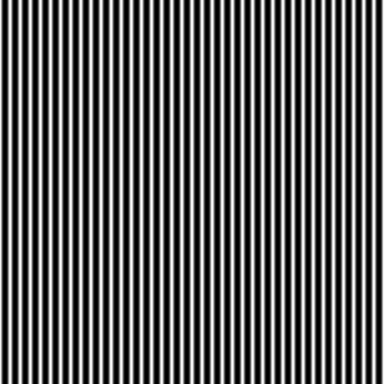
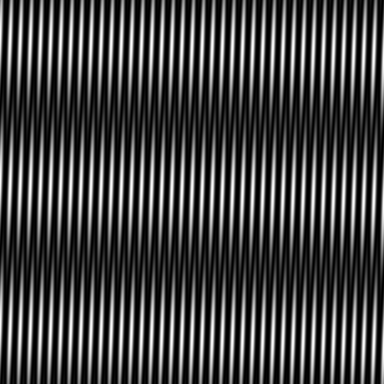
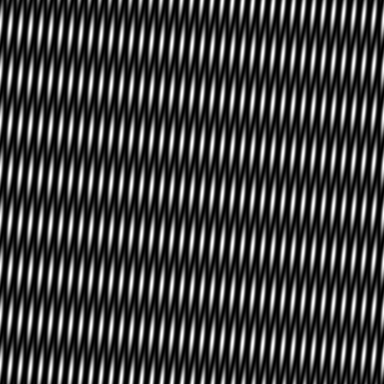
A moiré pattern is a larger visible pattern produced when fine repeating structures interact. In images and video, similar-looking waves can also come from sampling detail that the output grid cannot represent correctly. The useful first step is to identify whether you are seeing overlapping patterns, capture or resize aliasing, or an intentional texture in the source.
The local explorer above demonstrates one controlled case: two sinusoidal grayscale patterns with the same spacing and a small relative angle. Change the angle, frequency or phase, then download the actual PNG and settings. It is an original mathematical illustration, not a photograph, a camera simulation or an automatic moiré-removal service.
What creates a moire pattern
Place two fine repeating patterns together and their alignments vary across the surface. Some areas reinforce and others block one another. A broad beat can appear even though each underlying pattern has much finer spacing. At equal spacing, a small rotation makes a slowly changing difference between their directions.
Our explorer multiplies two grayscale transmittance fields. Each ranges from black to white. One runs in a fixed direction; the second rotates around the image center. The broad beat follows the difference between their spatial-frequency vectors. Phase changes move the relationship between the fields without changing that difference-vector magnitude.
MIT’s image sampling chapter covers overlapping-pattern moiré and sampling aliasing. They are related topics, but diagnosing a photographed shirt is not the same exercise as rotating two known mathematical fields.
Use the local moire pattern generator
- Start with 38 cycles across the image and a four-degree relative rotation.
- Compare zero degrees, four degrees and twelve degrees while keeping the frequency constant.
- Change the phase to move the overlap relationship. The reported beat period remains the same at the same angle and frequency.
- Increase cycles per width to make the original patterns finer. Compare the result at the same display scale.
- Download the 384 by 384 lossless PNG and JSON settings. Retain both when comparing another renderer.
Controls accept angles from zero to twenty degrees, eight to ninety cycles per width and phase from zero to one cycle. The upper frequency limit keeps the sum-frequency term of this particular product below the horizontal sampling limit at the fixed output size. This is a controlled illustration rather than a general guarantee about arbitrary textures.
At zero relative angle there is no spatial difference beat, so the report says so rather than serializing an infinite period. The product can still contain fine structure. A change in phase can also change brightness, because multiplying two fields is different from simply adding two fully opaque pictures.
Inspect the original angle comparison
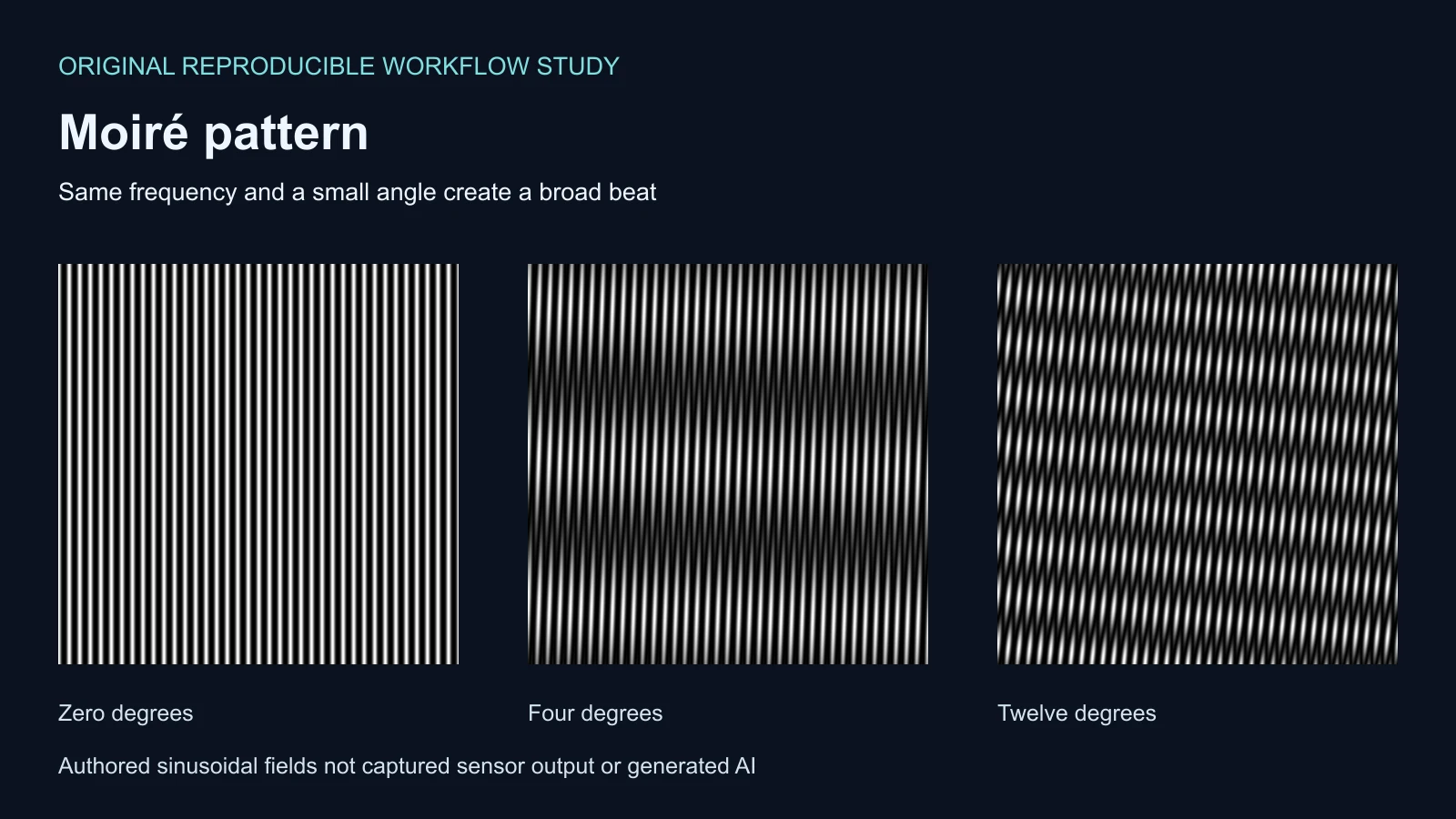
The four-degree example has broad, separated bands. Increasing the angle to twelve degrees makes the difference beat more frequent. The same number of fine cycles is present in each input field; the visible broad spacing changes because their directions differ.
Download the zero-degree PNG, four-degree PNG and twelve-degree PNG. Their settings record the underlying frequency and computed beat period. The hero artwork enlarges these outputs for comparison and should not be used for exact pixel measurements.
Separate interference from sampling aliasing
| Situation | What interacts | Useful check |
|---|---|---|
| Two overlaid fine patterns | The patterns themselves | Change their angle spacing or alignment |
| A fine texture photographed by a sensor | Image detail and the capture sampling grid | Compare distance framing focus and a fresh capture |
| A clean source reduced to a smaller raster | Source frequencies and output sampling | Compare the resize filter and final dimensions |
| A generated image with baked waves | The actual supplied pixel texture | Inspect the source before resizing or sharpening |
The distinction matters because a final image does not uniquely reveal its original scene. A model may draw a wavy textile directly. A resize can introduce another pattern later. A screenshot of that image can add yet another sampling stage. Keep the earliest available file and compare each delivery step separately.
See a prefilter change a known sampling example
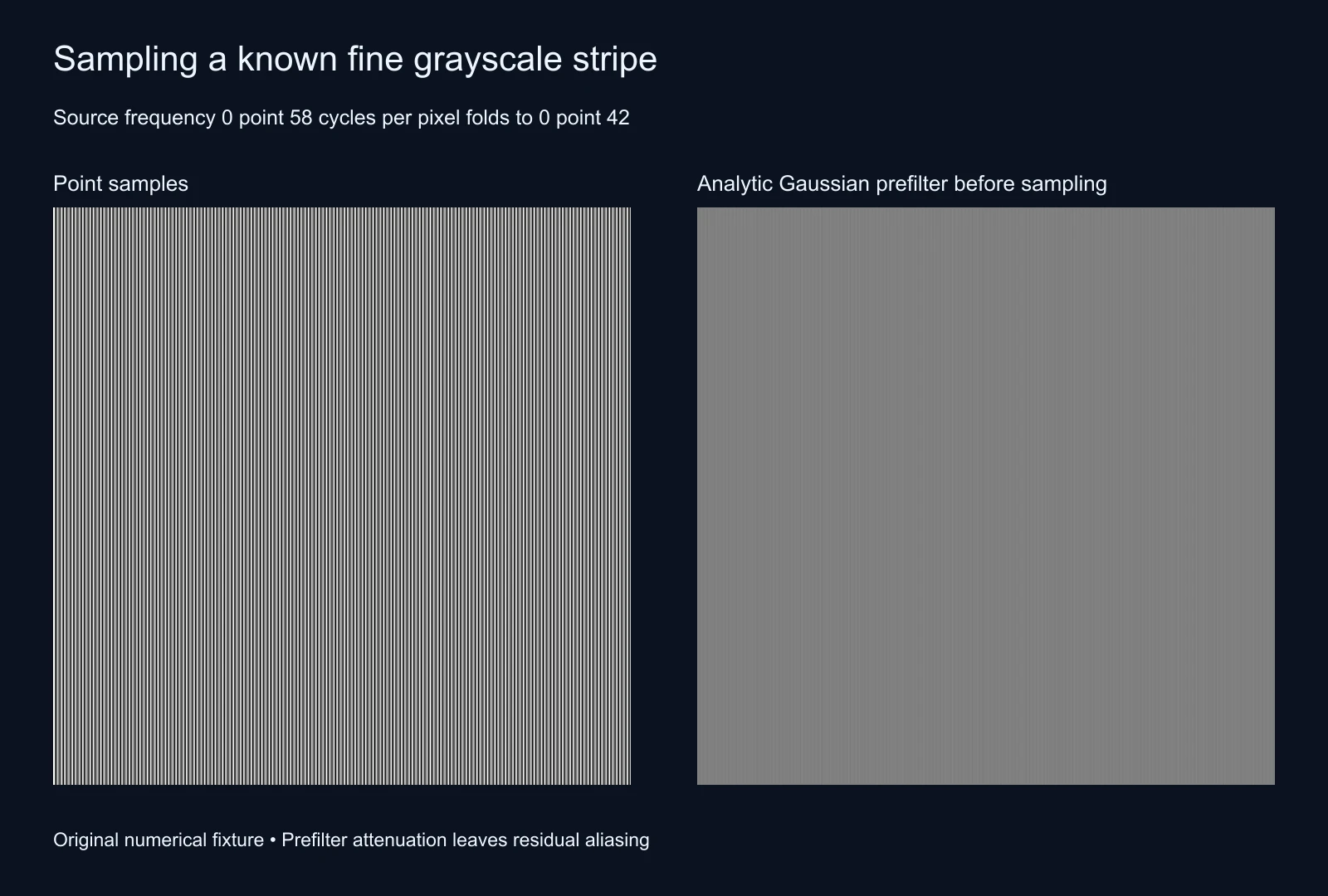
Our second fixture starts with a one-dimensional cosine at 0.58 cycles per output pixel. Point sampling folds that frequency to 0.42 cycles per pixel. The saved filtered version attenuates the continuous signal with a Gaussian of sigma 0.75 pixels before taking samples. The JSON records the analytic amplitude gain.
The Gaussian reduces high-frequency contrast but does not make an ideal brick-wall frequency cutoff. Residual aliasing remains. This example demonstrates why filtering before a reduction is a different operation from blurring a finished artifact afterward. It does not establish a universal restoration filter for real photographs.
Inspect the point samples, prefiltered samples and sampling record. These lossless outputs use an authored grayscale function, not a measured sensor, demosaicing algorithm or camera lens.
Prevent moire in an image or video workflow
For a new capture, test the patterned area before committing to the complete shoot. Change one capture variable at a time and inspect the saved file, including the intended final crop. Adobe’s anti-aliasing guide discusses changing the capture relationship and reviewing post-processing options. A correction that works on one texture can soften detail elsewhere.
For AI-generated fashion, product imagery or a scene with repeated architecture, inspect the original result first. Check whether stripes, fabric weave, tiles or screens already contain irregular waves. Then make a separate delivery-size copy and compare it with the source. Avoid repeatedly sharpening, screenshotting and resizing the same file while trying to identify the cause.
In video, review a saved sequence at delivery size rather than a single attractive frame. Fine patterns can change as the subject or camera moves. Keep the source clip and an exported test so a platform preview is not mistaken for the original file. This page’s static explorer does not simulate temporal aliasing or certify an encoding preset.
Reduce a visible artifact without promising lost detail
When a resampling step introduces the artifact, return to the cleaner source and compare a suitable prefiltered resize. When the pattern is already baked into the source, try a localized correction and judge both the artifact and the real texture that remains. A global blur can hide a pattern while also destroying small text, seams or product edges.
For a generated concept that needs a cleaner surface, use Clout Image and Video to explore an original version with broader, simpler texture. Inspect the returned file rather than assuming a prompt guarantees the result. If an exact textile or label must remain accurate, preserve an approved reference and verify it after every generation or edit.
For a deliberate patterned finish, the image dithering converter and halftone generator handle separate graphic treatments. Their intentional patterning should not be presented as recovered photographic detail.
Reproduce the saved patterns
The numerical helper, asset builder and independent NumPy verifier preserve the method. Every RGBA value in three overlap examples and two sampling outputs matched the independent calculation. Read the validation record, default settings, reproduction notes and asset hashes. This establishes the saved exercise, not a quality or ranking benchmark for image-restoration services.