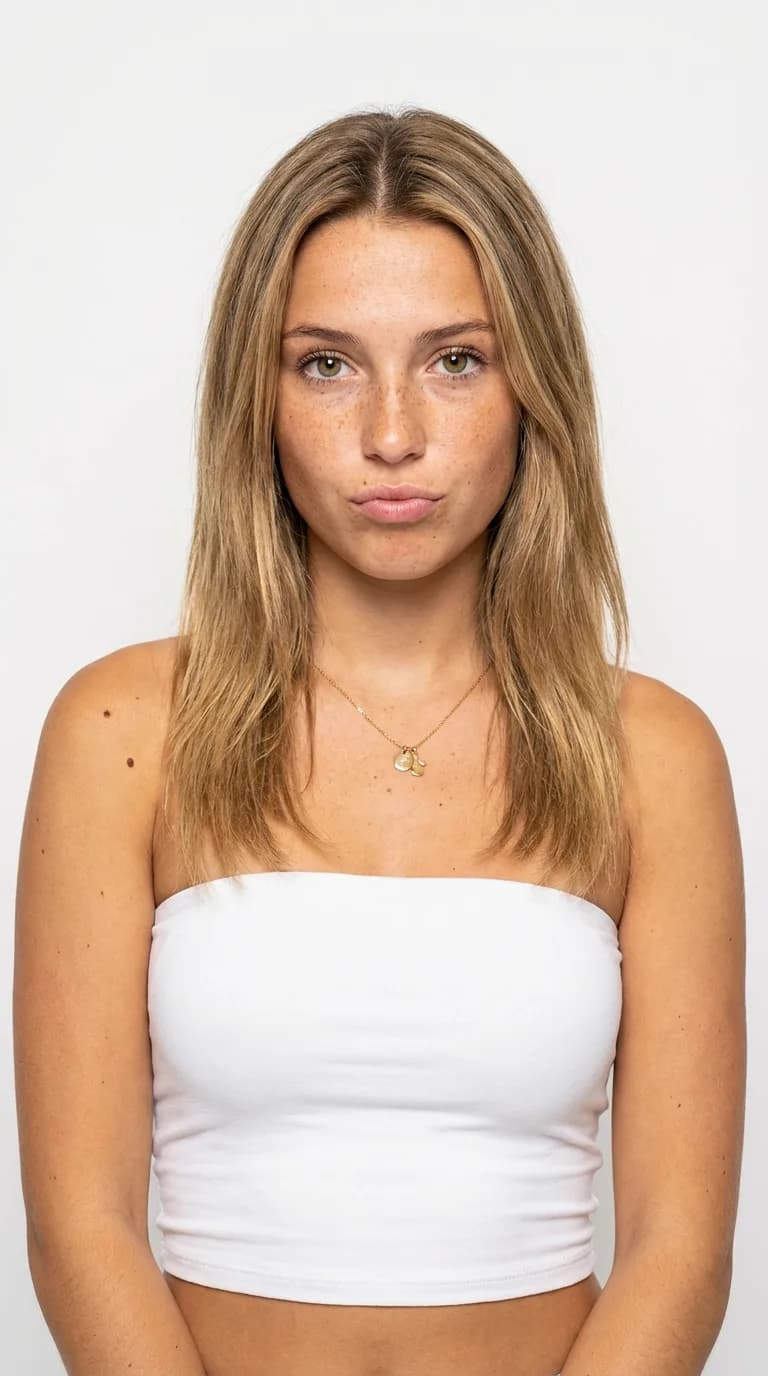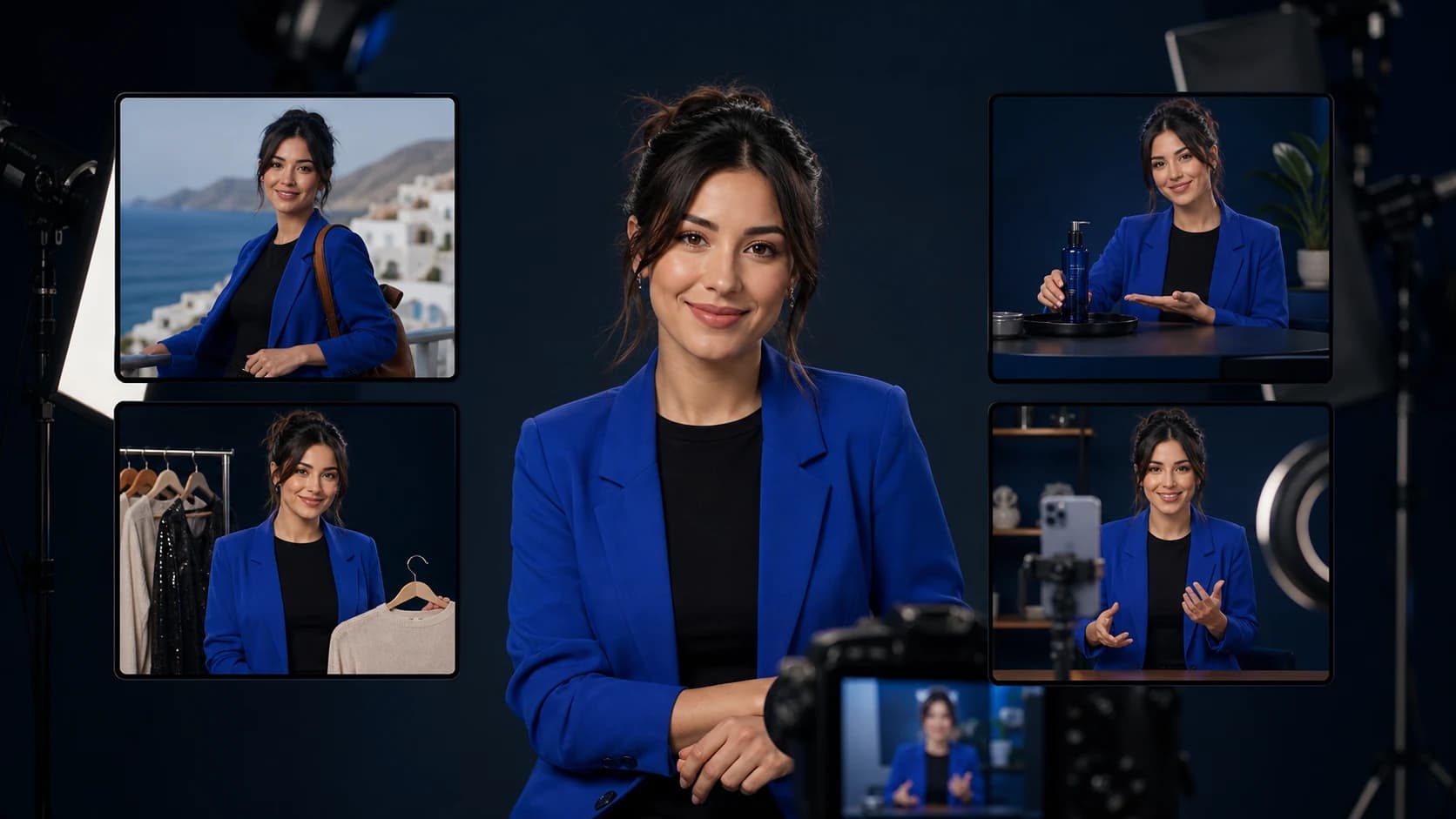
An AI influencer is a fictional digital creator whose identity, images, videos, voice, and social presence are produced with AI tools. The best ones are not a folder of unrelated portraits. They are recognizable characters with a clear point of view and a repeatable publishing system.
This guide shows exactly how to create an AI influencer from idea to first month of posts. You do not need a photo studio, a high-end computer, or five disconnected subscriptions. You do need a focused niche, an original character, consistent references, useful content, and honest disclosure.
What you need before you start
A complete AI influencer workflow has five parts. An AI influencer generator can combine several of them, but it helps to know what each part does.
| Part | What it controls |
|---|---|
| Character brief | Niche, personality, visual identity, voice, audience, and boundaries |
| Reference set | The same face, hair, proportions, styling, and overall identity across posts |
| Image workflow | Profile photos, lifestyle scenes, product shots, thumbnails, and first frames |
| Video workflow | Motion, camera direction, expression, voice, captions, and short-form edits |
| Publishing system | Content pillars, cadence, disclosures, analytics, community, and monetization |
Clout brings the character, image, and video workflow into one AI creator studio, so you can build one persona and reuse it instead of rebuilding the identity for every post.
Step 1: Choose a niche with a reason to follow
Start with what the character helps the audience do or feel. “Attractive AI model” is an appearance, not a content strategy. “Budget streetwear scout,” “five-minute apartment chef,” or “beginner strength coach” gives the character a job and gives people a reason to return.
Choose one primary audience and three content pillars. A travel creator might use destination explainers, packing advice, and cinematic location stories. A fashion creator might use outfit formulas, trend reactions, and affordable alternatives. The niche should be broad enough for 100 posts but specific enough to describe in one sentence.
- Weak: Ava is a virtual lifestyle influencer.
- Stronger: Ava helps first-time solo travelers plan stylish 48-hour city trips.
- Simple test: Write 20 post ideas. If every idea feels like the same portrait in a new outfit, narrow the audience problem.
Step 2: Write a character bible
A character bible is the source of truth for the influencer. Keep it short enough to use and specific enough to resolve creative decisions. Define the name, fictional background, apparent adult age, niche, values, tone, interests, visual rules, and topics the character will not touch.
Separate identity traits from scene variables. Identity traits stay fixed: face shape, hair, eye color, body proportions, signature styling, and personality. Scene variables can change: location, outfit, camera angle, activity, prop, expression, and lighting.
Do not copy a celebrity, creator, private person, or underage likeness. Build an original adult character and keep evidence that any uploaded source material is yours or properly licensed.
Step 3: Create the first AI influencer image
Generate a simple, front-facing portrait before attempting dramatic fashion shoots or complex product scenes. Neutral light, a clean background, and natural skin detail make it easier to judge whether the identity works.
Use a structured prompt that describes the person, the camera, and the scene in separate blocks. This example is deliberately plain; replace the bracketed details with your own original character.
AI influencer prompt template: Editorial portrait of an original adult virtual creator, [apparent age range], [face and hair traits], [signature wardrobe], known for [niche]. Natural window light, 50mm portrait lens, chest-up composition, realistic skin texture, relaxed expression, clean [color] background. Consistent facial proportions, no text, no logos, no celebrity resemblance.
Generate a batch, reject distorted or generic results, and select one identity—not just the prettiest image. The best base image is a character you can recognize in different expressions, angles, outfits, and lighting. For more starting points, use these AI influencer prompt templates.
Step 4: Lock a consistent character
Consistency is the hardest and most valuable part of creating an AI influencer. Save a small approved reference set: a clean headshot, three-quarter portrait, full-body view, and two lifestyle images. The face, apparent age, hairline, eye spacing, body proportions, and signature features should agree across all five.
Then make controlled changes. Keep the identity and camera language stable while changing one or two variables at a time. If the character starts drifting, return to the approved references instead of accepting “close enough.” Our consistent-character workflow includes a more detailed review checklist.
- Compare new generations side by side, not one at a time.
- Reuse the same descriptive phrases for fixed traits.
- Keep five to ten approved references; remove weak or conflicting images.
- Check hands, teeth, jewelry, logos, reflections, and background text before publishing.
- Reject identity drift before moving a still image into video.
Step 5: Build a 30-day content plan
Do not launch with one profile picture and no next post. Prepare at least nine feed assets and three short videos so the account immediately communicates its niche. Use a simple mix: education or entertainment for discovery, recurring series for recognition, and conversation posts for community.
| Week | Production goal |
|---|---|
| Week 1 | Introduce the character, niche, visual world, and first recurring series |
| Week 2 | Test three hooks around one content pillar |
| Week 3 | Repeat the strongest format with new examples and a clear audience question |
| Week 4 | Publish a deeper story, collaboration concept, or product-relevant post |
A useful starting cadence is three to five strong posts per week. Quality and recognizable formats matter more than flooding the feed. Use an AI influencer content calendar to keep the pillars balanced.
Step 6: Turn the best images into AI influencer videos
Start video with the strongest still frame. Define one motion and one camera instruction: turn toward the camera, demonstrate a product, walk through a doorway, or hold a natural expression while the camera pushes in. Asking for several actions, a wardrobe change, and a complex camera move in one clip increases visual errors.
For TikTok, Instagram Reels, and YouTube Shorts, pair the visual with a clear opening line. The first frame, spoken hook, on-screen text, and caption should make the same promise. Generate several short variations and keep only the clips where the character remains recognizable from start to finish.
See the full AI influencer video workflow for first-frame selection, motion direction, voice, and quality control.
Step 7: Create and launch the social profile
Choose one primary platform first. Instagram is useful for a polished visual world, TikTok for rapid hook testing, and YouTube Shorts for repeatable video series and search discovery. Reserve the same handle on the others, but learn one audience before multiplying the workload.
- Use the same recognizable portrait across profile surfaces.
- State the niche and what followers get in the bio.
- Describe the character transparently as virtual or AI-created.
- Pin an introduction, the best proof-of-concept post, and a recurring series.
- Use a real contact email and keep the human operator accountable for the account.
For an Instagram-first launch, follow the AI influencer Instagram strategy to plan the profile, grid, Reels, captions, and weekly review.
Step 8: Disclose AI content and protect trust
Disclose realistic AI-generated media. TikTok says creators must label realistic AI-generated images, audio, and video, and it prohibits certain impersonation and unconsented-likeness uses. YouTube requires disclosure when realistic content is meaningfully altered or generated. Use each platform's current upload controls, because policies and labels can change.
- Read TikTok's AI-generated content guidance.
- Read YouTube's altered or synthetic content guidance.
- Use the paid-promotion disclosure when a brand, affiliate, or free product is involved.
- Never invent a testimonial, customer result, credential, news event, or product experience.
- Get permission for real likenesses, voices, logos, music, locations, and protected creative work.
Transparency does not weaken the character. It gives the audience the right context and makes the creator brand safer for partners.
Step 9: Grow with audience signals, not fake followers
Track which topics and formats create meaningful attention. Useful early signals include shares, saves, average watch time, profile visits, follows per post, and comments that show genuine interest. A smaller recurring series with strong retention is more valuable than a random viral image that attracts the wrong audience.
Review the account weekly. Keep the character and niche stable, repeat the best hook in a new situation, and stop formats that consistently lose viewers. Reply in the established voice, but do not pretend a human event happened to the fictional character when it did not.
Step 10: Monetize after the audience proves demand
Common AI influencer business models include affiliate links, sponsored creative, digital products, brand-ambassador campaigns, licensing, and paid communities. The right model depends on why the audience follows. A fashion account can recommend products; an educational character can sell a guide; a brand-owned persona can produce recurring campaign assets.
Do not treat earnings screenshots or follower counts as a business plan. Validate interest first, disclose commercial relationships, and make only claims you can support. This AI influencer monetization guide explains the main revenue paths, and the media-kit guide shows how to package real audience evidence for partners.
How much does it cost to create an AI influencer?
The cost depends on whether you use one integrated studio or combine separate image, video, voice, editing, and scheduling tools. A do-it-yourself stack can look free at first but add subscriptions, setup time, failed generations, and consistency work. A guided platform costs more than a free image demo but can replace several steps.
Compare tools using the cost of one publishable post, not the advertised cost of one generation. Include rejected images, video retries, editing time, storage, commercial-use terms, and the time required to keep the character consistent. Start with a small test month before committing to a large production plan.
Common AI influencer mistakes
- Designing a face before a niche. The feed becomes attractive but forgettable.
- Changing too many traits. The character looks like a different person in every post.
- Animating weak images. Video makes identity and anatomy problems more obvious.
- Copying a real person. This creates consent, impersonation, platform, and legal risk.
- Hiding the AI origin. Deception damages audience and partner trust.
- Mass-producing near-duplicate posts. More output does not replace original value.
- Monetizing before learning. A hard sell before audience fit makes growth harder.
Create your AI influencer in Clout
The shortest path is persona first, references second, content system third. Pick a useful niche, write the character bible, approve a consistent identity, produce a launch library, disclose realistic synthetic media, and let real audience behavior guide the next batch.
Create your AI influencer with Clout and turn one original character into consistent photos, short videos, and a repeatable social content workflow.