To dither an image, reduce it to a small palette and distribute the remaining tonal differences as a visible pixel pattern. The free tool above converts PNG, JPEG or WebP images into two, four or eight gray levels. Compare a plain nearest-level conversion with ordered Bayer dithering and Floyd–Steinberg error diffusion, then export the actual PNG and its settings.
Your file stays in the browser. The tool preserves its decoded dimensions, composites transparency onto white and exports an opaque grayscale image. It does not use an AI model, enlarge the picture or recover missing detail. The arch scene used throughout this guide is an original procedural illustration.
For stepped gradients in a delivery file, use the color banding export diagnosis and PNG depth lab. It distinguishes source precision from later container depth.
What image dithering changes
A small palette cannot represent every input shade directly. A simple nearest-level conversion assigns each pixel to its closest available gray value. A dithered conversion uses a spatial arrangement of available values to suggest intermediate tones when viewed at an appropriate size.
The tradeoff is visible texture. A smooth gradient can retain a better impression of tonal variation while gaining dots or a grain-like pattern. Dithering does not add genuine source detail. Inspect a face, small label or product edge separately from a large sky or background gradient.
The ImageMagick quantization examples describe ordered and error-diffusion approaches as different tools. Our browser implementation uses the explicit grayscale conventions below. It is not a promise of byte-identical output from every ImageMagick command or another editor’s palette converter.
Choose a method for the image
| Method | How this tool chooses values | What to inspect |
|---|---|---|
| Nearest level without dithering | Closest stored gray byte with higher-value ties | Lost gradients and hard tonal boundaries |
| Ordered Bayer | A fixed four-by-four threshold rank pattern | Repeating texture and its relationship to edges |
| Floyd Steinberg | Quantization error distributed to later neighboring pixels | Fine texture directional structure and small details |
Use the same source, dimensions and palette while comparing methods. A change from two levels to eight can matter more than a change in method. Do not compare a resized export with the original and attribute all differences to the algorithm.
Two levels use black and white. Four use 0, 85, 170 and 255. Eight use rounded, evenly spaced byte values from black to white. The JSON records the actual stored palette and counts how many pixels use each value.
Dither an image locally
- Choose a PNG, JPEG or WebP up to 16 MB with sides from 16 to 2048 pixels and no more than four million decoded pixels.
- Select Nearest level without dithering for a baseline.
- Select Ordered Bayer or Floyd Steinberg while keeping the same gray-level count.
- Inspect the image at its intended display size and at pixel scale.
- Download the PNG, JSON settings and palette-count CSV.
The default is Ordered Bayer with two levels. The preview is the generated PNG. Controls and downloads wait for the current image and settings to finish, so an earlier result is not silently exported after a new upload or method change. An invalid file or failed decode blocks the export until a valid source is selected.
Inspect the original arch comparison
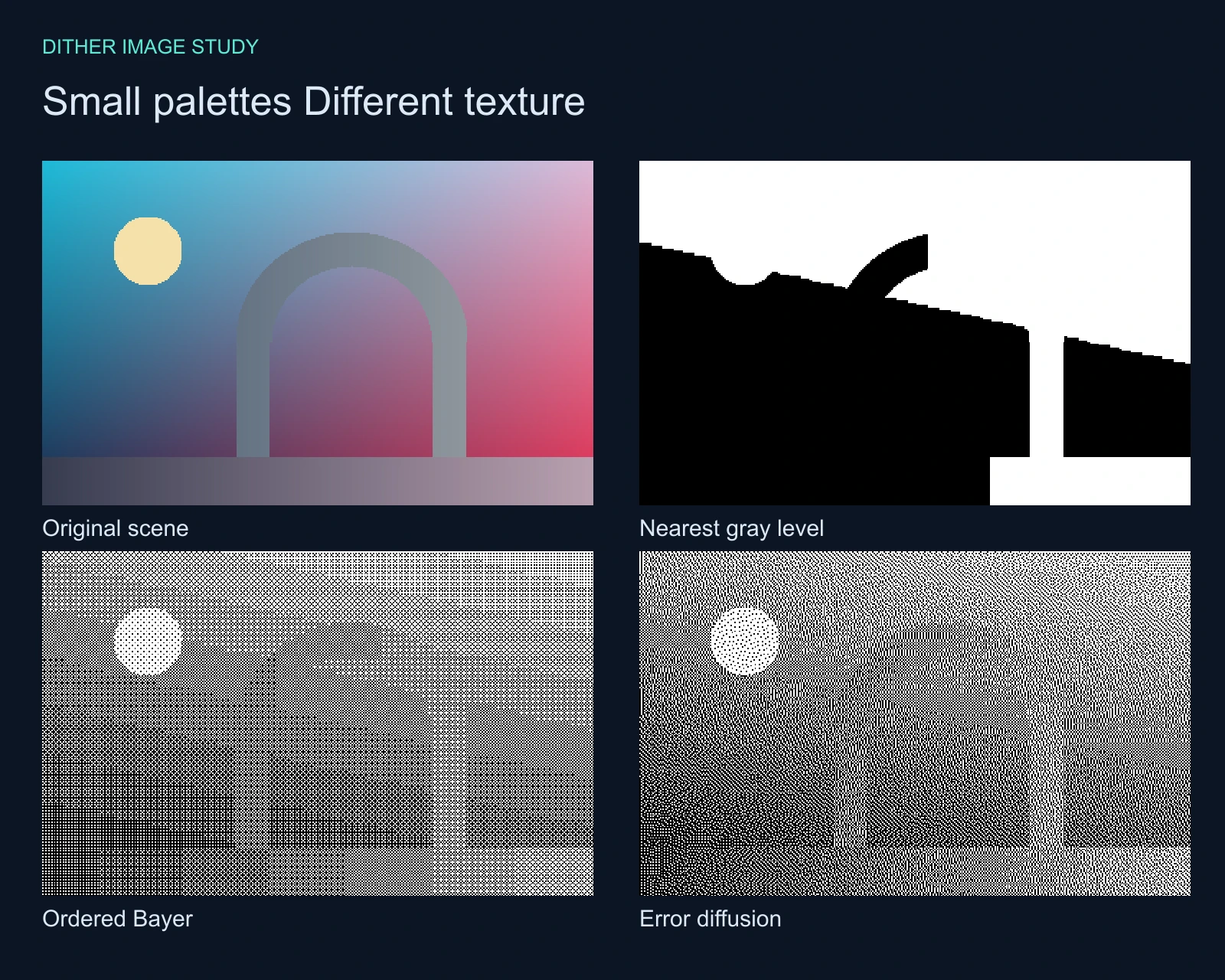
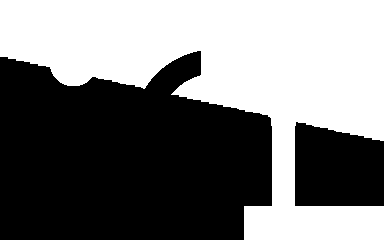
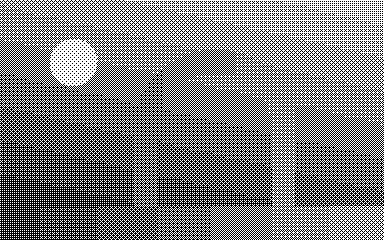
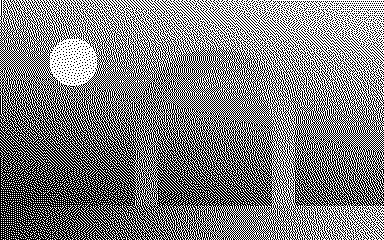
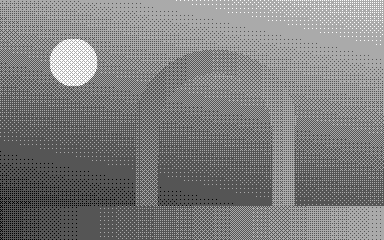
The source combines a smooth colored sky, a bright circular disc, an arch silhouette and a floor gradient. Plain nearest-level conversion removes much of the soft tonal separation. The ordered pattern restores an impression of intermediate shades with a regular structure. Error diffusion distributes the error into a different fine texture.
Download the original scene, nearest-level baseline, ordered two-level PNG and error-diffusion PNG. The WEBP artwork is a viewing aid; use the lossless PNG files to inspect exact palette values and pixels.
For a quieter result, compare the four-level ordered image and eight-level error-diffusion image. Choose the palette around the delivery requirement and the detail that must survive. More levels preserve more direct shades but change the graphic effect.
Understand the fixed ordered pattern
Ordered Bayer dithering compares each pixel’s position between adjacent palette values with a threshold from a repeating four-by-four rank map. The map stays anchored at the top-left of the decoded image. Cropping or changing the origin can change which pixels cross a threshold.
Our map uses the ranks zero through fifteen, with thresholds at the centers of sixteen intervals. Input values at a threshold select the higher palette value. The ImageMagick ordered-dither API reference documents the broader use of threshold maps and multiple intensity levels. The downloadable helper specifies this implementation’s exact map and comparison.
A repeating dot structure is not automatically an error. It may be the intended visual language for a game asset or retro graphic. Judge it at the final display scale. Browser interpolation or a social platform’s resampling can change the apparent pattern, even when the underlying PNG has not changed.
Understand the error diffusion scan
This implementation processes every row from left to right. After choosing the nearest stored gray byte, it distributes the quantization error with weights seven sixteenths to the next pixel, three sixteenths down-left, five sixteenths down and one sixteenth down-right. Error leaving an image edge is discarded rather than wrapped.
The scan direction matters. This tool does not alternate direction on successive rows and does not implement every application’s Floyd–Steinberg variant. Compare exact outputs using the source, settings and dimensions together. A differently scanned or resized file can produce a different pattern while using the same broad algorithm name.
Handle transparency and color deliberately
The tool first approximates brightness with Rec709 weights applied to decoded RGB byte values. It then composites that brightness onto white using source alpha. This is a stated byte-space grayscale convention, not calibrated luminance or a linear-light color-management pipeline.
A fully transparent pixel becomes white regardless of its hidden RGB values. Partial transparency blends toward white before quantization. The output alpha is fully opaque. Keep a separate transparent source if your delivery needs an alpha channel; this tool’s export is a finished grayscale raster.
Inspect the original transparency fixture and opaque dithered result. JPEG and lossy WebP can already contain compression texture or altered edge values, so begin with the cleanest source available when comparing methods.
Use dithering in an AI image workflow
Create and approve the subject and composition before finishing the image into a limited palette. In Clout Image and Video, generate an original source scene and inspect the returned file. Then use a small accepted image here to explore a deliberate grayscale treatment. Dithering is a finishing operation, not a fix for changed anatomy, incorrect lettering or a different product shape.
Keep exact brand text and essential edges readable after conversion. For a printed-dot design with different controls, use the existing halftone pattern generator. A new dithered version and a halftone pattern are separate design decisions.
For a separate stereo finishing workflow use the red cyan anaglyph maker with a matched left and right image pair.
Reproduce the exact published PNGs
The local image helper and original asset builder preserve the inputs and settings. An independent NumPy verifier checked every output pixel in all nine method-and-palette combinations, plus the transparency fixture.
Read the pixel validation record, default settings, palette counts and reproduction notes. The asset manifest records hashes for the published files. These checks establish the saved conversion, not a universal quality ranking between methods.