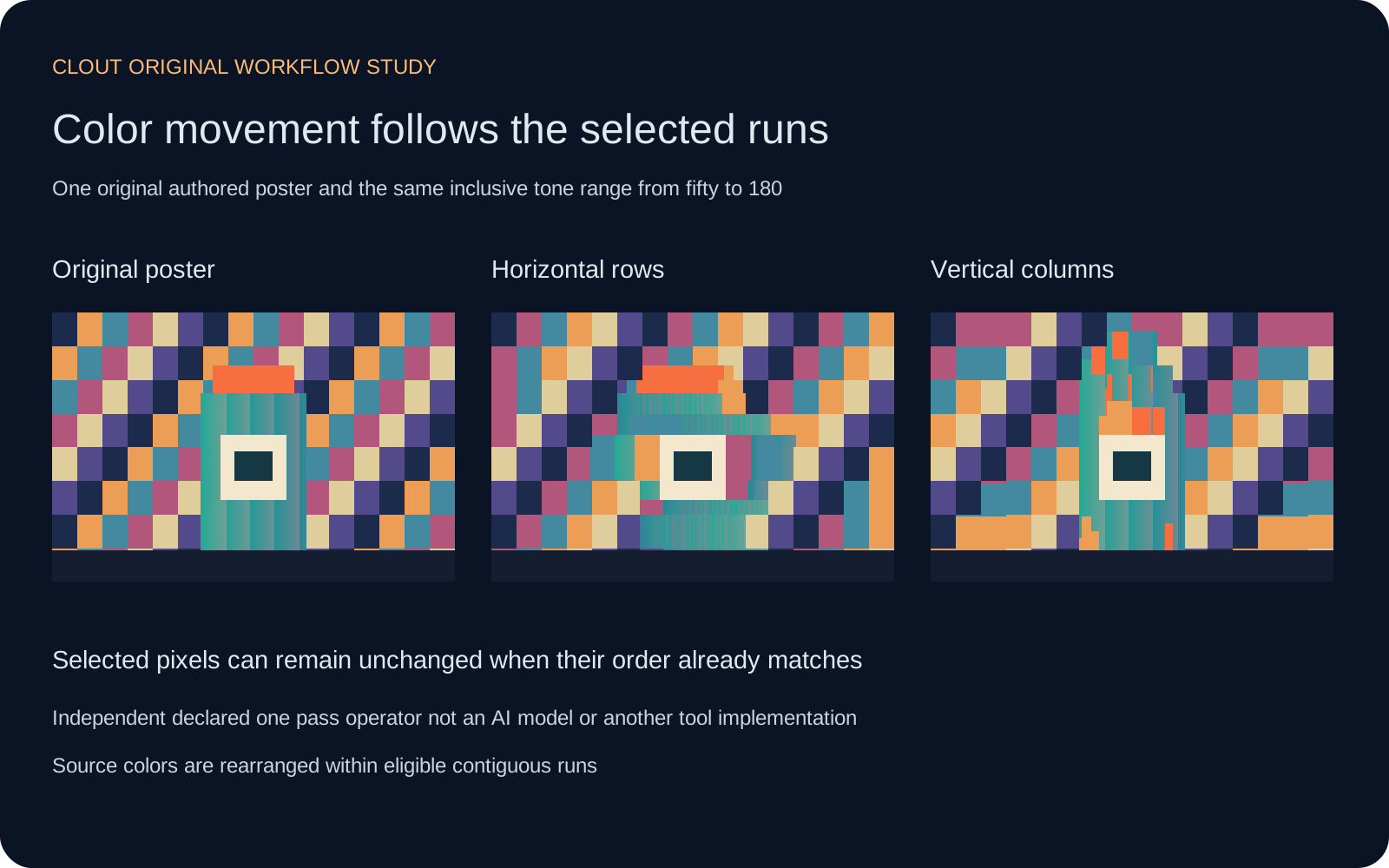
Pixel sorting rearranges existing image pixels into ordered runs, creating streaks, bands and controlled distortions. A pixel sorter can be useful for a music poster, a stylized background, a title card or an experimental version of a generated image. The result depends on which pixels are eligible, how those pixels are grouped and what determines their order.
Use the free local tool above to compare an original poster, horizontal sorting and vertical sorting. You can also choose your own image and download the sorted PNG, working source, selection mask and settings. The effect runs in your browser without a generation request.
For flat color treatments rather than rearranged pixels use the posterize image tool.
What is pixel sorting
Pixel sorting changes where colors appear rather than inventing a new scene. Many approaches select portions of rows or columns, then reorder the pixels inside those portions. Thresholds, sorting keys and run boundaries vary between implementations, so settings from one tool may not reproduce another tool’s result.
Kim Asendorf’s ASDFPixelSort repository describes a Processing script with threshold control and credits the work to 2010. This guide’s tool uses an independently declared operator with its own tone weights and inclusive boundaries. It does not copy the repository’s code, reuse its example photographs or claim to reproduce that implementation.
Try the free pixel sorter
- Select Load original poster in the tool or choose a PNG, JPEG or WebP image you can use.
- Choose a lower and upper tone. The tool selects pixels whose calculated source tone falls within that inclusive interval.
- Pick horizontal rows or vertical columns and dark-to-light or light-to-dark order.
- Compare the working source with the result. Check the subject and the space where text will sit.
- Download the selection mask and recipe with the sorted image so the effect remains inspectable.
The tool accepts files up to eight MB with image sides from sixteen to 4096 pixels. It flattens transparency on white and resizes the longest side to at most 1200 pixels before processing. The working-source export records that actual input to the effect; it is not a promise to retain the original file’s resolution, transparency, profile or metadata.
Each change starts from the unchanged working source and applies one pass. Switching between rows and columns does not stack a second effect on the previous result. If you deliberately want multiple passes, save the first result and load that exported file as a new source.
How thresholds and contiguous runs shape the effect
Our declared tone is a weighted calculation on decoded RGB bytes: 2126 times red, 7152 times green and 722 times blue, divided by 10000 with half-up rounding. This is the tool’s ordering value, not a color-managed luminance measurement. Both threshold endpoints are included.
A run ends when an ineligible pixel interrupts the selected row or column. Within a run, the tool sorts by tone and keeps equal-tone pixels in their original relative order. It preserves each run’s colors rather than replacing them with an average. Pixels outside the selected runs stay in place.
| Setting | What changes | Useful inspection |
|---|---|---|
| Lower and upper tone | Which source pixels can join a run | Check the exported mask around the intended subject |
| Horizontal rows | Colors move within eligible row segments | Inspect horizontal bands and interruptions |
| Vertical columns | Colors move within eligible column segments | Inspect vertical streaks and subject stretching |
| Ascending or descending | The direction of the tone order | Check which end of a streak collects lighter colors |
| Full tone range | Every working pixel becomes eligible | Expect substantial rearrangement rather than subject protection |
Inspect the original poster study
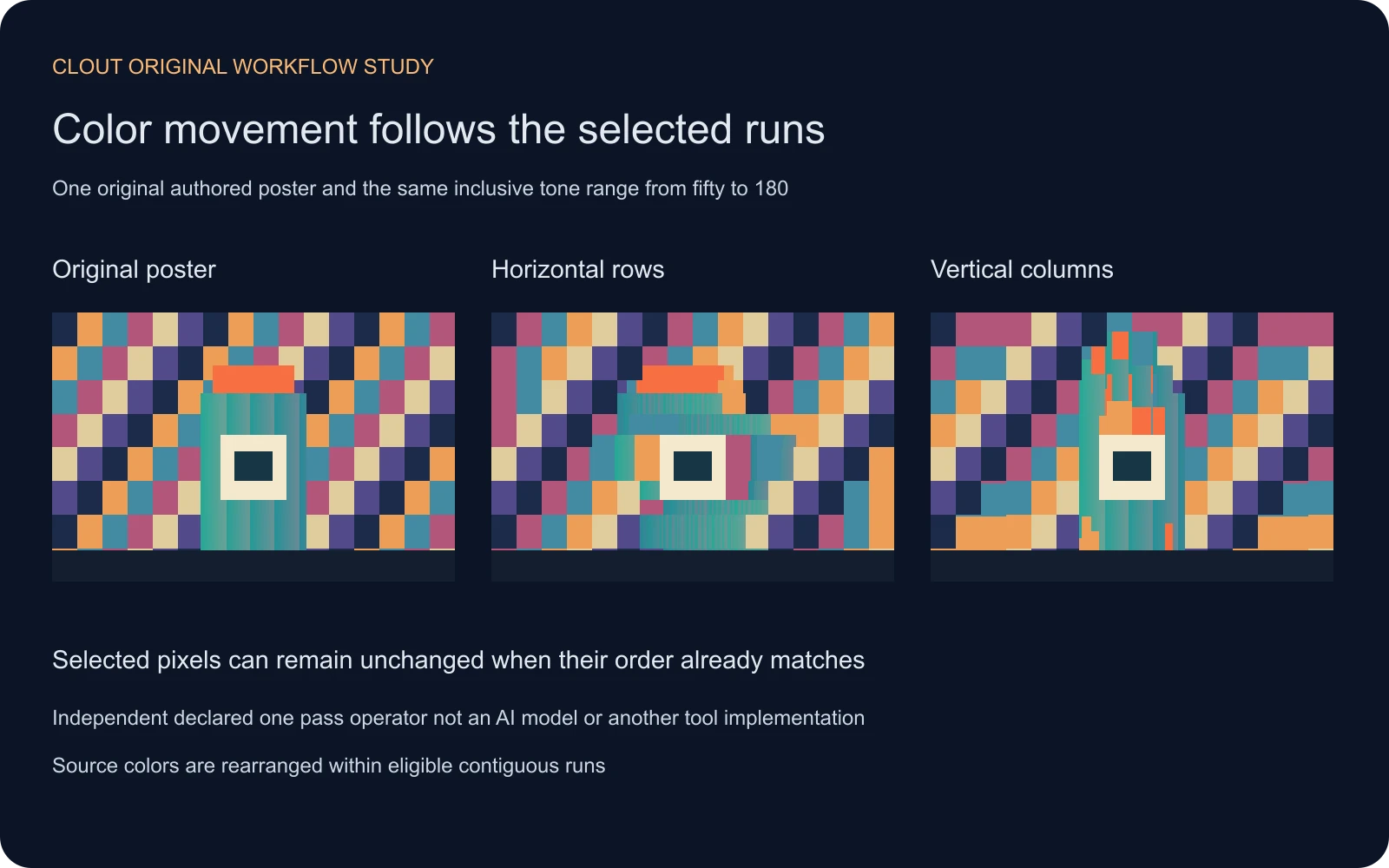
The source is an original 384 by 256 pixel graphic with an unbranded teal bottle, orange cap, pale label and colored background blocks. At the inclusive tone range 50 to 180, both directions select 60090 pixels. Horizontal sorting changes 36844 pixel colors at their destinations across 1094 sortable runs. Vertical sorting changes 28446 across 1042 sortable runs.
Those counts describe this exact source and operator. They are not quality scores. The white mask shows eligibility, including selected pixels that remain visually unchanged because they already match the requested order or belong to a one-pixel segment. The changed-pixel count compares output RGB values against the working source.
Download the original source PNG, horizontal result, vertical result and selection mask. The study record preserves the counts and provenance.
Make a useful glitch art background
Start with a composition that already has a clear color hierarchy. Choose whether the streaks should draw attention toward the title, frame a portrait or suggest motion behind a product. Set aside a readable text area before adding the effect. Sorting every pixel can produce an interesting abstract image while removing the hierarchy that made the original useful.
For a product campaign, review the object’s silhouette, cap, label and markings after sorting. A threshold does not understand which pixels belong to a brand. If the product must remain unchanged, keep an approved product layer above a sorted background in your compositor. The image compositing guide explains how to review layer order and the final assembled poster.
For a music cover or experimental title card, push the distortion further but check the small preview. Fine bands that look good at working size may compete with text or disappear in a thumbnail. Compare the exported graphic at the size where the audience will actually see it.
Use pixel sorting with AI generated images
Create or choose the source image first, then treat sorting as a separate finishing decision. In Clout Image and Video, build an original character, object or setting around the intended composition. Inspect the saved source before applying the local effect. Pixel sorting will not correct a misshapen hand, inconsistent product or unreadable label.
Keep the approved source and its generation record separate from the sorting recipe. That makes it possible to distinguish the model’s output from the later pixel rearrangement. For a campaign variant, change one finishing setting at a time so the comparison answers a real question about hierarchy, readability or visual direction.
To combine a consistent subject with abstract surroundings, prepare the foreground and background as separate assets. Review the composite after cropping and text placement. A striking sorted background is useful only if it supports the actual message and the intended delivery size.
Pixel sorting versus pixelation and datamoshing
Pixelation typically reduces detail into coarser blocks. This tool instead rearranges full source pixel colors inside selected runs. A sorted image can look blocky when the source itself is blocky, but that appearance does not make the operations identical.
Datamoshing is a separate video workflow associated with how encoded motion and frames are manipulated. The local sorter here processes a still image and does not edit a video codec. For a broader palette change, use the duotone guide; for selected color movement, inspect the sorting mask and run direction.
Keep the image and recipe together
Save the source, output, mask and recipe with a short note about the intended use. Record the working size, selected range, direction and order. Different browsers or decoding paths can produce different working bytes from a compressed image, so use the exported working PNG when you need to reproduce the declared calculation exactly.
The calculation helper, asset builder, comparison SVG and asset manifest make the original exercise inspectable. Use the image that serves your poster or campaign, rather than treating the largest number of changed pixels as the best outcome.