A halftone effect can turn an approved image into a graphic dot treatment for a poster, thumbnail, title card or digital product campaign. Start with the image and a specific output size. A pattern that reads as tone when reduced can become a distracting grid when enlarged, so inspect the actual export where it will be used.
For a palette conversion with ordered or error diffusion texture use the image dithering tool in this source backed guide.
Make a halftone pattern from your PNG
- Use the original numeric sphere example or choose a PNG up to 1024 by 1024 pixels and 10 MB. The tool processes the image locally in your browser.
- Set Dot pitch to choose the cell spacing in output pixels. A larger value produces fewer, larger cells; it does not increase image resolution.
- Leave the paper white for a complete black-and-white image, or enable black ink on transparency to place the exported ink over another background.
- Download the PNG for a raster workflow or SVG for editable vector circles clipped to their cells. Inspect the result in the destination application.
- Keep a separate copy of the approved original. This effect reduces detail and cannot recover features that were not present in the source.
The SVG contains the generated dot geometry, not a hidden embedded photograph. The PNG uses a declared four-by-four subpixel sampling grid per pixel to smooth circle edges. Their edge rendering may differ between applications even though they use the same dot plan.
What a halftone effect represents
Halftone imagery uses marks to represent tone at a viewing distance. Adobe's halftone overview describes the dotted appearance and how dot settings influence the visible treatment. A monochrome digital pattern is one implementation; it should not be mistaken for a full four-color printing separation.
Our generator uses one black ink. It calculates a weighted brightness from the encoded red, green and blue values after compositing alpha over white. It does not linearize the source color channels or apply a printer's tone-response curve. Treat it as a reproducible graphic effect rather than a measurement of physical reflectance.
Compare the same source at different dot pitches
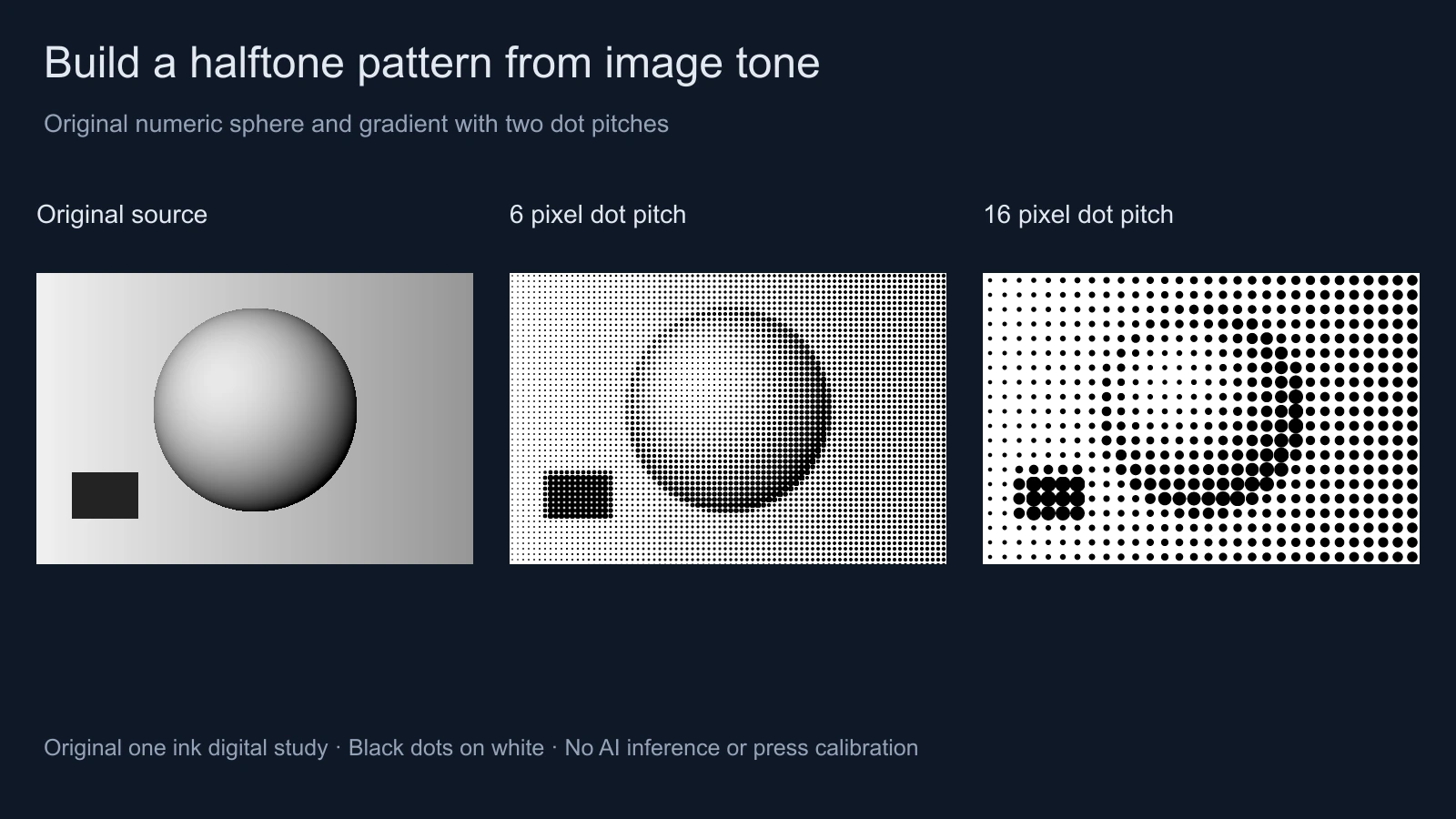
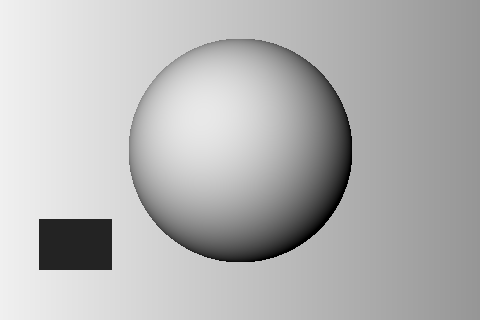
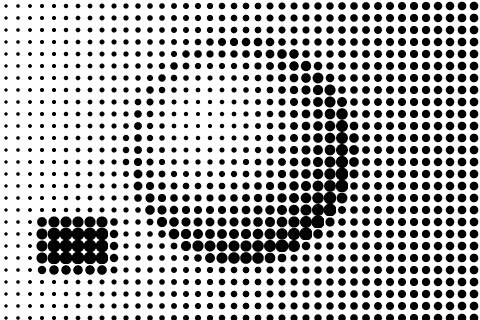
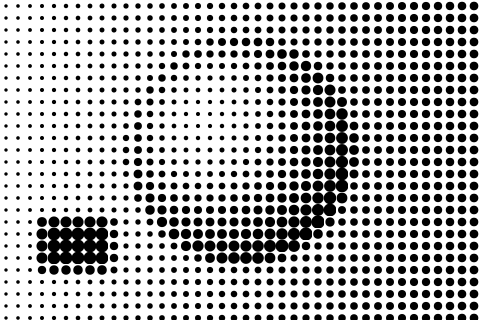
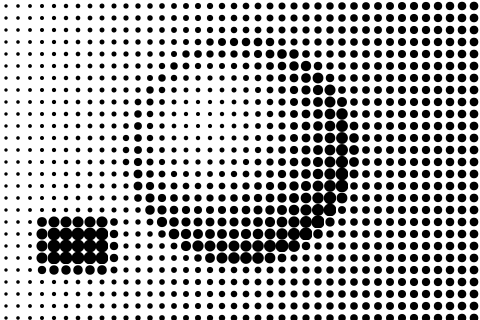
The illustration uses an authored numeric sphere, a gradient and a dark rectangular swatch. Download the original 480 by 320 source PNG, 12-pixel white-paper PNG and transparent-ink PNG. These are inspectable examples rather than screenshots of an inaccessible filter.
At 12-pixel pitch, this source has 40 columns and 27 rows of cells. The final row is clipped to the image edge. The generator averages the available pixels in a partial edge cell and clips the resulting dot to the image and cell boundaries; an incomplete cell can therefore look different from a full square cell.
How darkness becomes a clipped circle
Each cell receives one average darkness from zero to one. The radius is solved from the area of a centered circle clipped to its square cell. In dark regions the circle can extend beyond the cell's sides, but the clip keeps neighboring cells independent. This lets a fully black source cell become fully black rather than forcing a visible white gap between every dot.
A white cell creates no ink. A black cell fills its square. Intermediate tones produce a circle or a clipped circle depending on the requested area. The raster export approximates the continuous geometry with subpixel samples, so do not expect every small cell's average byte value to match the mathematical area exactly.
Inspect the original mapping and export source and the static white-paper SVG or transparent-ink SVG. No image is sent to a generation API and no paid credits are required by this tool.
Choose white paper or transparent ink deliberately
| Output | What is saved | What to inspect |
|---|---|---|
| White-paper PNG | Opaque black and white pixels with antialiased edges | Contrast and detail at the final raster size |
| Transparent-ink PNG | Black RGB with alpha describing ink coverage | Appearance over the intended background |
| White-paper SVG | A white rectangle plus clipped black circles | Vector rendering and any later rasterization |
| Transparent-ink SVG | Clipped black circles without the white rectangle | Background interaction and destination support |
Transparent output does not restore the source alpha. The source is first interpreted over white so hidden RGB in transparent pixels does not create unexpected black dots. The exported transparency describes the new ink pattern. On the preview's white background, the two paper modes can look the same even though their exported alpha differs.
Keep important edges readable
Begin with a broad subject silhouette and a clear contrast hierarchy. A tiny eye, narrow product seam or small label may disappear when several source pixels become one cell average. Use a smaller pitch, a larger approved source or a different crop when the detail is essential.
Add verified lettering and the final call to action after the image treatment when sharp text matters. Do not expect the halftone process to fix malformed generated lettering or an incorrect product shape. Review the approved base image before styling it, and compare the finished export at the actual display size.
For animated title cards, keep the pattern treatment consistent across frames and test a short motion segment. A dot grid can shimmer when resized or moved by fractional pixels. This single-image tool does not process a video, maintain temporal consistency or prove that a rendered sequence is stable.
Use a separate workflow for physical printing
The Procreate Handbook explicitly separates its digital halftone effect from preparing physical screen-print halftones. Our tool likewise does not choose a press screen, ink separation, mesh, dot gain or output resolution for a printer.
Give the printer the actual artwork and production requirements, then follow its requested preparation method. A vector extension alone does not make this digital effect press-ready. Keep the original image available so a production specialist can create the required separation rather than screening an already screened preview.
Plan the original image before adding a pattern
Use Clout Image and Video for supported image workflows or Marketing Studio for an approved campaign concept. Once the actual result passes a product and composition review, use this local tool for a controlled monochrome treatment. The blank review ledger records the file, region, settings and acceptance decision.
For a stylized surface responding to a 3D light, see the native cel-shading and toon-shader study. For a repeating surface image, use the tileable texture inspector. A halftone grid is not automatically a seamless tile, a material shader or a generated video effect.