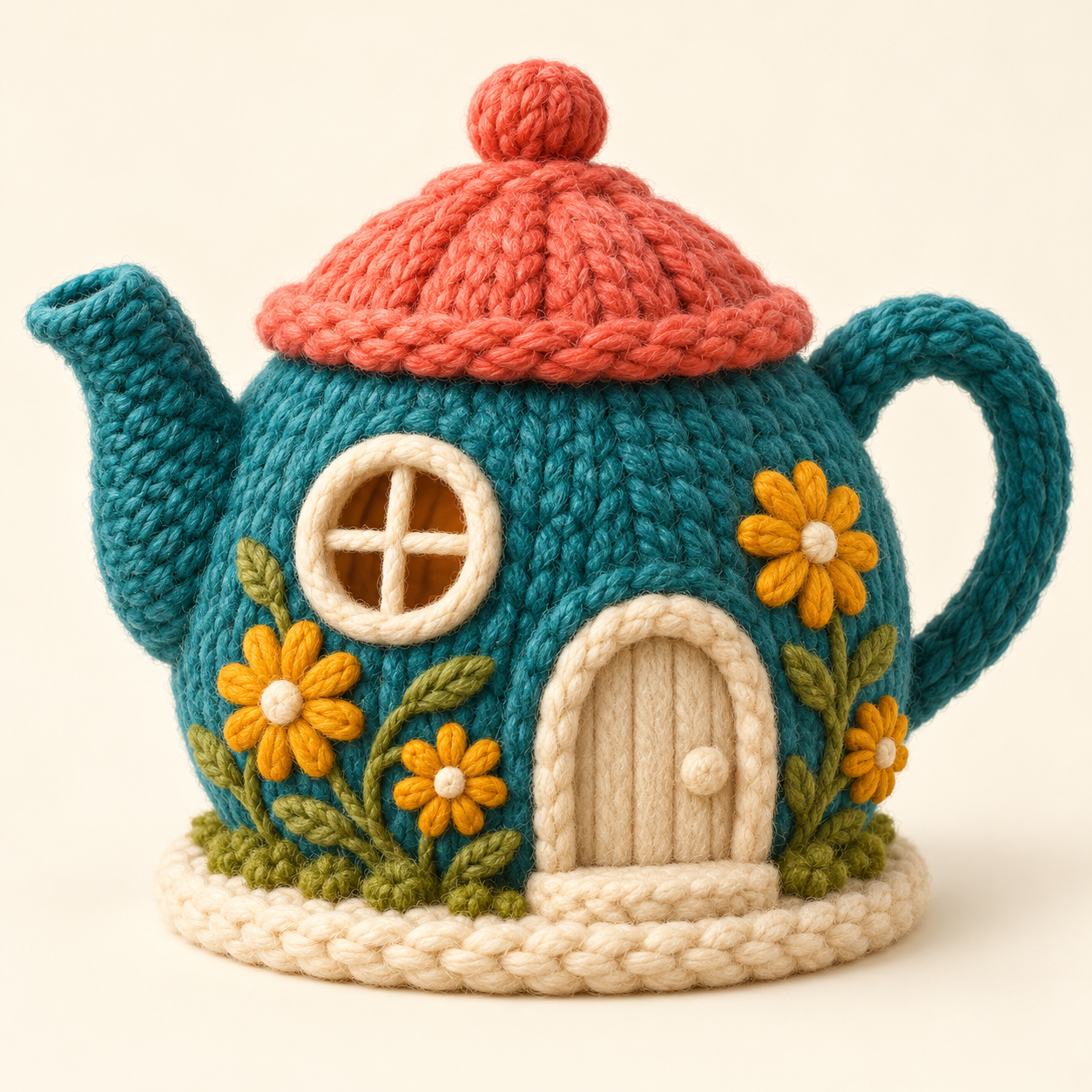
AI crochet can refer to a generated yarn-textured image, written pattern instructions or an image being presented as a handmade project. Those are different things. A convincing picture can suggest color and shape without telling a maker how to construct the object. Start by asking which deliverable you actually have.
This guide includes an original imagined teapot cottage, exact detail crops, the creative brief and a filled review sheet. It is AI concept artwork, not a physical crochet sample or a tested pattern. The files make that distinction inspectable instead of asking you to accept a claim based on the picture alone.
Separate an AI crochet image from a usable pattern
| What you receive | Useful for | Still needs separate evidence |
|---|---|---|
| Yarn-textured concept image | Color shape mood and illustration direction | Whether a maker can construct the depicted object |
| Written pattern draft | Reviewing proposed instructions | Correct counts sizing materials and a tested result |
| Physical finished sample | Inspecting an actual interpretation | Whether the supplied instructions reproduce that sample |
| Work in progress and tester records | Connecting instructions to actual makes | Which version materials and changes were tested |
The Craft Yarn Council pattern-reading guide explains how instructions organize work in rows or rounds and report stitch counts. Those instructions are a different kind of information from a decorative surface in an illustration. Do not infer a complete pattern from visible texture alone.
Inspect one original yarn concept
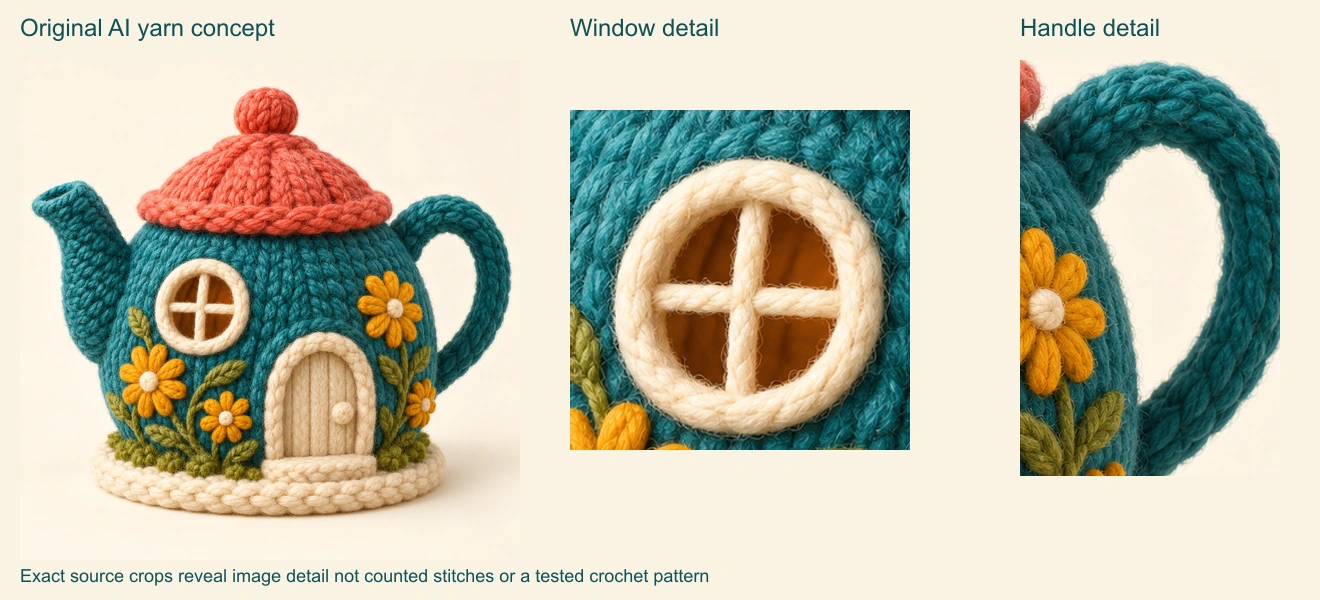
The fictional cottage has one teal teapot body, a left spout, a right handle, a coral lid and cream window and door details. The mustard flowers appear across its body. Our brief requested flowers around the base, so the actual composition already shows a difference between the requested concept and the returned image.
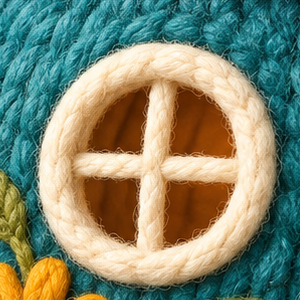
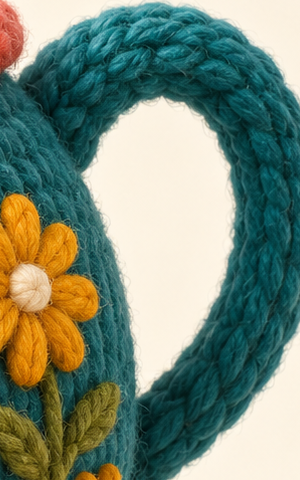
Download the native 1254 square concept PNG, window detail and handle detail. The detail files are exact pixel crops from that one source, not additional views or new generations. Their coordinates are in the crop map.
The window crop shows cream crossbars and surrounding decorative texture. The handle crop shows a curved teal loop and layered bands. Neither establishes stitch counts, hidden joins, materials or support. These are observations about the supplied artwork, not a verdict that a skilled maker could never interpret the design.
Write an image brief for a clear visual purpose
Create one imagined teapot cottage with a round teal yarn-textured body, one right handle, one left spout, a coral domed lid, a cream round window and arched door, and mustard flower details. Use a warm ivory background and soft side light. Keep the whole object visible. No lettering, logos or instructions. The result is concept art rather than a photographed finished craft.
The original editable brief includes the requested direction and a separate record of what appeared. Define the subject, silhouette, palette, surface and intended use. Asking for a stronger wool texture changes the image brief; it does not generate the missing construction instructions.
For a second concept, change one visual decision such as the lid color or flower placement. Keep the accepted source available if your image operation supports references. Review the whole returned image: a successful color revision may also change the handle, window or spout. Save each version with the brief that produced it.
Ask for evidence behind a pattern claim
Ribblr’s pattern-review guidance considers construction, counts, materials, gauge, images and tester evidence together. It cautions that one strange detail is not proof. Use a concrete question about the instructions and result rather than treating a visual impression as an infallible AI detector.
When a pattern interests you, look for its named designer, materials, finished dimensions and explanation of any special techniques. Ask whether progress images and other makers refer to the same pattern version. A polished cover and an extensive instruction document can still disagree about the result.
The filled example review separates what our image shows from what remains unknown. For this concept, no pattern or physical sample is supplied. The sheet therefore records those as missing evidence instead of inventing successful tests, yarn specifications or a finished size.
Check terminology before following written instructions
The Craft Yarn Council abbreviation reference identifies its U.S. terminology and lists differences from U.K. terms. Confirm which convention a pattern uses and read its own special definitions. A familiar abbreviation can describe a different stitch in another convention.
If you use an assistant to summarize or reformat instructions, preserve the original wording and version. Keep uncertain counts or missing steps visible for review. A neatly formatted document is easier to read, but formatting is not evidence that its construction has been tested.
Use AI yarn artwork where that is the intended deliverable
A fictional yarn world can be an illustration, story setting, mood board or creative campaign concept. Label it according to how it was made and what it demonstrates. Our teapot can communicate a playful color direction without being offered as a photographed item for sale.
Choose the publishing destination deliberately. Ribblr’s cited guidance says it does not allow AI-generated patterns or AI cover photos. Do not assume that identifying an image as AI makes it suitable for every pattern marketplace. For your own illustration project, keep the concept artwork separate from any later maker-authored and tested instructions.
For image-led creative production, explore Clout Image and Video and select a currently supported operation. Keep your actual visual references and review the returned file. This example was made independently with built-in image generation; it is not a Clout model-quality or pattern-generation benchmark.
Rebuild the review image from the supplied files
The editable example kit includes the source PNG, native detail crops, brief, review sheet, crop map and layout source. It uses Sharp 0.34.5 to extract the same pixels and compose the review image. The included README gives the commands.
Rebuilding the layout does not regenerate the AI artwork or validate a physical object. It makes the visible comparison reproducible. For other original design workflows, continue with the coloring-page guide and T-shirt artwork workflow, keeping visual concept checks separate from each destination’s production requirements.