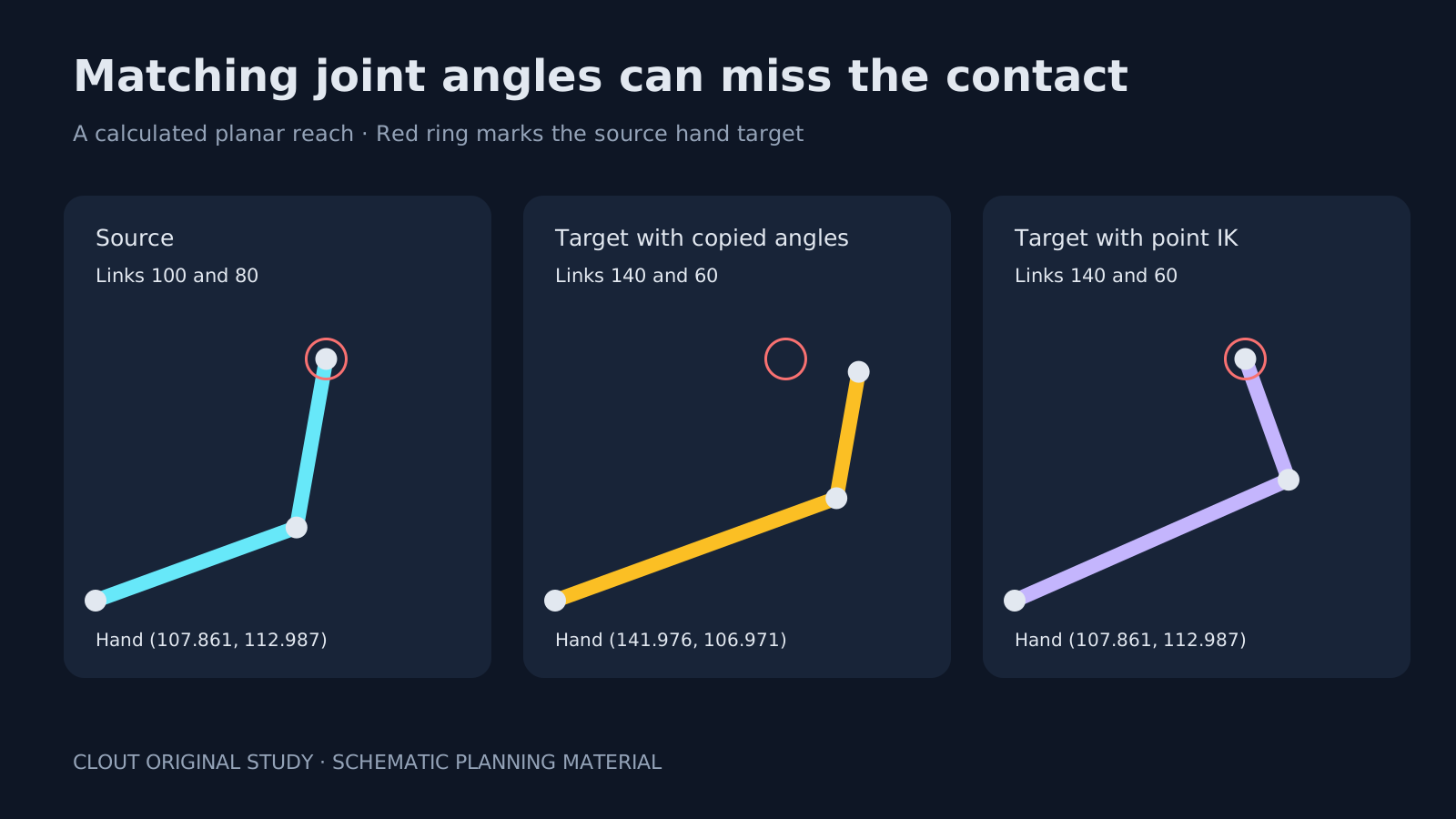
An approved walk or hand gesture is useful only if it still works on the next character. Animation retargeting helps reuse skeletal motion, but copying a pose can move the hand away from its intended contact when the target has different limb lengths. Plan the source, target and acceptance checks before treating a transferred clip as finished.
What animation retargeting transfers
Retargeting maps animation from one skeleton to another. It differs from changing a face in a rendered video or prompting a model to imitate a visible action. A skeletal workflow has identifiable joints, chains and transforms; a finished MP4 does not supply that rig by itself.
Epic's IK Rig documentation describes transferring animation between skeletal meshes with different bone counts, names and orientations, with optional IK contact handling. Its prerequisites include source and target meshes and defined IK Rig chains. Follow the documentation for your engine version rather than assuming that a list of matching bone names is sufficient.
Why the same angles can miss the contact
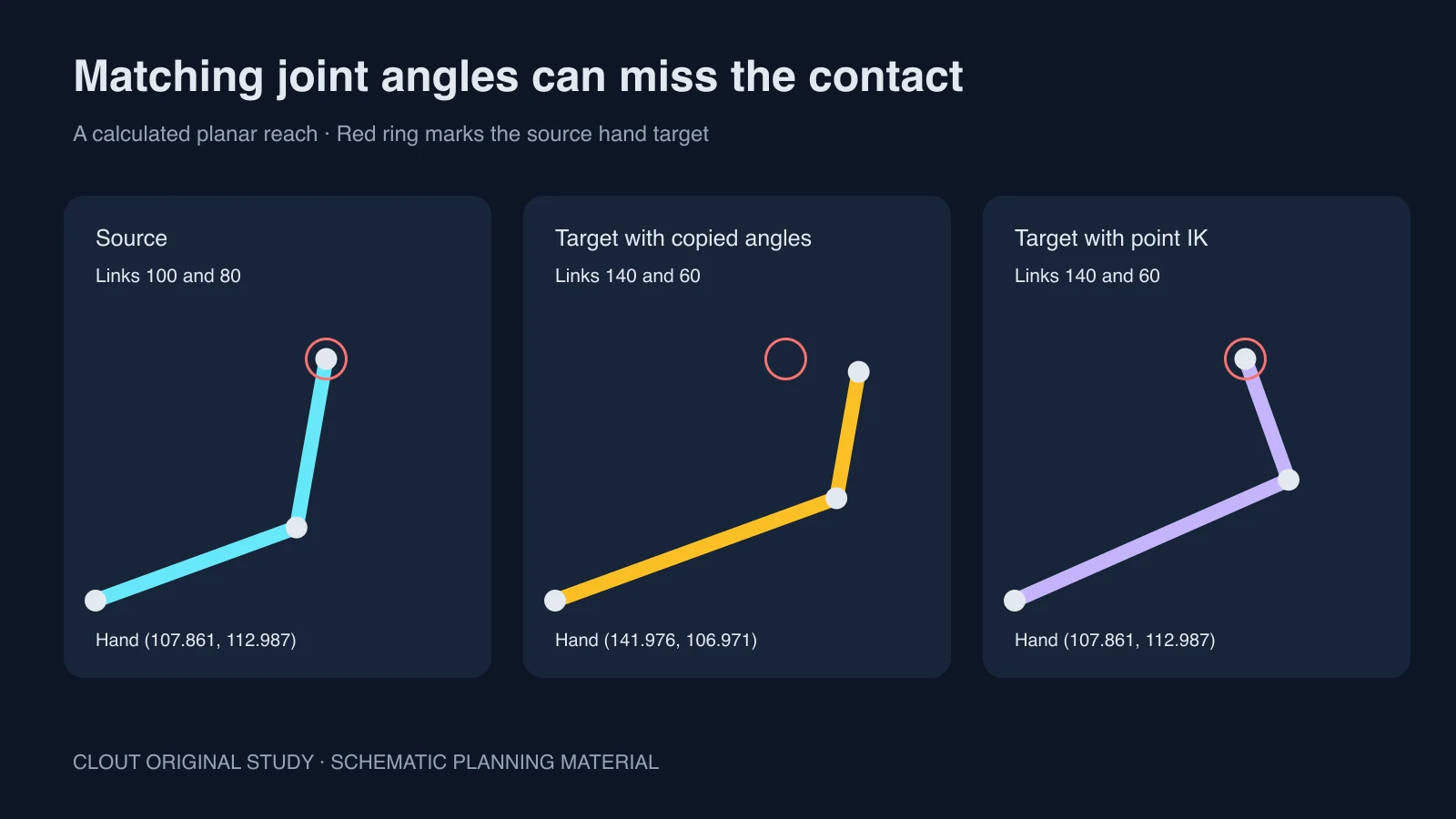
The original study uses two links of length 100 and 80. A shoulder angle of 20 degrees and relative elbow angle of 60 degrees place the source hand near (107.861, 112.987). On a target with link lengths 140 and 60, the same angles put the hand near (141.976, 106.971). That is a positional difference even though both joint angles match.
For the corrected target, a two-link inverse-kinematics solution reaches the source endpoint using the target lengths. It solves this one planar point only. It does not demonstrate a complete retargeter, orientation preservation, collision handling, limits, skin deformation or a natural performance.
Download the measured reach coordinates, diagram SVG and blank chain-mapping worksheet. Use the coordinates to reproduce the example; use the blank worksheet for your own skeletons. The original Python renderer reproduces the geometry and coordinates in an empty output folder.
Build a source and target mapping
- Identify the source rig, target rig, units and frame rate. Keep copies of the original assets.
- Compare the reference poses and the directions in which the joints point.
- Define chains by their function: torso, left arm, right arm, left leg and right leg. Record endpoints and any extra joints.
- Choose how root translation and contact goals should behave for the intended shot.
- Preview a short clip before processing a library of animation.
Do not invent a joint mapping from a character thumbnail. Open the actual hierarchy and inspect the pose. A long coat, large hands or unusual proportions can expose a different problem from a simple mapping error. Record that distinction so later adjustments address the cause.
Test a walk and a prop reach
Use two short pilots. In the walk, check stance feet, ground height, root travel and loop transition. In the reach, check the hand against a fixed marker at the prop. Inspect wrists and shoulders as well as the endpoint: a hand can reach the marker while the arm twists into an unusable pose.
The walk-cycle study provides known schematic foot contacts for learning the difference between root motion and planted feet. It is not mocap data or a native skeleton. For your real target, scrub the saved animation and review the render at delivery scale.
Separate skeletal reuse from AI motion transfer
If your source is an ordinary video and your target is a character image, use the supported inputs of a video motion-transfer workflow. Do not promise that a rendered clip will produce editable bones, contacts or skin weights. If those are required, use an actual rig and a documented reconstruction or retargeting pipeline.
For a generative route, prepare an owned reference performance with a clear silhouette, visible limbs and an unobstructed action. Ask for one modest action before a long sequence. Clout Image and Video offers creative generation workflows; this article does not claim a native IK Retargeter or import support for the worksheet.
Approve the motion on the target
Export a short review clip and evaluate the target, rather than relying on the source animation or a successful mapping status. Check ground penetration, foot sliding, hand contact, shoulder deformation and changes around the loop or cut. Record rejected frames and the reason for rejection.
Keep the source version, target version, mapping and settings with each accepted result. For animation timing after the transfer, compare ease in and ease out. For a sequence of separate AI shots, use the screen-direction ledger to keep the character's route understandable.