For a related production step, see the FilmFlow camera-planning research.
A courier leaves one shot moving right, then appears to move left in the next. The action may look like a return journey even though both prompts said “toward the desk.” Screen direction is a practical way to keep a generated sequence readable before adding more shots or more elaborate camera moves.
What is screen direction in film
Screen direction describes the visible direction of movement, facing and looking in the image. It is relative to the camera. Moving east in the room does not always mean moving right in the frame: a camera on the opposite side can reverse that projection.
The Columbia Film Language Glossary explains the 180-degree convention: keeping camera positions on one side of an action axis helps preserve the characters' screen relationship. Crossing that axis can reverse their apparent placement. Deliberate exceptions exist; use a changed relationship to serve the scene rather than treating the convention as an absolute ban.
Read the original axis diagram
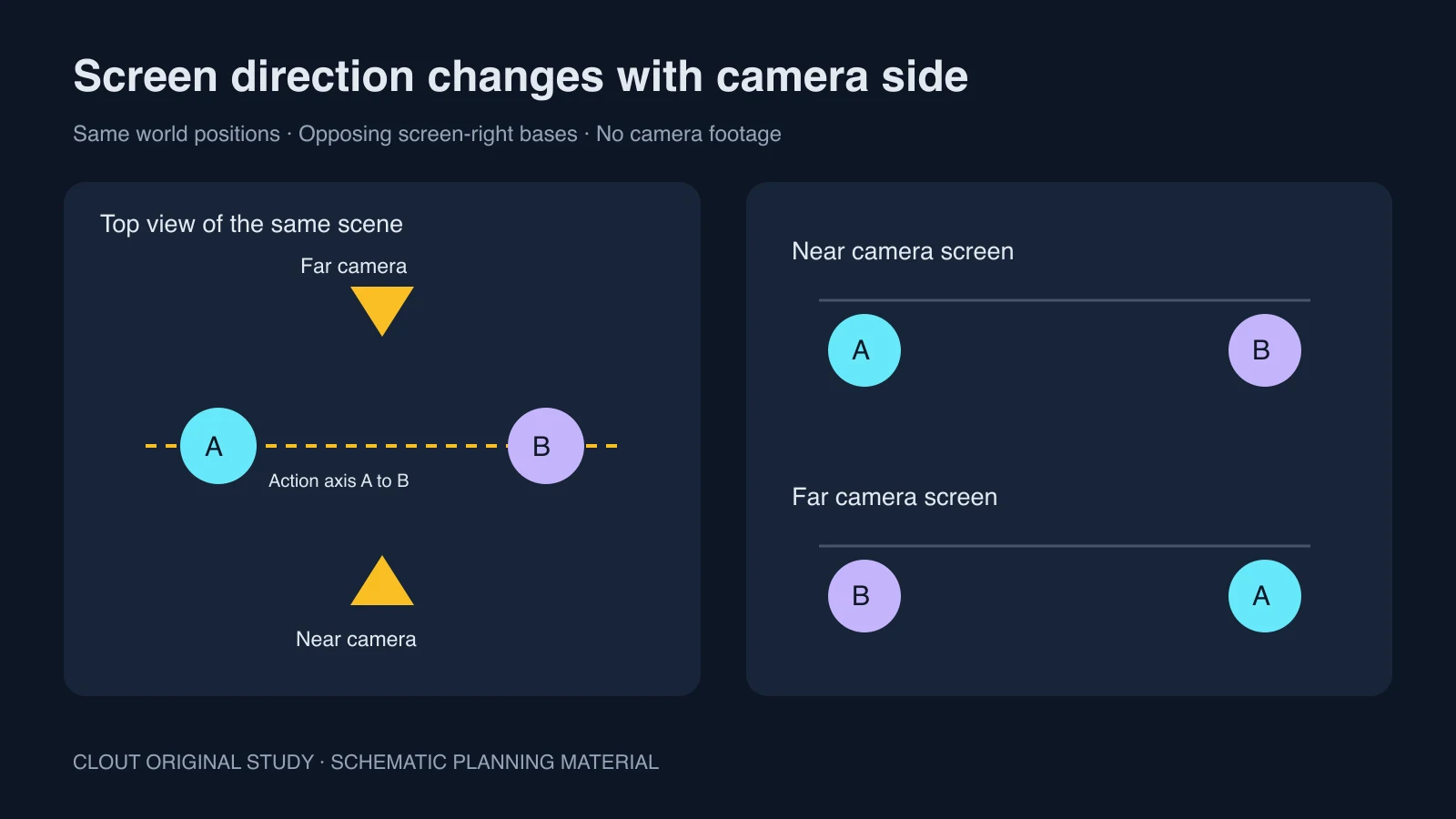
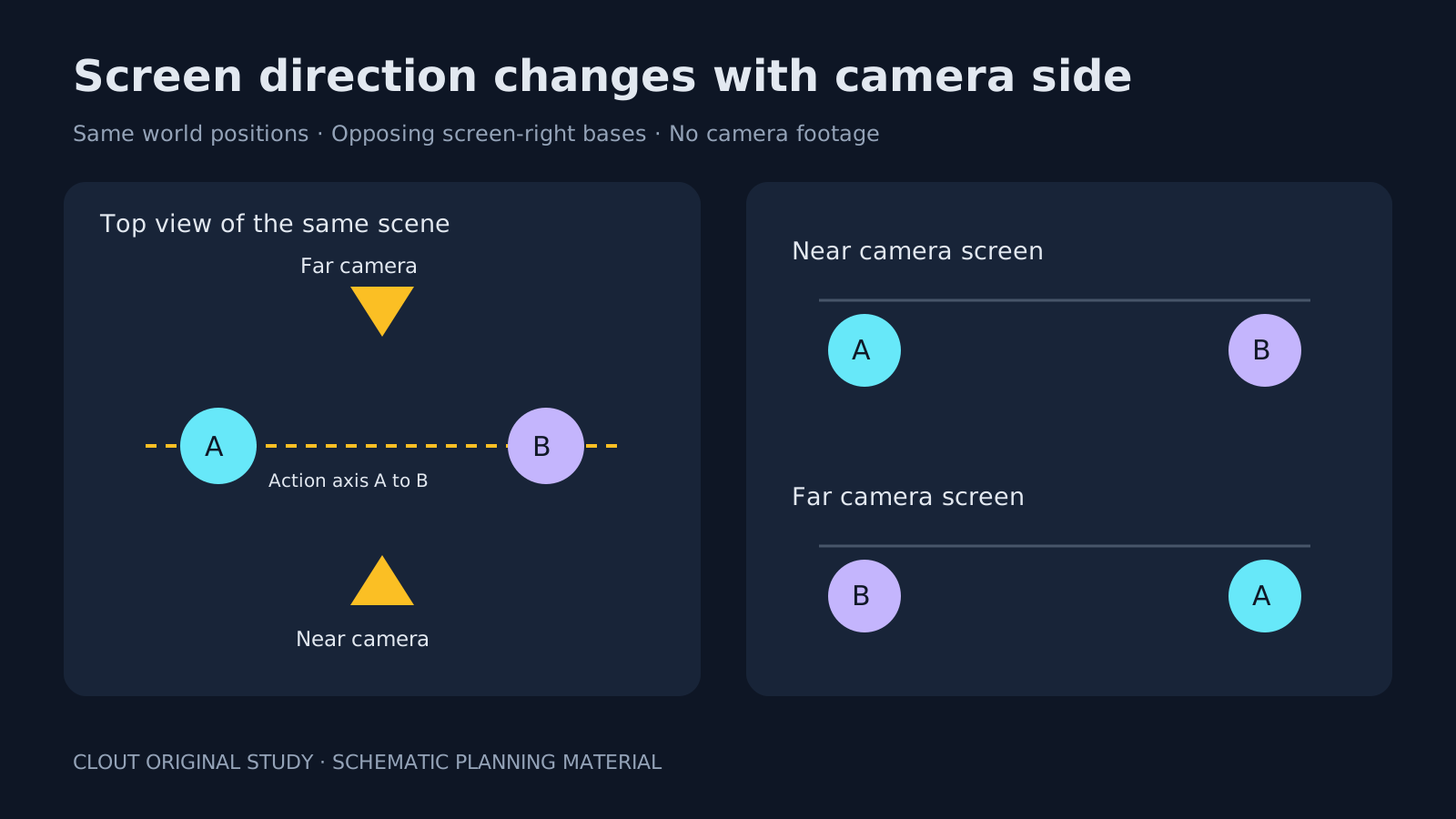
In this simplified plan A is at world X −1 and B is at X +1. The near camera looks along positive Y and its screen-right basis points along positive X. The far camera looks along negative Y and its screen-right basis points along negative X. Projecting the same positions onto those bases swaps their left-right order. The screen strips illustrate that calculation, not rendered camera footage.
This example omits lens projection, depth and moving cameras. Its purpose is to expose the directional reversal. Download the three-shot direction ledger and original diagram SVG. The ledger is a planning template for the fictional scene, not an analysis of an uploaded clip. The original Python renderer reproduces the SVG and CSV studies with the standard library in an empty output folder.
Plan a three-shot archive scene
- Establish: Place courier A on screen left and archivist B on screen right. Show the desk and the path between them.
- Approach: Keep the courier moving screen right toward the desk. Preserve the approved room references and camera side.
- Response: Show the archivist looking screen left toward the courier. Keep the eyeline motivated by the established positions.
Record movement and gaze separately. A courier can move right while looking back left. An offscreen speaker can remain in the same room position while the listener receives a close-up. A consistent face alone cannot communicate this geography.
Write directions that survive separate generations
Use the approved archive room and courier references. The courier starts on screen left and walks screen right toward the desk. The archivist remains on screen right facing the courier. Keep the camera on the established near side of their action axis and preserve the desk position.
Adapt this untested direction to Clout AI Cinema or a supported image-to-video operation. Attach approved visual references where available. “Near side” only has meaning when the scene plan or reference establishes that side. It is not a model control guaranteed to recover a world coordinate system.
Generate a small pair of shots before extending the scene. Put the final frame of the first shot next to the first readable frame of the second. Check where the person is going, what they are looking toward and whether a desk or doorway has moved. Use the short-drama workflow for the wider coverage plan.
Repair a reversal without breaking the image
First decide whether the new direction is actually wrong. A character who turns around should change direction. If the change is accidental, a new shot or a clearer establishing view may be more reliable than flipping the image. A horizontal flip can also reverse readable text, costume details, handed actions and the room layout.
A neutral view along the axis or a visible continuous camera move can help establish a new relationship, but inspect the complete edit to see whether the transition reads. Do not use a neutral shot as a universal repair for contradictory positions or gaze.
Review direction and continuity together
Watch the edit without sound first. The route and reactions should remain understandable before dialogue explains them. Then restore sound and check the timing of looks and responses. Use the eyeline-match guide for a look and its target, and the tracking-shot study when the camera moves with the subject.
Keep a record of camera side, movement, gaze, entrance and exit for every accepted take. A deliberate exception belongs in that record too. This makes later inserts and pickup generations easier to match to the scene you already approved.