EdenLive is a generative renderer that uses a reference video, an aligned target first frame and text to guide the appearance of a moving scene. It is useful to investigate when motion and layout already exist in a game engine, animation tool or recording and the next task is exploring a different visual treatment. For a separate workflow, see the LingBot World camera input study.
Start with the official EdenLive release overview and source repository. Published by Clout, this guide audits pinned public files and provides an original native Blender input study. We have not installed EdenLive, downloaded its model weights or run inference. The examples are prepared inputs, not EdenLive results.
For a separate interactive world model and saved camera recording inspection see the Hy-Nomas workflow in this source backed guide.
Separate the scene state from its generated appearance
The authors describe a workflow in which an upstream program maintains the scene and provides visual references, while EdenLive renders appearance. Its release includes 5B and 14B variants and both bidirectional and few-step streaming routes. Select the actual route before comparing hardware or output expectations.
For a controlled pilot, decide which properties must remain observable: object trajectory, camera framing, contact with the ground and the timing of an occlusion. An attractive first frame does not prove that the moving result will preserve those relationships.
Inspect the original pillar pass proxy
Watch this clip and view its details
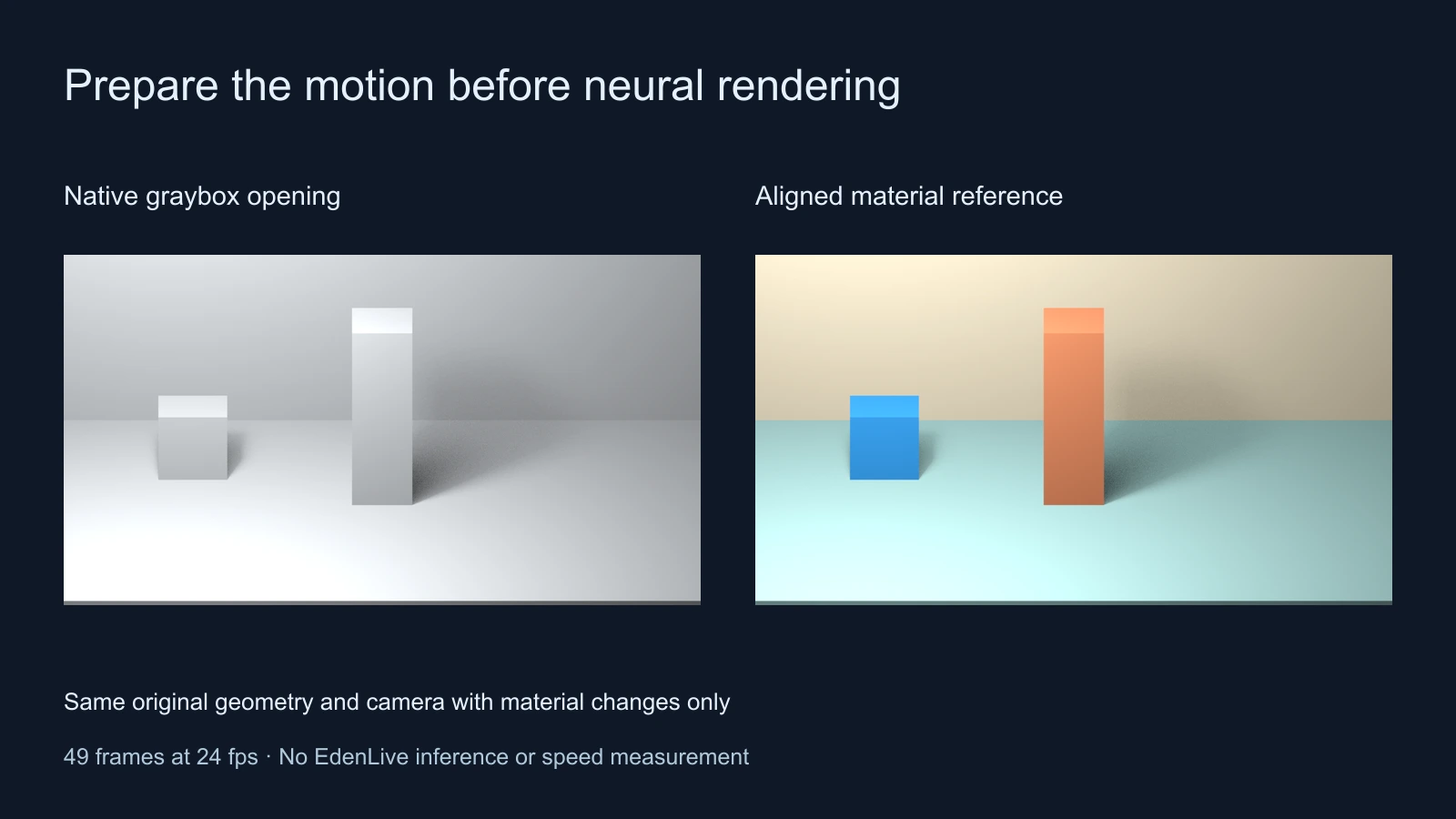
The fixed orthographic camera observes a box moving from left to right behind a pillar. The pillar is slightly narrower than the parcel, so small parts remain visible around it at the middle of the pass. This is partial occlusion, not a complete disappearance.
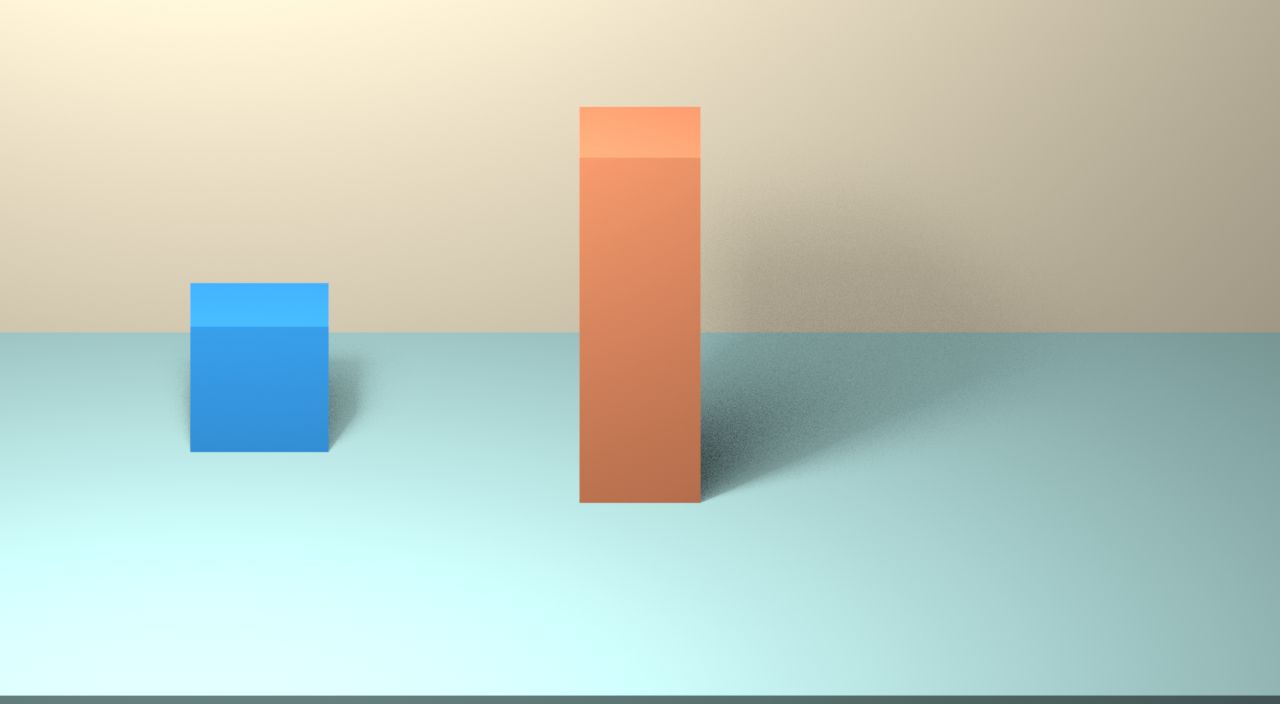
The colored first-frame reference uses the same object transforms, geometry and camera as the gray opening. Only the materials change: a blue parcel, clay-colored pillar and pale teal floor. The source script checks projected corner coordinates before and after the material change. That establishes geometric alignment for our native scene, not an independent measure of an AI model’s conditioning quality.
Open the dedicated EdenLive proxy preparation study or download the original input bundle. The bundle includes a recording, cover, prompt sidecar and one-row manifest with relative paths. It contains no checkpoint or generated result.
Keep the recording cover and prompt sidecar together
The pinned recording loader reads a recording directory containing recording.mp4 and prompts.json, with a cover selected by the manifest. Our bundle uses the directory pillar-pass and these manifest columns:
id,proxy_video,first_frame
pillar_pass,pillar-pass/recording.mp4,pillar-pass/cover.png
The original prompt sidecar uses a static scene direction and one timed event. It asks for a blue parcel passing behind the fixed pillar without camera movement, lettering or extra objects. This is an untested proposed direction; the actual generated result still needs review. The dynamic event spans the prepared recording and does not represent a detected event from a model run.
Check the frame count rule before choosing a clip
The pinned loader selects a target frame count of 4 × floor((available − 1) ÷ 4) + 1. At the configured target rate of 24 fps, our 49-frame recording already fits that form. It has a container duration of approximately 2.041667 seconds and a last source timestamp of 2 seconds. Those are different quantities.
The loader retains every fourth selected reference frame for its video-context tensor, giving 13 retained context samples for this study. Its offline wrapper takes the frame count from video-context metadata when present. This source trace explains the data path; it is not proof that the complete model environment will execute our bundle successfully.
The independent input inspector uses local ffprobe and Python’s standard library. It checks dimensions, timestamps, the selected count, cover dimensions and prompt fields without importing EdenLive. Our saved inspection found 49 source frames, 49 selected frames and 13 reference-context samples at 1280 by 704. It does not allocate the upstream tensor or validate GPU kernels.
Keep base and accelerated hardware paths distinct
The pinned README’s base environment table names Linux and an NVIDIA setup with 80 GB, and its default FA4 profile has specific hardware and kernel requirements. Treat that as the authors’ documented setup rather than a measured universal minimum. The few-step profile is also a concrete configuration rather than a claim that every environment supports it.
A separate LightX2V integration reports approximately 24.7 fps inference throughput for EdenLive 5B at 1280 by 704 on an RTX 5090. That is an upstream result for an optimized route, not our benchmark, a result for every variant or an end-to-end latency guarantee. See our existing LightX2V guide for the broader framework context and inspect the official deployment guide for that integration.
Review motion before judging the new visual treatment
| Review point | Original input | Check in a real returned clip |
|---|---|---|
| Opening | Parcel begins to the left of the pillar | The cover appearance and object count remain consistent |
| Middle | Parcel passes partly behind the pillar | The pillar remains in front and the box does not jump across it |
| Ending | Parcel emerges on the right | The same object returns with stable proportions |
| Camera | One fixed orthographic view | No unexplained pan zoom or perspective change |
Retain the complete output and logs when you perform a real run. Review normal playback and inspect the opening, middle and ending frames. A successful environment launch does not establish that the motion follows the reference, and a pleasing cover does not establish temporal consistency.
Keep timing scope explicit. Loading, conditioning, generation, decoding and delivery can have different costs. Record the actual selected checkpoint, precision path and output dimensions before comparing a local attempt with an author-reported throughput figure.
Inspect the native source and pinned audit
The original Blender project, renderer and projection and trajectory record make the input study inspectable. It was built in Blender 5.2 LTS Release Candidate using Eevee. The encoding note records the separate FFmpeg step for the silent recording.
The source audit records six small documents at source revision 0b78d211bfa87b6d9b6281e9e36e55b974fe7bec and model revision 4efc2c4c33af7863f6048e36c2bceb2c30bfae97. Use the read-only audit script to compare their hashes. It downloads no weights and executes no upstream code.
Inspect component terms for the actual route. The upstream workbench describes a separate non-commercial FLUX first-frame worker, while registered-game playback can omit that worker. The top-level model license file and auxiliary component license files should not be replaced by a single assumption about every included asset.
Choose a reference driven or hosted scene workflow
A reference-driven renderer is worth evaluating when a program or animation tool already controls the scene. For a hosted image or story workflow, compare the supported inputs and actual quote in Clout Image and Video or plan connected coverage in AI Cinema. This does not claim that Clout hosts EdenLive.
For drawing reuse and exposure timing, use the limited animation lab. For another local model path, see the FreeVideo source and pilot guide. Keep the chosen input method tied to the result you need to inspect and deliver.