

FreeVideo is a local video-generation project built around MiniMax H3 and Video DeltaNet. Start with the official repository for current releases and setup instructions. This guide helps you plan a small test, understand the hardware questions and inspect the saved result before relying on a longer workflow.
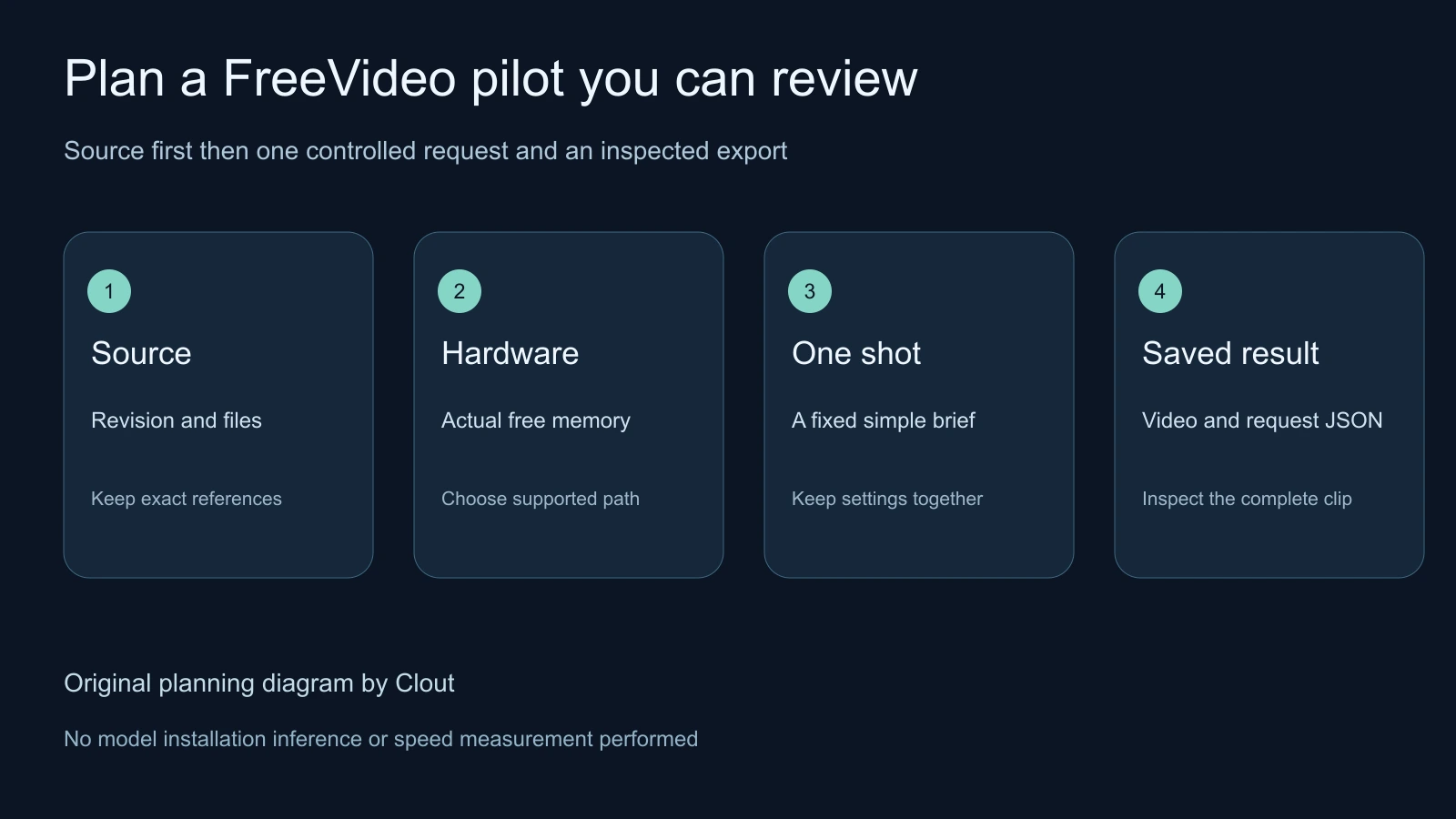
Published by Clout, a hosted creative platform. We inspected public source documents at a pinned revision and prepared original pilot resources. We did not install FreeVideo, download its weights or run inference. The diagram below is a review plan, not a screenshot of a working installation or a generated video.
What FreeVideo adds to a local AI video workflow
The pinned README describes a ComfyUI integration and launchers for Windows, macOS and Linux. It names an eight-step VDN-H3 route based on MiniMax H3 and offers several quality levels. Its October release notes also describe a preview-first workflow. These are upstream capabilities to evaluate, not our quality or speed measurements.
Record the exact release and selected workflow before comparing attempts. A model name alone does not identify precision, resolution, quality mode, reference inputs or decoding settings. Keep those choices with the exported file so a useful result can be traced back to the request that made it.
Check memory capacity separately from generation time
The project advertises operation with as little as 8 GB of VRAM and 16 GB of system RAM. That describes a capacity target under its supported execution path; it does not promise a short wait for every request. Available memory, selected settings, weight placement and transfer costs all matter when planning a job.
The pinned execution-planning guide describes a plan based on live device and host measurements, with weights distributed across GPU memory, host memory and potentially disk. It also describes hardware-dependent compute paths. A nominal GPU capacity therefore does not fully describe the request’s operating conditions.
Before a real test, record the device, available memory, intended resolution and duration. Keep other large jobs out of the comparison. If a later attempt runs under different memory pressure, record the change rather than attributing every timing difference to the model or prompt.
Read the Apple silicon preview in its own scope
The pinned Mac guide describes Metal execution and a preview tested on an M5 Mac with 24 GB of unified memory. It distinguishes M5 int8 projections from earlier Macs that decode those weights to BF16. A CUDA memory headline should not be substituted for this Apple-silicon path.
The authors report approximately three minutes for a 512 by 512, 1.6-second Light-level clip on that M5 setup, with about 14 GB available. That is their scoped report, not a result from this guide or a guarantee for another Mac. Larger jobs and different hardware need their own records.
Follow the current official installation documentation for the actual platform. We have not verified a local runtime, package signature or compatibility on this machine. This article’s downloadable audit only reads public documentation; it does not install the application or change security settings.
Understand what an offline setup needs
The README separates the environment from the video model, text encoder, decoders and sampling caches. Initial automatic downloads use the network. A local browser interface is not sufficient evidence that an already prepared workflow can run without remote dependencies.
For an offline requirement, inventory the exact files and operations in the chosen workflow. Complete a small permitted test using that prepared environment and inspect the logs for remote calls. Keep the result with the source revision. For a broader comparison of local routes, use our existing open source AI video generator and offline setup guide.
Plan one controlled five second pilot
The original pilot worksheet proposes a single unbranded orange cardboard box moving a short distance across a plain gray desk. It is a human planning document, not a FreeVideo configuration. Actual hardware, output and timing fields remain empty until a real attempt is completed.
- Define the acceptance rule first: one box keeps the same color and proportions while moving across the desk, with a fixed camera and no invented labels.
- Choose a supported request in the installed workflow. Treat five seconds as the proposed brief and record the duration the selected configuration actually produces.
- Save the source revision, selected model and actual request settings before generation. Separate prompt edits from changes to precision, quality or resolution.
- Retain the full saved video and any request metadata. Inspect the opening, middle and ending rather than judging a selected thumbnail.
- Review desk contact, object shape, extra objects and camera drift. If an audio track exists, listen to it and record whether it belongs to the brief.
- Record the complete elapsed time and acceptance decision in the blank attempt ledger. Keep failed attempts as evidence of the work required.
An original proposed direction is: “One unbranded orange cardboard box moves slowly across a plain gray desk. Fixed camera, clear object silhouette, consistent shape and color, no lettering or extra objects.” This direction has not been tested with FreeVideo. Simplify the action if an actual returned clip changes the box or loses its relationship to the desk.
Inspect the saved request as well as the video
The execution guide describes a companion request JSON containing hardware measurements, the selected plan, timing stages and memory peaks. Keep that file with the result when available. It can explain what actually ran more precisely than a screenshot of a quality selector.
Separate sampling time from complete delivery time. The useful record for a production decision includes setup, loading, generation, decoding, saving and any required revision. When an output fails review, mark it rejected with a timestamp and a concrete reason. Do not report it as an accepted deliverable simply because inference completed.
Keep source and model licensing distinct
The repository identifies its code as Apache licensed and links a separate MiniMax H3 community license for model weights. Inspect the current code and weight terms for the intended use instead of treating an open-source interface as one license for every component.
Our pinned document audit records hashes of the README, Mac guide and execution-planning guide at revision e92a08df3c1ec9a96fb52a07b19976e1c74eb2be. The read-only audit script can check those small public files again. It validates document bytes, not model tensors, installation compatibility or output quality.
Choose local control or a hosted creative route
Evaluate local generation when operating the model environment is part of the job. If the immediate need is an approved image or a connected story sequence, compare the supported inputs and actual quote in Clout Image and Video or plan shots in AI Cinema. This does not claim that Clout hosts FreeVideo.
Use the puppet animation lab when you need an exact geometric motion reference, and the multi-shot video workflow when the brief needs connected coverage. Choose the route around the deliverable, then keep the actual files and review decisions that justify using it again.


