

Start with a scene that can become visible action
An AI movie script generator is most useful when it gives you an editable draft you can revise into shots. Start with a constraint that makes the scene possible to direct: one location, a clear change in information, a small cast and a deliberate ending. A fluent page of dialogue is not yet a production plan.
Our original exercise, The Early Reply, uses one offscreen adult character, a desk lamp, an unsent envelope and a reply card. The story turns when the card reveals that someone already knows the character is there. One knock interrupts the scene before that mystery is explained. No chase or new location is needed to create the turn.
This is a drafting and handoff guide with a free local shot-brief formatter. The formatter does not call a writing model or generate a screenplay. The script and reference packet below are original examples created for this guide. The frames were authored in Blender, and the silent edit is a planning reference rather than generated model footage.
Choose a drafting tool that returns text you can revise
Use a writing model or screenplay tool that lets you describe the premise and keep an editable result. A concrete option to inspect is Squibler's movie script generator, whose official page documents a prompt-to-script workflow and example screenplay output. We checked the page, not a submitted generation, account entitlement or export quality. Check the current interface and terms for the operation you plan to use.
The important production question is what you can do after the first draft. Can you revise a line without replacing the entire scene? Can you keep the accepted text separately from a new alternative? Can you distinguish an exported document from a finished video? A workflow that preserves those decisions is easier to review than repeatedly replacing the only draft.
Give the AI writer a bounded brief
Describe the story turn and the limits before asking for cinematic language. In this exercise, the lamp, paper and offscreen knock are enough. Adding a second person or a street scene creates new casting and continuity work without necessarily improving the reveal. State which details must remain fixed and what the output should contain.
Use the following original prompt in your chosen writing tool, or download the editable drafting prompt. Revise the premise and constraints for your own story. It requests a draft and unresolved decisions, not a claim that a film has already been rendered.
Write an original short suspense scene for a small AI-film exercise.

Premise: Someone finds a reply beside a letter they have not sent.
Audience: General adult drama audience.
Constraints: One archive room at night, one offscreen adult character, a teal desk lamp with brass stem and coral switch, a blank envelope and an ivory reply card. No visible actor or hand is required. Keep the props in fixed positions. Do not add a chase, a second location or a new character.

Story turn: Begin with the unsent letter, reveal an impossible reply, then interrupt with one offscreen knock. End before explaining who is outside.

Return:
1. A one-sentence logline
2. A short screenplay draft with a scene heading, visible action, a character cue and no more than one spoken sentence
3. Three candidate shots, each with the new information it reveals, framing, sound and prop state
4. A list of unresolved production decisions

Use present-tense visible action. Separate spoken words from sound effects. Do not assign exact runtime from page length. Do not promise model consistency or invent a successful generated take. Mark the result as a draft for human revision. Use plain-text Fountain-style layout; keep any file export separate from the actual movie-generation workflow.
Revise the story decision before polishing the wording
Read the first draft for cause and effect. What does the audience believe at the start, what changes, and what makes the ending different? If the answer is hidden inside a character's thoughts, decide how the camera or sound will reveal it. An instruction such as “Mara realizes someone is watching her” still needs a visible or audible expression.
For our exercise, replace that abstract realization with the card's message, I KNOW YOU ARE HERE, followed by an offscreen knock. The viewer receives concrete evidence and then an interruption. The lamp and papers stay fixed, so a later continuity review can focus on framing and the reveal instead of explaining a new prop arrangement.
Keep the approved revision as its own file. Ask for a targeted rewrite when something fails: shorten the spoken line, remove the new location or make the reveal observable. Changing the genre, cast, location and ending together can produce a different story without explaining why it works better.
Keep screenplay formatting separate from approval
The original Fountain screenplay file is plain text with a scene heading, action, character cue and dialogue. The official Fountain syntax describes these elements and recognizes scene headings beginning with INT or EXT followed by a space or dot. A compatible editor can interpret that layout; a file extension alone does not validate the story or guarantee identical rendering in every application.
Title: The Early Reply
Credit: Original screenplay exercise
Author: Clout

INT ARCHIVE ROOM - NIGHT

A teal desk lamp lights a blank envelope and an ivory reply card. The rest of the room is dim blue.

MARA (OFFSCREEN)
I have not sent the letter yet.

On the card, dark ink reads: I KNOW YOU ARE HERE.

A single KNOCK sounds beyond the room.

Mara does not answer. The lamp, envelope and card remain exactly where they were.

Hold on the waiting desk.
This short draft deliberately leaves the speaker offscreen. That is a creative constraint for this exercise, not a general recommendation to avoid faces. If your scene depends on an actor's reaction, add that reaction to the script and shot plan explicitly. Do not assume an image model will infer an unrequested performance from the screenplay's mood.
Turn the approved script into three visual jobs
Split the scene when the audience needs different information. Our first shot establishes the desk and the unsent envelope. The insert reveals the reply. The final hold leaves space for the knock and the unanswered question. Three attractive frames would not be enough without those separate story functions.
| Shot | Information | Image decision | Sound decision |
|---|---|---|---|
| Establish | A reply waits beside an unsent letter | Wide view with the lamp and both papers | Approved offscreen line and room tone |
| Insert | The message changes the meaning of the room | Readable card while its position remains fixed | No new spoken explanation |
| Hold | The interruption remains unresolved | Wider desk view with no added person or prop move | One offscreen knock and a listening pause |
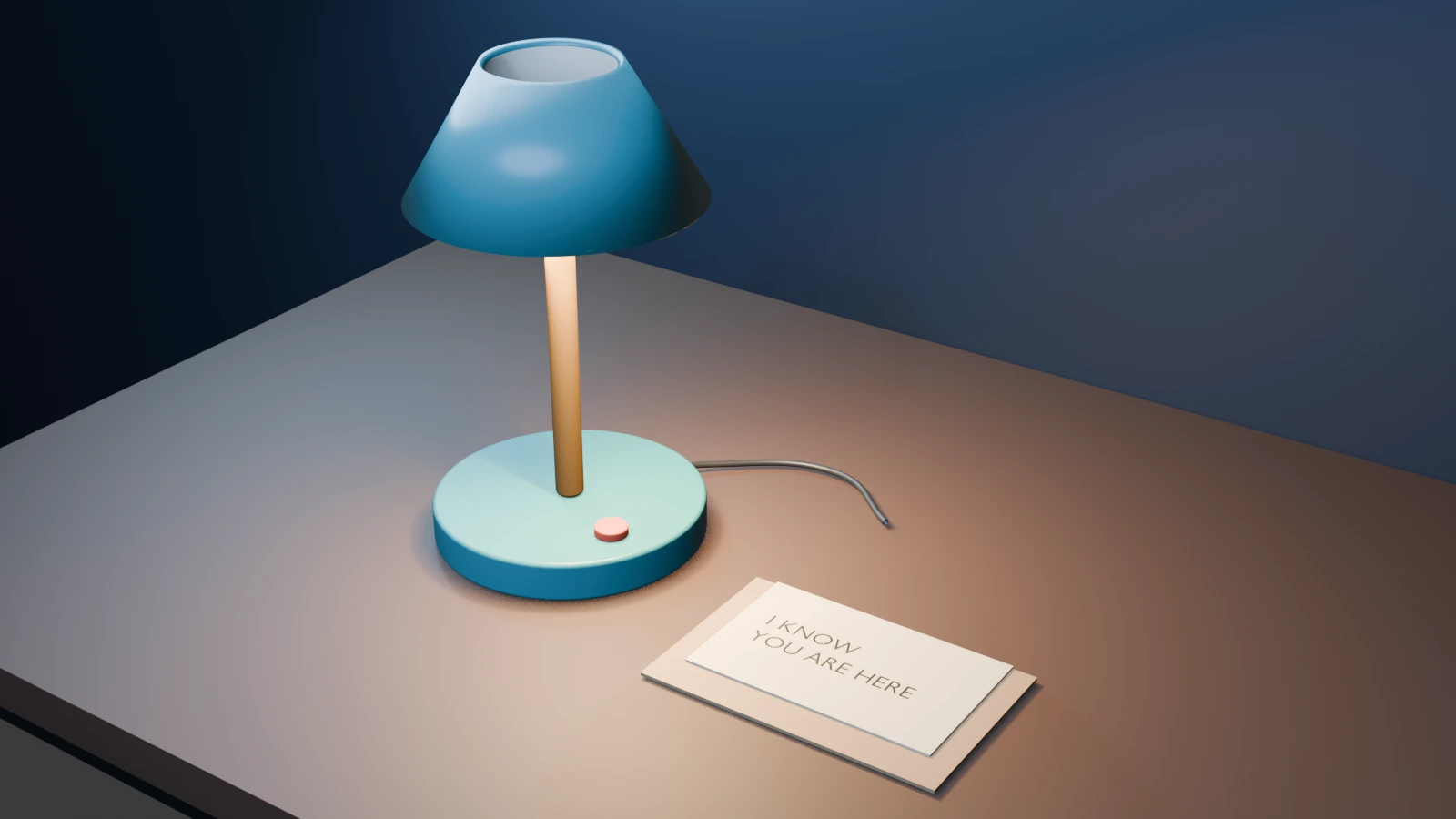
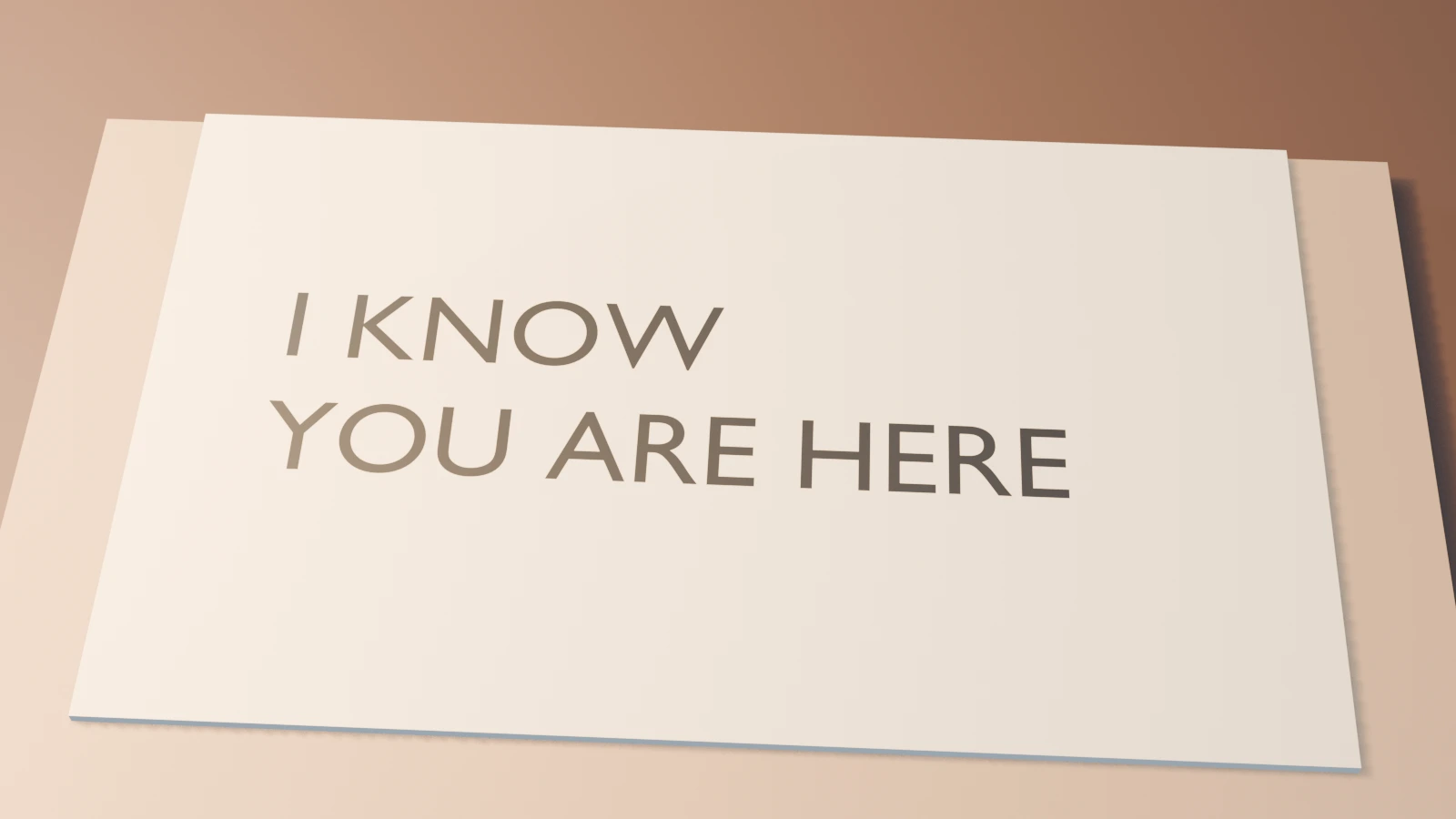
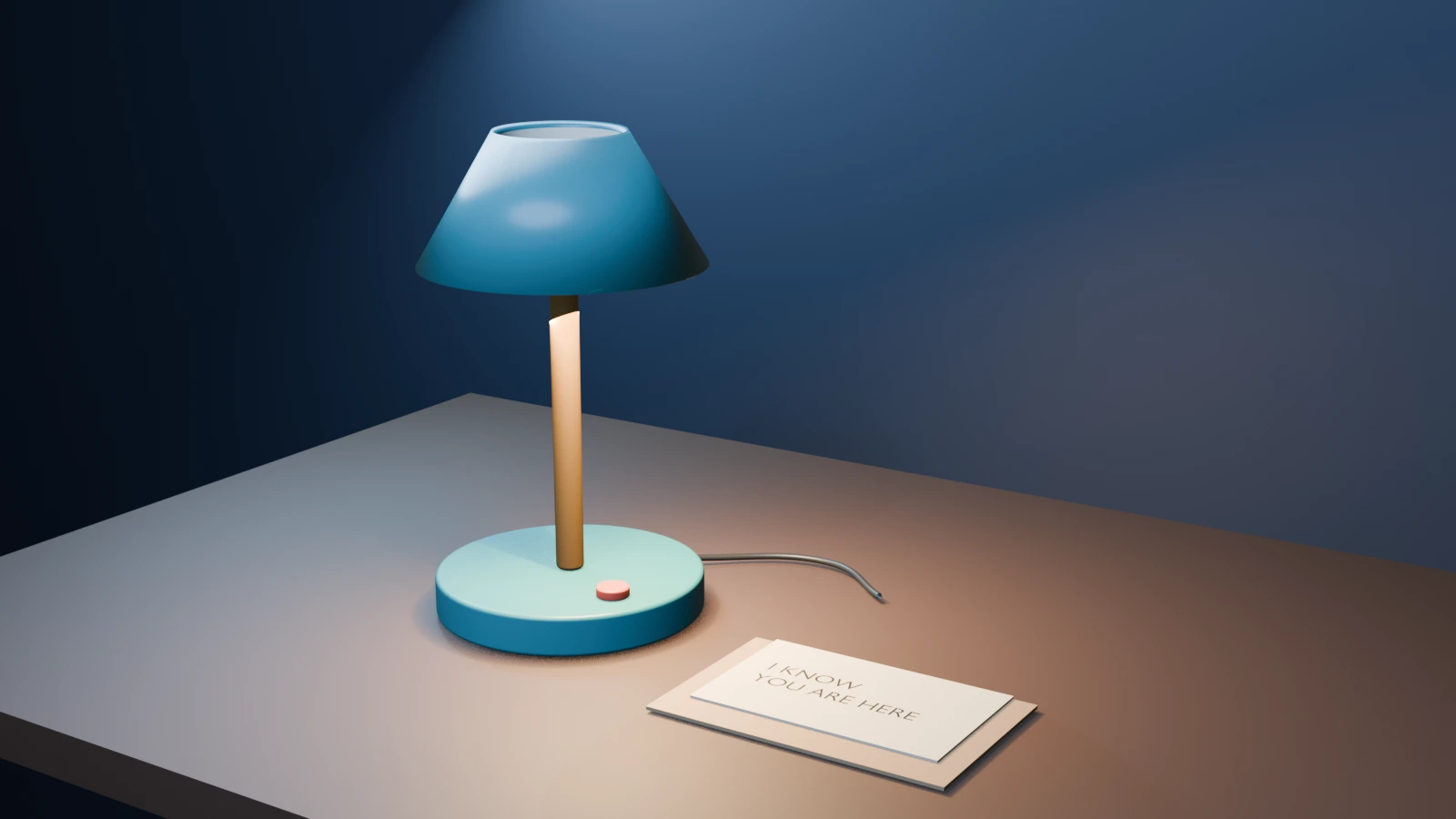
These frames share one authored scene and reuse our original desk-lamp prop. They are not AI reconstruction outputs or generated cinema takes. Download the editable Blender planning scene and filled shot plan to inspect the decisions. The card lettering was authored directly; it does not prove a video model will reproduce exact text.
Use the brief builder for one beat at a time
The free builder above loads the three example beats. Choose Establish the desk, Read the reply or Hold after the knock, then edit the subject, setting, visible action, camera, light, sound and dialogue. Its output is a local formatting of your choices. Copy the text into the operation you actually plan to use, then set that operation's model and controls there.
The JSON option is an editorial planning structure, not a provider request or a Clout project import. Do not paste its fields into an API and assume the names match. Keep the screenplay's global story details separate from a particular shot's visible action. For a new take, preserve an accepted brief before changing it.
Exact card text is a separate delivery decision. If a generated take changes letters, use a controlled graphic or composite in your editor instead of assuming that another seed will reliably fix every word. Inspect the final exported image at the size the audience will actually see. The native reference here gives you a known readable target.
Watch the provisional edit before spending on motion
Watch this clip and view its details
Open the reference watch page or download the six-second planning edit. It holds each of the three stills for two seconds, at 24 fps and 1280 by 720. It contains no recorded voice, knock, music or generated motion. The scoped study report records the actual file format and source hashes.
Those two-second holds are provisional edit choices, not a measured performance or a generation-duration instruction. Record the approved line and sound cue before deciding the final cut. Use the animatic guide for pacing and the storyboard guide for visual planning. Keep the original planning file and the eventual moving takes separate.
Move approved beats into Clout AI Cinema
In Clout AI Cinema, set the film's story continuity, visual style and aspect ratio, then write individual scene directions. Put recurring details such as the teal lamp, blank envelope and room lighting in the continuity brief. Give each scene its own action and camera choice. Use the available Assets workflow to generate a visual reference and select it as a scene's starting frame when that operation fits your shot.
This is a scene-by-scene handoff, not automatic Fountain or screenplay-file import. The downloadable Blender scene and images are planning references; this guide does not establish arbitrary Blender-project import. The current scene controls offer generation durations starting at five seconds. A planned two-second edit can therefore require a longer take that you trim afterward. Check the displayed duration and credit quote before submitting a generation.
Review the actual returned take for the intended action, readable props, spoken words and continuity. A successful job is not proof that the line, knock or lettering landed as planned. Arrange accepted scenes in the storyboard and review the whole exported sequence. Use the multi-shot workflow to inspect neighboring cuts.
Keep a review record for the next revision
The blank script and take review ledger separates the approved text, visible beat, voice, sound, prop state, request settings and observed output. Leave unmeasured timing blank. Do not replace it with a page-count estimate or infer lip sync from the wording of a prompt.
For a two-person exchange, use the LongCat Avatar dialogue workflow and its separate audio timelines. For a broader episode structure, use the AI short drama guide. The useful end state is an approved scene that communicates the story turn, not merely a longer AI-written draft.


