Build a repeatable prop for a drama insert
A distinctive desk lamp can connect a wide shot, a switch close-up and a character reaction. The useful deliverable is a prop that survives the planned camera angles, not simply a compelling input image. Start with the story requirement: which details must remain recognizable, which surfaces will be exposed and whether the prop needs geometry at all. A fixed background insert may need only an approved image; a moving camera can reveal why a reusable 3D asset matters.
Choose the Hunyuan 3D route before preparing inputs
Hunyuan 3D describes a family of products and releases. The official Hunyuan3D 2.1 repository provides an open local route with separate shape and texture components and its own setup. That is different from a hosted interface or a version 3.0 or 3.1 API request. Do not rename a 2.1 checkpoint as a newer hosted version in your asset record.
| Route | What to verify | What to save |
|---|---|---|
| Hosted creator interface | Current account access, displayed model and export choices | Input, settings, returned file and displayed version |
| Open local 2.1 project | Repository revision, matching model files and environment | Configuration, input, return and local changes |
| Cloud API | Region, action, schema and named model | Request settings and actual result without secrets |
The official Hunyuan 3D creator site is a place to inspect the currently available interface. This guide does not establish your account entitlement, free credits or a current price. For a broader choice between tools, keep the separate image-to-3D tools comparison open rather than treating every service as the same model.
Check the regional endpoint notice before following an old API tutorial
Tencent's mainland notice schedules retirement of the named HunyuanTo3D 2.5 and ProfileTo3D 1.0 endpoints for October 20, 2026, after new purchases stopped September 22. It recommends HY-3D-3.1 through TokenHub. The notice covers those endpoints; it does not establish a worldwide shutdown of every Hunyuan product or downloadable project. Confirm the current route with the documentation for your region before implementing an old example.
The global SubmitHunyuanTo3DProJob documentation separately lists model choices 3.0 and 3.1, with 3.0 as default. It identifies LowPoly and Sketch as unavailable with 3.1 and treats text and image inputs as alternatives. Those details are specific to that action and schema. We did not submit an API job or verify a migration, account access or returned model.
Prepare an image around the surfaces the shot will expose
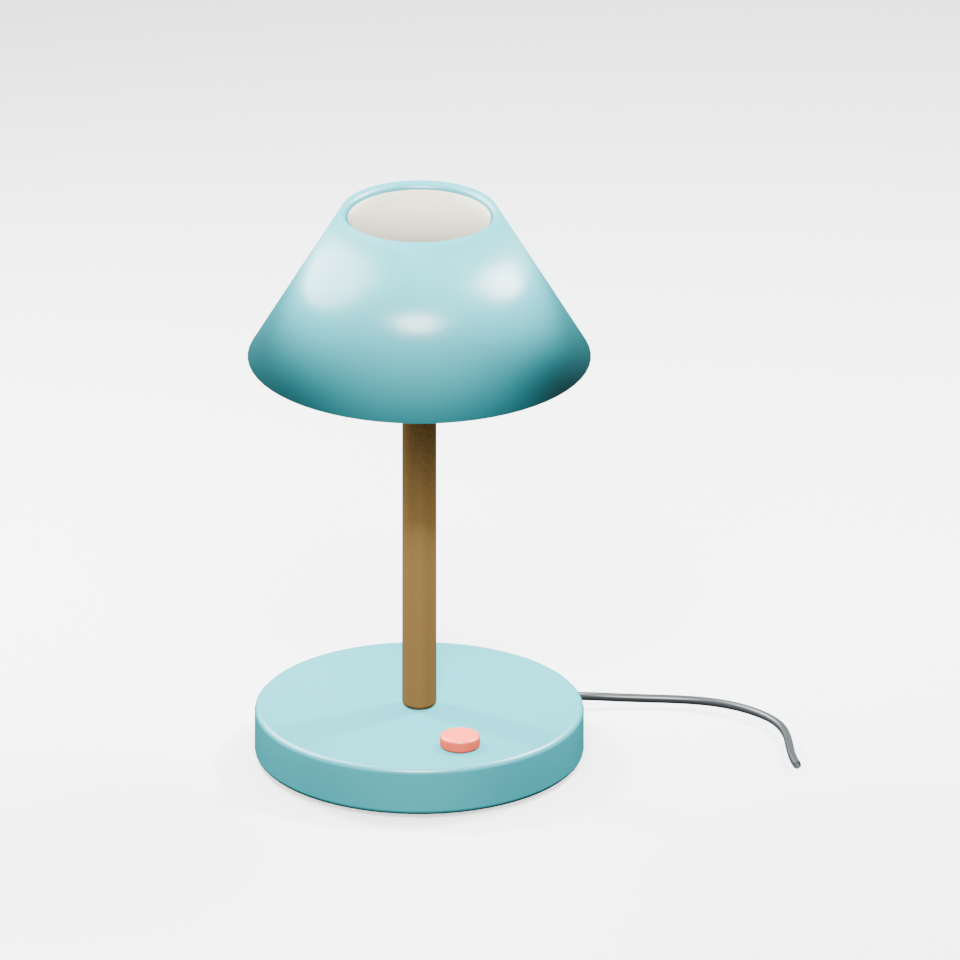
Choose one isolated object with visible silhouette, stable lighting and sufficient margin. For the lamp exercise, the three-quarter view makes the shade opening, stem and switch readable. Avoid clipping the cable merely to fill the frame. Decide whether the planned shot needs the cable as geometry, a simplified accessory or no visible cable, then record that decision before comparing returns.
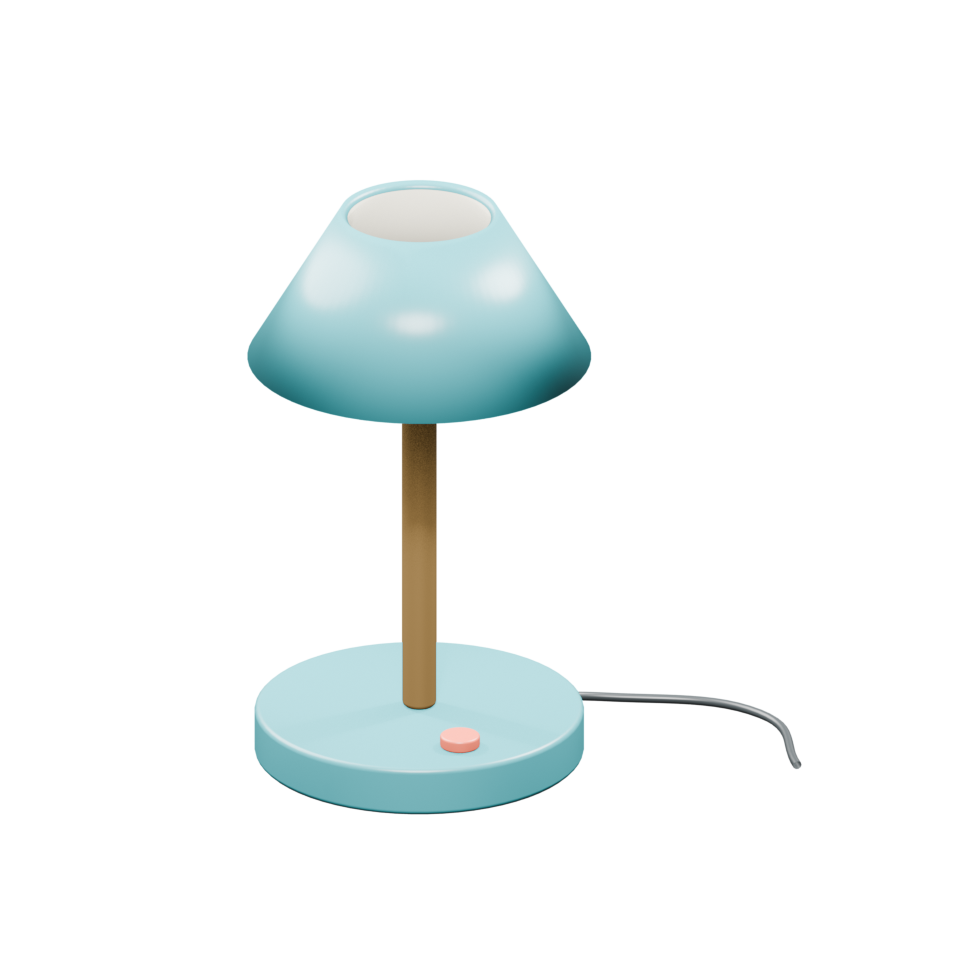
Keep a clean source file and a separate cropped variant. A transparent background is useful only if the selected interface accepts it as intended. A black background and a transparent background are different inputs. If you change the crop or background treatment, preserve both so you can explain what the next run actually received. Matching views help a human reviewer understand hidden surfaces, but do not assume the selected route supports multi-view input.
Keep shape review separate from surface appearance
For a first shape review, inspect silhouette, openings and disconnected parts without letting a convincing surface color hide geometry problems. The lamp's hollow shade should read as an opening from the intended angle; the switch should remain attached where the brief places it. An attractive painted dark patch is not necessarily a cavity, and a painted cable is not necessarily a separate mesh.
When using the open 2.1 project, follow its own shape and texture setup and preserve the exact revision. The upstream documentation links separate model components. We did not download weights or run its environment. For a hosted return, record which surface or texture stage the interface actually offered rather than borrowing controls from a local tutorial. Keep a known baseline while testing one input change.
Inspect the original desk lamp reference
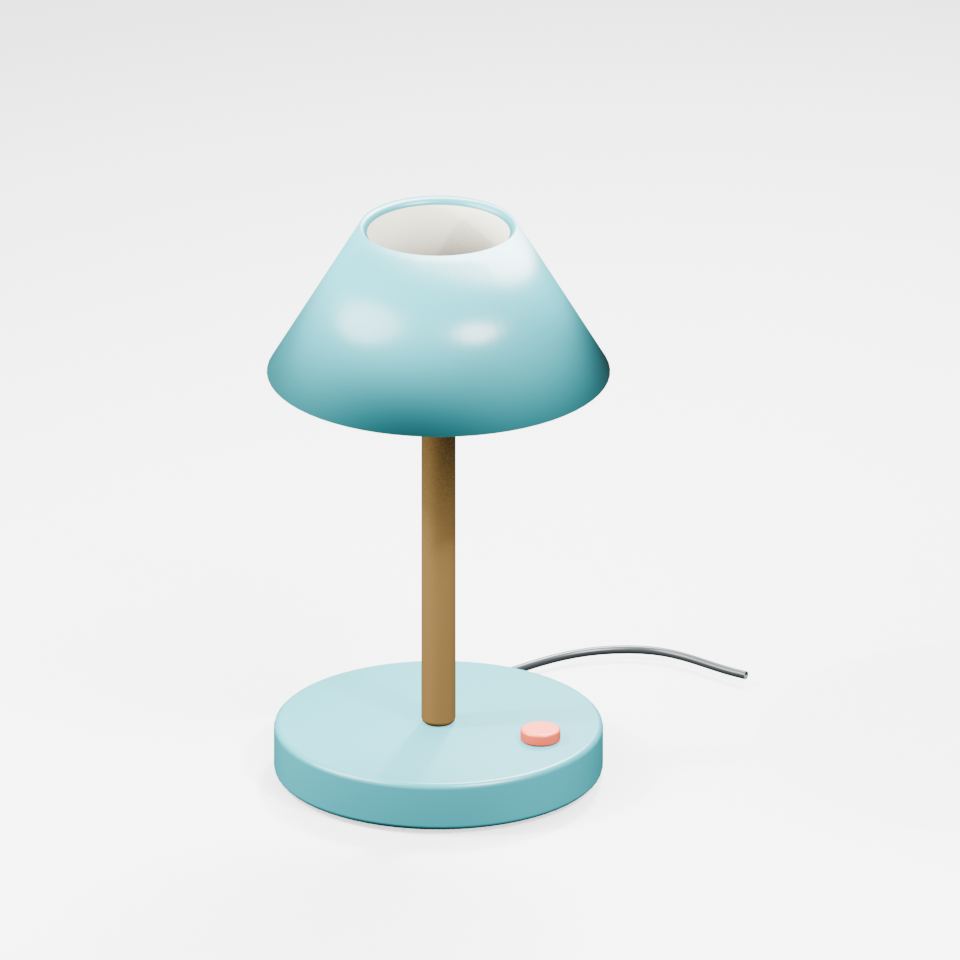
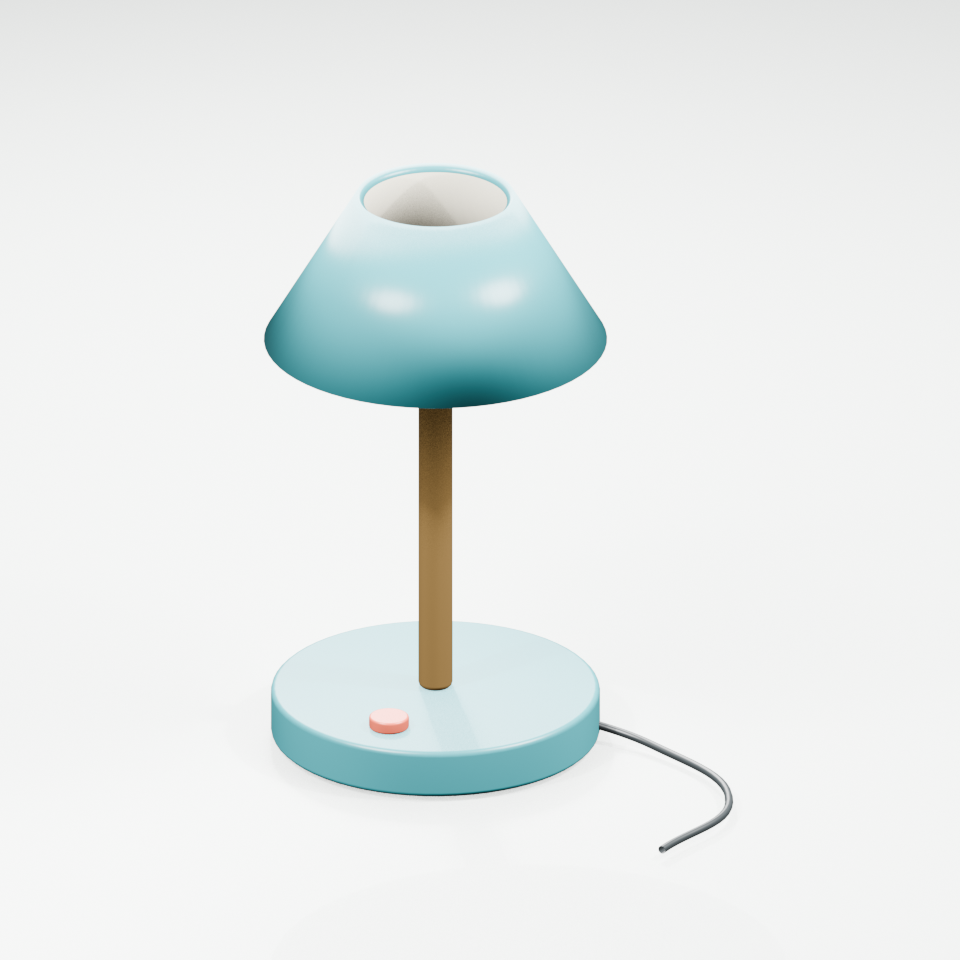
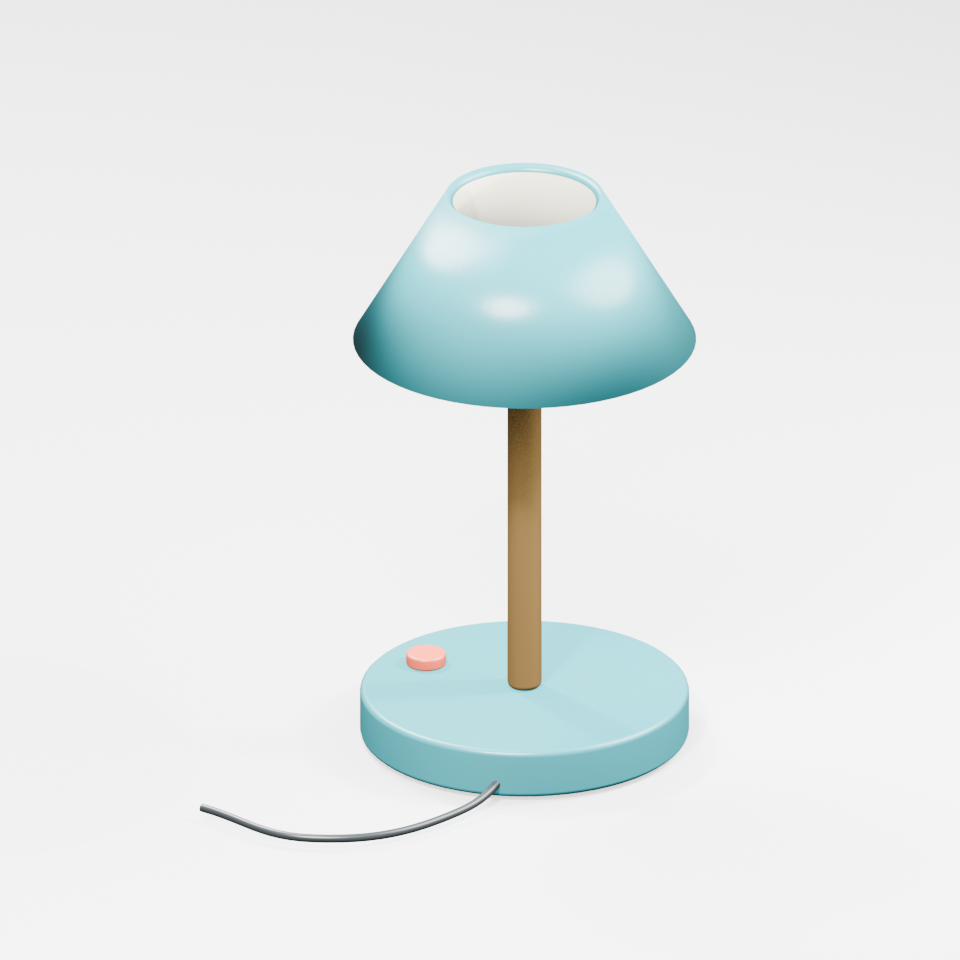
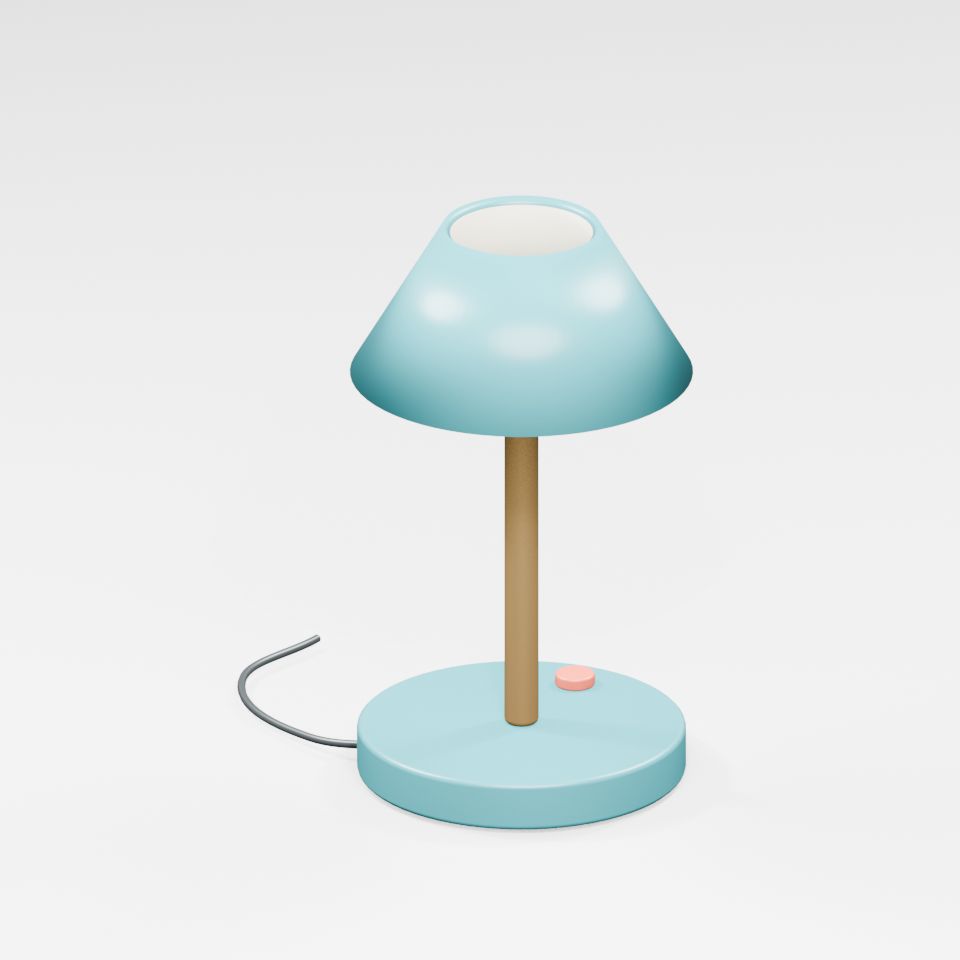
Our original lamp has a teal base and hollow shade, brass stem, coral switch and dark cable. It was modeled and rendered in Blender, not generated by Hunyuan or TRELLIS. It gives this exercise a known object to inspect before interpreting an unfamiliar generated asset. Use the original scene brief to plan a suspense insert: a hand reaches toward the switch while the lamp remains recognizable across neighboring shots.
Watch this clip and view its details
The silent four-second clip is a camera orbit around the same authored geometry. It contains 96 frames at 24 fps. Open its watch page or save the orbit reference. The known model is useful for practicing an asset handoff; it is not evidence of a model's reconstruction quality.
Download a consistent reference set
Use the front, right, back and left views to understand this one object. The three-quarter view shows the shade opening and switch. The transparent reference render is also available. These matching views come from one mesh assembly; independently generated angles would not establish the same geometric consistency.
Download the original GLB and editable Blender source. The sample contains five mesh objects and five materials, with no image textures. Our native import check reopened the exported GLB in Blender and found 1,988 triangles and finite vertex coordinates. It does not certify watertightness, real-world scale, printability or suitability for your project.
Read the actual GLB metadata before handoff
The free checker above reads a GLB version 2 file up to 10 MB locally in your browser. It reports declared mesh, node, material, image and primitive counts, triangle counts when determinable, required extensions and resource references. It does not fetch external resources, render the scene or inspect accessor contents. Its container checks follow the GLB structure specification; it is not a full glTF validator.
Choose Inspect original lamp to compare the sample with its saved metadata report: five meshes, five materials, six primitives, 1,988 declared triangles and zero images or external resource references. Zero images here means material colors without image textures, not a missing-texture diagnosis. An unknown triangle count remains unknown rather than becoming zero. A metadata result does not mean an asset is ready for production.
Review the prop in its actual cinema shot
Import the returned model into the application where you will use it. Rotate around the complete object, look inside openings and inspect the underside. Compare the shade lip, cable path, switch and contact with the floor. Test the actual camera and lighting: a defect outside one view may become obvious during an orbit or a close insert. Save screenshots of observed problems rather than replacing an observation with a quality score.
Confirm orientation and intended scale beside a known scene object. Inspect normals and material assignment, then check any UVs and texture files that your asset actually uses. Preview transparency in the destination renderer instead of assuming a reference image's transparent background survives as a material property. Reopen the delivered file after exporting; an attractive viewport before export does not prove a complete handoff.
Use the blank asset review ledger to record the source, exact model and workflow version, settings, exported filename and observed defects. Leave unmeasured values blank. Keep the original return and any cleanup as separate files so that a manual repair is not later attributed to the generator.
Bring a stable prop into the scene workflow
Plan the lamp's wide, close insert and reaction coverage with the AI short drama workflow and multi-shot guide. If you render a 3D reference for a later generative shot, keep the reference and returned video separate and inspect whether the switch, cable and shade survive. A correct source mesh does not guarantee identity preservation in generated video.
For Microsoft's image-to-3D route and the current native ComfyUI graph, use the TRELLIS 2 workflow guide. Explore Clout AI Cinema for its available project and scene workflow. This article does not establish Hunyuan checkpoint hosting, arbitrary GLB import or a Hunyuan API integration in Clout.