

What an animatic lets you test
An animatic is a rough timed sequence of storyboard panels. It lets you inspect when information arrives, how long a reaction lasts and whether a cut makes sense before finishing the animation. Adobe’s animatics guide describes this planning role and distinguishes the sequence from a static storyboard.
The job is to make an editorial decision. If the audience cannot understand the reveal in simple panels, adding polished lighting or detailed motion may leave the same problem underneath. Begin with a small complete story and make the timing visible enough that another person can explain what happened.
Animatic vs storyboard vs finished animation
| Artifact | Useful question | What it cannot prove alone |
|---|---|---|
| Storyboard | What appears in each planned view | The experienced pace of the sequence |
| Animatic | When each planned view appears and for how long | Finished motion quality or physical realism |
| Finished animation | How the actual action and edit work together | That a different shot will behave identically |
Use our AI storyboard guide when you still need to define the ordered images. Use this guide after the panels exist and the next question is pacing. An animatic can contain still holds and cuts; it does not need to disguise those planning frames as finished character animation.
Start with the original four-panel box example
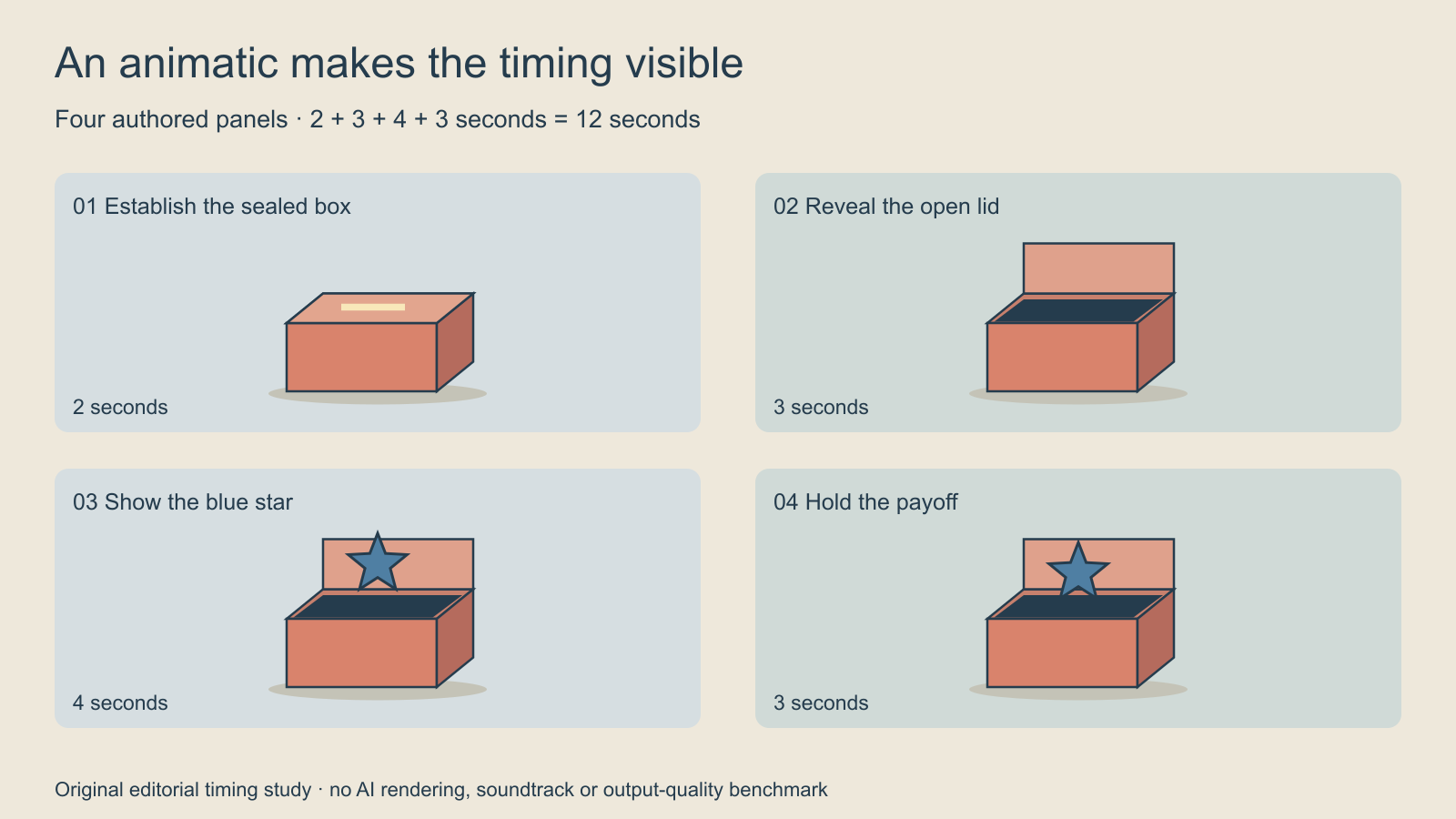
The story is intentionally simple: a sealed coral box appears, its lid is open in the next view, a blue star is revealed, and the final view gives the viewer time to register the payoff. The panels show selected states. They do not demonstrate the mechanics of the lid opening or a physically simulated star.
The shared anchors are the coral body, dark edge lines and blue star. There is no presenter, brand claim or testimonial to explain. You can focus the first review on whether the new information arrives in the right order, rather than debating the quality of a realistic character face.
Watch the twelve-second animatic
Watch this clip and view its details
This silent, authored example holds four still panels and cuts between them. It is a timing demonstration, not AI-generated footage, finished opening animation or a sound-sync test. Play the whole sequence once before reading the timing table. Then identify the first moment when you understand the reveal.
| Shot | Start | End | Hold | New information |
|---|---|---|---|---|
| 01 | 0 s | 2 s | 2 s | Sealed box |
| 02 | 2 s | 5 s | 3 s | Open lid |
| 03 | 5 s | 9 s | 4 s | Blue star |
| 04 | 9 s | 12 s | 3 s | Payoff hold |
The durations total twelve seconds. The last shot ends at twelve; it does not add another twelve-second segment. Download the editable shot-list CSV to change the plan in your own editor. The file records timing and visible information; it does not generate a video.
How to make an animatic from your own panels
- Write the one question the sequence must answer.
- Prepare numbered panels in a consistent canvas and order.
- Place them on a timeline with an explicit duration for each hold.
- Add a permitted scratch soundtrack only if sound is part of the timing test.
- Play the complete sequence at normal speed.
- Record a specific change and save the revised version separately.
For this exercise, keep the canvas at 1280 by 720 and use a twenty-four-frame-per-second timeline. Those are example settings, not universal delivery requirements. At that rate, the two-second opening occupies forty-eight frames. Pick one time unit for the working sheet so that frames and seconds are not accidentally added together.
If your final video needs a vertical composition, build and review that composition explicitly. A landscape animatic does not demonstrate that the important object remains visible after a vertical crop. Keep the master panel and label any adapted version so the timing and framing decisions remain traceable.
Revise the hold that causes the problem
Suppose a reviewer understands the sealed box immediately but misses the star. Try taking one second from the final hold and giving it to the reveal. The new plan is two, three, five and two seconds, still twelve overall. This is a proposed editorial variation, not a second measured performance result.
Explain the reason for the change before watching again. “Make it more cinematic” does not define success. “Give the viewer time to notice the star before the final hold” gives the next reviewer something concrete to assess. Keep the object design and panel order steady while investigating that timing decision.
Add sound without pretending it is finished
A scratch track can help evaluate dialogue, pauses or a planned sound cue. Use a recording you have permission to use, and label temporary material. Our silent example makes no claim about speech intelligibility or music timing. If narration is central to your story, record the actual draft and revise the holds against what was spoken.
Inspect the exported test itself. A timeline that looks correct in an editor is different from a file with readable captions, complete audio and the intended ending. The kinetic typography guide covers a separate finishing decision when exact on-screen words and their timing matter.
Use the accepted timing to brief generation
Once the sequence communicates the idea, prepare one shot brief at a time. State the start view, the visible action, the planned endpoint and the continuity anchors. A timed storyboard does not force a video model to preserve geometry or hit an exact timestamp. Inspect the real result and adjust the edit or shot plan around observed defects.
For camera placement and scene blocking, continue to the previsualization guide. For a connected production process, explore Clout AI Cinema and its currently available tools. Keep the accepted animatic, candidate renders and final master as separately named artifacts so a later revision does not erase the decision you already approved.


