

An exploded-view sequence should make a product easier to understand. If parts fly randomly, change size or reassemble into a different shape, the visual becomes spectacle without explanation. Decide whether you are making a conceptual reveal or showing a real assembly before choosing the production method.
Download a stylized speaker concept
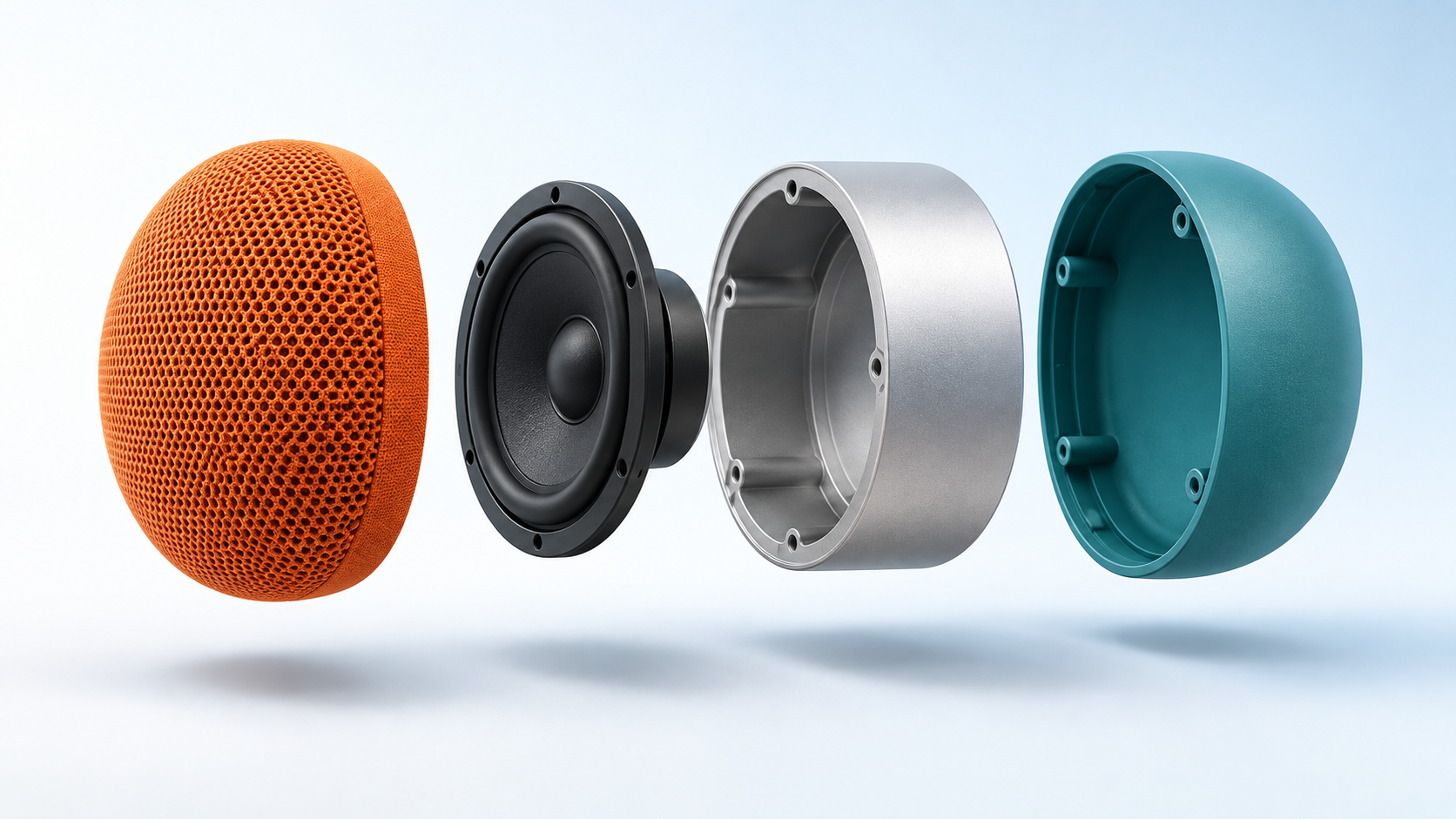
Original AI-generated fictional speaker concept. Component shapes are illustrative and do not describe a real speaker's engineering or internal construction.
Download exploded speaker conceptThe example reduces the reveal to four visible groups: grille, driver disc, chassis and rear shell. That is a creative simplification, not a technical specification. The limited part count gives each component a clear role in the frame and makes motion easier to evaluate.
Choose conceptual or technically accurate production
| Need | Suitable starting material | Review standard |
|---|---|---|
| Stylized social reveal | Approved product exterior and a clearly fictional internal concept | Recognizable exterior, clean motion and honest presentation |
| Real assembly explanation | Verified CAD or inspected component geometry | Correct parts, orientation, order and fit |
| Service or repair instruction | Manufacturer-approved procedure and accurate animation | Validated steps and safe real-world interpretation |
The broad query “exploded” can mean several things. This page covers exploded-view product visuals, where components separate deliberately. It does not cover explosions or dictionary definitions. If your goal is to explain how a real mechanism works, an attractive generated layer is not proof of its internal function.
Write a component sheet before the motion prompt
Name every group you intend to show, note its order and define the separation direction. For the fictional speaker, the front grille moves left, the driver remains next to the chassis, and the rear shell moves right. Decide whether the camera remains fixed or moves slightly. Keep component motion and camera motion simple enough that the viewer can follow both.
Record which details must remain unchanged: outer proportions, product color, number of layers and assembly axis. Remove tiny screws from a stylized social concept unless they serve a real purpose. If the actual product uses hidden fasteners, do not replace them with invented magnetic joints and then present the video as a factual assembly demonstration.
Use three beats for the reveal
Begin with the assembled silhouette so the audience recognizes the product. Separate the groups slowly with even spacing. Hold the separated state long enough to read it, then reverse the motion into the same assembled silhouette. A planned six-second concept might allocate one second to recognition, two to separation, one to the hold and two to reassembly. Adjust to the actual generated footage rather than forcing unusable frames into those timings.
Conceptual motion brief: Present the fictional orange tabletop speaker against a pale-blue studio background. Keep the camera fixed. Separate the four established visual groups gradually along one horizontal axis, preserving their shape and relative scale. Hold with even spacing, then return each group to the original silhouette. Smooth controlled movement, no additional components, no invented circuitry, no text and no sudden camera orbit.
This is a production brief to try, not a claim that a specific model has delivered the motion correctly. A still with separated parts can be an informative first-frame reference, but it does not tell the model how the unseen assembled state should look. Where start and end references are supported, supply approved frames for both states and inspect the transition.
Choose the right generation or animation path
For a visual experiment, use image-to-video with the accepted concept and a short controlled action. Verify the selected model's actual duration and media roles. The official Kling image-to-video API reference documents an image input and duration controls; those controls do not guarantee mechanically accurate animation.
For a real exploded assembly, animate named component groups in a 3D package using the manufacturer's geometry. That allows you to set exact transforms and return the pieces to the same coordinates. Render the motion first and add labels afterward. A video editor can assemble titles and close-ups, but it cannot reconstruct accurate hidden components from a distorted generated shot.
Inspect the sequence frame by frame
Check the assembled opening, the midpoint of separation, the held exploded state and the final assembly. Then play the entire shot at normal speed. Count components at each point, compare relative sizes and watch for intersections. A part disappearing for a single frame may be easy to miss in a thumbnail and obvious on a large screen.
Look for changing holes, duplicated grilles, impossible rotations and components sliding through one another. If the shot fails only near reassembly, keep a clean separated-state clip and cut to an approved assembled still. That can preserve the visual idea without pretending a broken transition works. For an instructional video, repair the underlying animation instead of concealing a technical error.
Place labels and claims after visual approval
Add short labels with lines that point to the actual visible component. Keep terminology consistent with your product specification. For a conceptual campaign, describe the visual as a stylized reveal and avoid claims about acoustic performance, battery life or materials that the artwork cannot establish. If the exterior belongs to a real product, compare it with accurate catalog references before publishing.
Export a high-quality master and check the mobile crop before creating smaller files. The hold frame should remain readable in the intended placement. Keep a full-width version if a vertical crop removes components from the horizontal assembly axis. A different composition is more useful than squeezing every part into an unreadable narrow strip.
Create product content in Clout around your campaign brief. Use conceptual motion for creative exploration and verified geometry whenever the job is technical explanation.


