

AI jewelry design helps you explore a visual idea before developing a piece. Start with a clear component brief, generate a concept, then review the frame, stone-like elements and connections before refining the finish. A beautiful image is a discussion aid; it does not establish gemstone identity, metal purity or a manufacturing specification.
This guide includes an original oval pendant concept and a separate finish variation, plus a reusable brief and blank component-review sheet. The examples were generated with the built-in image generation tool. They are not photographs of manufactured jewelry or results from a BLNG account test.
Choose ideation, rendering or marketing
| Job | Useful input | Review before accepting |
|---|---|---|
| Explore an original piece | A component brief or your sketch | Silhouette, visual balance and intended details |
| Refine a concept finish | The accepted source image | Whether the requested edit changed other components |
| Present an existing product | Accurate owned product references or CAD assets | Whether the marketing visual represents the actual piece |
A text-only concept and a product photograph serve different purposes. If you are presenting an existing item, preserve its actual design and avoid inventing a stone, clasp or finish that the buyer will not receive. If you are exploring an imagined piece, label it as a concept and keep decisions that still need development visible.
Download the original pendant concept
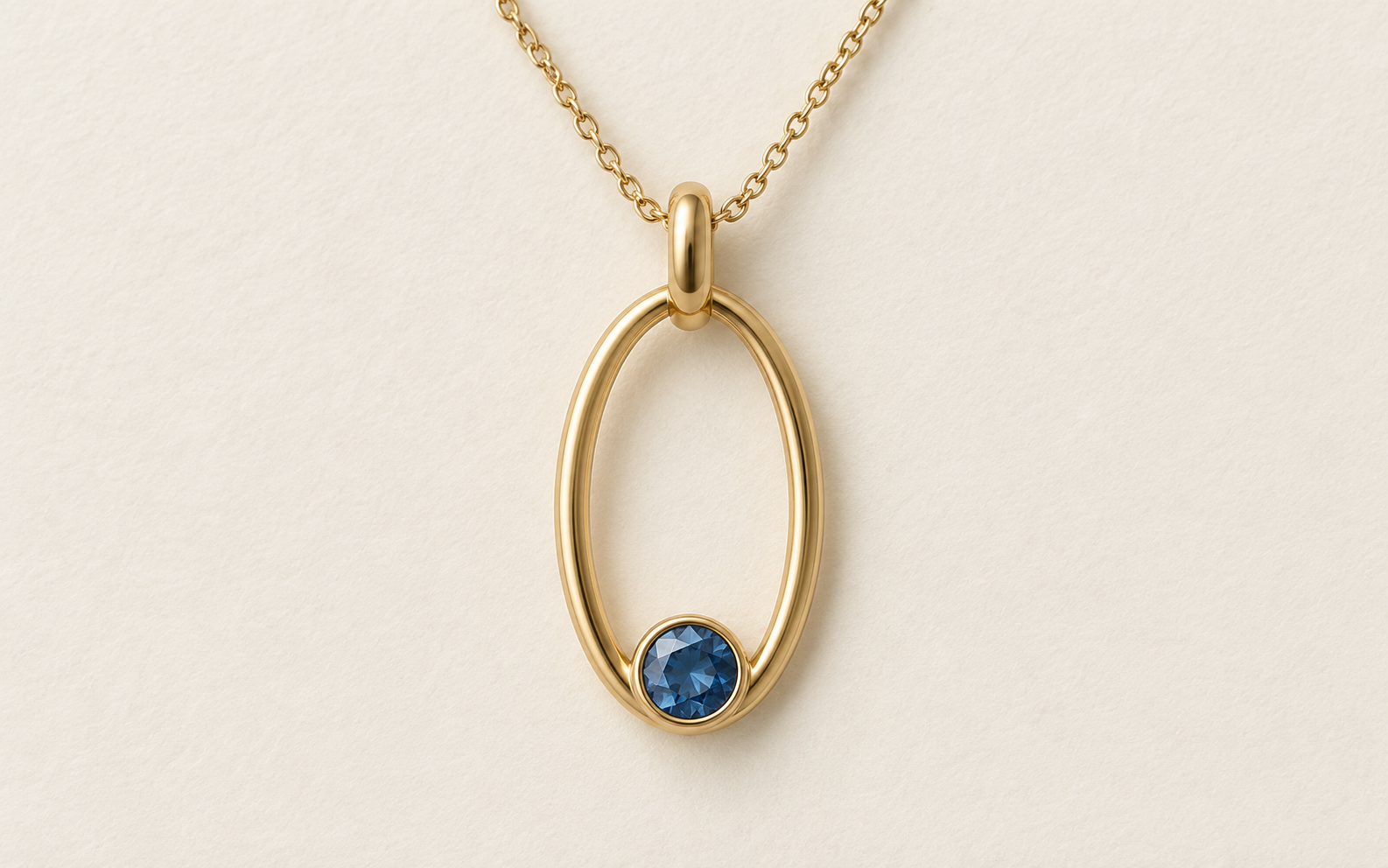
Download the original pendant PNG. The native image is 1586 by 992 pixels. It shows an elongated oval gold-colored frame, one blue faceted-looking inset near the bottom, a broad top bail and a chain. Those are visible features, not verified gold content or a confirmed gemstone species.
The chain and bail connection is partly occluded in this front view. You cannot establish every mechanical joining detail from it. Keep that uncertainty in the review rather than treating an attractive front view as proof of a complete design.
Write a component brief before generating
One elongated oval metal-colored pendant frame, one small round blue stone-like inset near the bottom of the opening, one simple top bail and a fine chain. Complete pendant visible, restrained contemporary design, ivory background, clear component separation, no lettering, brand, purity stamp or extra decoration.
A short component list is easier to evaluate than a broad request for luxury jewelry. Name what should remain fixed during revisions: the outline, number of insets, visible connections, camera and background. Then request one deliberate change, such as a silver-colored finish, so you can identify unwanted additions.
Download the reusable design brief and adapt its visible requirements to your project. If a real product requires precise dimensions, record those in the appropriate design specification and verify them separately. A pixel image does not supply physical measurements by itself.
Compare a controlled finish variation
Our variation request changes the gold-colored metal to a cool silver-colored finish while retaining the blue inset, oval outline, chain path, bail, camera and ivory background. The request is a review target, not evidence that every part remained identical.
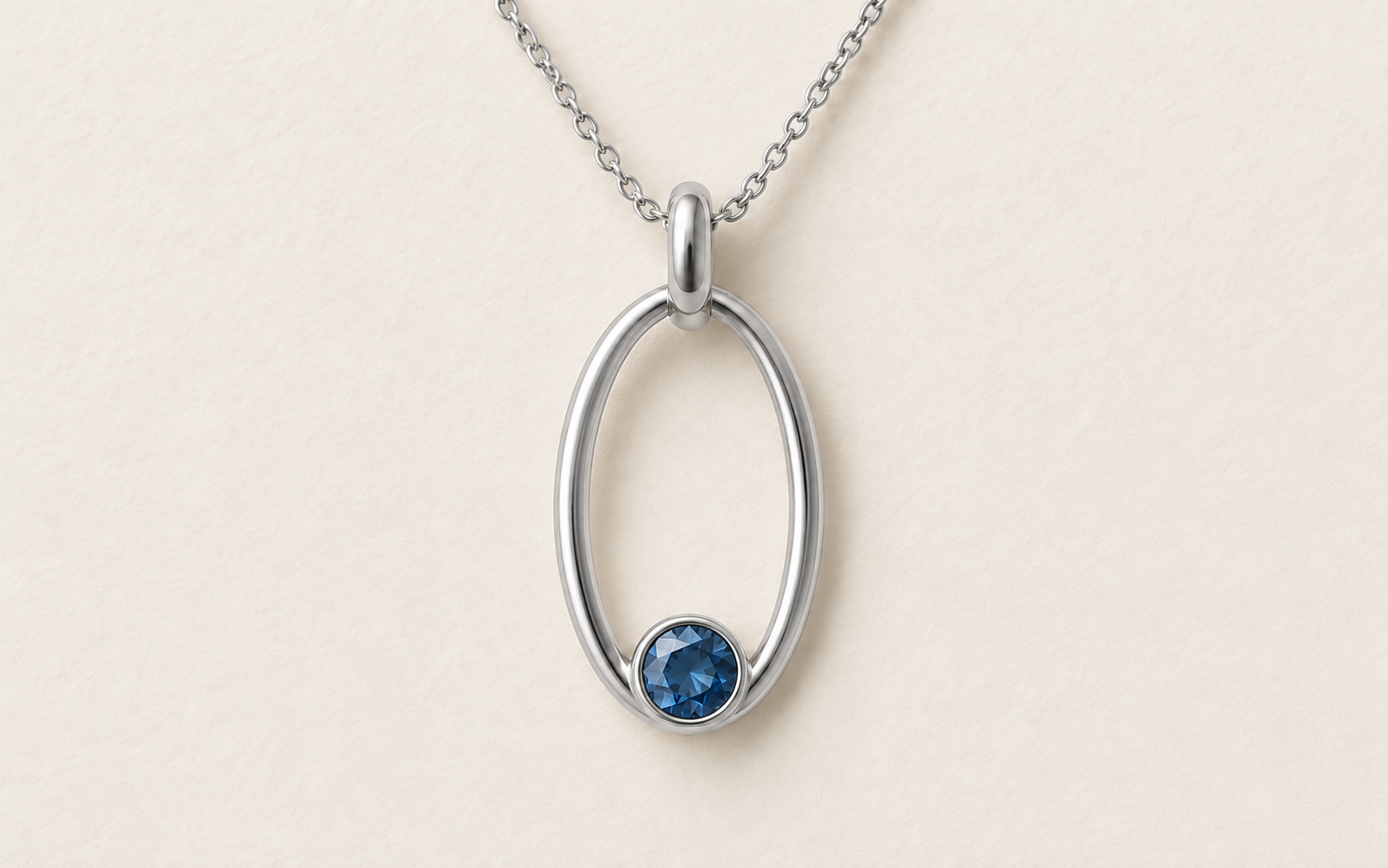
Download the finish variation and compare it with the source. Review the inset, frame, bail and chain independently. Do not equate a silver appearance with a particular alloy, plating process or tested surface treatment.
Both native files are 1586 by 992 pixels. In the inspected front views, each has one blue inset, the oval frame, a broad top bail and chain in corresponding areas. The metal appearance changed to silver color. Connections remain partly hidden, and this comparison does not establish pixel-exact geometry.
Download the native file record for dimensions and SHA256 hashes.
Understand BLNG's documented workflows
BLNG's official site distinguishes its Design workflows, which use prompts, sketches or photos for renderings, from Studio marketing workflows built around CAD assets. That distinction is useful when choosing whether you need to explore a new idea or present an already developed piece.
Check the current account, supported inputs and output requirements for your actual task. We did not run a BLNG generation, benchmark its results or validate its manufacturing handoff. Our downloadable examples are separate original imagegen concepts.
Review the parts before the presentation
- Count the intended inset and decorative elements.
- Check the oval outline for unexpected breaks or extra contours.
- Inspect the visible bail, chain path and any hidden joining points.
- Compare the finish edit with the accepted source for unwanted changes.
- Record unresolved details before producing campaign images.
Use the blank component-review sheet to record what you actually see. The fields separate visible observations from unresolved connections and required physical specifications. No manufacturing or material fields are preapproved.
GIA's Fall 2024 feature on generative AI in jewelry design discusses using generated variations as part of a designer's creative process. It is useful context for ideation, not a current model comparison or proof that a generated concept is ready to produce.
Keep the concept and final product distinct
Save the original brief, native source, accepted variation and review notes together. A jeweler or appropriate design professional can resolve the physical construction, measurements and materials needed for a real piece. Keep those decisions separate from what the image appears to show.
For promotional work, explore Clout's marketing workflows using accurate references for the item you actually intend to present. Our car finish concept workflow shows the same source-versus-edit review principle on a different subject. A dramatic editorial cover is useful presentation artwork, but it should not replace the literal product reference.


