An AI mascot generator is most useful when it produces a character you can reuse. A single attractive image is a starting point. A practical brand asset also needs recognizable features, suitable poses, a usable background treatment and a silhouette that survives the size where people will see it.
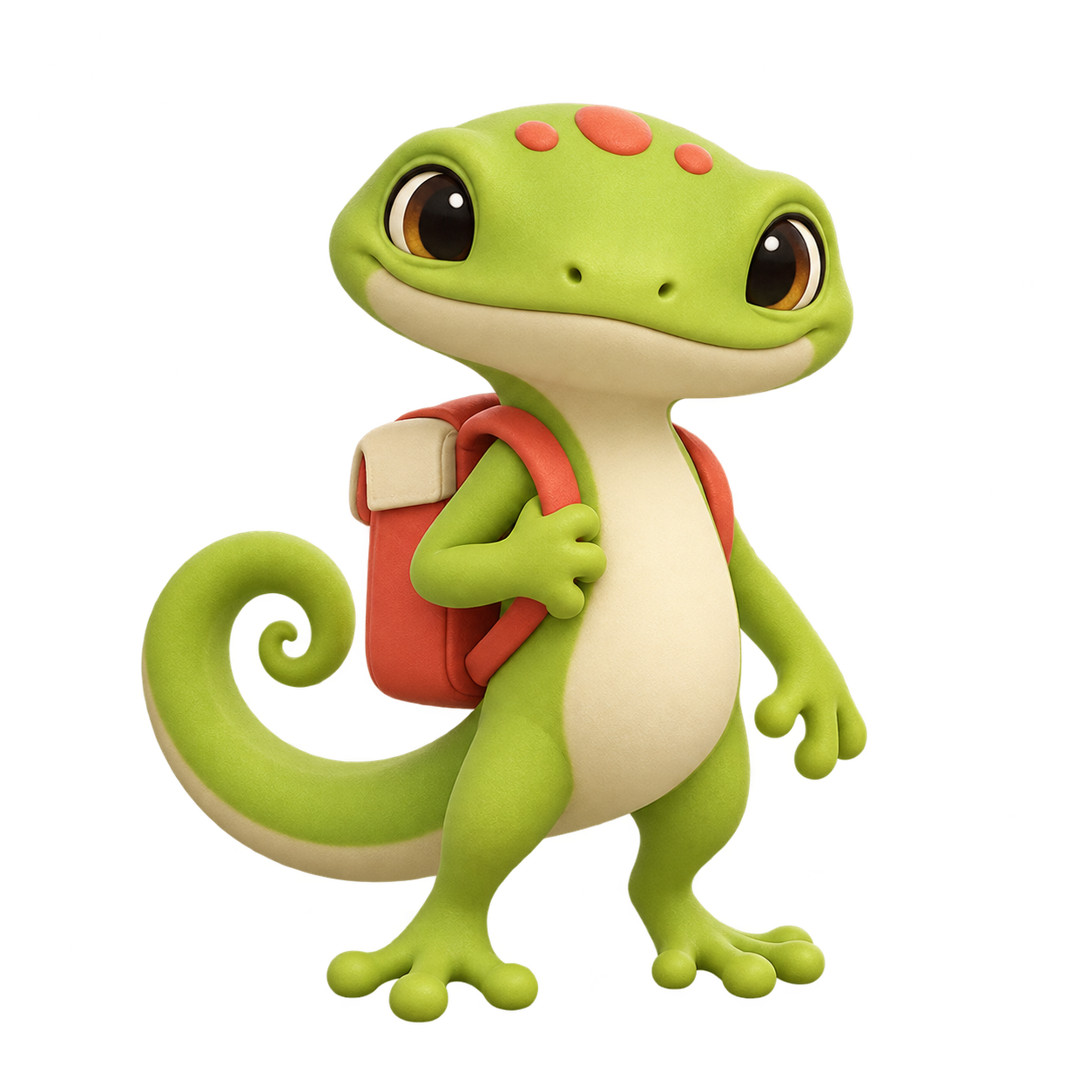
Our original example is a lime-green gecko courier with a cream belly, three coral head spots, a coral backpack and a curled tail. Download its transparent PNGs, pose brief, filled continuity review and editable inspection kit. These are independently generated illustrations, not a finished brand identity, animated character or 3D mesh.
Define the mascot by its job
Decide where the character will appear before choosing its expression. A welcome screen needs a friendly greeting; a delivery update may need a clear direction or gesture; a help article may need a character that points toward information without competing with it. Those uses can require different poses while retaining the same visual identity.
Our fictional courier brief uses a backpack to communicate the role and a curled tail to make the outline distinctive. The three head spots, cream belly and coral accessory are fixed review points. The specific wave is a changeable pose. Write those two lists separately so a new gesture does not silently become a new character.
Choose a generator by the output you need
Venngage’s mascot page describes a prompt, customization and download workflow. Fotor also presents a dedicated mascot generator. Check the actual operation, reference support and export in your selected service. We did not run either account or compare their output quality.
| Your deliverable | Capability to check | Acceptance question |
|---|---|---|
| One character direction | Text-to-image with a controlled brief | Does the silhouette communicate its role |
| A second pose | Reference-led image editing or generation | Are the fixed features recognizable |
| A character over a page background | A real alpha-channel export | Does the edge work on the intended background |
| An editable vector mascot | Actual path-based artwork and editing | Are shapes editable rather than an embedded raster |
| A moving character | A separate animation or video workflow | Does the full sequence preserve the intended character |
For Clout, explore the current image workflows and the supported inputs before choosing the model. The example files below were made with built-in image generation. Their appearance is not a benchmark of Clout, Fotor or Venngage.
Inspect an original transparent mascot and pose variation
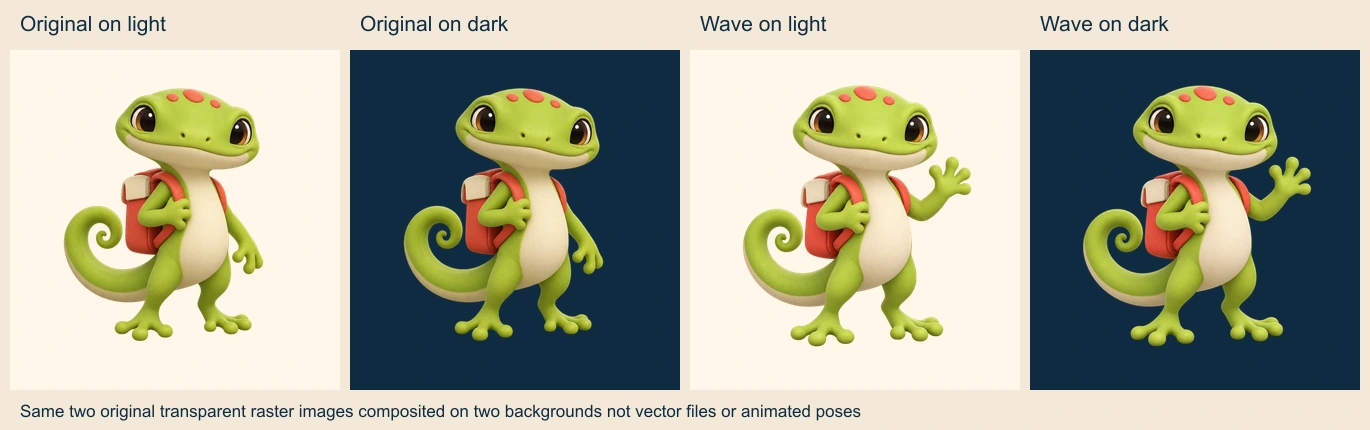
Download the original gecko PNG and waving pose PNG. Both native files are 1254 by 1254 pixels and contain alpha channels. The measured alpha audit records their transparent, partially transparent and opaque pixels.
The background comparison uses those files directly. It does not ask a model to invent a new navy-background version. That makes it useful for checking whether the existing cutout and colors work on two surfaces. A checkerboard drawn into an ordinary image would not provide this kind of transparent export.
Inspect more than the empty corners. Look around the head, tail, fingers, feet and backpack straps for unwanted edge color, missing parts or a background patch trapped inside an opening. Check the asset at the scale you intend to use, not only at a large zoom.
Change the pose while reviewing the fixed features
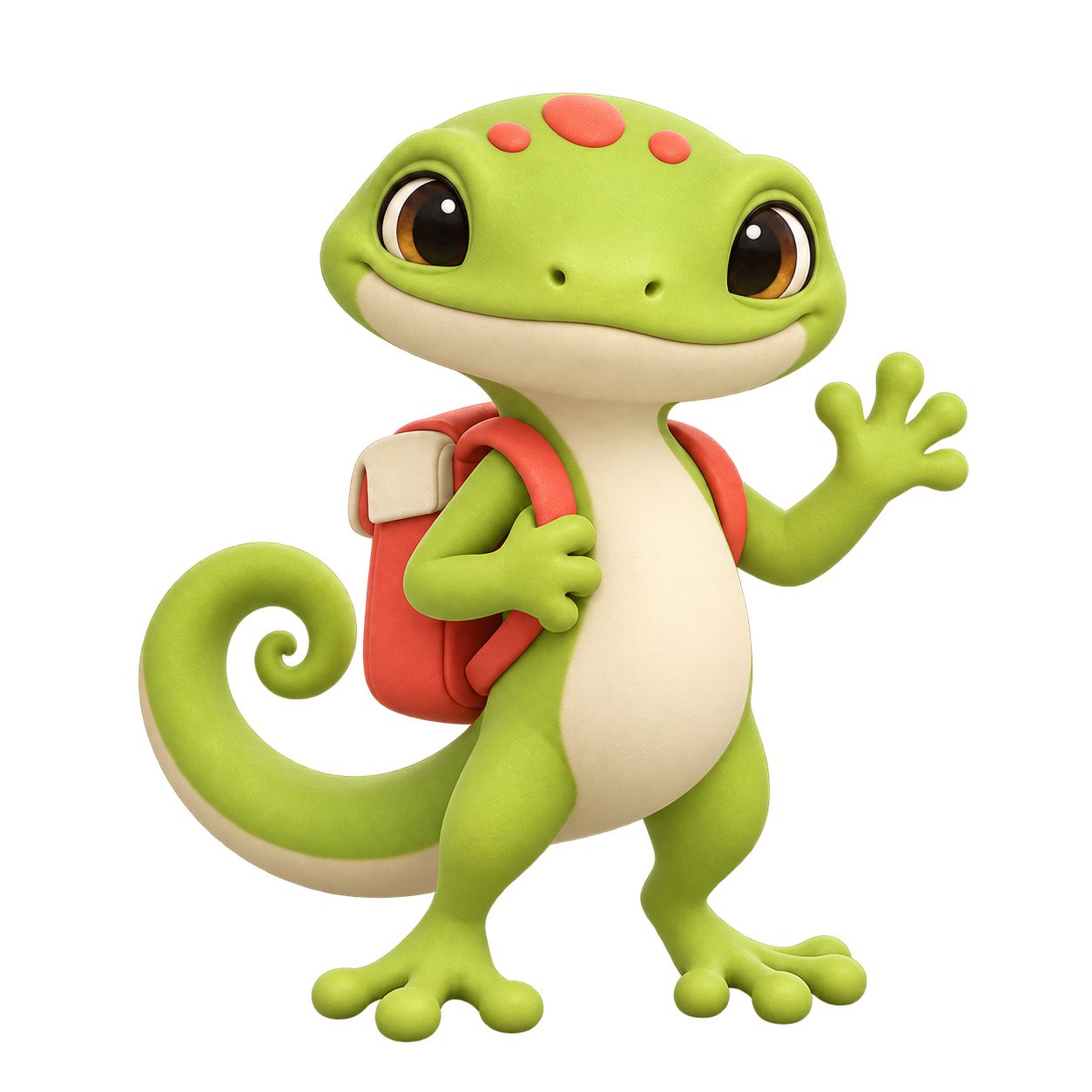
Use the accepted gecko courier as the reference. Preserve the lime-green skin, cream belly, three coral head spots, coral backpack with cream flap and straps, and curled tail. Raise the relaxed hand into a friendly wave while the other hand holds the backpack strap. Keep the full figure on a transparent background without new clothing, props or lettering.
The second image followed that reference-led direction. The main colors, spots, belly, backpack and tail remain recognizable. Limb positions, head-spot outlines and fine face and backpack details vary. The two PNGs are separately synthesized illustrations, not two frames from one underlying rig.
Use the editable character and pose brief and filled continuity review to inspect those changes. If a fine mark must be identical in every placement, plan an explicit finishing or authoring step instead of assuming another generation will preserve it exactly.
Test the mascot at small sizes
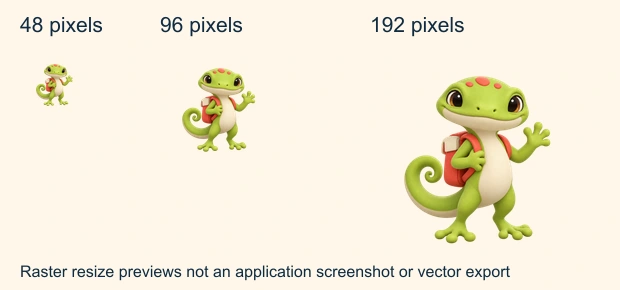
The broad head, tail and waving gesture remain recognizable in these previews, while the backpack and facial details become harder to distinguish at the smallest size. A feature that looks expressive in a large illustration may contribute little inside a compact avatar or notification.
Download the transparent 48 pixel, 96 pixel and 192 pixel versions to inspect them. These are resized from the accepted waving image, not newly generated variants. Check the actual placement and surrounding copy before approving a production layout.
If the intended use needs a simpler mark, create a simplified character version deliberately. Enlarging a tiny file does not restore detail, and shrinking every accessory into a small square does not guarantee recognition. Keep the detailed illustration and simplified mark as separate deliverables.
Keep raster artwork separate from vector and animation assets
The supplied PNGs contain pixels and transparency. They are not editable vector paths. Putting a PNG inside an SVG wrapper changes the container, not the nature of the artwork. If a project needs path-level editing, inspect an actual vector file and its shapes in the chosen authoring tool.
Likewise, a soft 3D-looking illustration is not a riggable mesh. Our two poses do not include geometry, bones or motion. For an animated placement, plan a separate operation and inspect its complete output for the face, spots, tail and backpack before treating it as an accepted character performance.
Package the character with its review record
The editable mascot inspection kit includes both original PNGs, the three small-size exports, background and size comparisons, alpha audit, brief, review CSV and layout source. The source rebuilds the previews and measurements using Sharp 0.34.5; it does not regenerate the character images.
Keep an accepted version, its fixed-feature brief and the actual files together. When a new pose is approved, add its review rather than replacing the reference silently. This gives another designer a concrete starting point and makes it clear which details are intentional.
For broader character work, continue with the AI animal maker workflow. For artwork intended for a printed garment, use the separate T-shirt design guide. Each destination has different production requirements, so inspect the file that will actually be delivered.