

AI car design can mean changing the look of a car photo, rendering a sketch or inventing a new vehicle concept. Choose that job before choosing the tool. A paint study should retain the source vehicle's shape; an early concept can explore a new silhouette. Neither image proves that a modification is buildable.
This guide uses an original fictional silver coupe and a generated petrol-teal finish edit. Both native PNGs are 1586 by 992 pixels. The cover is a separate editorial concept at another angle, not evidence that the downloadable vehicle has a validated three-dimensional model.
Choose the car design workflow
| Starting point | Useful output | What to preserve or inspect |
|---|---|---|
| A car photograph | A finish or visual customization concept | Wheel positions, silhouette, glazing and camera |
| Your own sketch | A rendered interpretation of the drawing | Proportions, intended surfaces and design lines |
| A text-only idea | An imagined vehicle direction | Coherent form, readable components and consistency across revisions |
For a finish study, use a source where the full vehicle is visible and the background is simple. Strong perspective, heavy reflections and hidden wheels make changes harder to evaluate. Keep the original file separate so you can compare the accepted edit against a stable reference.
Inspect our original silver coupe source
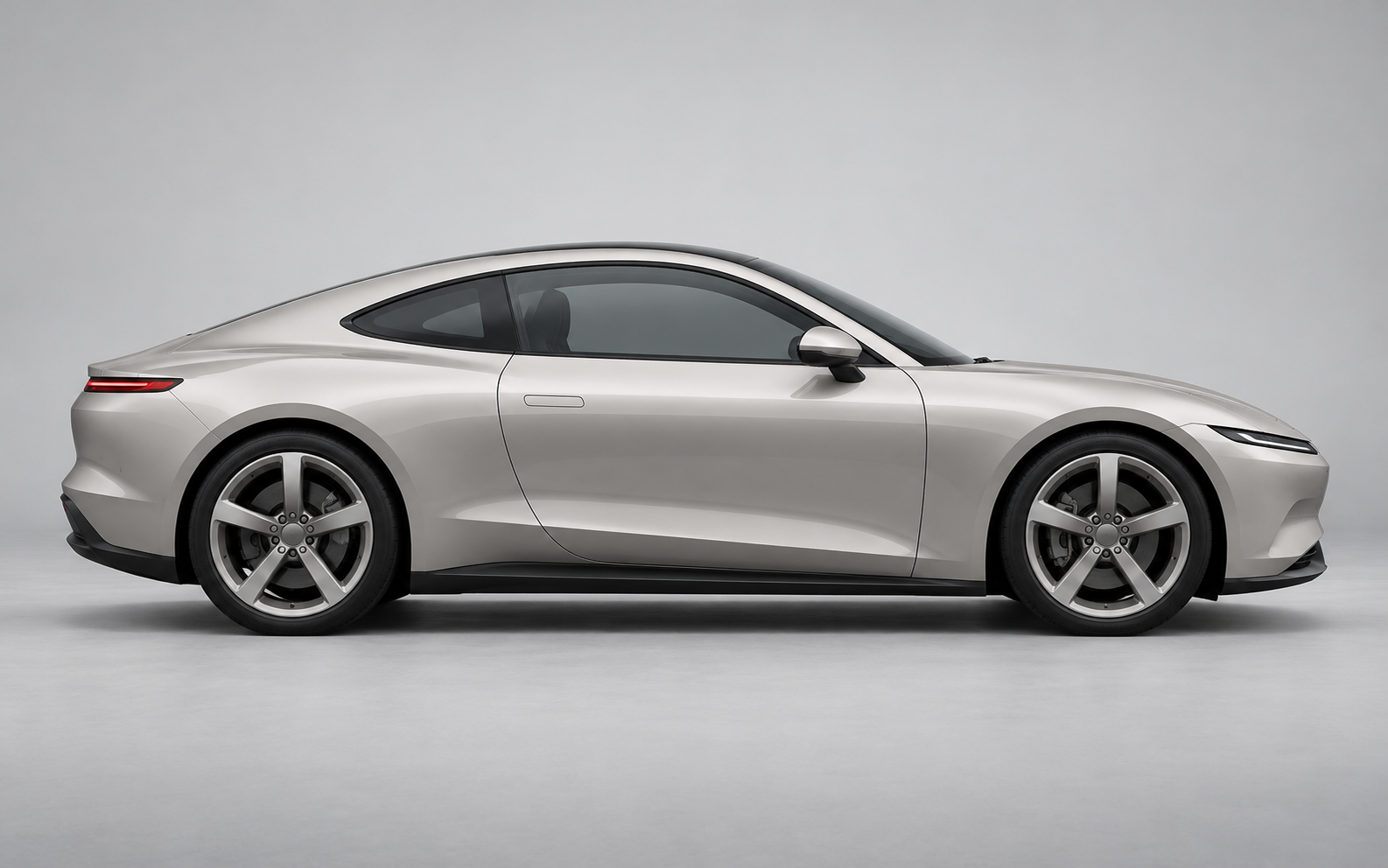
Download the native silver source. It shows a side-profile coupe with two near-side wheels, one visible door seam and a dark window area. It is an image generated for this study, not a customer photograph, a real product specification or a Vizcom output.
Before editing, name the features you intend to retain. In this example they are the roofline, wheel centers and diameter, door seam, window divisions, mirror, lamps, camera and studio setting. A specific retention list makes the review more useful than a general request to keep everything the same.
Request one deliberate paint-finish change
Change the silver painted body panels to petrol teal with a restrained satin finish. Retain the side-profile silhouette, wheel positions and diameter, five-spoke wheels, door seam, glazing, mirror shape, lights, black lower trim, camera, framing and gray studio background. Do not add a spoiler, lettering or new body features.
Use this as a brief to adapt to your chosen editing tool. A generation request does not establish that every requested constraint was followed. Changing the paint also changes the perceived reflections, so inspect the result for unintended surface or shape changes before using it as a design direction.
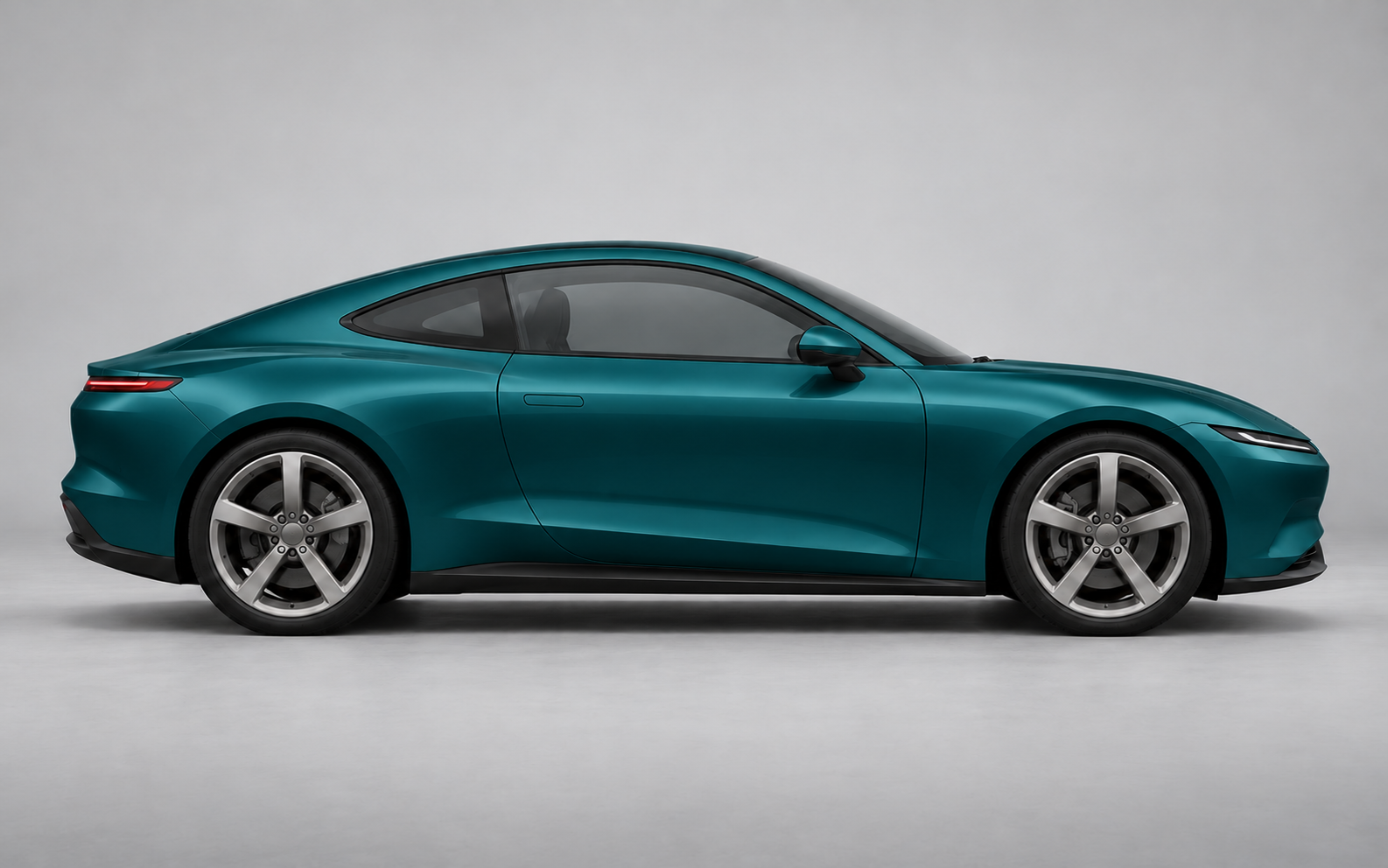
Download the native teal edit. Visual inspection found the wheels, roofline, window divisions and door seam in corresponding positions. Paint and reflections changed, including the mirror housing. This is a visual observation, not a pixel-exact geometry test, measured wheelbase comparison or proof of a physical satin finish.
Explore a sketch-led workflow in Vizcom
Vizcom's product page describes sketch-to-render work, contextual drawing and design variations. Its automotive page presents the tool for exploring forms and surfaces. Those workflows address a different starting point from simply recoloring an existing photo.
Keep your sketch's proportions and important design lines visible in the review. Compare the interpretation with the intended drawing before evaluating materials. We did not run a Vizcom account test or measure its speed, and our downloadable images are separate built-in imagegen examples.
Review geometry before accepting the finish
- Compare the full silhouette before zooming into paint.
- Check wheel centers, diameter, arches and tire contact with the ground.
- Inspect the door seam, window divisions, mirror and lamps.
- Check whether reflections imply unexpected dents or added body lines.
- Record any unwanted change and decide whether to revise or accept the concept.
Download the finish-edit brief and blank visual review sheet. The file record identifies the native assets and measurements. Fill the observation fields from the actual candidate you inspect rather than copying our result into another tool's output.
For a smaller product subject, our AI jewelry design workflow applies a component review to an original pendant and finish variation.
Keep a visual concept separate from engineering
A convincing image does not establish clearance, structural integrity, aerodynamics, legal road use or manufacturability. Use it to discuss a visual direction, then use the appropriate design and engineering process for any physical work. A second camera angle is another image unless you have an actual consistent model or verified multi-view workflow.
For a campaign, keep the accepted source, finish edit and promotional scene as distinct assets. Explore Clout's image and video workflows for a separate creative presentation, and use the product-spin planning guide when deciding how to present several views. A cinematic cover should not replace the source comparison.


