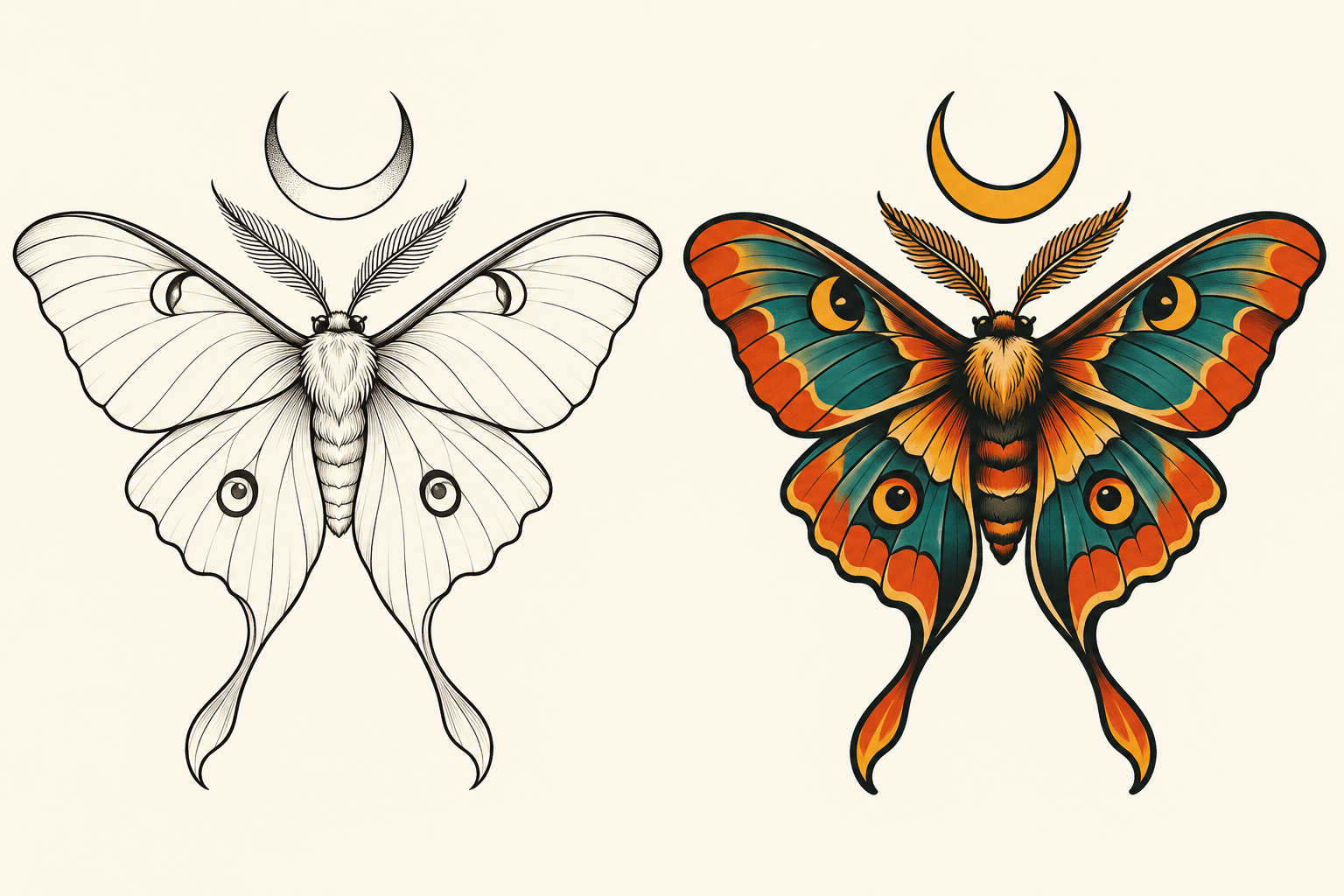
Adobe Firefly AI tattoo generator searches usually start with a visual idea: a symbol, animal or memory that needs a clear design direction. Firefly can help explore that direction, but an attractive generated picture is still a concept to discuss with an artist. This independent guide shows how to make the brief more useful and review what actually changed.
How to use Adobe Firefly for tattoo concepts
Adobe’s official tattoo generator page describes a text and reference image workflow: sign in with an Adobe account, describe an idea, generate, refine and download the selected concept. It also describes free account access and paid options for more generation. Check the current allowance in your account; this guide does not establish a numerical entitlement.
- Choose one main motif and the feeling it should express
- Describe the illustration style and the areas you want to keep open
- Generate an initial direction using your own brief or an authorized reference
- Change one design decision at a time rather than rewriting everything
- Bring the selected artwork and your notes to a professional tattoo artist
We did not sign in to Firefly, spend credits or test a Firefly export for this article. The illustrated study below was independently generated for Clout. It demonstrates a review method, not a comparison of model quality.
Compare two directions for one moth concept
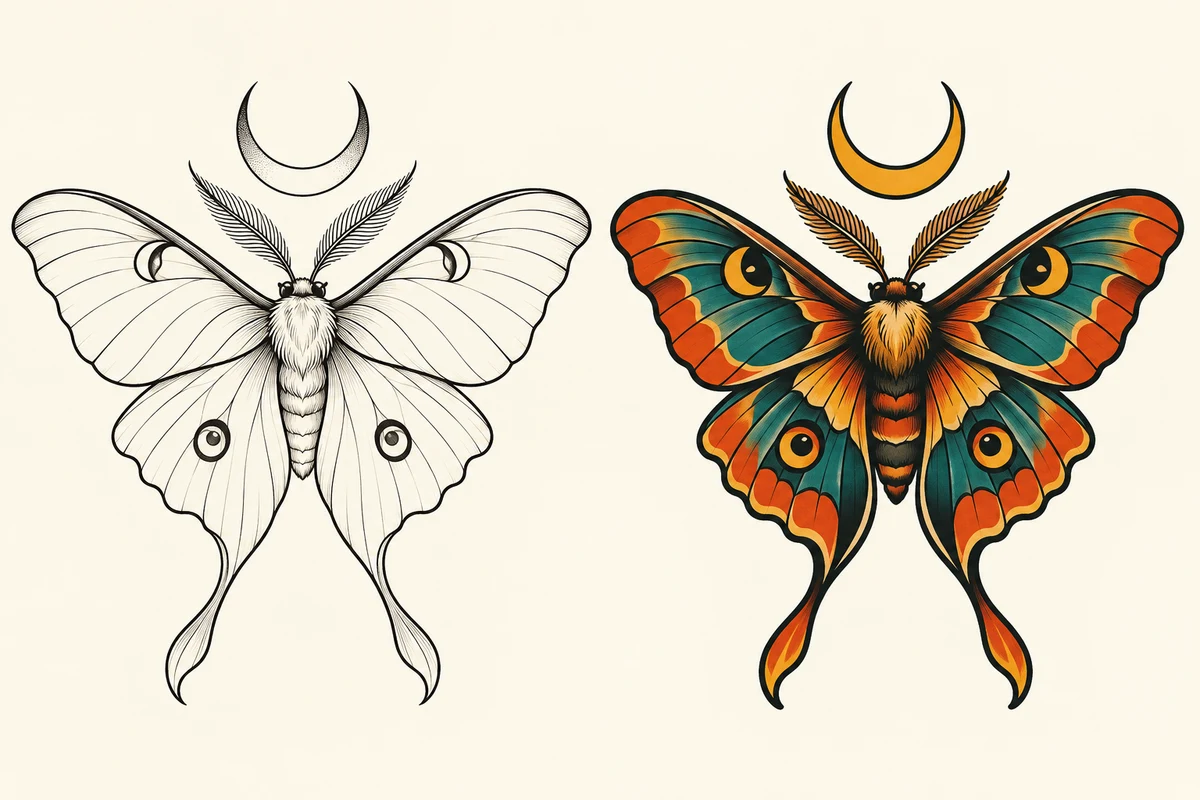
Download the original illustration PNG and the filled visual review CSV. The source is a raster image. It does not contain editable vector paths or a certified stencil layer.
The left direction leaves broad areas of the wings unfilled. The right direction uses heavier borders, orange and teal blocks and gold accents. Both keep an outspread moth beneath a crescent. They are related concepts, not identical geometry with a different palette: the wing shapes, markings and lower tails differ.
The fine-line direction also contains many small hairs and narrow internal lines despite the request for simplicity. That is a useful failed constraint to record. Calling the result minimalist does not remove those details. Ask for fewer interior marks in a revision, then inspect the new file instead of assuming the prompt was obeyed.
Write a tattoo design prompt that makes decisions
Use a subject, style, composition and explicit exclusions. For example:
One moth with outspread wings beneath a crescent moon, black ink illustration on plain cream paper, generous open wing areas, a clear outer silhouette, few interior marks, no lettering, no background scene and no skin mockup
For a second direction, retain the subject and layout while changing the requested drawing treatment to bold outlines with orange, teal and golden yellow accents. These are original example prompts, not guaranteed Firefly parameters. A model can reinterpret several parts of the design even when you intend only one change.
Separate meaning from decoration. If the moon represents a particular event, write that in the brief. If a date or word matters, keep an exact text record and check every character in the delivered image. Do not approve lettering because it looks plausible at thumbnail size.
Review the image at more than thumbnail size
| Question | Observation in this study | Next decision |
|---|---|---|
| Is the motif readable | Both show a moth and crescent clearly | Choose which direction communicates your idea |
| Did the structure stay identical | No — wing edges markings and tails change | Do not call this a controlled recolor |
| Were small details removed | No — fine hairs and interior lines remain | Request a simplified revision if those are unwanted |
| Is it ready for application | Not assessed | Ask an artist to evaluate the final design and intended placement |
A small preview helps judge hierarchy: what do you notice first, and can you distinguish the main shape from surrounding marks? The full image reveals artifacts, doubled edges and accidental texture. Neither view proves how a design will behave on skin. This is a digital concept review, not an application or longevity assessment.
Build a brief your artist can use
Save the selected image alongside the original intent, preferred direction and unresolved details. Describe what you like precisely: the open wing areas, the warm accent color or the position of the crescent. Also note what should change, such as the density of the fine marks or the tail shape.
Download the concept discussion brief. It separates the design decisions already made from the questions still open. It is a conversation aid, not an approval form or substitute for an artist’s work.
Use your own references or material you are authorized to use. Avoid asking for a direct copy of another artist’s finished piece. An AI-generated result is not proof that nobody else has made a similar design, and this study does not establish exclusive rights to a motif.
Choose the next creative workflow
If you are exploring several illustration directions, keep the same motif brief and save each selected result with its revision notes. For broader image work, continue with the AI picture generator guide. For editable campaign composition, see the Fuser workflow guide. Clout is a separate creative suite; this page is an independent guide to the Firefly search topic.