Dzine AI provides image creation and editing tools at dzine.ai. For a style-led project, separate the composition you need to preserve from the treatment you want to change. An attractive new material or lighting direction does not automatically preserve object proportions, spacing or exact artwork.
For repeated surfaces, inspect the AI texture generator guide and free repeat preview with original measured material data.
Choose style transfer or a targeted image edit
The official style-transfer page describes uploading a source, choosing a style or reference, applying it and refining the result. The image-editor guide describes uploading an image and writing the requested change. Those are different briefs: changing an entire treatment versus changing a specific part of the picture.
Write the acceptance criteria first. A moodboard may tolerate new proportions; a product campaign may require an exact silhouette and label. Choose the operation around that requirement, then inspect the actual returned image. A general promise of control is not a measured result for your source.
Inspect the original three shape reference
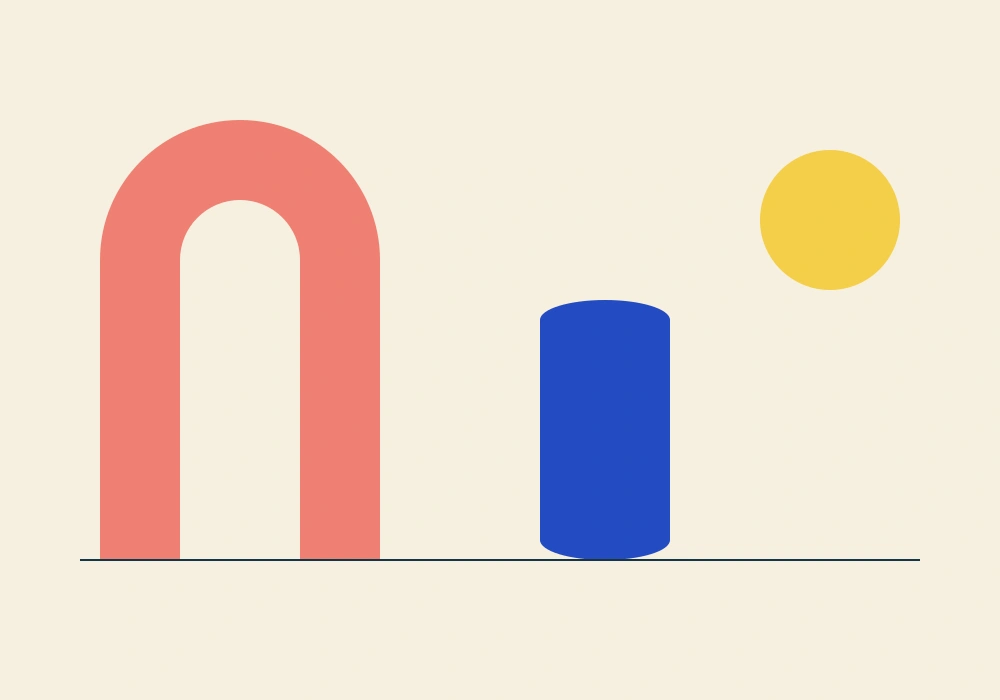
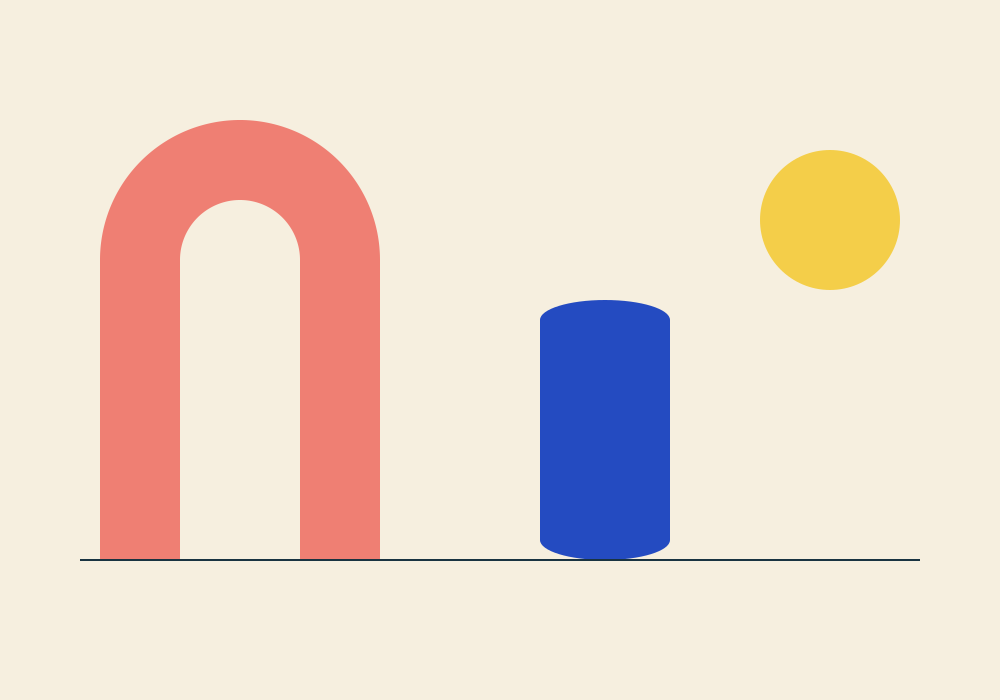
Download the editable SVG or source PNG. We authored three simple forms so their order, open space and relative scale are easy to inspect. This is a composition reference, not a photograph of a real product or a three-dimensional scene specification.
The coral arch is the tallest form. The blue column is shorter and sits to its right on the drawn baseline. The yellow round form floats at the upper right. Those are content requirements; ceramic texture or paper fibers are treatment choices.
Compare two independent style treatments
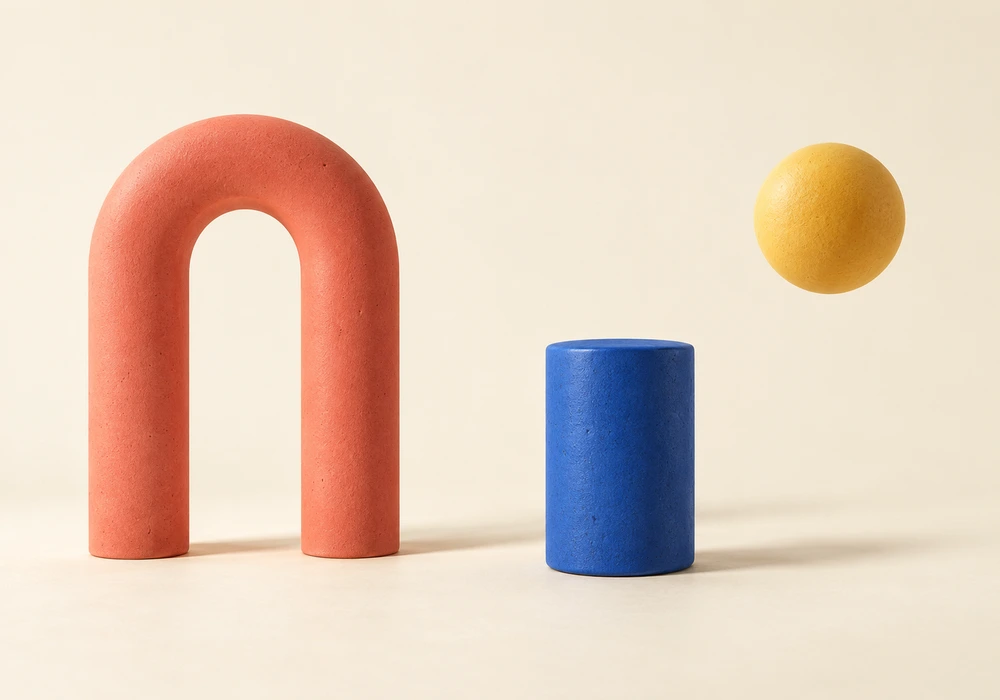
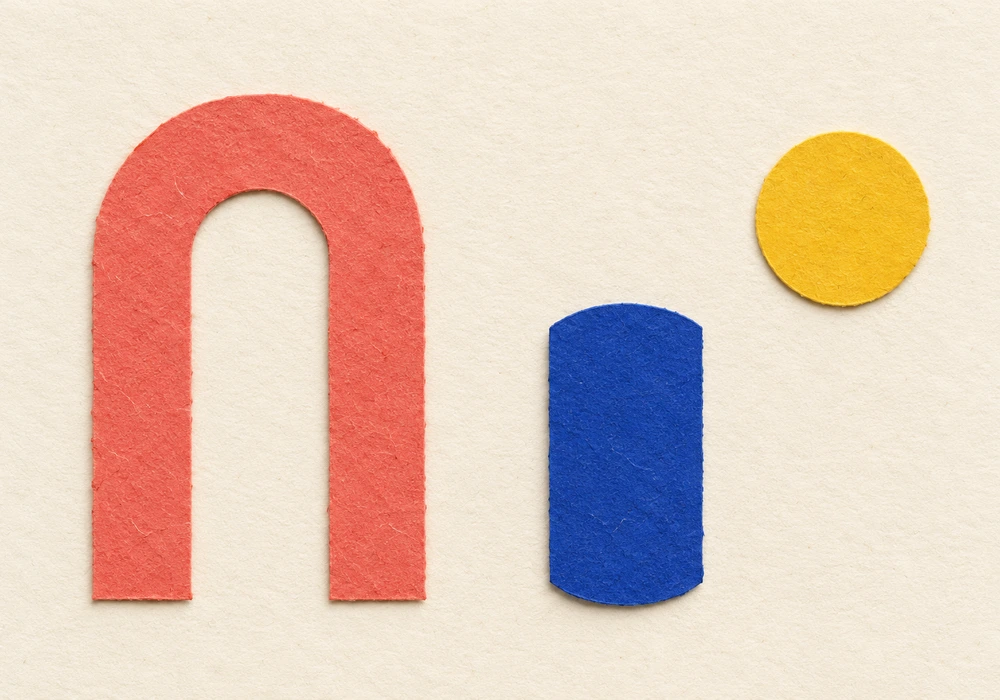
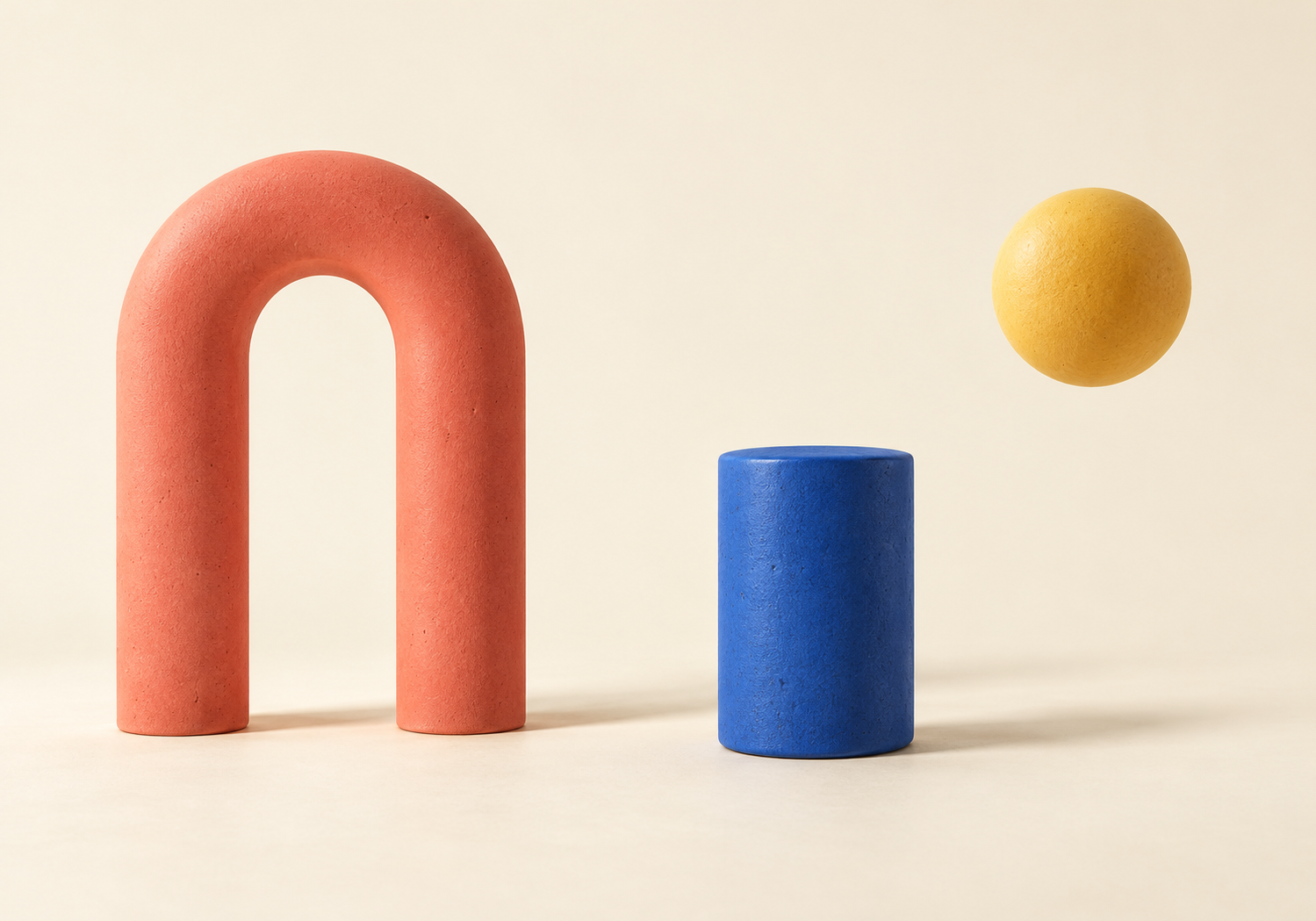
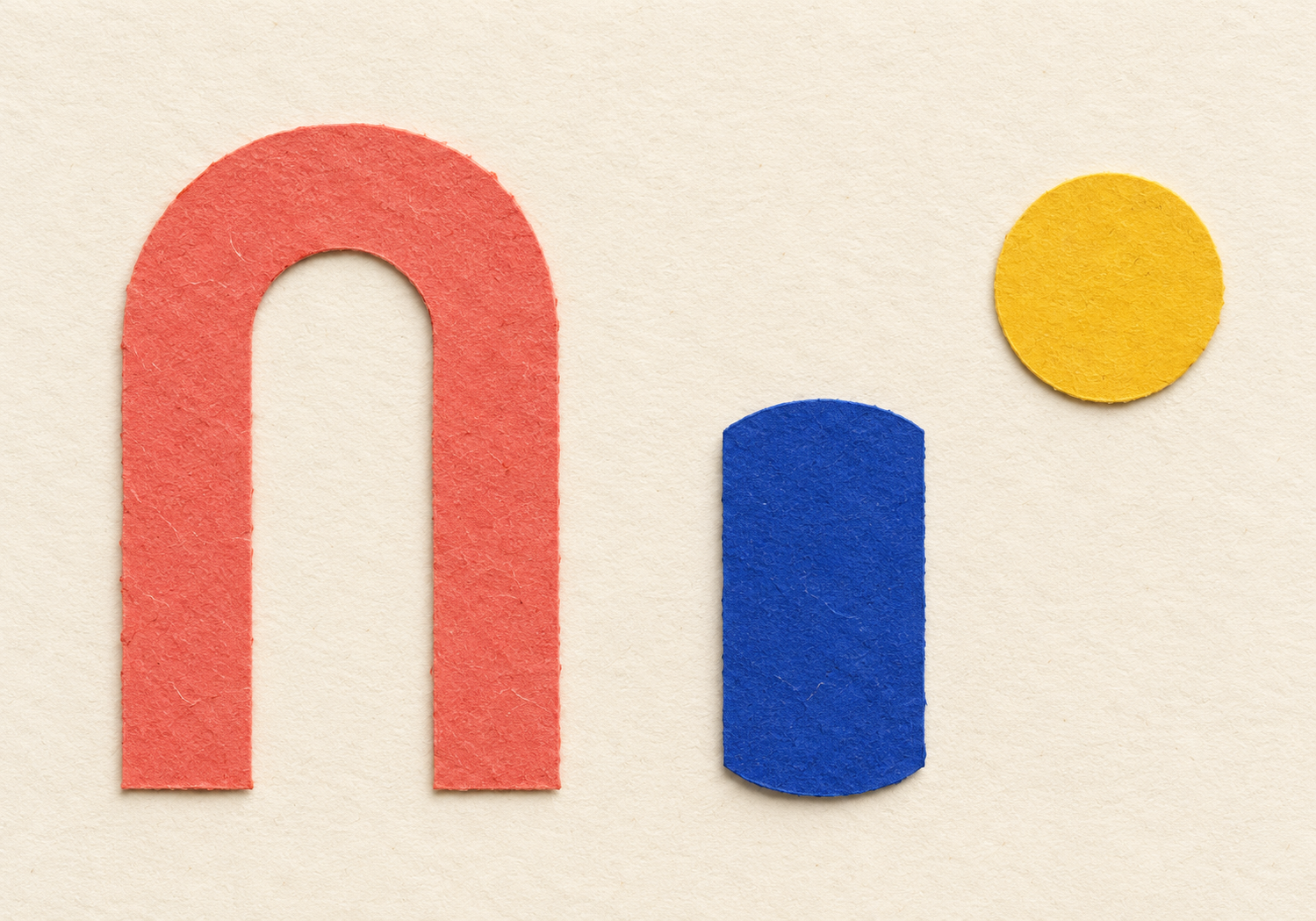
These two illustrative edits were generated independently from the same source using built-in imagegen. They are not Dzine outputs, a controlled model comparison or a quality benchmark. Download the native ceramic PNG and paper PNG to inspect them beyond the smaller page previews.
Both keep the three primary forms, color assignments and broad left-to-right order. The ceramic treatment adds thickness, rounded volume and floor shadows. The paper treatment adds cut edges and surface fibers while changing the apparent proportions and baseline. Neither establishes pixel-exact preservation of the source geometry.
Review structure separately from style
| Review | What to compare | Why it matters |
|---|---|---|
| Content | Three forms with the intended color roles | A new prop changes the composition |
| Order and separation | Arch left column middle round form upper right | Overlaps can change the visual hierarchy |
| Geometry | Arch gap relative heights and baseline | Similar mood can hide a different shape |
| Treatment | Material texture lighting and shadows | These are the intended areas of variation |
Download the filled visual review. It records observations from these specific images rather than scoring an untested service. We did not measure generated-output bounding boxes or identity accuracy.
Use source coordinates for the source
Download the authored layout guide. The arch’s source bounds are x100, y120, width280 and height440 on the 1000 by 700 canvas. The column and round form have their own bounds. These describe the vector artwork, not controls we verified in a provider interface.
If an output uses different dimensions, source pixel coordinates cannot be copied over unchanged. Even after scaling, a generative edit may shift or reshape the object. Review the actual silhouette and spacing before treating a coordinate conversion as proof of preservation.
Download the local source renderer. With Bun and Sharp it rasterizes the SVG into the published PNG and WebP reference. It makes no network requests and does not reproduce the two generative treatments.
Write a prompt around fixed and variable requirements
Use the supplied image as the layout reference. Preserve three primary forms, their broad order and the open arch gap. Change the material treatment to matte ceramic with soft studio light. Do not add words, logos or extra props. Review the returned shape proportions separately from its surface style.
This is an original portable brief, not a submitted Dzine operation. Download the review brief and the two independent experiment prompts. Keep the same accepted source when exploring a new treatment so you can explain which input changed.
A source image defines content only as far as your chosen operation can use it. A style reference can also bring unwanted shapes, words or scenery. Give each reference a clear role and inspect whether the result imported more than the desired palette or texture.
Dzine AI pricing and free credits
The pricing page checked November 1 lists Beginner at $8.99 monthly with 1,000 monthly credits. It separately displays $7 per month equivalent with $84 billed annually, plus a $4.49 first-month promotion followed by $8.99. Confirm the selected offer and renewal charge at checkout.
The same page says new free users receive 100 signup credits valid for twelve months, and that the old daily reset to 32 credits is no longer available. It also reserves the ability to vary trial access. We did not redeem an allowance or test a free export.
Check the current model, operation and settings before a submission. A plan’s allocation is not a count of accepted campaign images. We did not complete checkout, test a queue or measure provider generation costs.
Know when to preserve the native artwork
If exact curves, type or a brand mark are required, keep the editable source in the delivery workflow. A generative restyling can be useful exploration while still being unsuitable as the final logo or product drawing. Compare the accepted file against the actual requirement rather than approving it because it looks polished.
Download the source and output provenance. It records the native file hashes and dimensions. This helps identify the files behind the exercise; it does not establish reproducibility of stochastic generation or a provider’s behavior.
Continue with the next image task
To select a direction before the next round, use the FLORA review and local campaign direction chooser.
For a separate Clout project, explore Image and Video or Marketing Studio. Clout publishes this independent guide and is a separate service. The cover is standalone editorial artwork, not an exported Dzine result or a photograph of this exact comparison.
Use the fixed-source crop exercise when only the delivery shape changes, the detail reconstruction exercise when an enlarged image alters a mark, or the editable campaign kit when exact copy must survive several layouts.