Weavy AI is now presented as Figma Weave: the official weavy.ai address redirects to weave.figma.com. If you are searching for the creative workflow tool, start there. This guide explains node-based image production through an original fixed-source crop exercise you can download and inspect.
What Weavy AI and Figma Weave do
The current official site describes AI models and editing tools connected in a node-based workspace. A node receives inputs and produces outputs; a workflow connects those operations. It is a way to organize a creative process, rather than one image model with one prompt field.
For a practical first workflow, choose a small production task with a clear acceptance rule. Our example starts with one accepted fictional camera image and produces three delivery shapes. It deliberately separates generating the source from cropping that source, so a format change does not require another interpretation of the product.
Inspect the original accepted source
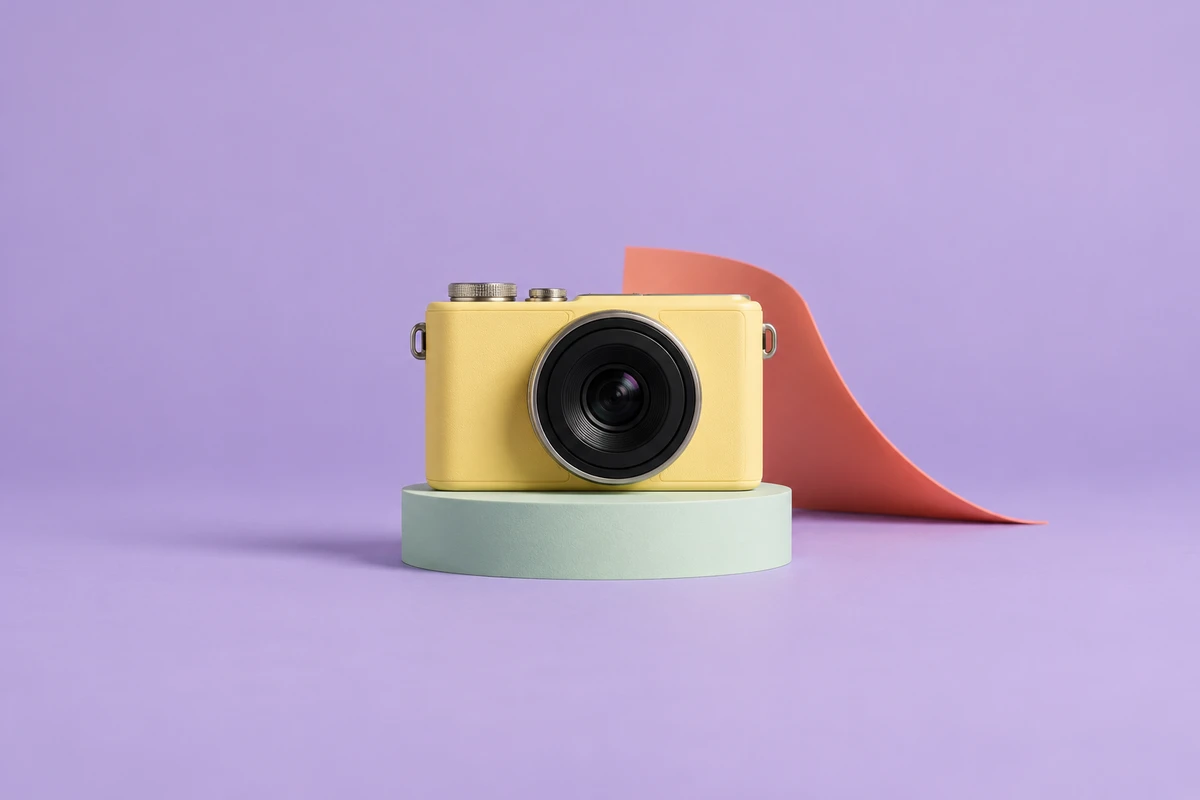
Download the original master PNG. The camera is fictional and unbranded. The master has generous surrounding space so several center crops can retain the camera body, lens, controls and pedestal. The separate cover is conceptual editorial artwork, not a photograph of the exact exported files below.
One source three reviewed delivery formats



These files were extracted and resized locally using Sharp. They are not Figma Weave outputs. No outpainting, relighting or new product generation was used for the crops. Download the square, portrait and wide files to compare them.
All three retain the camera body and pedestal. The portrait removes most of the coral background curve; the square cuts its far-right end; the wide removes top and bottom background. That is a meaningful design trade-off, even though none of the crops changes the source product.
Connect compatible nodes before running a model
The official Understanding Nodes guide says inputs and outputs must have compatible content types. It distinguishes credit-consuming generative nodes from non-generative tools such as manual composition and blur. Inspect a selected node’s parameters before treating its operation as interchangeable with another.
Build the dependency order first: accepted source image, three format branches, review, then delivery. A text prompt and an image crop are different inputs. A missing connection should be resolved before spending credits on an unrelated generation that cannot satisfy the branch.
| Stage | Input | Acceptance question |
|---|---|---|
| Source | Approved image and product requirements | Is this the identity every branch must preserve |
| Format branch | Source plus one crop rectangle | Does the required subject fit this shape |
| Review | Actual exported file | Are dimensions and visible details acceptable |
| Delivery | Accepted version and destination | Do placement overlays or text change the decision |
Keep the source and crop coordinates together
Download the original crop-plan JSON. It records the master’s dimensions and SHA-256 hash, the extraction rectangle for each branch and each output size. It is our exercise format, not a Weave import schema.
The portrait extracts a 576 by 1024 rectangle starting at source x480 and y0. The wide extracts 1536 by 864 starting at x0 and y80, then resizes to 1280 by 720. Coordinates belong to the 1536 by 1024 master, not its smaller web preview. Applying them to another image without conversion changes the composition.
Download the deterministic crop source. Run it from the frontend with Bun and Sharp using the master PNG and an output directory. It performs local extraction and resizing, with no network or model calls. It does not detect subjects, invent missing background or choose a crop for arbitrary images.
Review a branch again when its dependency changes
If the accepted master changes, review every derived crop again. If only the portrait rectangle changes, inspect the new portrait file and record that revision. This is an editorial acceptance rule, not a claim about Weave’s caching or automatic invalidation behavior.
Download the filled observation sheet and portable workflow brief. The observations describe the actual local files, including the removed coral curve. No ad placement overlays, caption blocks or small-screen readability test was performed.
Weavy AI pricing and the free plan
The current Figma Weave pricing page advertises 150 monthly credits and five workflows on Free. These are public plan descriptions, not a redeemed allowance. The public plan documentation places video models, workflow sharing and tool publishing on paid plans.
The readable pricing page exposes both monthly amounts and annual totals, but some pairs do not divide consistently. We did not complete checkout and do not treat those extracted values as a reliable personalized quote. Confirm the selected interval and total in the current purchase flow.
Its FAQ says Figma and Figma Weave have separate subscriptions and credit systems. A paid Figma plan does not itself establish a paid Weave entitlement. Check model-specific usage rights before client delivery rather than assuming every model has identical terms.
Check the cost of the actual node
The official credit-system documentation describes inspecting a model node or its Toolbox entry for the current cost. Duration and resolution can change that cost. Record the selected operation and parameters, not just a monthly plan headline.
Our three local crop operations incurred no provider-generation charge because they did not call a provider. That does not establish the cost of another platform’s relight, upscale or video operation. No Weave account, queue, generation, export or paid entitlement was tested for this guide.
Choose cropping editing or regeneration deliberately
Crop when the accepted content already exists and fits the new frame. Consider a reviewed edit when the scene needs more space or a deliberate visual change. Generate a new source when the accepted creative direction itself changes. Review the result for the relevant requirement rather than treating all three operations as equivalent.
For exact product words, logos and packaging, a fictional concept cannot prove fidelity to a real item. Supply owned references and check the actual output. Our Krea detail-review exercise shows why a plausible reconstruction can still change a mark.
Continue from the accepted image
For a material change rather than a crop, inspect the Dzine style-transfer guide and its independent ceramic and paper composition exercise.
For a source story that needs several scenes, inspect the Mootion script and scene-planning guide with its original storyboard and source audit.
For a separate Clout project, explore Marketing Studio and Image and Video. Clout publishes this independent guide and is a separate service. No Weave integration or cross-service performance comparison is claimed.
Use the editable campaign-layout kit when your next task is recomposing exact copy across formats. Use the music-video timing reference when the next dependency is a soundtrack rather than a crop.