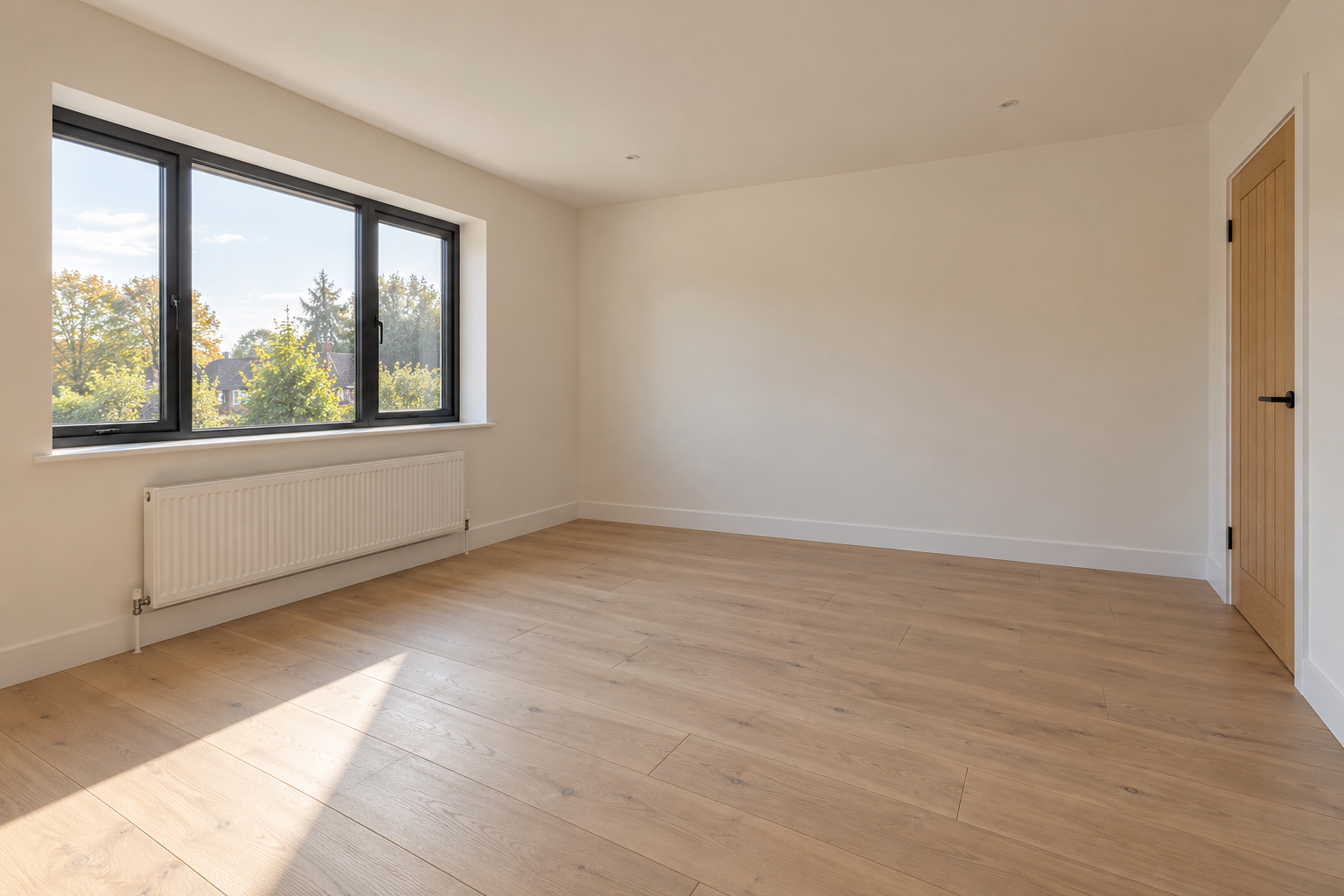
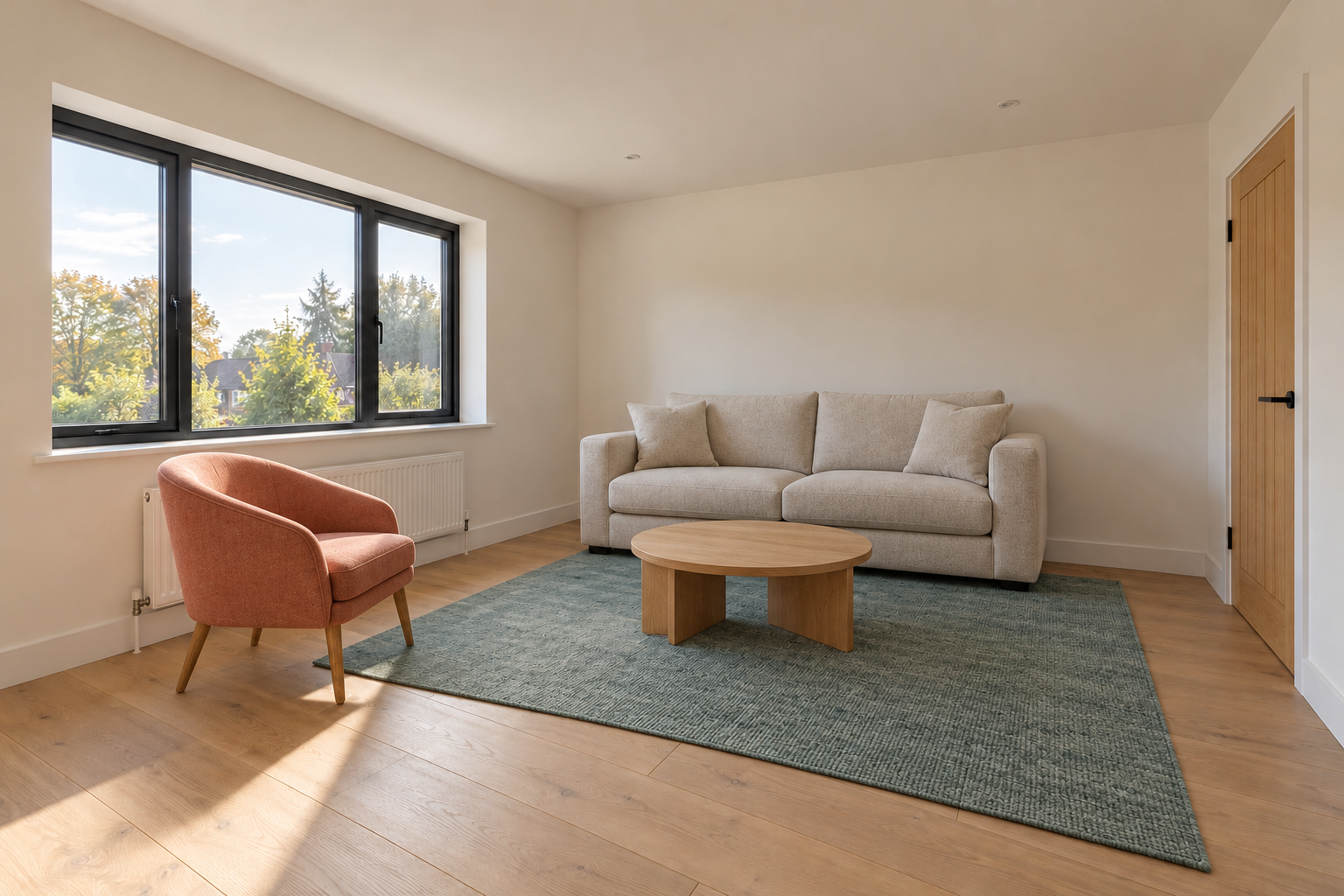
Virtual staging AI adds proposed furniture and decor to an existing room image. Start with a clear empty-room photograph, decide which features must remain fixed and compare every candidate with the original. A furnished picture can communicate a room’s potential without proving actual furniture fit or documenting the property as photographed.
Choose staging rather than a new interior concept
Staging begins with the room you already have. Preserve its windows, doors, radiator, wall boundaries, floor and viewpoint. An inspiration render begins with a design direction and can invent those features. Keep the two deliverables clearly labeled so a polished concept is not mistaken for a faithful edit.
For changes to an occupied bedroom, use our controlled bedroom decor workflow. If the question is whether furniture fits, use measured room and furniture dimensions; the floor-plan planning guide can organize requirements without turning an image into a survey.
Prepare an empty-room source
Use a sharp photograph with straight verticals, visible floor boundaries and enough view to understand access. Keep the original export untouched. Record which wall has the window, where doors open and which fixtures must remain visible. If you use several angles, label them as the same room and compare both architecture and furniture placement across the set.
Inspect our original room staging example
This fictional empty room and reference-led furnishing edit were made with built-in image generation independently of the services discussed below. They are not a real listing or a photographed renovation.
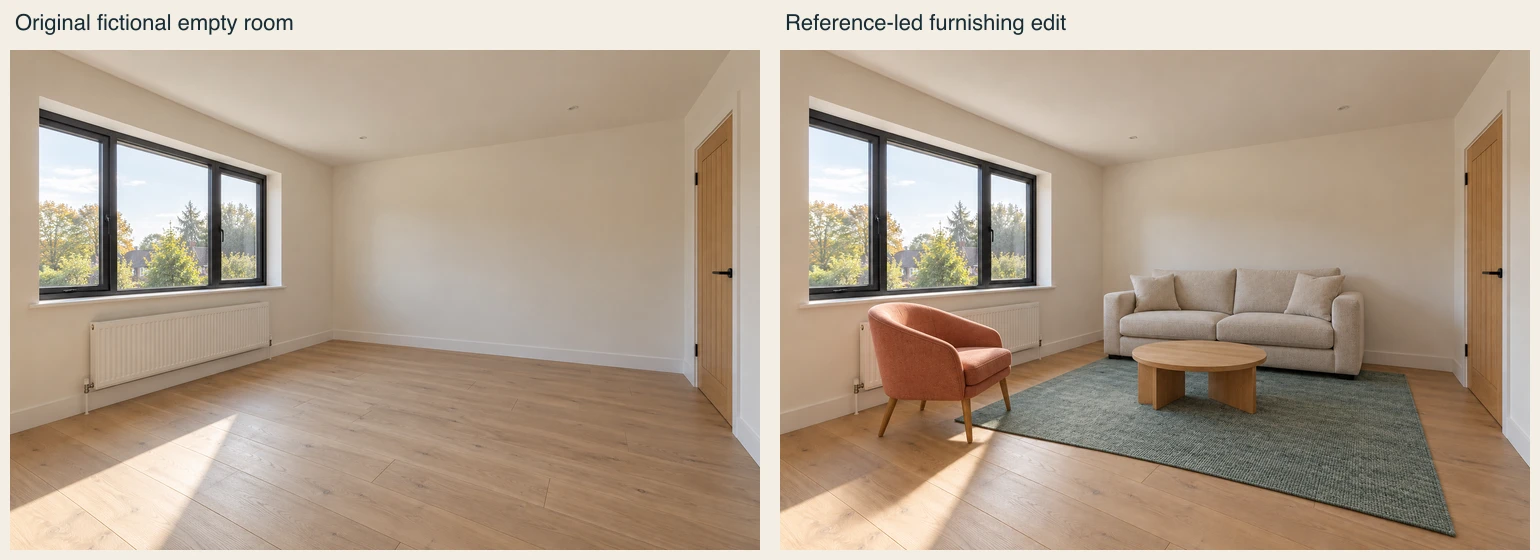
Download the original empty room PNG, furnished edit PNG, filled review CSV and reusable brief. Both originals are 1536 by 1024 pixels. Their file record identifies the supplied assets.
The window, door and broad room framing remain recognizable, and the four requested furniture types are visible. However, the coral chair overlaps the radiator in the picture, so this candidate needs a placement revision. Furniture hides part of the floor and lower wall; this review cannot establish pixel-perfect preservation or measured clearance. No other output or provider benchmark is implied.
Write a furnishing brief with protected features
Furnish this existing living room with a compact oatmeal sofa, a small coral accent chair, a low oak coffee table and a muted teal rug. Keep the same camera position, room proportions, window panes, radiator, door, skirting boards and oak floor. Place furniture without blocking the door or radiator. Retain the source daylight direction. No structural alterations or added windows.
These are visual acceptance criteria. They are not a measured clearance check. Specify the style and a small number of furniture pieces before asking for detailed accessories. A cluttered brief makes it harder to identify whether the first result solved the room’s main presentation problem.
Evaluate tools by the job you need
RoomStage describes uploading an empty-room photo, choosing a furnishing style and reviewing the result against the original. VirtualStaging AI describes room-type and style selection and labels its multi-angle feature as early beta. These descriptions come from public product pages checked November 2, 2026; we did not run either account or measure their output quality.
When several views matter, test consistency with your own permitted source set. A multi-angle feature name does not establish that the sofa dimensions, lamp positions and room geometry survive your particular run. Check the current operation, quote and export options before committing to a batch.
Review the room before the styling
Compare window divisions, door placement and wall-to-floor junctions first. Then check radiator visibility, furniture contact shadows and floor alignment. Reject an attractive candidate if the edit has changed the property features that your deliverable needs to preserve. Review the full export as well as a small listing thumbnail.
Deliver the original with the staged concept
Keep original and edited files together with an explicit virtual-staging label and a record of the requested change. Check the actual destination’s current publishing requirements before upload. This guide does not certify a platform’s acceptance or a property listing’s compliance. Never use the staging image to conceal a defect or imply that proposed furniture is included.
For visual exploration, see Clout Image and Video. Plan one controlled edit, review it against the source and expand only after the result communicates the intended furnishing direction.