Leffa is a framework for controllable person images, with separate virtual try-on and pose-transfer tasks. For try-on, provide the person and garment. For pose transfer, provide the person appearance and a target-pose person image. Start from the official Leffa repository for the model and demo links, then use the controls documented for your chosen host.
This guide focuses on a practical clothing review: can you still identify the actual garment after it is pictured on a person? Our original teal-shirt exercise includes a fictional adult model, a garment reference, an independently generated edit and a filled detail review. These are practice assets, not Leffa outputs or a physical fitting test.
Choose virtual try-on or pose transfer
| Task | References | Primary review |
|---|---|---|
| Virtual try-on | Person image and exact garment image | Garment details on the selected person |
| Pose transfer | Person appearance and target-pose person image | Requested pose and preserved appearance |
| Creative wardrobe concept | Person reference and a descriptive brief | Whether an invented outfit meets the brief |
The first two are documented Leffa tasks. A creative clothing change is a different brief: inventing a similar shirt does not establish that the specific product was transferred. For general shopping and merchant options, use our AI virtual try-on guide. Here the focus is the named Leffa workflow and its person-versus-garment inputs.
The fal try-on route requires human_image_url, garment_image_url and garment_type. Supported garment types are upper_body, lower_body and dresses. A flat shirt photo belongs in the garment role, not in a pose input.
Prepare one clear person and garment pair
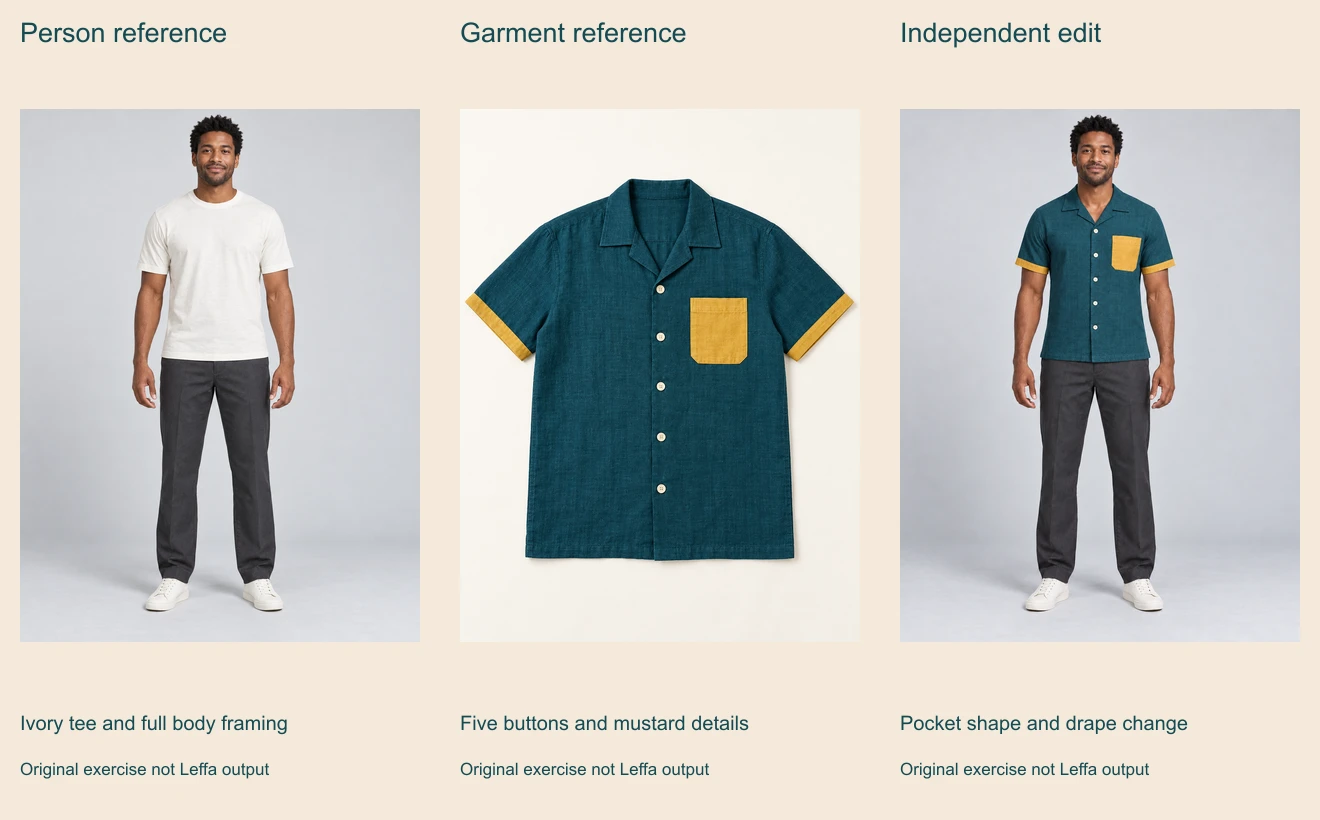
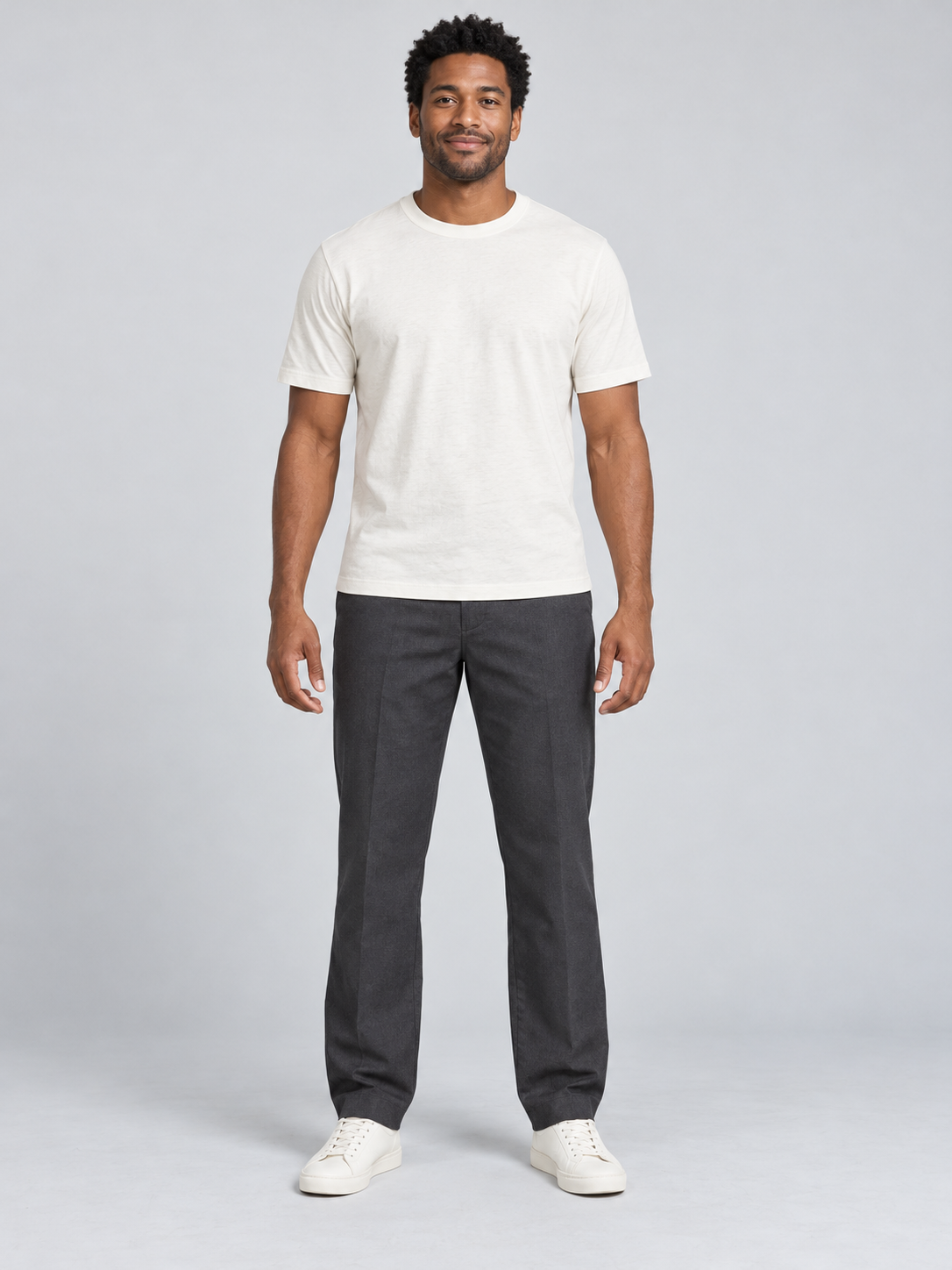
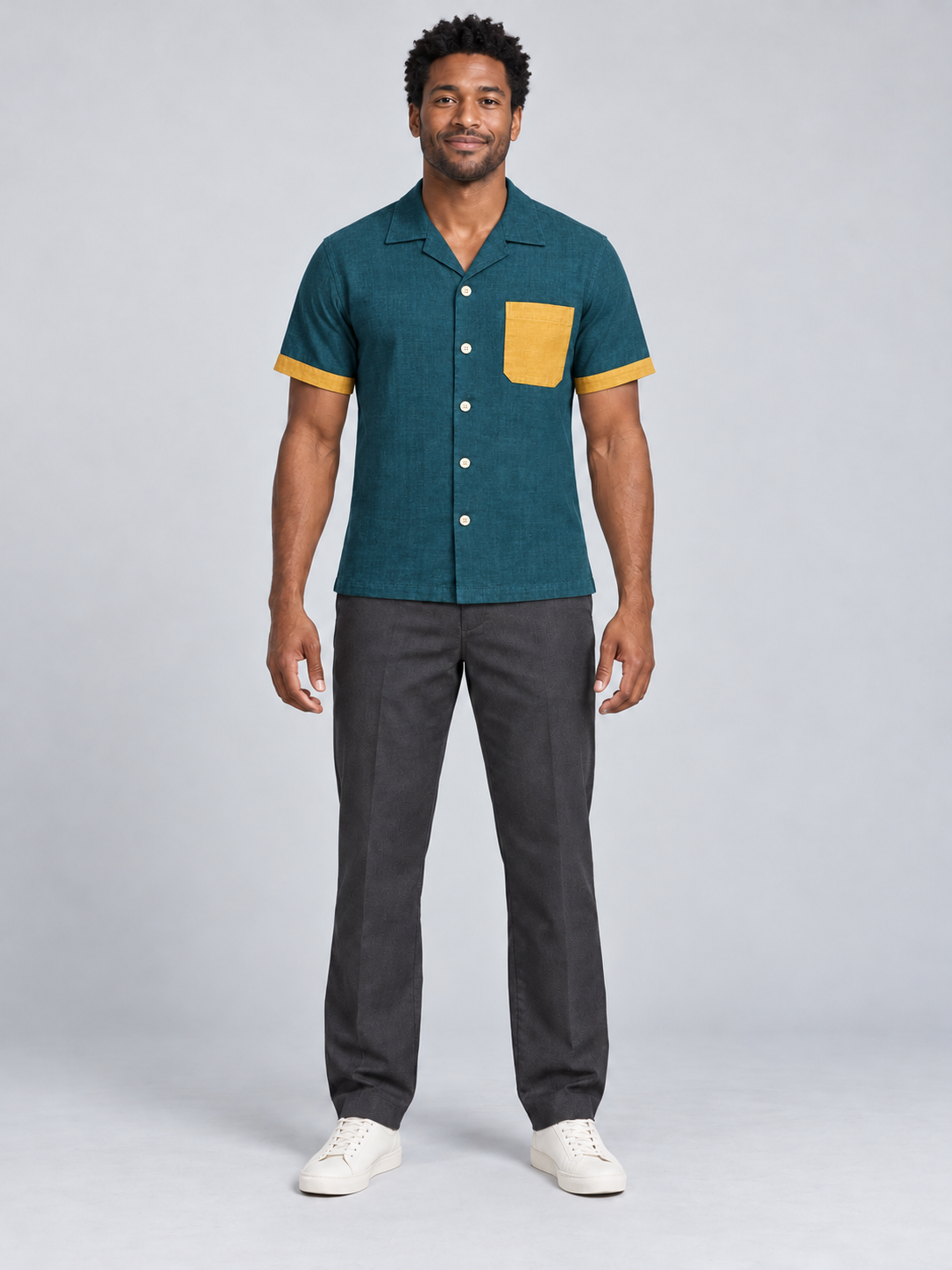
The person reference shows a fictional adult man facing the camera in an ivory T-shirt, charcoal trousers and ivory shoes. His hands are visible beside the torso and his full body stays in frame. That makes the garment change easier to inspect than a tight crop with crossed arms.
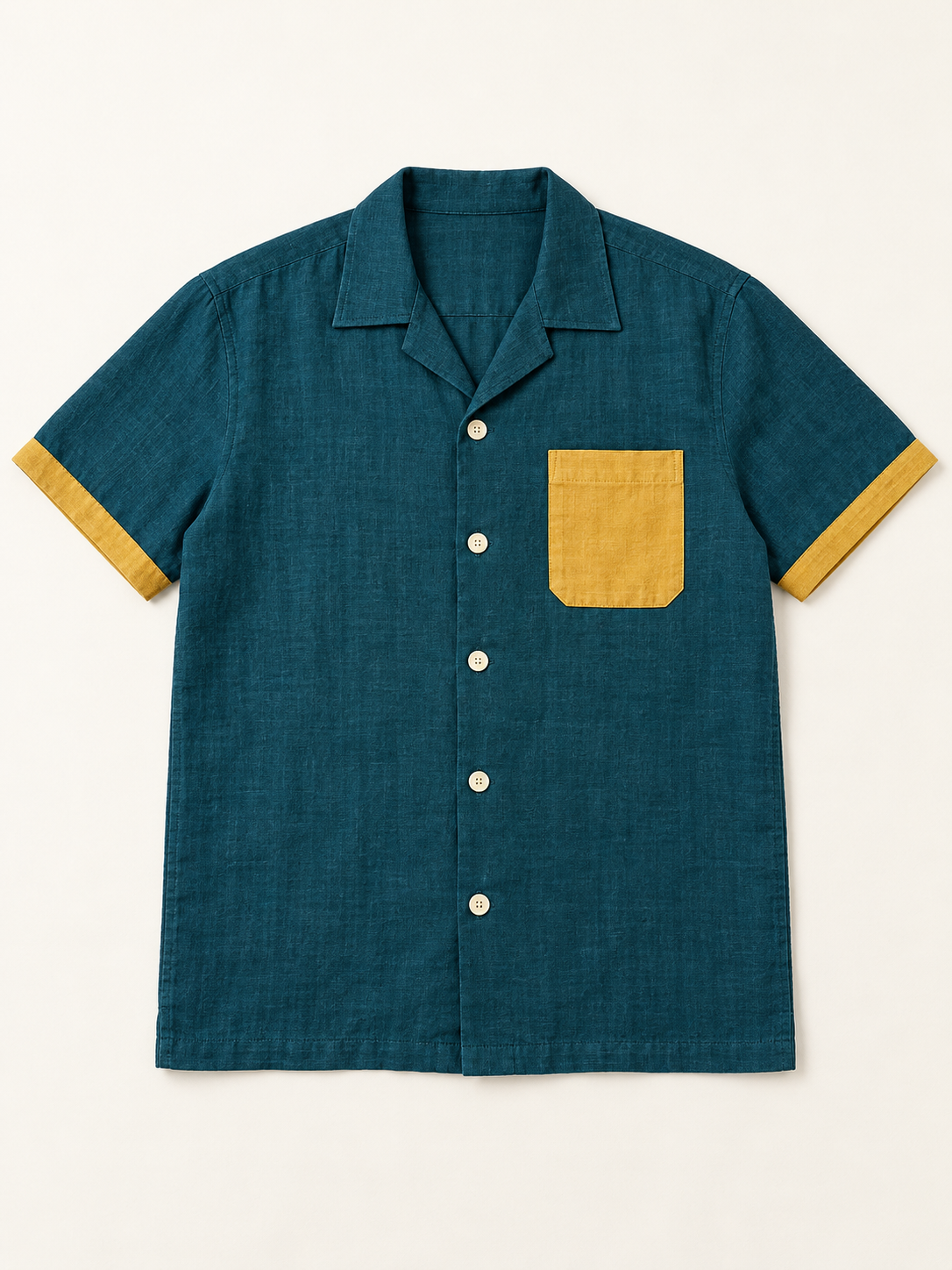
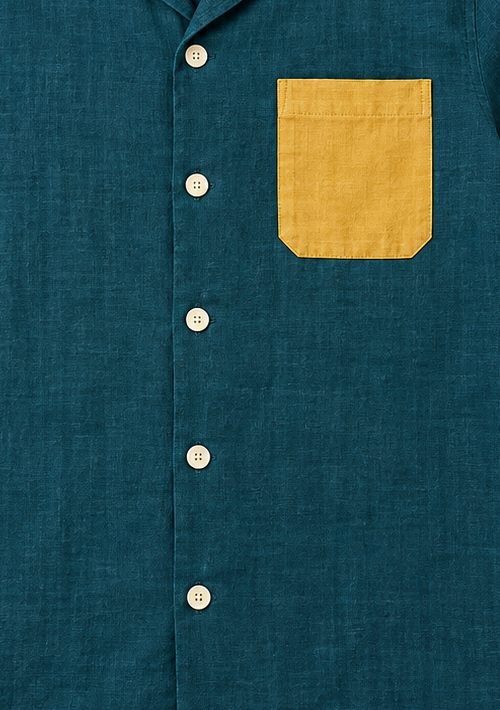
The garment reference shows one teal camp-collar shirt with five cream buttons, a mustard patch pocket on the viewer-right chest and mustard sleeve cuffs. Save these cues in the input record before generating. Do not let an attractive output become the new definition of the item.
The garment’s generation brief originally requested a viewer-left pocket, but the resulting reference placed it on the viewer-right. We recorded that mismatch and used the actual pictured reference for this exercise. For a real product, the owned product photograph should settle that question; a generated approximation should not silently replace it.
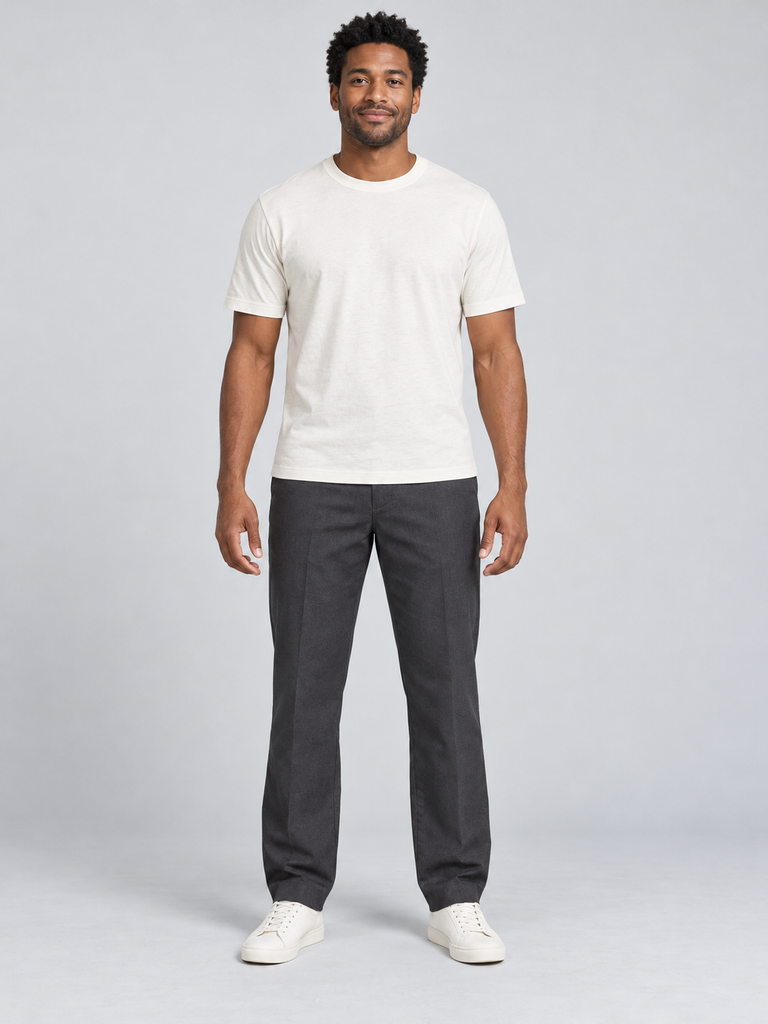
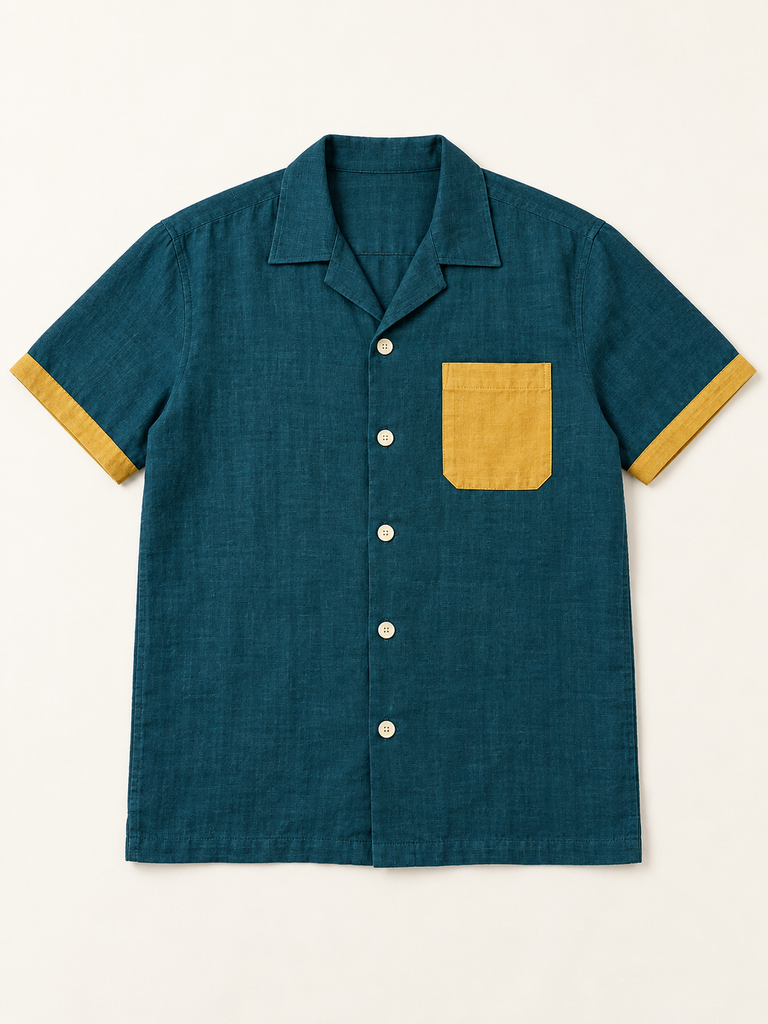
The supplied originals are 1086 by 1448 pixels. The kit also includes prepared person and prepared garment PNGs resized to 768 by 1024. This native resize preserves their 3:4 aspect ratio. It does not execute Leffa’s own parsing, masking or generation pipeline.
Follow a small try-on workflow
- Select the virtual try-on operation in the chosen service.
- Assign the approved person and exact garment to their separate inputs.
- For this short-sleeve shirt, select the upper-body garment category.
- Review the visible settings and current quote before submitting one attempt.
- Compare the downloaded result with both references before expanding the batch.
The unsubmitted try-on plan uses the prepared public references and the documented fal field names. It explicitly sets 50 inference steps, guidance scale 2.5, seed 42, PNG output and the safety checker enabled. These are a reproducible brief record, not evidence of endpoint execution, current account access or an accepted charge.
Use the current provider’s documentation when changing hosts. A local demo and hosted endpoint can wrap the same model with different upload, preprocessing and export controls. Keep the actual route name with your input record so a later reviewer can identify which operation produced a file.
Inspect the garment before accepting the image
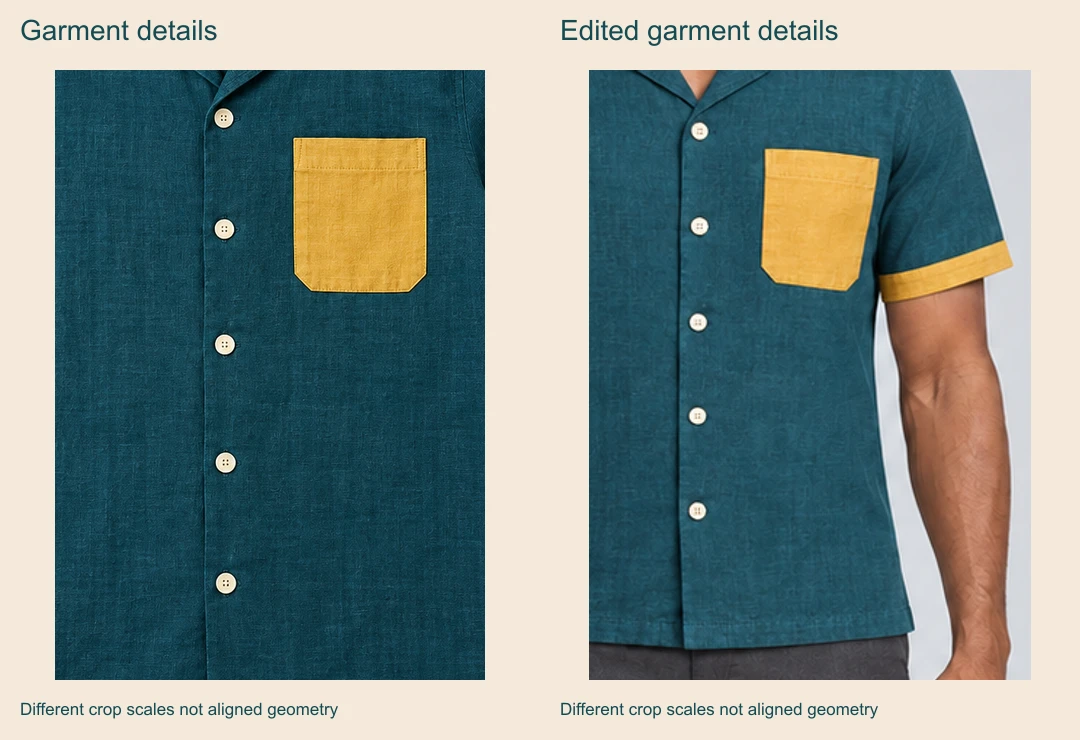
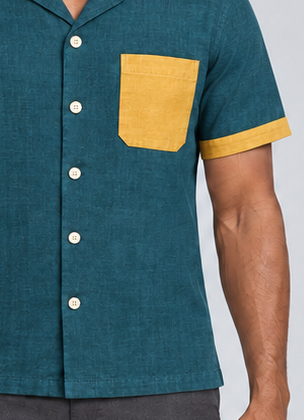
The independent example retains the teal body, five visible cream buttons, mustard viewer-right pocket and sleeve cuffs. The person’s main appearance, stance, trousers and shoes remain recognizable. Those are visual observations of this file, not measured identity preservation.
The pocket becomes narrower and its outline tilts with the body; fabric weave and folds are redrawn. You cannot use these pictures to infer real garment dimensions, comfort or fit. Decide whether the job requires a styling concept or accurate product presentation, then judge the result against that requirement.
| Detail | Observed in this exercise | Decision to make |
|---|---|---|
| Closures | Five cream buttons remain visible | Check count placement and any substituted fastening |
| Mustard pocket stays viewer-right but shape narrows | Review whether product outline is acceptable | |
| Cuffs | Both mustard cuff bands remain visible | Inspect width and color on each sleeve |
| Fabric | Teal woven appearance remains but texture changes | Do not claim exact material or print reproduction |
| Person | Main face and pose cues remain recognizable | Inspect hands facial landmarks and body boundaries |
Open the native garment detail crop and native edited detail crop at full size. Their crop coordinates are recorded in the review map. They use different windows and scales, so they help inspect buttons and seams rather than establish pixel-level alignment.
Keep pose transfer as a separate experiment
The hosted pose-transfer route names separate pose_image_url and person_image_url fields. The upstream demo code labels a person image separately from the target-pose person image and computes pose conditioning from the latter.
Some descriptions on the hosted schema repeat garment wording, so confirm the selected interface’s input labels before using it. Our download includes only a planned garment try-on request, not an executed or verified hosted pose-transfer request. Do not copy a flat shirt image into a target-pose slot.
When testing pose transfer, first choose a target with visible limbs and a clear silhouette. Keep the person’s appearance reference separate from that pose source. Review hands, limb count, body proportions and clothing boundaries. A plausible new still does not prove stable movement across a video sequence.
Choose hosted access or the official local project
The repository links to code, model weights and a demo. Follow the official setup instructions for the selected revision and dependencies. The upstream project dates to 2024 and was accepted to CVPR 2025; it should not be described as a newly launched model because its name appears in a recent search.
We have not installed the model weights or measured local GPU requirements, speed or output quality. If you test locally, retain your environment and exact revision alongside the images. For hosted access, record the current quote and result instead of treating an old demo timing or another account’s allowance as your own.
Download and rebuild the original review kit
Download the complete review kit, filled garment review, input record and original exercise briefs. Keep the input record and actual exported result together so review notes remain traceable.
The included TypeScript source rebuilds the prepared inputs, detail crops, contact sheets, map and unsubmitted plan. Run bun install and bun leffa-review-source.ts . . in the extracted folder. It uses pinned Sharp 0.34.5 and does not regenerate the three photographs or call a provider.
For a general targeted revision, continue with the Seedream image-editing workflow. For original creator imagery in a separate suite, explore Clout Image and Video and check the current catalog. This guide does not add Leffa to Clout or imply that accounts or credits are shared.