

Stable Video Infinity, or SVI, is a video continuation research project from VITA at EPFL. It is relevant when a scene needs to extend beyond one short generation and carry a visual state into the next segment. Start by deciding how long the sequence actually needs to be and what should happen at each continuation.
This is a source-inspected workflow guide, not an inference benchmark. We checked the official repository on October 24, 2026. The diagrams and calculator are original planning materials; no SVI-generated output, measured GPU requirement or generation speed is presented here.
Choose the matching Stable Video Infinity version
The official repository separates Wan-based implementations. Check the branch and its matching setup rather than combining a command, weight and workflow from different versions.
| Route | Source to inspect | Record before running |
|---|---|---|
| Main branch | Wan 2.1 SVI instructions | Revision, base model and matching SVI weights |
| svi_wan22 branch | Wan 2.2 SVI instructions | Selected SVI or Pro entry point and configuration |
| Community ComfyUI graph | Graph author and node requirements | Graph revision, node versions and exact model files |
For this guide’s frame calculation, the inspected Pro script revision is bab066229ea530a09587bed52c41ed6089bd509f. Its default frame count is 81 and output rate is 15 fps. Subsequent clips append after skipping the configured overlap; the first is retained whole.
Source inspection proves this code path, not successful execution on your hardware. Before downloading a large model, verify the complete environment, the upstream license and the requirements for the exact configuration you chose. Record modifications separately so the run can be reproduced.
Budget the continuation before generating it
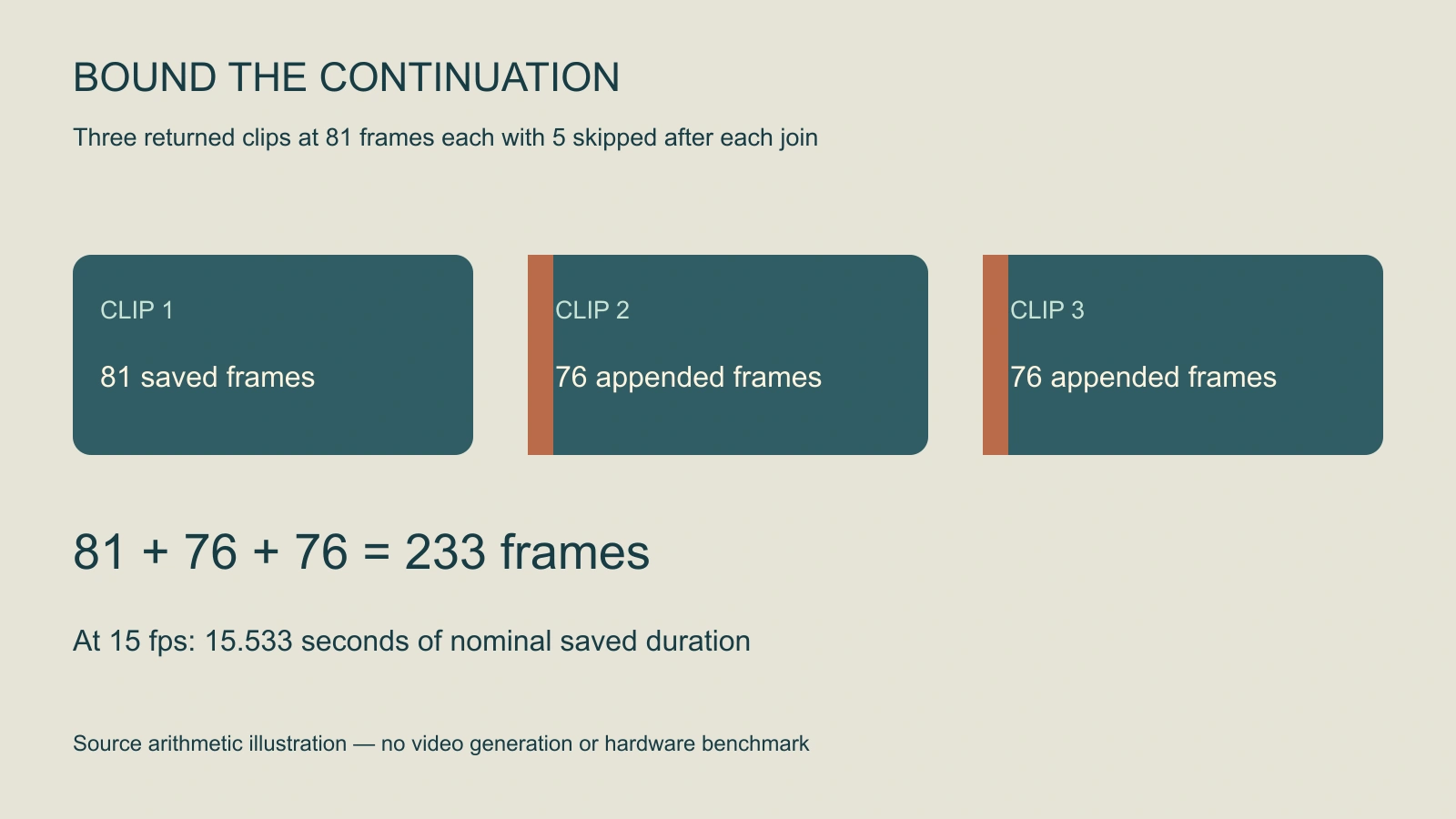
For equal returned clip lengths, the modeled saved-frame count is:
saved frames = frames per clip + (clips - 1) × (frames per clip - overlap)
nominal seconds = saved frames / output fps
With three 81-frame clips, five skipped frames at each subsequent join and 15 fps, the result is 233 saved frames or about 15.533 seconds. This is a conditional arithmetic example. It does not promise that a model run completes, returns those exact lengths or preserves a character through the full interval.
The calculator above makes overlap explicit. A zero-overlap plan retains all frames, but arithmetic alone cannot tell whether the boundary looks coherent. Changing playback fps changes nominal duration; it does not create new temporal detail or improve motion.
Prepare enough prompt entries for the run
The inspected script indexes the prompt list by clip number. Supply enough entries for the requested clips rather than assuming one line automatically covers an arbitrary continuation. Its example configuration uses five overlap frames; constructor defaults and other launch settings can differ.
Write each segment as a continuation of the accepted state. For an original archive pilot, clip one establishes the room, clip two approaches the desk and clip three holds on the envelope. Keep object identity, lighting, time of day and the intended route through space consistent. These are planning beats, not tested SVI prompts.
Download the blank continuation review ledger and original three-segment pilot brief. The brief is human-readable planning material, not a ready-to-run prompt-file format or shell command. Convert it according to the exact loader you inspect.
Run a short pilot before extending the sequence
- Freeze the configuration: Record repository revision, environment, base model, weights, dimensions, frame count, overlap, fps and seed choices.
- Approve the starting reference: Use an image whose character, object and room details you can inspect.
- Limit the first job: Choose a bounded number of clips and enough prompt entries. Confirm output locations and resource limits before starting.
- Inspect the first join: Review the ending of one clip beside the start of the next. Look for object shifts, lighting changes and camera discontinuities.
- Extend only accepted work: Keep the inputs and returned files needed to reproduce the continuation. Track failures rather than counting every output as usable footage.
Do not launch an effectively unbounded example just because a project title uses “Infinity.” Storage, compute time, environment behavior and review effort still constrain the real job. A short accepted sequence is a better basis for the next continuation than a long file whose first join is already wrong.
Review joins and story state together
Build a state ledger for the scene. Where is the envelope? Is it open or closed? Which hand last touched it? Has the camera passed the table? A later segment that looks attractive can still break the established story.
Inspect frames around every join, then watch the full export at normal speed. Frame sampling finds local defects; real-time playback reveals pacing, sudden motion changes and a camera path that no longer makes sense. Check the last segment too, because a graceful continuation still needs an intentional ending.
Record the nominal frame budget beside the actual file duration and dimensions. If they differ, investigate the returned lengths, overlap handling and export settings. Keep accepted-work cost and generation failures in the ledger instead of inferring economics from the project description.
When a multi-shot edit is the better production choice
Continuation is useful for a sustained action or evolving environment. Dialogue, reactions and location changes may be clearer as separately approved shots. Use the AI short drama workflow and multi-shot guide when coverage and edit control matter more than one long view.
For a managed production route, evaluate Clout AI Cinema and the selected workflow’s actual model, quote and returned files. This guide does not establish that Clout runs SVI. For local workflow management, compare the separate WanGP guide; a community frontend and a research implementation have different setup responsibilities.


