WorldForge V2 is research on making video diffusion follow a target camera trajectory while retaining scene appearance and motion. The paper submitted October 22, 2026 describes warped-reference guidance, a v-cache correction route and trajectory-sensitive LoRA adaptation. Those are paper claims; this guide does not reproduce the authors’ generation benchmarks.
The public source revision examined here describes the earlier WorldForge implementation. Keep that code and the V2 paper distinct when planning a test. This page adds a practical local mask checker and an original review exercise. It does not run WorldForge, load a video checkpoint or expose a hosted V2 generation service.
Separate the V2 paper from the pinned executable pipeline
The authors’ pinned public README describes a warping, prompt and repainting workflow. It lists VGGT warping for images, DepthCrafter warping for dynamic scenes and Wan or LongCat video inference routes. That revision predates the V2 paper. We did not establish executable V2 adapters or a complete V2 installation from it.
| Evidence | What it establishes here | Keep separate |
|---|---|---|
| October V2 paper | New research description and author reported results | A working local installation or your own measured result |
| Pinned original source | Inspectable earlier pipeline and saved mask behavior | Verified execution of V2 additions |
| Local checker | Thresholded pixel counts for one uploaded saved mask | Depth correctness camera accuracy or accepted video |
For an implementation experiment, record the exact repository revision, backbone, input image or clip and environment that you actually use. A matching project name is not sufficient to establish which method produced a file.
Check a saved mask before judging the generated video
Warped reference frames can expose gaps around borders and newly visible parts of a scene. Inspect the frame and its matching mask before asking a generative stage to complete it. A large unsupported area through the main subject deserves attention even when most of the background is covered.
The pinned VGGT save path writes paired warped images and mask PNGs. The inspected pipeline uses binary values in memory and scales them for saving. The warping helper can update the mask through crack filling. Saved coverage can therefore include filled pixels; it is not a count of directly observed physical surface.
The checker above accepts one saved PNG. It treats values at or above your threshold as covered. Transparent source areas contribute lower values according to alpha. It exports a classified PNG and JSON or CSV counts for the full image and your selected subject region. It does not inspect the accompanying warped frame or read a depth map.
Inspect the authored border and central hole exercise
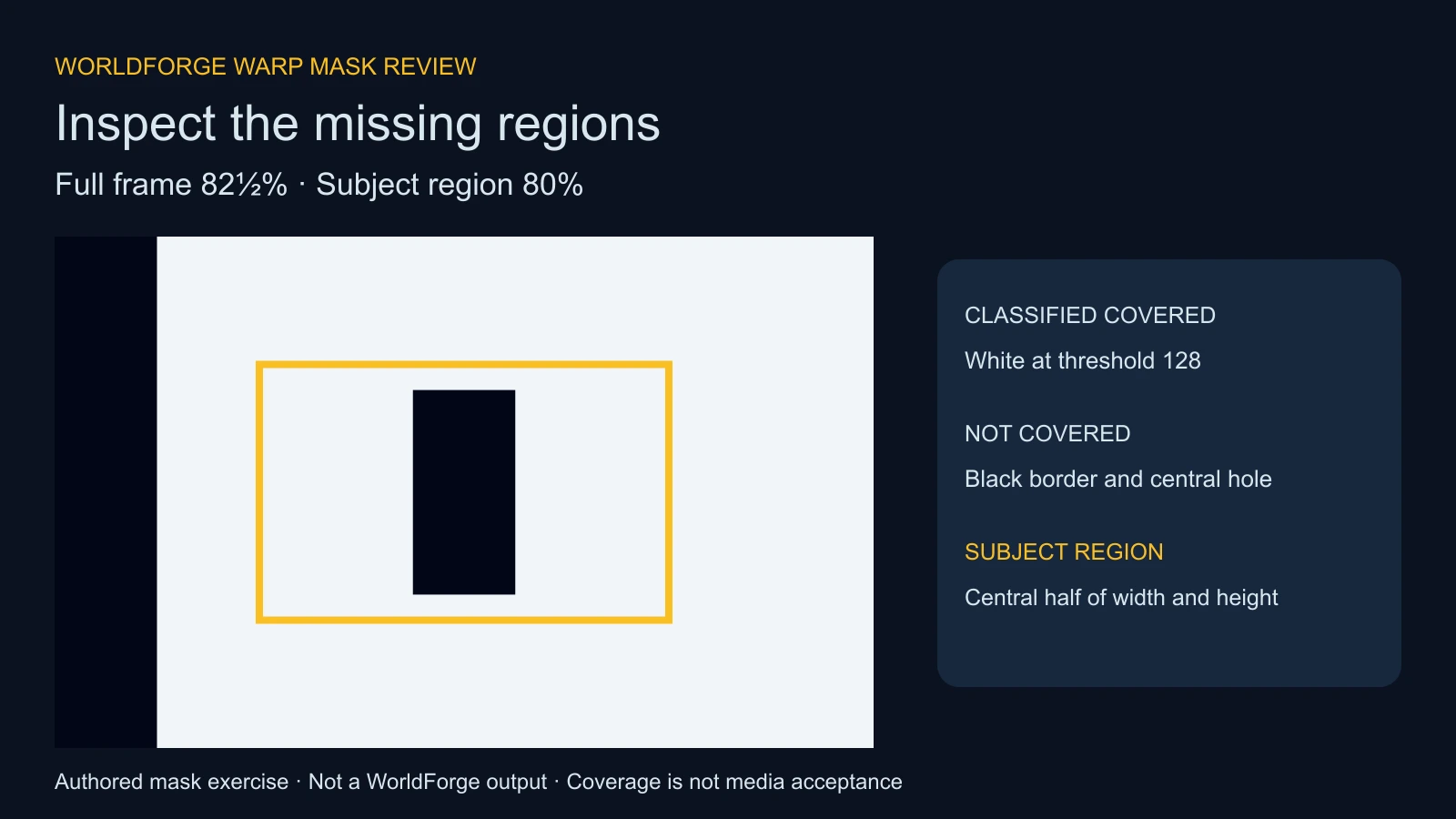
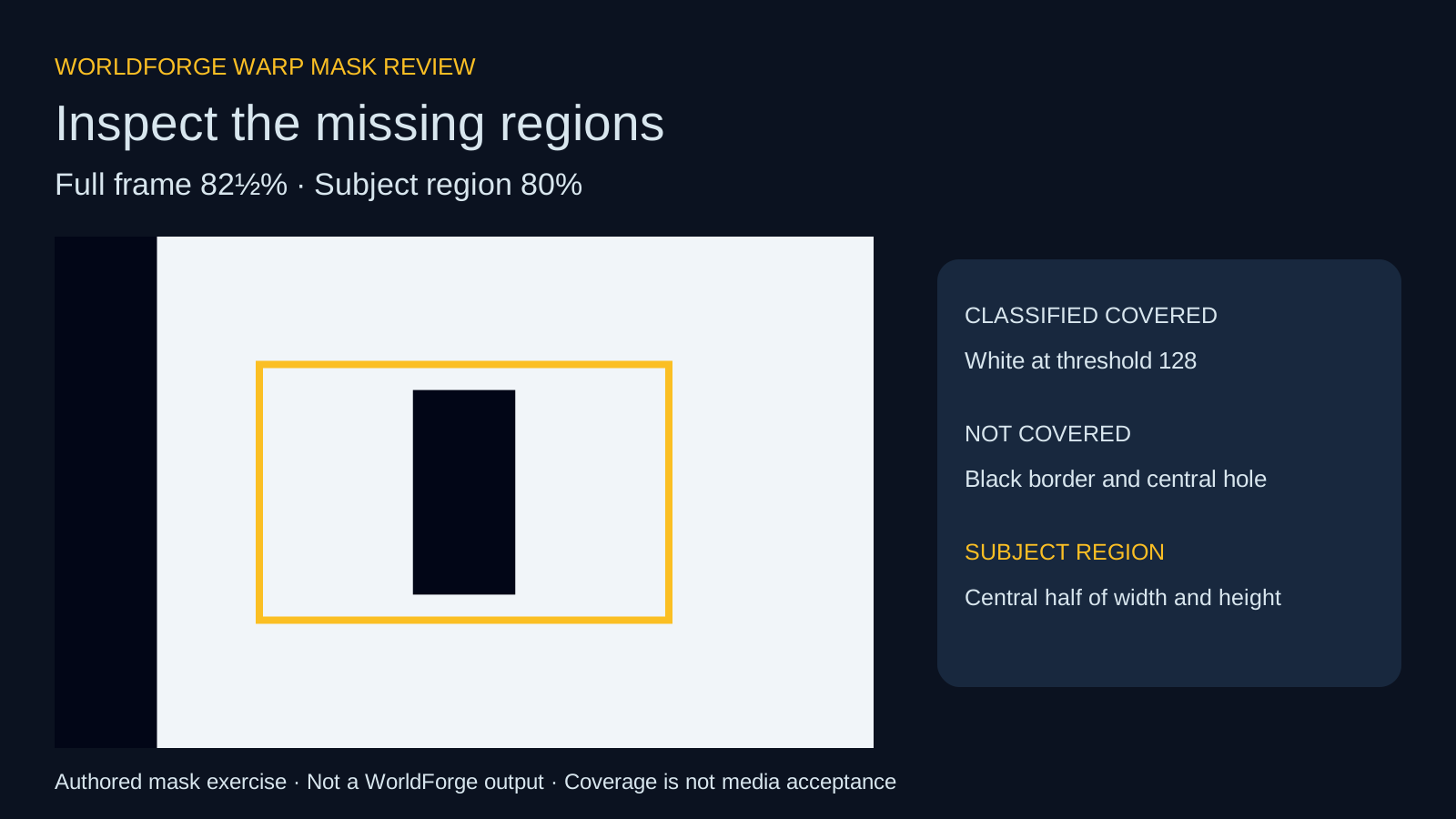
The starting mask is 512 by 320 pixels. A black left strip removes one eighth of the image width, and a black central rectangle creates a separate hole. At threshold 128, 135168 of 163840 pixels are covered: 82.5% of the frame.
The default subject region starts at 25% from the left and top and spans 50% of width and height. It contains 40960 pixels, including the 8192-pixel central hole. Its covered count is 32768, or 80%. A single full-image percentage would hide the fact that this selected region has a different coverage ratio.
Download the authored PNG mask, center-region JSON, center-region CSV and editable diagram. These are test inputs and inventories, not outputs from the paper’s method.
Choose the subject region deliberately
- Keep the warped frame and saved mask from the same frame index together.
- Identify the object or character area you need to preserve in the actual shot.
- Enter its left, top, width and height as percentages of the saved mask.
- Review the full and selected-region counts together.
- Inspect the corresponding image and the eventual video manually before deciding whether to continue.
A region must have positive width and height and stay inside the image. The checker floors the left and top boundaries and ceils the right and bottom boundaries, with exclusive end bounds. The JSON records the resulting pixel rectangle. That makes the count reproducible when a percentage falls between pixels.
Set left and top to zero and width and height to 100 to compare the full image with itself. Both coverage counts should agree. A rectangle is only a review region: it can include background around a subject and it does not segment the subject’s true shape.
Use the threshold as a classification rule
The default threshold is 128 on an eight-bit scale. The helper rounds decoded luminance multiplied by alpha, then classifies values at or above the chosen threshold. You can choose any whole number from one to 255. The exported classified PNG is opaque black and white.
A proper binary saved mask with values zero and 255 should give the same count across that threshold range. Intermediate pixel counts reveal values between those endpoints. Such values may come from processing, opacity or a different mask convention; the checker does not identify their cause.
A PNG containing raw values zero and one is different from a saved zero and 255 mask. At threshold 128 its ones are not covered. Check the actual file’s convention instead of changing the threshold only to obtain a more reassuring percentage. Source alpha, a resized soft boundary or an unrelated picture can also alter the counts.
Plan an original camera controlled product shot
Use the downloadable original camera-shot brief to plan an owned teal-device reference with a ring and twin-stripe finish. Start with one approved reference, a small viewpoint change and a subject region covering the product face. Keep the item still if the intended shot isolates camera movement.
Inspect gaps near the product silhouette and the patterned face in each warped reference. A border gap away from the subject and a central gap through a design detail create different editorial risks. The same percentage can describe either situation, so retain the image and your notes alongside the numerical record.
The blank sequence review ledger lets you record frame IDs, mask filenames, matching warped frames, thresholds, regions and manual decisions. It contains no measured provider results. Repeat the single-image review for selected frames while keeping the same region rule where that comparison makes sense.
For the design reference itself, explore Clout Image and Video or Marketing Studio. For a supported cinematic project, use AI Cinema and check its actual inputs, quote and returned files. This guide does not claim that Clout hosts WorldForge V2.
Evaluate the completed video separately
Watch the full result and inspect whether the camera move matches the intended shot, the product remains stable and newly visible regions are coherent. Check the ring, stripe placement, silhouette, contact points and background transitions. A high-coverage input can still produce a changed design, distorted motion or an unacceptable export.
The checker deliberately supplies no pass score. It does not measure trajectory alignment, depth error, identity consistency, temporal flicker or commercial readiness. Coverage can help you decide what to inspect next, but it cannot approve a video.
Use the multi-shot video workflow for sequence continuity. The WorldInWorld camera-view study addresses a separate research workflow, and the workflow response reviewer helps distinguish listed outputs from actual delivery acceptance.
Inspect the source audit and reproduce the checker
The source audit records seven small documents at revision ee573a051715a451b806a90e21462f23308faac4. The read-only auditor rechecks those hashes without a checkpoint or GPU. The article uses the pinned original pipeline to explain saved masks, not to claim V2 execution.
The local helper, fixture builder, artwork builder and reproduction notes preserve the authored exercise. The independent NumPy and Pillow verifier checks the mask counts. Its optional pinned-source check isolates the save function with an image-writer stub; it does not run warping or OpenCV encoding.
Read the validation record and asset hash manifest. No WorldForge model was installed or executed, no paper benchmark was reproduced and no paid generation was submitted for this guide. Search demand and virality for this emerging topic remain unverified.