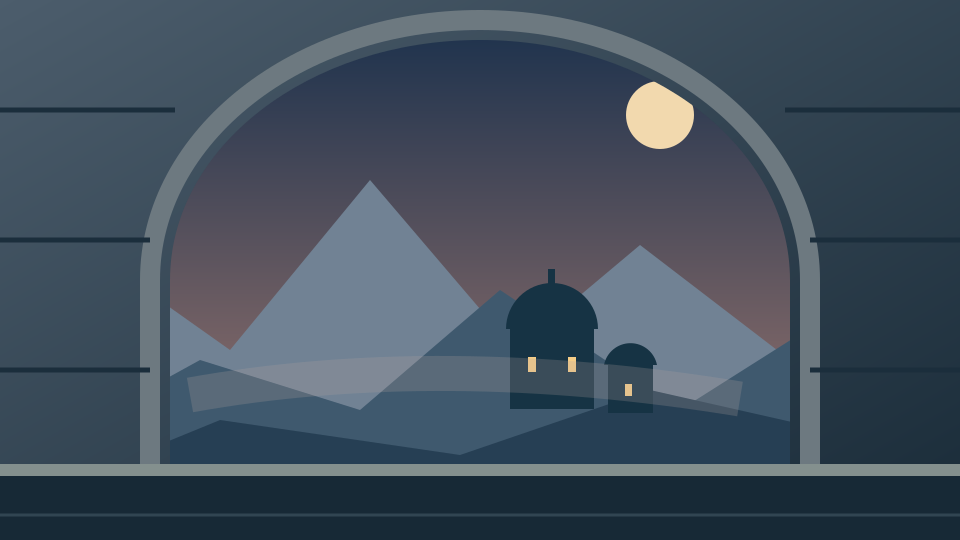
A believable world begins with the part of the frame you must preserve. For a short drama, that might be a doorway behind the actor. For an invented observatory, it might be the stone arch that frames the view. Matte painting gives the shot an environment that would be difficult to capture or build in full.
What is matte painting
Matte painting creates an environment for a finished shot. Digital work can combine painted elements, photographs and rendered assets through compositing. Adobe's introduction to matte painting describes the relationship between the environment, composition and production brief. Perspective, light and atmosphere need to agree with the shot.
A matte painting can be subtle: removing a modern skyline, extending a courtyard or adding distant roofs. It does not have to be a spectacular fantasy vista. Begin with the narrative need, then decide what the viewer must notice and which areas should remain visually quiet.
Compare the original plate and finished illustration
The local viewer starts with our original 960 by 540 observatory illustration. The before image contains the stone foreground and a simple sky. The after image keeps that foreground and places an authored mountain-and-observatory environment behind its opening. These are original SVG-based teaching illustrations, not live-action footage, photorealism tests or AI-generated results.
Move Before coverage to reveal more of either image. At zero percent, the viewer shows the after image; at one hundred percent, it shows the before image. Download comparison PNG saves the visible split at the original image dimensions. The preview does not align, paint, color-match or repair either image.
You can also select exactly two PNG files, in before then after order. Each must be at most 10 MB and 1024 by 1024 pixels, with matching dimensions. The displayed filenames show the order received by the browser. Your selected files stay on your device. If the pair is invalid, the previous valid comparison stays available.
Download the plate and separate layers
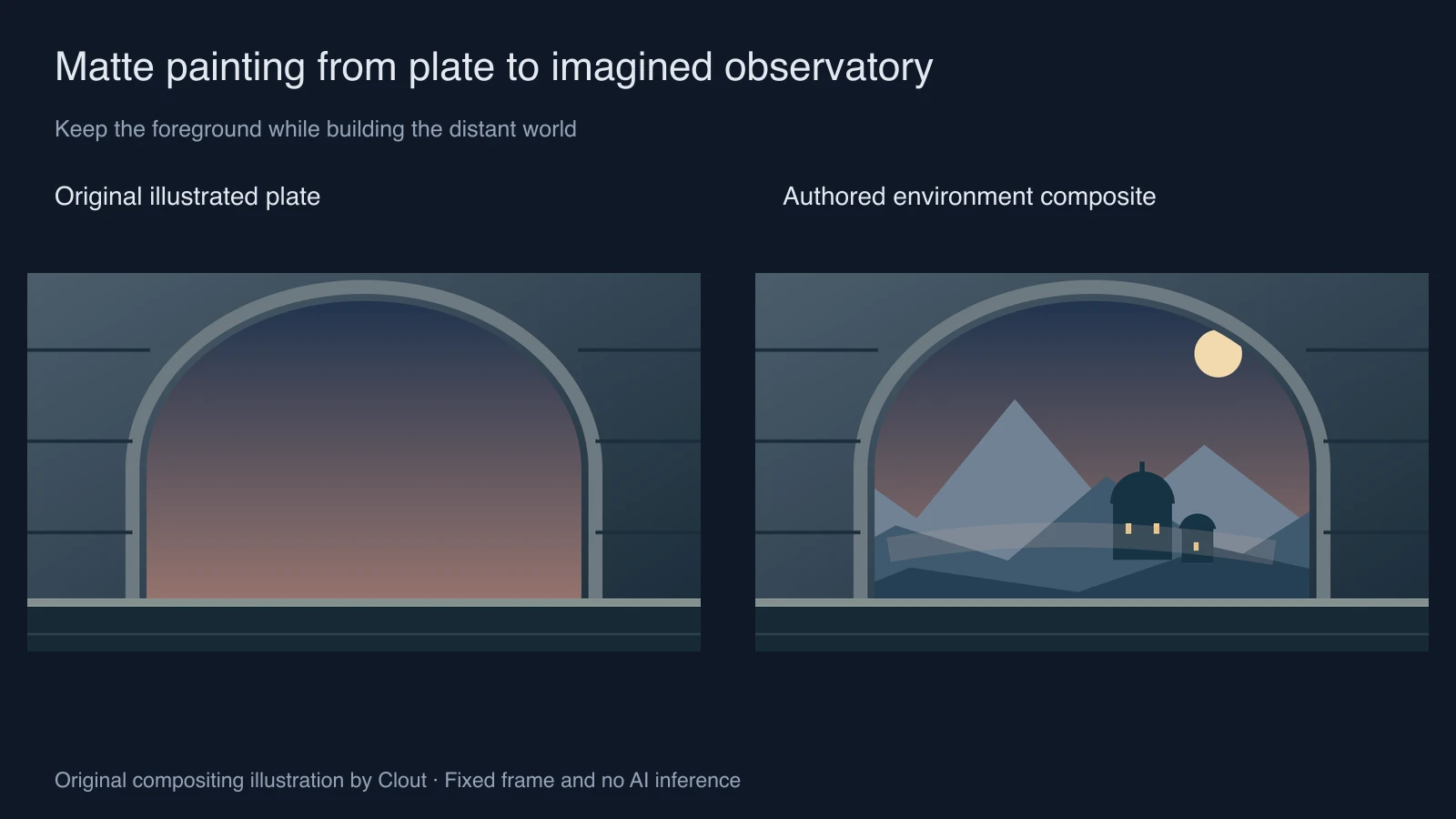
Download the illustrated before plate, finished composite, transparent stone foreground and authored environment PNG. The original foreground SVG and environment SVG expose the separate shapes for editing.
The opaque stone pixels remain the same in both composites. At the antialiased edge, the background contributes through partial alpha, so edge pixels can legitimately differ. This is a compositing relationship, not proof that an image generator preserved an uploaded subject.
Build the scene around a clear story beat
- Write the shot's purpose. Our example reveals a remote observatory through an arch, so the structure beyond the opening must read before decorative stars or surface detail.
- Lock the plate and framing. Keep an untouched source and identify the area in which new scenery is allowed.
- Block the distant forms as large shapes. Approve the skyline, horizon and negative space before adding windows or small texture.
- Composite behind the protected foreground. Inspect the arch edge at delivery size and check for a halo, hard cut or accidental overlap.
- Review the complete frame and the story sequence. A convincing isolated view may still contradict the neighboring shot's geography or time of day.
Our distant mountains use a restrained range of blue-gray values, while the foreground remains darker. That is an explicit design choice in this illustration. In a real plate, derive the relationship from the actual light and atmosphere rather than applying a generic fog layer to everything.
Plan camera movement before adding detail
This example is a single fixed frame. It has no reconstructed depth, moving camera or hidden side geometry. A lateral camera move could reveal places the illustration never depicts. Do not treat a successful still comparison as proof that the environment works in motion.
For a small staged move, inspect the native depth-card camera study. For a filmed camera that needs a matching VFX scene, start with the camera tracking workflow. Those decisions determine which areas need extra coverage and which objects need spatial geometry.
Use AI for a controlled environment concept
In Clout Image and Video, explore approved environment concepts before selecting a candidate for your shot. An original direction for this brief is: “Distant mountain observatory at dusk, broad quiet sky, restrained blue-gray ranges, one readable dome, no foreground arch, no lettering.” This is an untested direction, not a guarantee of a usable matte.
For exact source preservation, keep the approved foreground in an editor and composite an accepted environment behind it. The AI outpainting guide explains how extending an image differs from regenerating it. Use AI Cinema to develop the surrounding story and inspect the transition into and out of the shot.
Keep the source layers, approved composite and actual review notes together. A useful approval note names the exact edge, region or neighboring shot that was checked. The downloadable comparison source documents the viewer's pixel selection; it does not create a depth map or certify a composite.