

Start with the supported operation for your platform
ElevenLabs Ads Engine combines creative adaptation with connected advertising workflows. Evaluate the operation your team needs, the kind of asset it uses and the destination it must reach. An integration appearing in a product overview is not enough to establish every creative or publishing operation on that platform.
The official documentation, checked October 22, 2026, calls Ads Engine an alpha product in ElevenCreative, available on Pro and above, with no current API. Its support table lists Google Search text ads, Meta text/image/video ads and LinkedIn performance insights only. It describes localized copy, overlays and Dubbing v2 video, connected publishing and an optional approval workflow. Those statements have not been tested in an account for this guide.
Use the platform table as a scope boundary
| Platform | Documented support | Practical pilot question |
|---|---|---|
| Google Ads | Search campaigns with text | Does the intended text assignment match the actual campaign and destination |
| Meta Ads | Facebook and Instagram text, images and video | Can the real localized asset be reviewed in its intended placement |
| LinkedIn Ads | Performance insights | Which reporting question can the connection actually answer |
Do not turn an insights connection into a claim of creative publishing support. Write the intended operation into the pilot brief so a limitation is visible before the team prepares a large batch. Verify the account and selected feature directly when running a real pilot.
Define one source asset and one target market
Begin with one accepted asset, one market and one destination. Name the source version, target audience, language, factual claims and action. The original example here is an imaginary amber desk lamp. The scene provides a visual concept and an editorial sentence; it supplies no electrical, material, brightness or price claims.
The pilot brief separates accepted facts, editable copy, locale review, placement requirements and the decision to release. A target language alone does not define a market or an available offer. Have the destination and approved terms ready alongside the creative assignment.
Keep creative approval separate from publishing approval
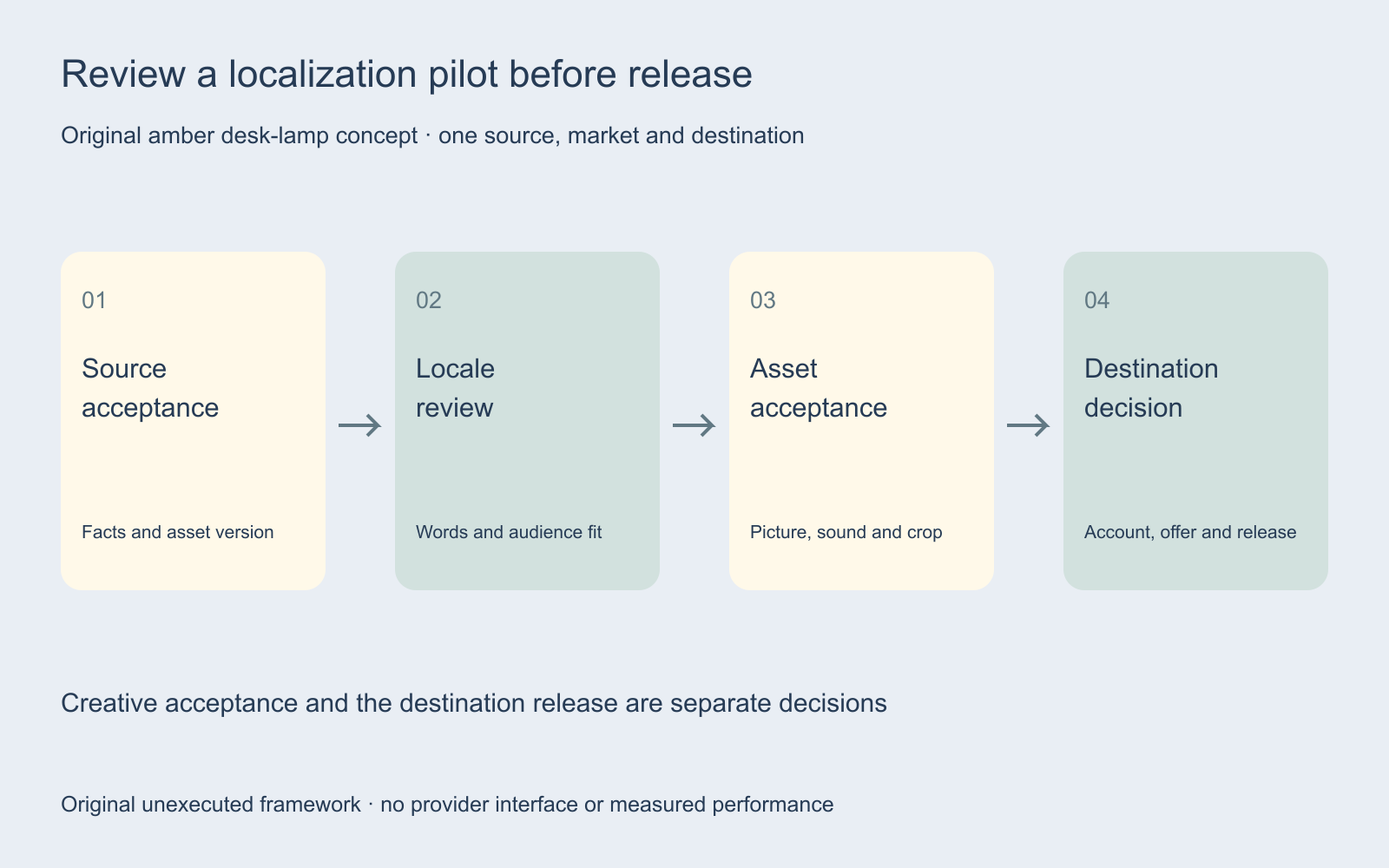
Assign a person to inspect the asset and a person or process to authorize its destination. Record both decisions with the actual versions. Do not assume that a product offering an approval step means the step is active or configured for your intended workflow.
Before a real release, confirm what operation the chosen control will perform, which account and destination it addresses and which version it will use. Preserve a reviewable record of the accepted asset. This article did not connect an ad account, change a campaign or launch an ad.
Inspect words images sound and destination together
Review the full assembled variant in its intended context. Inspect product details, translated visible text, narration, captions, crop, offer and landing page. A correct component cannot establish that the rest of the asset is correct. A translated headline can still cover a product label or lead to an offer unavailable in the target market.
Use the ad localization guide and text-fit preview for layout exploration. Its local measurements are a narrow preview, not a certification of a real destination. For language-track production, the dubbing guide separates audio review from original-picture assembly.
Record every dependent version in the pilot ledger
The pilot ledger records source version, locale, target account reference, intended operation, returned asset, words, picture, sound, offer, destination and release decision. Use non-secret internal references rather than credentials or access tokens.
When a source claim changes, find the versions that depend on it and reopen the relevant review. Keep an earlier accepted file so the team can explain what changed. A reusable template should preserve the review contract as carefully as it preserves the generation settings.
Compare workflow fit before comparing performance
First ask whether the pilot can produce an inspectable deliverable with the required controls. Then ask how much review and revision it needs. Track the actual displayed charge, rejected candidates and accepted files. The useful denominator is an accepted deliverable with a defined contract, rather than every asset a system happens to return.
Performance requires a separate, comparable reporting window, result definition and delivery context. A localized file is not evidence of better conversion. The two-window metric comparison helps inspect arithmetic while keeping a causal explanation separate from an observed change.
Choose a workflow around the real production gap
Use the Runway Ads guide when evaluating that separate product. Compare the specific operation, accepted output and required review for your assignment rather than treating similarly named tools as interchangeable. This guide does not contain a hands-on vendor comparison or a current price quote.
Explore Clout Marketing Studio for product-led creative work or Image and Video for individual operations. Inspect the current workflow and quote. This page does not establish an Ads Engine connection, ad-account management or automatic multilingual publishing in Clout.


