

Ad localization is a whole-asset workflow
Ad localization adapts the message, spoken track, visible text, product context and destination for a specific audience and market. Replacing a voiceover is one part of that job. The final viewer still sees the headline, product label, interface, captions, offer and landing page.
A multilingual ad localization workflow should preserve one accepted source brief while giving each locale its own review record. Keep the exact product facts and intended action clear. Then inspect the assembled version that the audience will actually receive, rather than approving isolated translations and assuming the asset is finished.
The free text-fit lab above uses an original sage-planter concept and editable English, Spanish and French editorial samples. It measures the copy you enter in its displayed layout. It does not translate, dub a video, validate a dialect or test a real ad placement.
Start with a source brief and a locale-specific decision
Name the source asset and version, target market, audience, language and destination. “Spanish” alone does not define a market, tone or offer. A country, region and language tag can help organize the work, but a tag does not prove that the words sound appropriate to the intended audience.
Separate the product fact from the creative expression. In the original planter example, a broad-leaf plant and sage pot provide a visual concept. The artwork supplies no dimensions, material, care or health claims. The editorial phrase “Room for a little green” is scene direction, not a tested product promise.
Use the creative brief builder to record the objective, audience, approved facts and deliverable contract. Add one row per locale to the locale asset matrix so a source change can be traced to the versions that need another review.
Keep five review layers visible
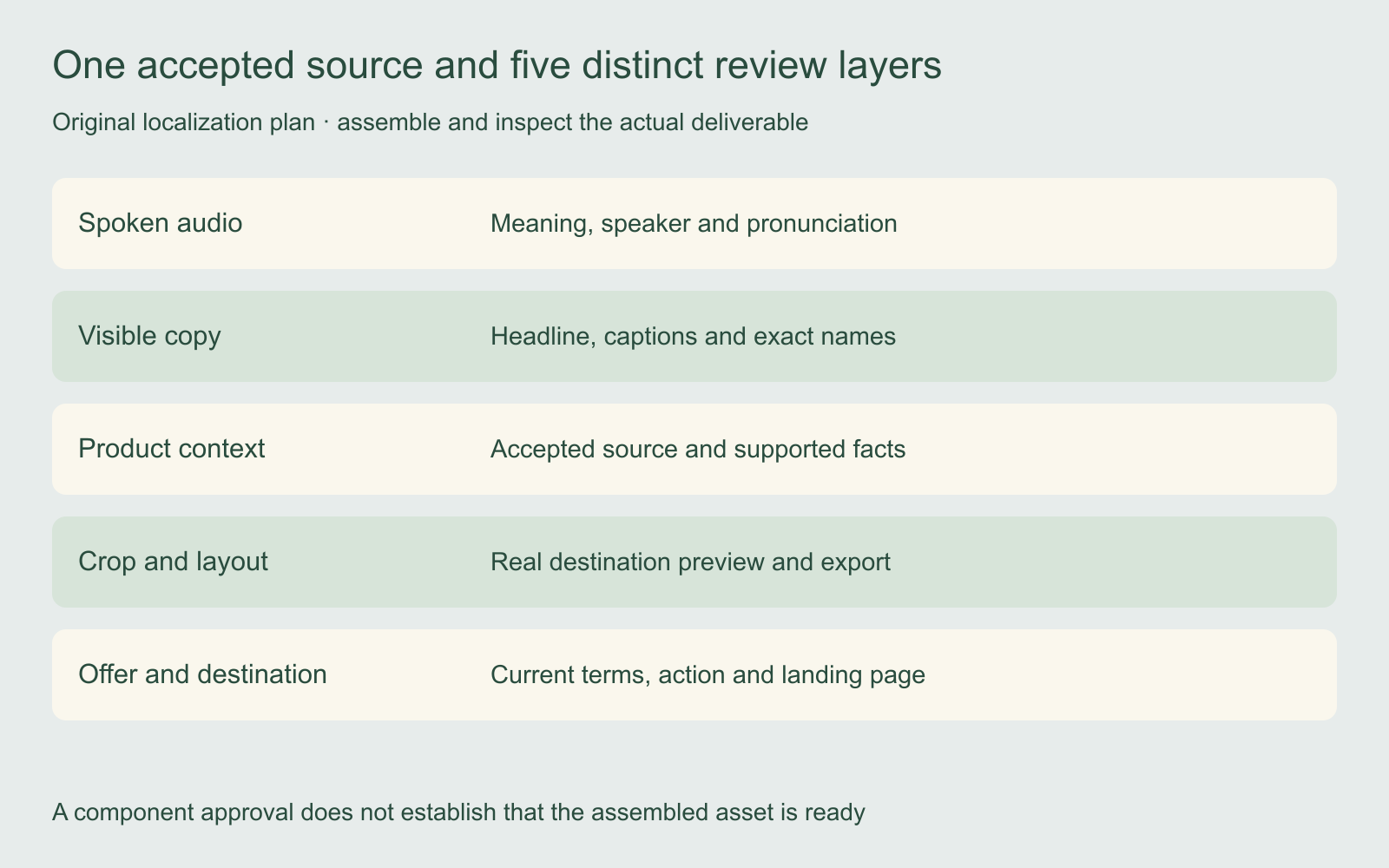
| Layer | What to preserve or adapt | Evidence to review |
|---|---|---|
| Spoken audio | Intended meaning, speaker and pronunciation | Actual returned track and approved words |
| Visible copy | Headline, captions, interface and exact names | Readable assembled frames |
| Product context | Real product, supported facts and market relevance | Accepted source and locale brief |
| Crop and layout | Required framing and text visibility | Actual destination preview and export |
| Offer and destination | Available terms, action and landing-page match | Current approved offer and live destination |
Give each layer an owner and an explicit decision. A correct voice track cannot establish that a price card is current. A readable headline cannot establish that a translated claim is accurate. Review the whole asset after the component decisions are complete.
Use the local text-fit lab to expose a specific layout problem
Select an editorial sample, edit its headline and CTA, then change the headline font size, example margin or aspect ratio. The lab compares rendered headline height with a 96-pixel text box and CTA width with its available space. The preview adapts to its displayed width, so a narrower screen can reveal a different fit.
Try a much longer headline and CTA. The preview clips text at the example boxes and reports where more space is needed. A shorter phrase, different line break strategy, smaller font or revised composition can resolve a layout problem. The appropriate choice depends on the message and real destination, not on a generic rule that smaller text is always acceptable.
The lab updates its measurements after text or layout changes, resizing and font loading. “Text fits this example layout” is deliberately narrow. It does not certify reading speed, language quality, export size or visibility beneath a platform’s interface overlays.
The dashed example margins are authored layout aids, not official Facebook, Instagram, Reels or Stories safe zones. Use the actual destination preview for the final file. The sample artwork and copy are not an ad-platform template or a performance benchmark.
Review translation quality separately from text fit
A sentence can fit perfectly and still be the wrong message. Ask a reviewer who understands the target audience to check meaning, tone, product terminology and the intended next action. Keep exact brand names, interface terms and factual numbers in a reference list so a revision does not drift between versions.
Compare the translated words with the actual scene. If the image shows one planter, avoid copy that implies a set. If a spoken phrase points at an interface control, check the visible label and timing. Keep the intended meaning stable while allowing phrasing that reads naturally in the locale.
The original planter illustration is available for this example. Replace it with your own accepted product sources before real production. The portable localization brief keeps source facts, locale decisions and unresolved requirements separate.
Choose dubbing and visual adaptation as separate capabilities
For a connected-platform pilot, the ElevenLabs Ads Engine guide separates platform support, locale review and release decisions.
ElevenLabs’ dubbing documentation describes returned video as a preview and recommends using the dubbed audio with the original picture for production. That does not establish translated on-screen text or lip synchronization. The ElevenLabs dubbing guide explains the audio-to-master handoff.
Runway’s Ads announcement describes localization covering visible text and product screenshots as well as voiceover. That is a publisher description, not a tested result or proof of your account’s controls. Use the Runway Ads guide for the connected product’s broader workflow.
Check the actual operation you intend to use. A provider accepting a video file does not automatically establish the specific visual, text, audio or publishing operation your project requires.
Assemble and inspect the real deliverable
Bring the reviewed audio, visible copy and accepted picture together, then watch the complete asset at normal speed. Check the opening, product name, difficult pronunciation, caption changes, final CTA and ending. Inspect the full crop instead of only a convenient still frame.
Confirm the actual exported dimensions, duration and audio channels required by the destination. Keep the original picture master and the accepted language track available so a last-minute copy change does not force unnecessary changes to the product image.
Review the landing page and offer alongside the creative. A localized CTA that leads to a mismatched destination is an incomplete handoff. Record the exact delivered asset version and its destination rather than treating a translated script as a published campaign.
Evaluate each market with its own report context
Keep locale, asset version, audience, placement, currency, result definition and reporting window in the record. A result from one market does not establish the performance of another. Differences can reflect delivery, audience, offer or measurement as well as the creative.
Use the two-window metric comparison only when the relevant definitions and conditions are comparable. It describes arithmetic and direction, not a causal localization result. The UGC campaign testing guide helps turn the next question into a controlled variant assignment.
Carry the accepted source into a Clout creative workflow
Explore Clout Marketing Studio for current product-led creative work or Image and Video for supported individual operations. Check the selected workflow’s actual inputs and quote. This guide does not establish automatic multilingual ad publishing, a provider dubbing connection or a localization certification in Clout.
Keep the accepted product facts, locale brief and review decisions with the returned files. A useful localization workflow makes the next missing decision visible and preserves evidence of the actual asset that was accepted.