

Define the sound before selecting the controls
Start with one cue and the sound it needs. Record the visible event, source picture version, desired object or texture, listening perspective and intended ending. A precise assignment lets you decide whether a returned effect belongs in the scene, rather than choosing the most dramatic candidate without reference to the edit.
This guide covers sound-effects generation. A spoken script belongs to a text-to-speech assignment, while adapting existing dialogue belongs to the separate dubbing workflow. A model name in one product does not establish an equivalent operation in another.
Check the current sound-effects API contract
The official API reference, checked October 22, 2026, lists POST /v1/sound-generation with required text. It lists eleven_text_to_sound_v2 and eleven_text_to_sound_v3, defaulting to v2. Optional controls include loop, duration_seconds and prompt_influence. The stated duration range is 0.5–30 seconds; prompt influence is 0–1 with default 0.3. Output defaults to mp3_44100_128; some formats require particular plans. Confirm the selected route and account instead of assuming the newest model or a WAV entitlement is the default.
The broader capability overview states a different 0.1-second minimum. For an API integration, use the endpoint’s stated constraints and validate the actual response. This guide did not execute a request or resolve the documentation difference through a paid test.
Use an original one-cue prompt
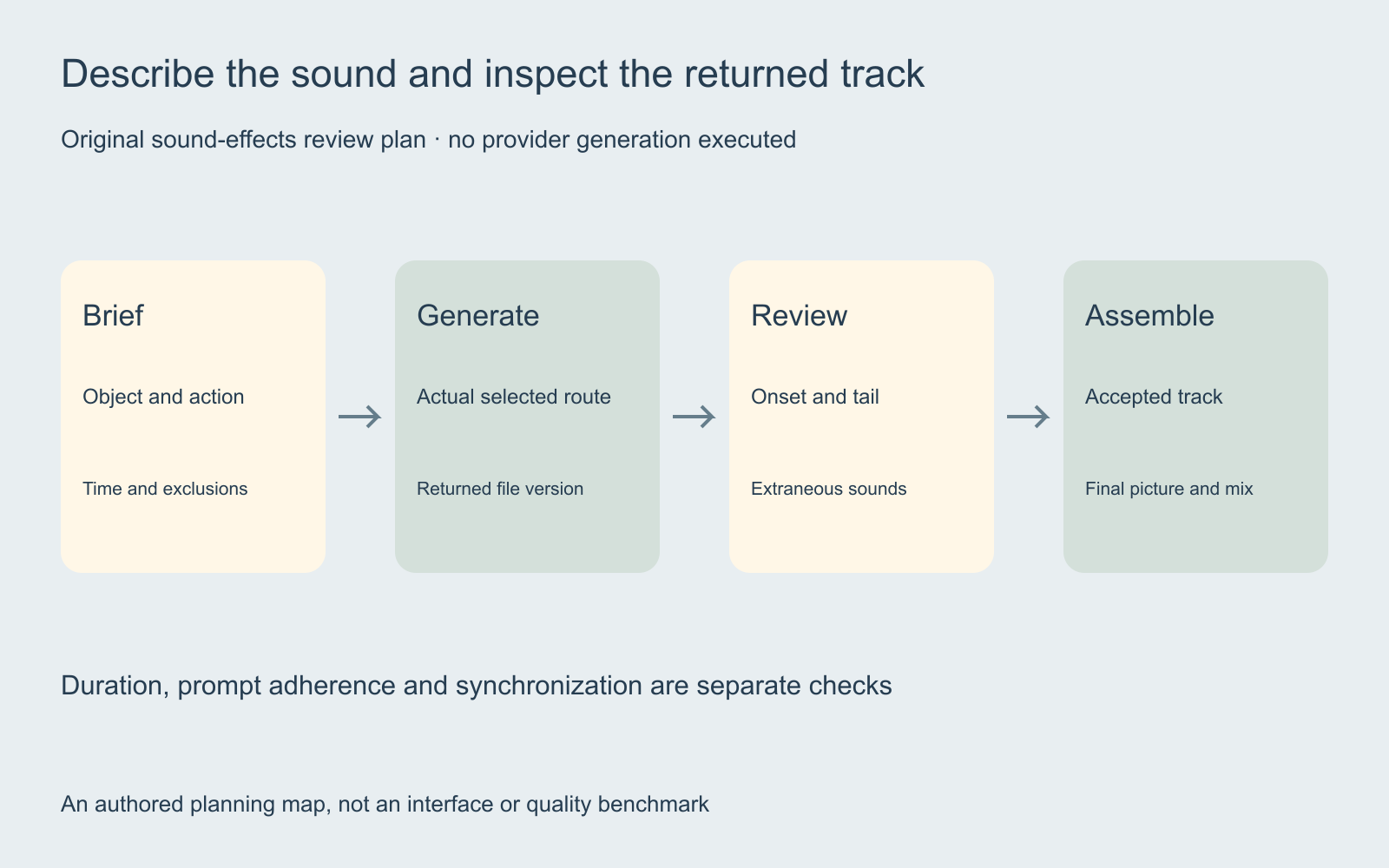
The portable sound-effects brief starts with an original unexecuted assignment: “A small wooden switch clicks down once, close and dry, with a brief mechanical contact and short tail, no voice or music.” Replace the imaginary object with the actual source requirement before a real generation.
Describe the audible action rather than the camera move alone. A close-up describes the picture; close listening distance describes the sound perspective. Keep the intended event and exclusions easy to compare with the returned file. If an effect should contain one impact, record any additional impacts as an observation.
Test duration and prompt influence as separate questions
Keep the accepted description, intended cue and other choices stable while testing an available control. Record the selected value and returned file. A shorter request may alter the character or tail as well as the total length, so inspect the whole candidate instead of treating duration as the only acceptance criterion.
The provider describes higher prompt influence as closer adherence with less variation. That does not establish a universal preferred value for your sound. Decide whether the candidate satisfies the intended object, action and exclusions, then document what a revision needs to change.
Keep looping separate from a one-shot assignment
A continuous atmosphere and a discrete contact event need different review decisions. For a repeated bed, listen across the assembled boundary for a jump in texture, level or rhythm. For an isolated event, check the start and natural decay without silently converting it into a repeated pattern.
The overview describes looping support, but a control being enabled is not evidence that your assembled sequence is seamless. Listen to the actual repetition in the final mix. Keep the returned file and the version used by the edit traceable so an accepted source can be recovered.
Inspect synchronization after generation
The sound-effects sync guide includes an original eight-second study. Three authored flashes are paired with mathematical clicks. The second version delays the same sound by 0.4 seconds, making the planned difference visible in its cue sheet. It is a reference for review, not an ElevenLabs benchmark.
Check the audible onset rather than only the file’s start. Move or trim a candidate around the intended event, then review the tail against the next cut. Listen at normal speed with the dialogue and music restored. A plausible object sound can still be wrong in time, distance or intensity for the picture.
Track actual outputs and accepted deliverables
Use the blank sound-effects ledger to retain the source cue, model and route, prompt version, returned file, onset observation, tail review, displayed charge and decision. The fields are empty because this article contains no paid generation results.
If you later calculate cost per accepted effect, include rejected attempts and use actual charges in the relevant unit. A price or entitlement seen on one account does not establish the current conditions on another. Keep quality preference, file validation and billing observations in separate fields.
Bring the accepted track into the finished creative
Review the assembled master with the accepted source picture, dialogue and sound tracks. Check the first audible event, intended background, scene transitions and ending. Preserve the source references so a later picture edit can reopen the dependent cue checks instead of silently reusing an outdated placement.
Explore Clout Marketing Studio or Image and Video for current creative operations. This independent guide does not establish a standalone ElevenLabs sound-effects connection in Clout. No voice, sound generation, current account price or quality comparison was tested for this page.


