

A beautiful picture can make an uncomfortable wallpaper. The bright focal point competes with your clock, the cabin disappears behind icons or the phone crop cuts through the main object. Plan the screen layout before writing the image prompt.
The original downloads below give you two landscape concepts and one portrait concept. They preserve the generated source detail. Check the actual file dimensions for your device; these are native examples, not upscaled files labeled as 4K.
Choose a desktop or phone composition
| Screen shape | Example export target | Composition priority |
|---|---|---|
| Landscape 16:9 | 1920 × 1080 | Quiet space on the side used for icons |
| Portrait 9:16 | 1080 × 1920 | Open upper area for clock and notifications |
| Ultrawide | Your display's native dimensions | A wider scene rather than stretching a 16:9 picture |
| Unusual phone ratio | Your device's wallpaper crop | Extra room around the subject for system cropping |
These numbers are layout examples, not dimensions promised for every generator. Read the exported width and height. Aspect ratio describes the shape; resolution describes the pixel count. A small 16:9 image has the right shape for a large 16:9 display but can still look soft when enlarged.
Download three original AI wallpapers
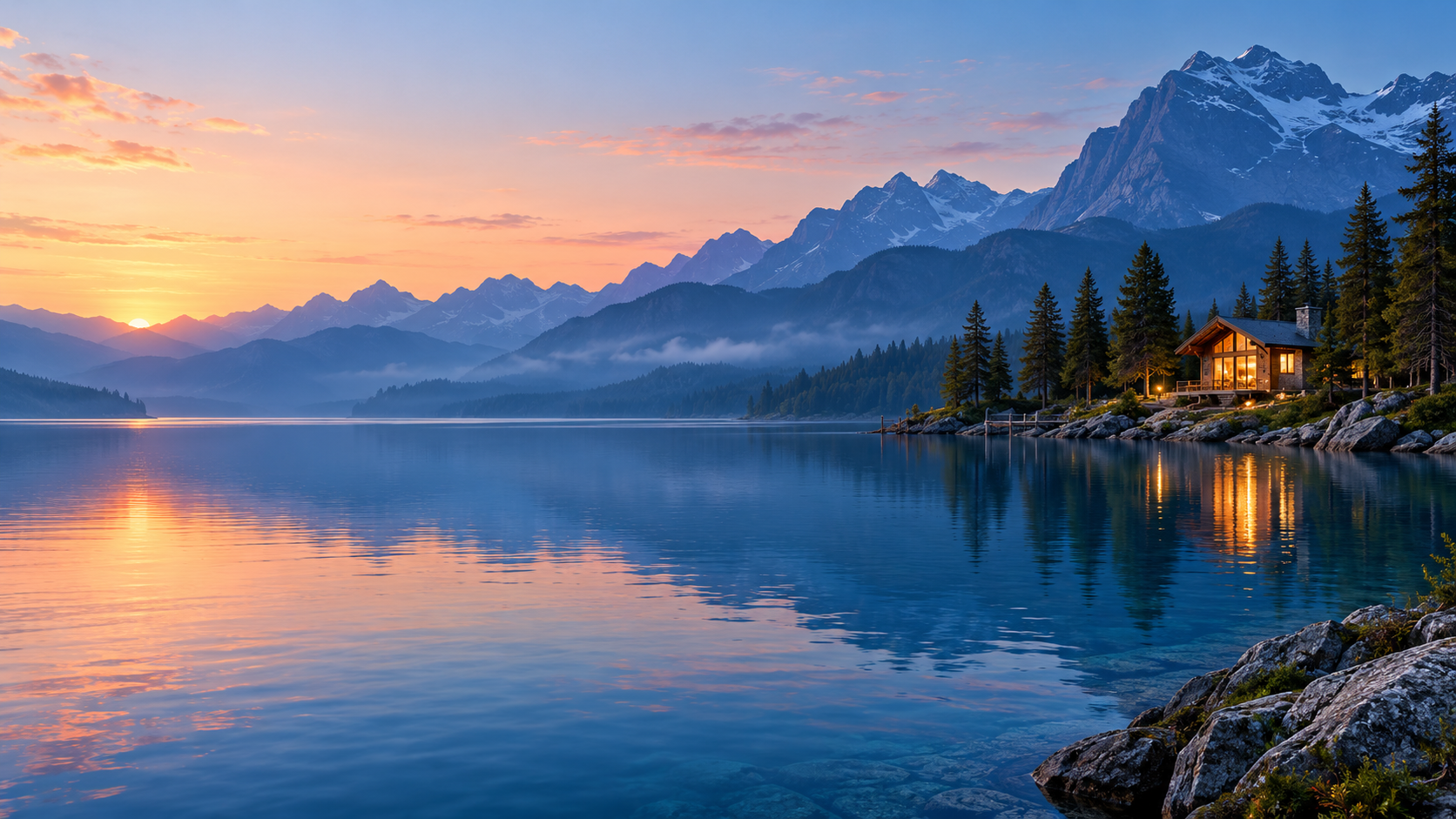
Landscape example with the focal point on the right and open space on the left
Download original image (1672 × 941)A tranquil blue alpine lake at dawn, layered indigo mountains and a small warm illuminated modern cabin on the far right shore. Soft peach sky. Keep the left half visually quiet for desktop icons. Refined landscape art, no people, text or logos.
Choose this direction when your icons sit on the left. If your layout is reversed, ask for the focal point on the opposite shore. Do not simply stretch the scene to a wider screen; preview a crop or regenerate with the required width.
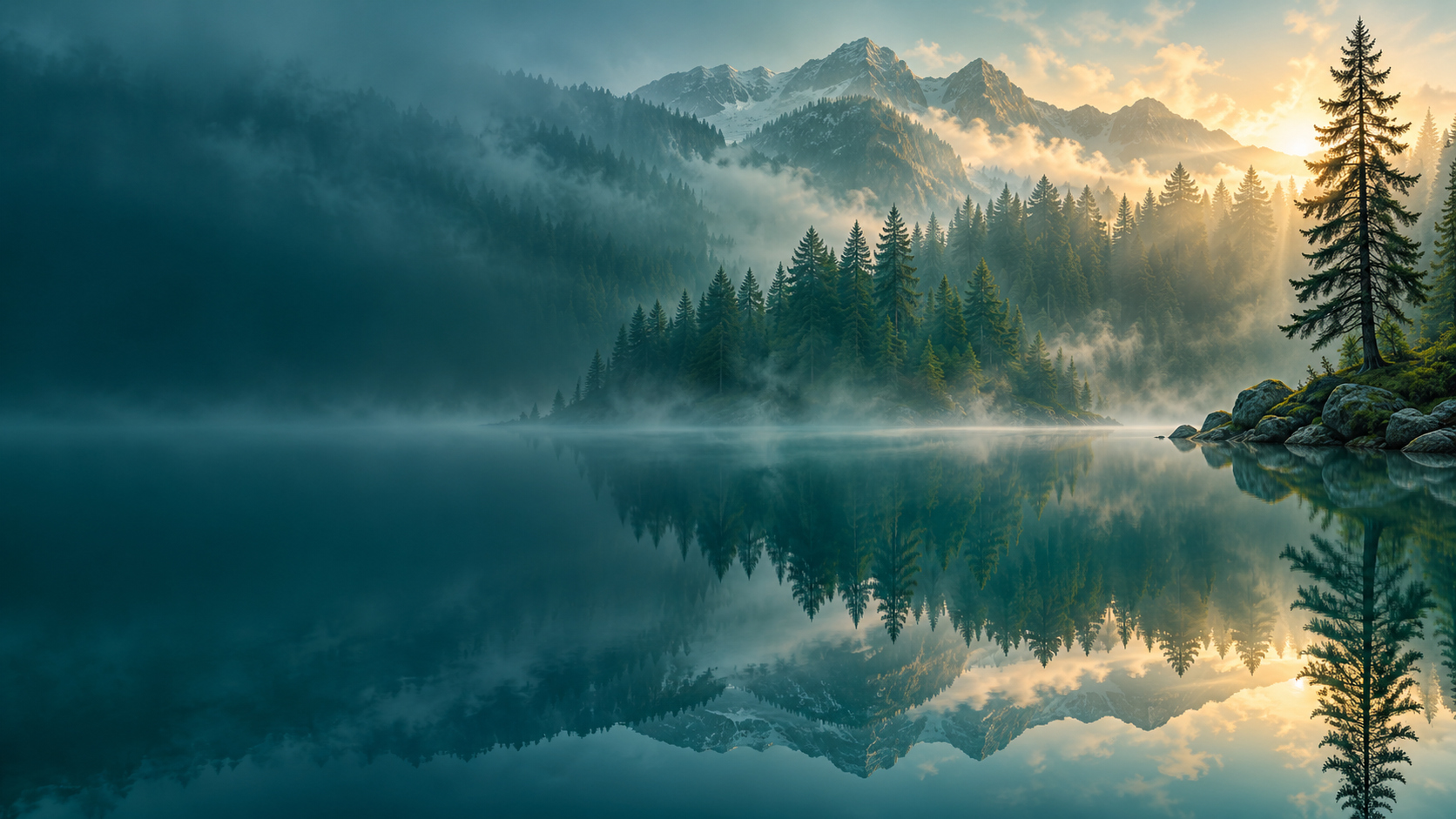
Landscape example with restrained contrast and calm blue-green space
Download original image (1672 × 941)A misty evergreen forest reflected in still teal water, one slender pine on the far right and subtle warm sunlight through fog. Large quiet darker blue-green area on the left for light desktop icons. Fine branch detail, restrained contrast, no text or people.
This concept prioritizes calm rather than a dramatic object. Watch the brightest mist area under light icons. A slight repositioning of the crop can improve readability without changing the whole visual direction.

Portrait example designed around open space for a phone clock
Download original image (941 × 1672)Vertical abstract wallpaper with translucent cobalt and pale blue glass ribbons in the lower half of a midnight navy background. Gentle silvery-blue glow from below, clean dark upper third for the phone clock. Crisp edge highlights, subtle gradients, no interface, device or lettering.
Preview the result on the actual lock screen and home screen. Some devices crop or reposition backgrounds differently. Keep the main ribbon away from a crop boundary and check whether the clock remains legible with your preferred color.
Generate with controls that match your brief
Adobe's Firefly generation guide documents model selection, aspect ratio, content type and reference controls. Available settings depend on the selected model. Choose the shape first, then describe the focal point, light, palette and quiet area.
A wallpaper prompt should specify where the subject belongs, not only what it is. “A cabin by a lake” leaves placement open. “Small cabin on the far right, quiet left half” gives the generation a screen layout. Keep the scene uncluttered so the output can support icons rather than compete with them.
Use a composition reference when your tool supports it and the placement matters. A style reference communicates appearance; it is a different instruction from the arrangement of objects. Keep those reference roles distinct when experimenting with a new palette.
Check the original download before setting it
- Download the original image rather than taking a preview screenshot
- Read its pixel dimensions and compare them with your display
- Inspect gradients, edges and small details at full size
- Preview the system's actual wallpaper crop with your icons and clock visible
- Keep a copy of the uncropped master before making device-specific versions
Upscaling can change the file size without recovering genuine source detail. Do not call a wallpaper 4K because it looks large in a browser. If your target needs more pixels, use a generation or enhancement workflow that supplies them and inspect the result again.
Evaluate free AI wallpaper generators by their exports
A free allowance can be enough for a few concepts, but compare the downloadable file, watermark, dimensions and permitted usage. A tool that displays a high-quality preview may limit the actual export. Check those conditions before spending time making a large set.
Generate two or three deliberate variations, each changing one element such as palette or focal-point position. Keep the one that works with your screen. A gallery of dramatic images is less useful than one background that stays comfortable during daily use.
Build a coordinated visual world
For a creator brand, use the wallpaper palette and setting as a campaign direction. Create your AI character in Clout and generate photos and videos that share the same visual world. Keep device backgrounds and campaign images as separate exports with their own framing requirements.


