

What is room tone
Room tone is the audible background character of a recording environment when the intended performance is quiet. It can include ventilation, distant activity and the way the space contributes to the recording. Digital silence contains none of that background. Replacing a pause with silence can therefore change the apparent space even when no spoken word has been removed.
iZotope's room-tone guide describes that environmental presence and its role in dialogue editing. For an AI drama, the same review question matters after a generated recording arrives: does the background stay believable between words and across the intended edit?
Use the local WAV boundary checker
The checker above reads ordinary 16-bit PCM WAV samples directly. Choose a mono or stereo excerpt up to 12 MB and 30 seconds, with a sample rate from 8000 to 192000 Hz. The tool reports source duration, sample rate, sample peak, RMS, digital-limit sample count and per-channel boundary values. It does not upload the selected file or resample the values it measures.
Each channel's sample step is the absolute difference between its final and first sample values on a normalized scale. The head and tail RMS values cover up to 50 milliseconds at either end. For a shorter file, they cover the available frames. Mean offset is the average sample value for that channel.
| Observation | What it can establish | What it cannot establish |
|---|---|---|
| Boundary sample step | A value discontinuity at a direct wrap | Whether the complete loop sounds seamless |
| Head and tail RMS | Average sample energy near the ends | Matching frequency balance or room perspective |
| Sample peak | The largest stored sample magnitude | True peak or integrated loudness |
| Digital-limit sample count | Stored samples exactly at the signed digital limits | A complete distortion diagnosis |
The Microsoft RIFF description explains the chunked container. The WAVEFORMATEX reference defines its format fields. This focused checker accepts ordinary 16-bit PCM and rejects other encodings, including float and extensible WAV. Export a compatible short copy from your editor if needed.
Inspect two original boundary fixtures
Try Inspect matched-endpoint example, then Inspect authored-step example. Both are original four-second mono hum fixtures at 48000 Hz. The first and last samples of the first fixture are zero. The comparison adds a short deliberate ramp near its ending. Its boundary step is about 0.18 on the normalized sample scale.
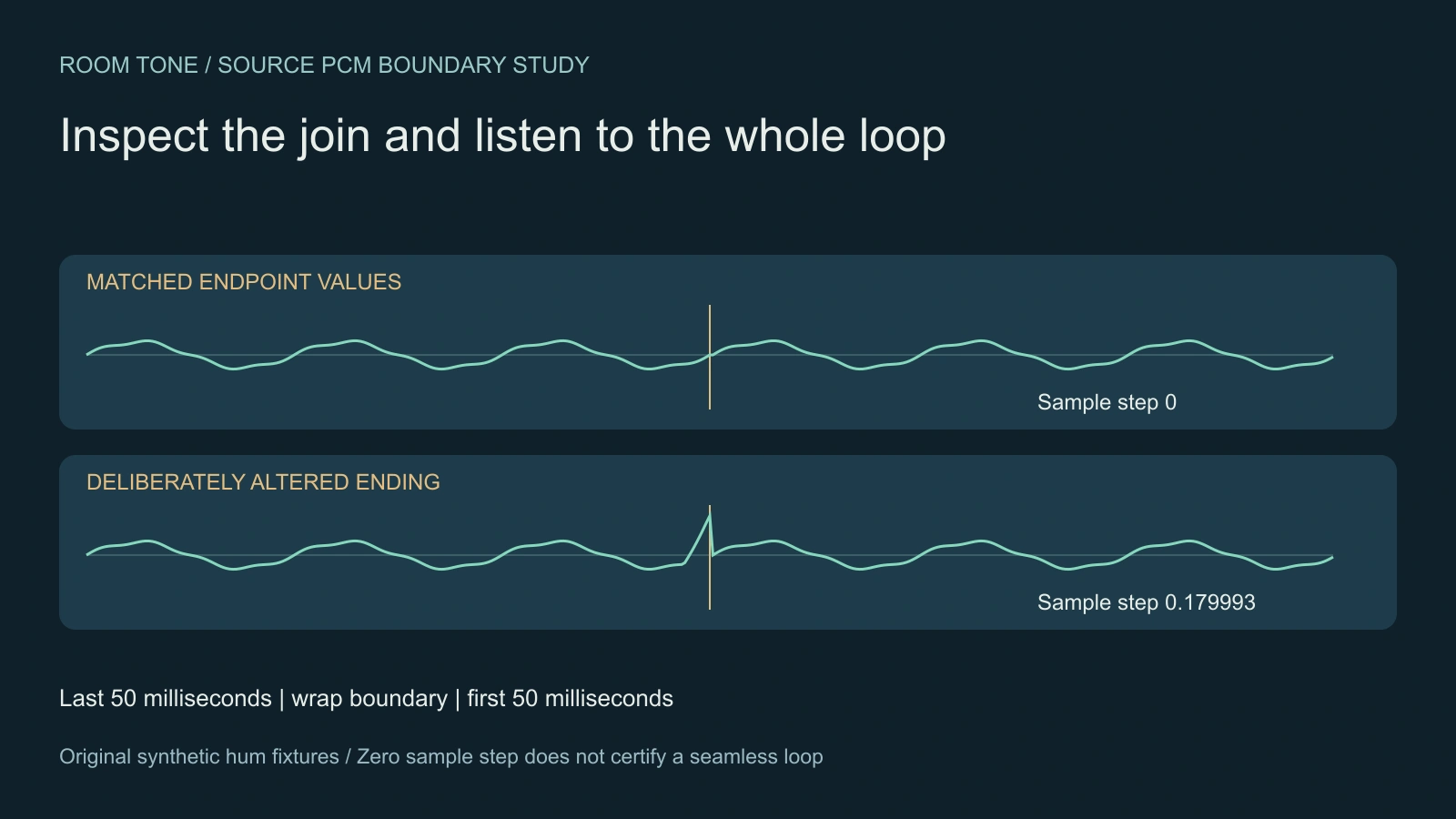
Use the player's Repeat source control to listen across the wrap. These files contain conventionally synthesized hum, not a recording of a real room or generated ambience from a model. Matching endpoint values do not prove matching slope, texture, rhythm or a natural-sounding loop. A sample measurement is one observation to review alongside listening.
Download the matched-endpoint WAV, authored-step WAV and source PCM report. The report was produced by the same inspection function used in the page. It records the fixture values without assigning a quality score.
Keep a source that belongs to the performance
For an owned recording session, keep quiet background material from the actual setup alongside the dialogue takes. Record the microphone, position and relevant conditions in the production notes. A different room or a changed recording arrangement can produce a different background even if both recordings seem quiet in isolation.
Do not assume that every pause is useful fill. Listen for a breath, clothing movement, a distant voice, a repeating mechanical event or a meaningful action. A distinctive sound that repeats every few seconds can reveal a short loop. Retain a longer source where possible and choose the portion that serves the edit.
For a generated performance, save the returned source before processing it. Determine whether the requested background exists, whether it changes during pauses and whether it masks the words. If the source has no usable quiet section, choose a documented repair or ambience workflow and inspect its actual result. The checker does not synthesize a matching environment.
Build the dialogue edit before judging the background alone
iZotope's post-production workflow separates dialogue preparation, continuity work, ambience and final delivery. Use that separation to make concrete decisions. An effect that removes an unwanted sound solves a different problem from a background layer that makes the scene feel continuous.
Listen to the original line, its pause and the next line together. Choose the edit from the performance, then shape any fill or crossfade around the material that exists. Keep complete words and useful breathing room. Avoid changing visible speech timing simply to hide a background change.
A quiet booth, a busy cafe and an exterior walkway need different creative decisions. Equal RMS values do not make those places interchangeable. Review the apparent distance, movement and sound texture at the actual scene level. If an intentional silence serves the story, preserve it as an editorial choice.
Carry the decision into an AI drama workflow
Our MagiHuman dialogue guide uses an original projectionist reference and a short approved line. Its background direction can request a quiet projector hum or an explicit absence of prominent background sound. That request remains separate from what a returned model file actually contains.
After accepting the performance, inspect the saved picture and sound together. Keep the clean source, any ambience layer and the final export identifiable. Use the sound-bridge study when the sound must connect a picture change, and the audio-ducking workflow when music needs room for dialogue.
Download a review record and finish in context
The blank room-tone review sheet records the real source, microphone or generation route, excerpt, loop test, texture, perspective and acceptance. The fixture brief preserves how the original synthetic examples were built. A downloaded WAV inspection is a measurement record rather than a repaired audio file.
Create original scene material in Clout AI Cinema, then use the tools appropriate to the accepted source and delivery. For broader browser-decoded export measurements, use the audio export checklist. Check the completed scene with sound before treating any isolated metric as approval.


