

Adding duration is easy if you repeat the same clip. Making that extra time worth watching takes structure. A longer AI video needs a change the viewer can follow: a problem, a choice, an action and a payoff. Generate only after those beats have a place in the timeline.
The workflow below plans a ninety-second fictional bicycle-courier story. It is an original production plan, not an already rendered film or a claim that one prompt produces a finished long-form video. You can adapt the structure to an explainer, product story or character episode.
Download a visual planning reference
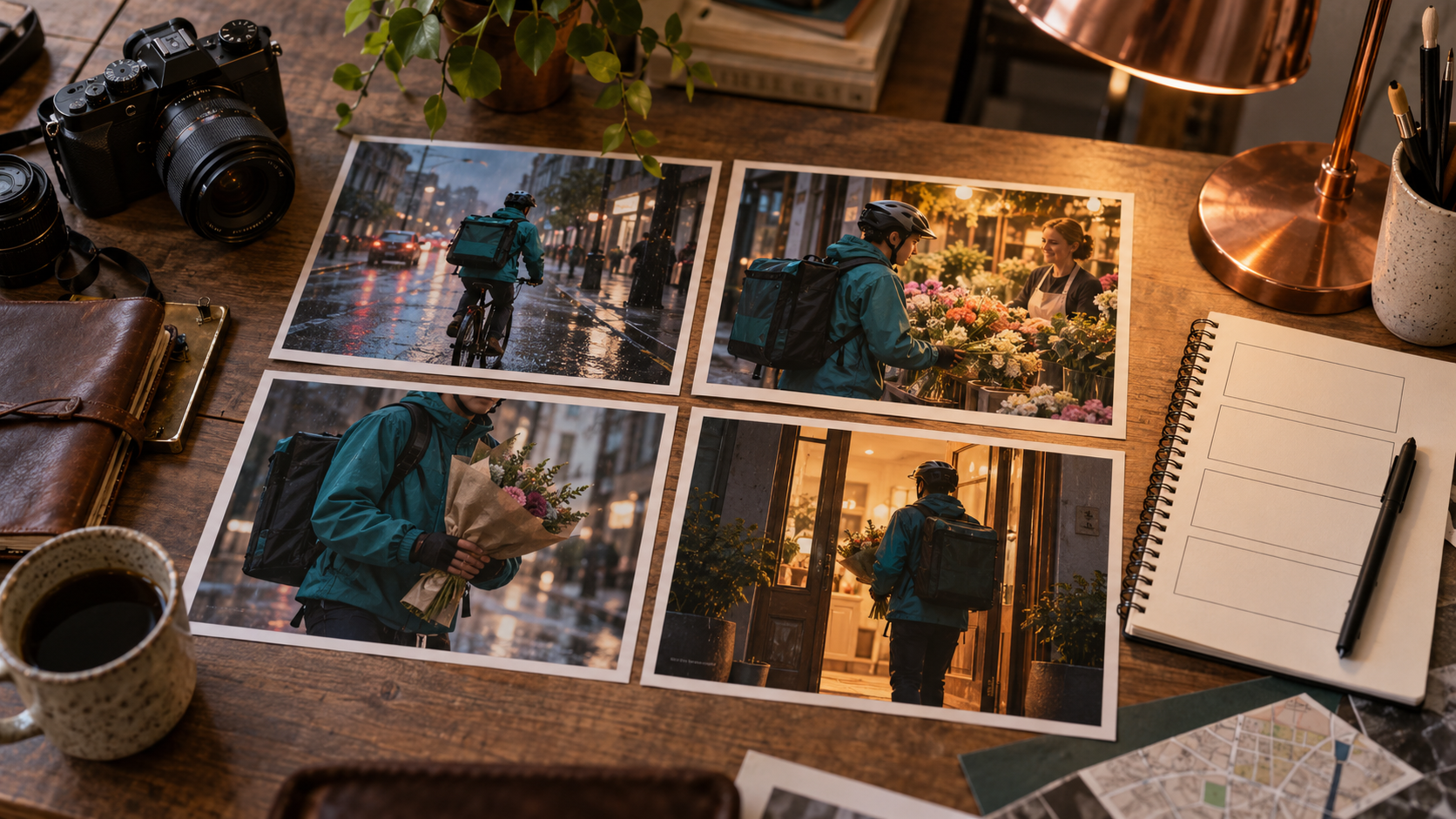
Original AI-generated planning artwork for a fictional courier story. The photographs illustrate intended story beats rather than a completed video sequence.
Download courier story planning referenceChoose extension or a multi-scene edit
| Method | Use it when | Main constraint |
|---|---|---|
| Clip extension | The same action needs more time | Continuity can drift as generation continues |
| Separate generated shots | The story changes action, location or viewpoint | Cuts need matching identity and screen direction |
| Still images with motion | Narration carries the story and elaborate action is unnecessary | The edit needs rhythm rather than endless slow zooms |
| Repeated loop | A deliberate background or satisfying loop is the purpose | Repetition does not create a new narrative beat |
Higgsfield's long-video page describes scene generation and extension with character references. Treat the exact available scene duration and extension controls as provider-specific settings to verify in the current interface. A long-video workflow does not mean every model can generate an uninterrupted ninety-second scene.
For continuing the same accepted shot, use the AI video extension guide and seam review sheet to check source eligibility, write the next action and review the join.
Write the story before the prompts
The courier receives a flower delivery with an unclear address, follows a small clue and reaches the right doorstep just before the recipient leaves. That gives the story a practical problem and a visible resolution. Keep the premise small enough to express with actions the model can plausibly render. A complex argument involving five characters and exact lip-sync creates more dependencies than a simple delivery.
Write a short narration draft and read it aloud. Record a guide take before deciding the final shot lengths. The voice establishes the timing; silent visual moments need intentional space. Do not fill all ninety seconds with speech just because the timeline exists. Keep a clean narration track separate from music and sound effects so you can adjust the edit.
A twelve-shot ninety-second timeline
| Time | Shot | Story job |
|---|---|---|
| 0–6 seconds | Flower bundle beside an unreadable address card | Introduce the delivery problem |
| 6–13 seconds | Courier checks the route outside the shop | Establish the character and goal |
| 13–21 seconds | The shopkeeper points toward the next street | Provide a clue |
| 21–29 seconds | Courier walks the bicycle along a wet pavement | Move toward the destination |
| 29–36 seconds | A red door with the wrong number | Show an obstacle |
| 36–43 seconds | Courier pauses and notices a flower sign | Make the choice visible |
| 43–51 seconds | A matching flower sign down the lane | Confirm the new direction |
| 51–59 seconds | Courier approaches the warm doorway | Build anticipation |
| 59–67 seconds | Recipient opens the door | Resolve the search |
| 67–75 seconds | Flower handoff at the threshold | Deliver the payoff |
| 75–83 seconds | Recipient places flowers on the table | Show the meaning of the action |
| 83–90 seconds | Courier leaves through the evening street | Close the story |
These durations sum to ninety seconds. They describe final edit slots, not guaranteed generation lengths. If a provider returns a longer clip, trim to the useful action. If it returns a shorter one, use an additional purposeful detail shot or revise the slot. Do not slow the entire clip down merely to force it into the plan.
Keep a continuity sheet
Record the courier's face reference, short curly hair, teal jacket, mustard satchel on the left hip and orange bicycle. Specify the flower wrapping, time of day and travel direction. Keep the same approved references available for every shot. A scene can look excellent on its own and still fail the edit because the bicycle turns blue or the bag moves to the opposite shoulder.
Track continuity across cuts, not only within clips. If the courier exits to the right in one shot, use an entrance or composition that preserves the intended direction in the next. Maintain the wet street until the story reaches a sheltered interior. When changing location, a close-up of the flowers can provide a useful visual bridge without inventing a long continuous camera move.
Prompt one action per shot
Original shot brief: The approved adult courier in a teal jacket and mustard satchel walks an orange bicycle slowly along a wet village pavement at blue hour, carrying a wrapped flower bundle in the front basket. Preserve the face, wardrobe and bicycle from references. Camera tracks gently from the side, courier moves left to right, one continuous action, no additional characters and no readable generated signs.
Keep a reusable identity block and change the action and setting for each shot. Avoid asking the courier to ride, stop, read a note, talk, hand over flowers and leave in one short generation. Break those into reviewable actions. Generate critical identity and handoff shots early; finding a hard failure near the final edit is more expensive than discovering it in a small test.
Use extension only where it serves the scene
Extend an accepted walking shot if the narration needs a little more room and the action remains useful. Compare the join, face, props and camera path after the extension. A continuation can introduce a new street or a changed costume even when the starting clip was stable. Save the accepted original so a failed extension does not erase your usable shot.
For a new location or narrative beat, start a new shot instead. Extension is not a substitute for an establishing view, reaction or payoff. When a model lacks native extension, assemble a matching subsequent shot in an editor and use a deliberate cut. Describe that result as an edit rather than pretending it is one continuous generated take.
Finish audio and captions after the picture edit
Place narration against the accepted shots and leave breathing room around the flower handoff. Use ambience to support the place without obscuring speech. Check the final spoken word reaches the end of the audio track. Caption the final narration, then inspect spelling and timing on the completed edit rather than applying subtitles from an earlier draft.
Watch once with sound, once muted and once on a phone. Confirm the opening question is understandable, the reveal arrives before attention drifts and the character remains recognizable. Export a high-quality master before generating delivery variants. Save the script, references, shot prompts and accepted takes so the next episode can reuse the same identity.
Create your recurring character in Clout and generate photos and videos around a consistent identity. Assemble the accepted story beats into a longer episode in your editor.


