

SANA Video is part of the NVIDIA SANA research project. For a production experiment, the important first decision is which checkpoint and input route you intend to use. A four-step preview and a full checkpoint should not inherit each other’s controls by assumption.
This guide checks official documentation on October 24, 2026 and provides an original planning tool. No inference job, GPU benchmark or SANA output was generated for the article. The profile map and pilot worksheet describe preparation, not proof that a particular machine or hosted service can complete your task.
Separate the full checkpoint from the four-step preview
The SANA-Video 2.0 documentation lists a released 5B checkpoint and a separate four-step preview. The full route supports text-to-video and text-image-to-video. The preview is text-to-video only and does not support first-frame conditioning. The documentation says the 14B checkpoint is not yet included.
| Documented route | Frame profile | Input distinction |
|---|---|---|
| Full 5B checkpoint | 193 frames at 24 fps | Text or the documented image-conditioned route |
| Four-step preview | 81 at 16 fps or 193 at 24 fps | Text-to-video only |
Choose the input contract before writing the creative brief. If the project requires an approved first image, selecting a faster-looking preview is not a substitute for a compatible image-conditioned route.
Check the actual dimensions behind the 720p label
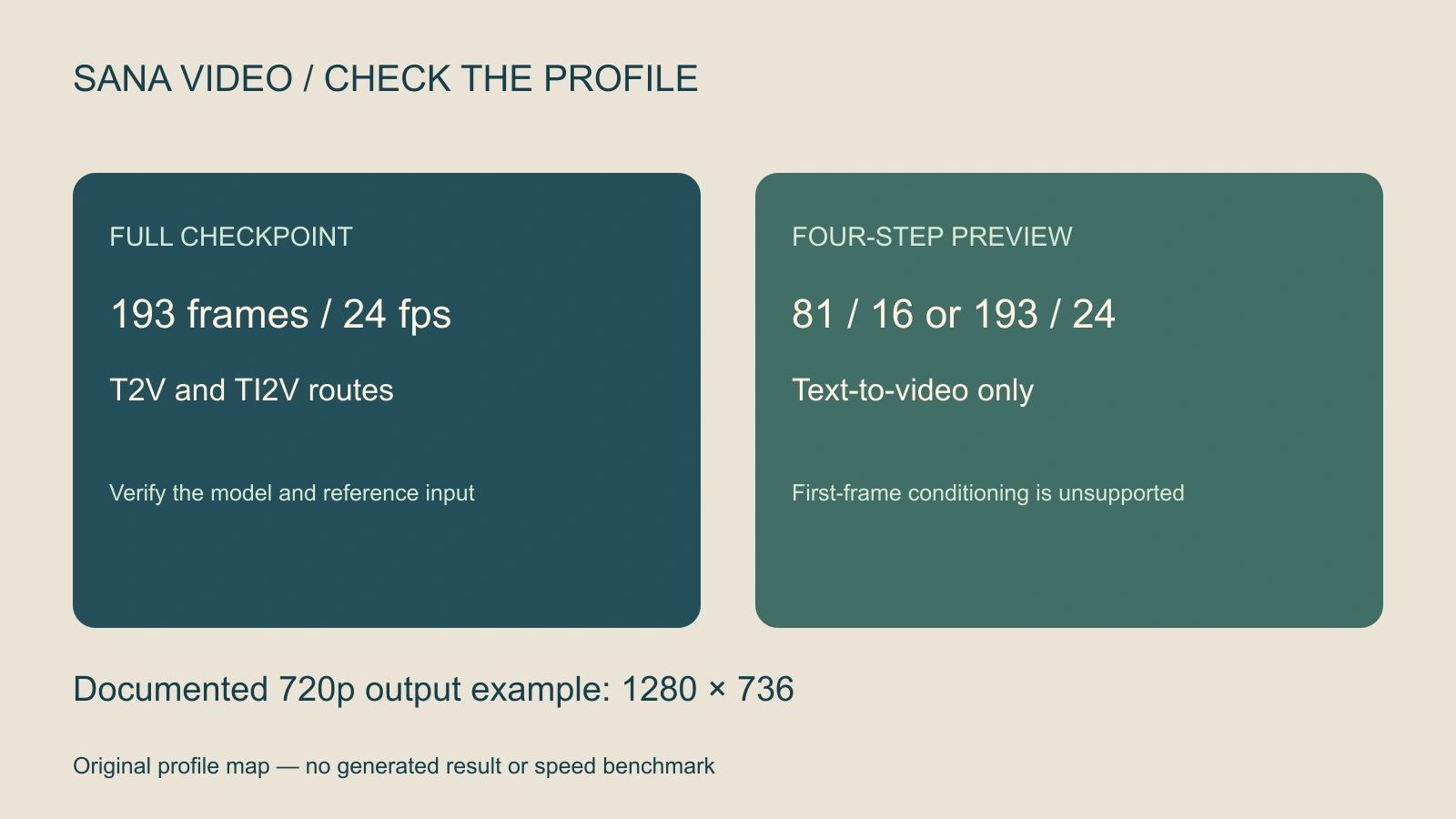
The documented output example is 1280 by 736. Its dimension rule requires multiples of 32, and its frame rule is 8n + 1. A typed height of 720 fails that alignment check. The tool reports this mismatch rather than silently changing the plan.
Profile labels are convenient shorthand. Keep the actual width, height, frame count and fps in the run record. Compare those planned values with the returned file after generation, because the exported asset is what the next production stage will receive.
Use the local profile checker before preparing a run
Choose a preset in the tool, then change one input at a time. The four-step preset with first-frame conditioning selected should produce a clear mismatch. The full preset is a different route and should be assessed with its matching weights and instructions.
The checker has three possible outcomes: invalid inputs, aligned inputs outside the documented release profiles, or a match to a listed profile. None confirms environment compatibility or generation quality. It deliberately separates arithmetic validity from an observed model run.
For nominal duration, the checker divides frame count by output fps. That is a saved-frame budget, not a generation-time estimate. Changing playback rate does not prove improved motion or reduced rendering cost.
Plan one controllable visual action
Use an original pilot idea: a cream paper tag hangs from a wooden peg, and a light breeze moves it once before it settles. This scene gives you an observable action, a clear resting state and a simple boundary to inspect. It avoids making a complex face or product promise the first acceptance target.
Fixed close view of a plain cream paper tag hanging from one wooden peg on a quiet workshop wall. A gentle breeze moves the tag once, then it settles. Preserve the tag shape, hole, string connection and wall lighting throughout. Keep the background restrained. No lettering, additional tags, new objects or camera movement.
This is original, untested direction. For a text-only route, inspect what identity and object details the model establishes. For an image-conditioned route, begin with an approved reference and verify that the selected implementation actually receives it.
Download the original pilot brief and blank run ledger. The brief is not an executable request or an upstream sample. Adapt it to the exact input format documented for your chosen route.
Freeze the configuration and keep the experiment bounded
- Record the release: Save the repository revision, checkpoint name and configuration together.
- Record the environment: Keep the dependency setup and hardware details with the run.
- Check the input route: Confirm whether the job is text-only or image-conditioned and whether the selected checkpoint supports it.
- Confirm the output plan: Retain dimensions, frames, fps, seed and output location.
- Run one small pilot: Inspect its returned file before adding more variations or a longer production queue.
A repository may contain multiple projects and configurations. Follow the instructions for the one you selected rather than combining an old setup guide with another model’s launch arguments. Do not infer SANA hardware requirements from a neighboring SANA image or acceleration project.
Review the action and its physical connections
Watch the whole returned clip at normal speed. Then inspect the tag hole, string and peg at the beginning, the widest swing and the ending. Check whether the tag stays attached, whether its shape changes and whether the background moves despite the fixed-camera brief.
Record defects with timestamps and keep rejected files separate from accepted takes. A strong opening image does not prove that the connection survives motion. If the action fails, simplify the next attempt and change one decision so the result is interpretable.
Compare the actual export’s dimensions and duration with the run record. Include actual charges or compute observations only after measuring them. A lower step count alone does not establish the cost or quality of an accepted deliverable.
For material consistency, inspect the subsurface scattering study and separate retained texture from an overly smooth or glowing result.
Fit the model experiment into a finished story
The accepted tag clip can become an insert in a workshop story. Plan the adjoining wide shot, the sound cue and the ending independently. Use the insert-shot guide and multi-shot workflow to give that small action a clear narrative role.
For an extended view, compare the separate Stable Video Infinity continuation guide. For a managed production workflow, evaluate Clout AI Cinema or Image and Video using the model and quote actually exposed there. This article does not establish SANA availability in Clout.


