
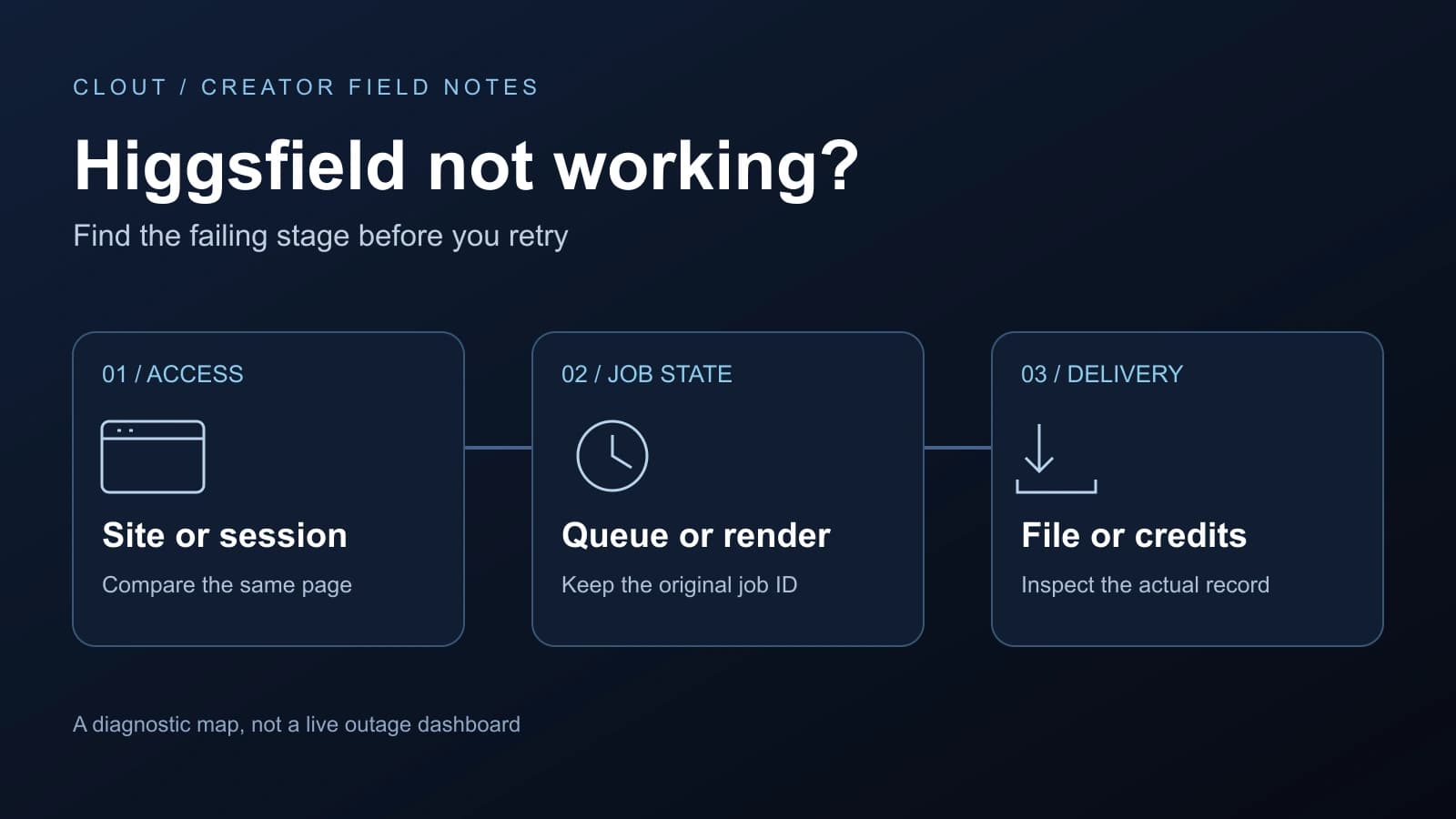
Higgsfield not working can mean several different failures. A blank page happens before a creative job starts. A queued tile is waiting. A completed asset with an unresponsive download is a delivery problem. Treating all three as a reason to click Generate again can make the situation harder to diagnose.
Use the free incident planner on this page to record observations, then follow the matching branch below. It creates a local JSON download to review before contacting the official service. Clout publishes this guide; we cannot access a Higgsfield account, cancel its jobs or issue its refunds.
Is Higgsfield down or is one workflow failing
Open the official Higgsfield status page and read the incident date, affected service and latest update. This article does not embed a current status badge. An old search snippet or a successful visit to the homepage does not establish whether a specific model, upload path or queue is available.
Write down the scope you can observe. Does the public site load? Can you open the original asset? Does another tool in the same account load without submitting a paid job? Another person's result may be useful context, but it does not prove that your model, region or account has the same problem.
The official changelog marks an October 3 Seedance failure incident resolved. That historical entry is not evidence of a current outage. Check present notices and your existing job rather than assuming the same failure has returned.
Find the failing stage before retrying
| Observation | Record first | Avoid this assumption |
|---|---|---|
| Blank page or login loop | Page path, browser and time | Every account or model must be down |
| Queued job | Job ID, stage and observation time | Waiting means no request was accepted |
| Processing or generating | Original job and latest visible state | Refreshing cancels a backend render |
| Failed tile | Error category and matching usage entry | Every failure has the same refund treatment |
| Completed but no download | Asset reference and browser download behavior | The asset must be generated again |
| Unexpected balance | Individual deductions and returns | A changed balance identifies one missing refund |
Keep an observation log instead of relying on memory. Record “queued at 14:10 PDT, still queued at 14:25 PDT” rather than “stuck forever.” These invented times illustrate the format, not an expected queue duration or a service-level promise.
Higgsfield website not loading
Higgsfield's loading guide recommends refresh, a private session and another browser to narrow the problem. It also discusses cached data, extension conflicts and download permissions. Preserve unsaved work before reloading; clearing site data can sign you out.
Make the comparison controlled. Open the same page in a second session and record whether it loads. Changing your browser, network, account and requested tool simultaneously leaves you unable to tell which change mattered. A private session that works narrows the investigation; it does not identify one particular extension as the cause.
If only downloads fail, inspect the browser's download panel for a blocked or failed request. Keep the completed asset reference while investigating. Do not regenerate simply because the file did not reach Downloads. Return to the original asset and inspect its available delivery controls.
Generation stuck in queued, processing or generating
The official stuck-generation guide distinguishes stages: queued jobs may be canceled through the tile, while processing or generating may already be running without cancellation. Shared Unlimited or free queues may take longer under load. Check the actual controls rather than deciding from elapsed time alone.
Keep the original ID and look for a terminal outcome before a new attempt. Refreshing a tab and submitting a new job are different operations. If you submit again while the first render is active, record both separately so a later output or charge is not mistaken for the original job.
For a batch, list each tile separately. One completed result does not make the entire batch successful, and one failed tile does not establish that every output failed. Preserve accepted assets while isolating the unresolved job.
Something went wrong or generation failed
The same official guide distinguishes temporary errors, incomplete CAPTCHA challenges, concurrency limits and content checks. Capture the exact message. Complete any challenge yourself in the official interface. For a content rejection, review the restriction and use permitted material rather than disguising a blocked request as a technical retry.
For upload failures, note the file type, dimensions and duration, then compare them with the selected operation's requirements. Do not borrow limits from another model in the same menu. Our Genjutsu reference guide separates consumer and API inputs; the video upscale guide addresses another operation.
On a retry, change one suspected input and record the new job separately. A simpler permitted reference can isolate an input problem, but this is a diagnostic experiment rather than a guaranteed repair. Avoid repeatedly paying for unchanged attempts without inspecting the previous ones.
Credits missing after a failed generation
Higgsfield's credit documentation directs users to Manage Account → Usage for deductions and returns. Refunds are usually automatic within minutes, with model-specific exceptions. The generation troubleshooting page specifically identifies Grok as charged when generation starts. Verify the model and ledger rather than promising a refund for every failure.
Use one reconciliation row per attempt: job ID, model, deduction, return and observation time. A return from an earlier job can hide a later retry's deduction when you look only at the balance. A completed result that misses your brief also differs from a technical job that produced no result.
The credit-usage explainer identifies subscription resets, batch outputs and connected-tool generation as reasons to inspect the ledger. Do not assume web Unlimited covers MCP or CLI operations. Reconcile those entries before calling a balance change missing credits.
Upscale failed or the export will not open
Upscaling has its own official troubleshooting route. Keep that job separate from the original generation: a usable source can exist even when its enhancement fails.
Inspect the downloaded file, not just the tile. Does it open in another local player? Is the duration complete? Is the expected audio present? These checks establish delivery, not the health of provider infrastructure. Use our video source checker for local inspection and image export checker for still-image dimensions.
Prepare one useful support report
The official bug-report guide requests reproduction steps and useful screenshots or recordings. Contact official Higgsfield support. This planner only downloads notes; it does not send them.
Describe the expected result, last successful step and first failing step. Include the job and model, observation time with timezone, browser and operating system, and whether another session reproduced it. Review screenshots before sharing, especially account information and private references.
Never include passwords, API secrets, payment-card details or signed media URLs in a public report. If official support needs an account identifier, provide it through its own support channel rather than entering it into this independent planner.
Continue the project without losing the diagnosis
If a deadline requires another workflow, retain the unresolved job log and accepted references. Switching models is a new attempt with different settings and costs, not proof that the incident resolved. For recurring characters, Clout's AI influencer workflow is a separate service with its own account and credits. Higgsfield subscriptions, refunds and job states do not transfer to Clout.


