Decide whether the sequence reveals outward or travels inward
An outward sequence begins with a detail and reveals more surrounding space. An inward sequence approaches an anchor that becomes the next visual world. Choose the direction first because it changes the source images you need. A series of unrelated zoom prompts will not necessarily join into a coherent journey.
Give the movement a reason. A product surface could lead into an invented material world. A miniature doorway could reveal another scene. Keep essential product labels and factual information in a clean establishing or ending shot; repeated nested transformations are a poor place for tiny mandatory text.
Watch the finite geometry demonstration
Watch this clip and view its details
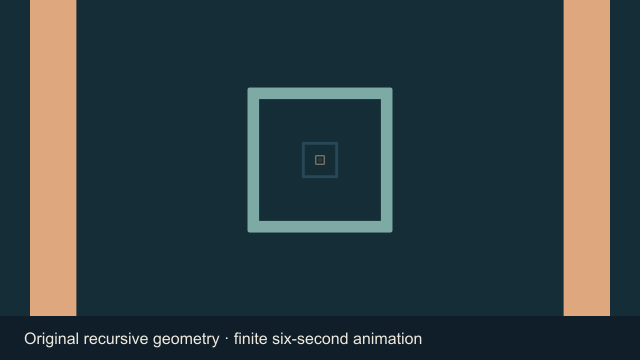
The included demonstration is a finite 640 by 360 video with 144 frames at 24 fps and no audio. Nested rectangular forms expand around a fixed anchor. The drawing scale follows 4 raised to the frame number divided by 144, so it progresses toward a fourfold scale change over the planned interval. This is a conventional geometric explanation, not a model result or a seamless-loop claim.
Download the original geometry source image to compare the opening arrangement. Scaling an existing image eventually exposes its resolution limit. The repeating forms in this example are redrawn for each frame; they do not establish that a photograph contains endless recoverable detail.
Separate outpainting from ordinary camera language
Videoleap describes its infinite zoom workflow in terms of outpainting beyond an image boundary. This is a vendor description of that product, not a Clout feature claim. Outpainting can invent surrounding content, so treat the new space as generated imagery rather than documentary evidence of what lay outside a real photograph.
Runway’s camera terminology guide distinguishes zoom language and recommends describing what is revealed during dramatic movement. A camera prompt helps communicate the desired action, but it does not establish a nested-image pipeline, editable layers or unlimited duration in another service.
Plan every reveal and join
Write a short list of worlds and the anchor connecting each pair. For example, an original illustrated desk contains a framed garden; the garden contains a round pavilion; the pavilion contains a small illuminated scene. Approve each image before motion. Match the anchor position, scale and orientation rather than relying only on similar colors.
| Layer decision | Record before generation | Inspect in the export |
|---|---|---|
| Reveal | What becomes visible next | The intended next scene appears |
| Anchor | The shared frame location | No unexplained sideways jump |
| Scale | The endpoint relationship | No sudden size reset |
| Identity | Which objects must remain stable | No unwanted substitutions |
Use the blank layer planning sheet for sources, reveals and observed seams. An empty worksheet is not an exported animation. Keep the original approved images separately so an unsuccessful movement test does not replace your source set.
Try one controlled nested scene brief
Start on an original illustrated desk with a small framed garden at the center. Move steadily toward that frame until the garden fills the view. Reveal one circular pavilion in the garden and finish on a stable view of its entrance. Keep a consistent forward direction and avoid an abrupt cut, unrelated objects or text. This is one finite scene transition, not an instruction to create unlimited footage.
This is an untested creative prompt. Begin with a single join rather than requesting ten worlds at once. If the selected tool accepts first and last frames, use those supported controls. If it accepts only one image, do not assume that mentioning a second scene supplies a real endpoint reference.
Choose a generation route and an assembly route
Use the Clout image and video studio for source visuals or supported video generation. Select the current workflow and review its quote. This article does not establish a native infinite-zoom preset, automated outpainting sequence or timeline assembly feature in Clout.
A conventional editor can animate accepted nested layers and control the join. A generated video can supply a more imaginative transition but needs review for scene drift and geometry changes. Keep the two approaches distinct when describing how a final piece was made. Use the transition overview for other bridge options and the match cut guide when a simple aligned cut communicates the idea better.
Check the complete journey before calling it a loop
Watch every join at normal playback speed and inspect the final delivery crop. A convincing thumbnail cannot prove motion continuity. Look for jumps in the center, changes in movement speed, disappearing anchors and invented scene elements that undermine the story.
A loop needs its ending to connect deliberately to its beginning. A finite clip that feels like endless travel does not automatically have that property. Test the actual end-to-start boundary in the editor before labelling the export seamless. Save the accepted master with its source list and assembly notes.