A good AI makeup experiment starts with a clear question: do you want a visual direction for a creator shoot, or do you want to preview a particular cosmetic product? A creative image edit can help compare peach and plum styling. It does not establish how a named lipstick or foundation will look on real skin under your lighting.
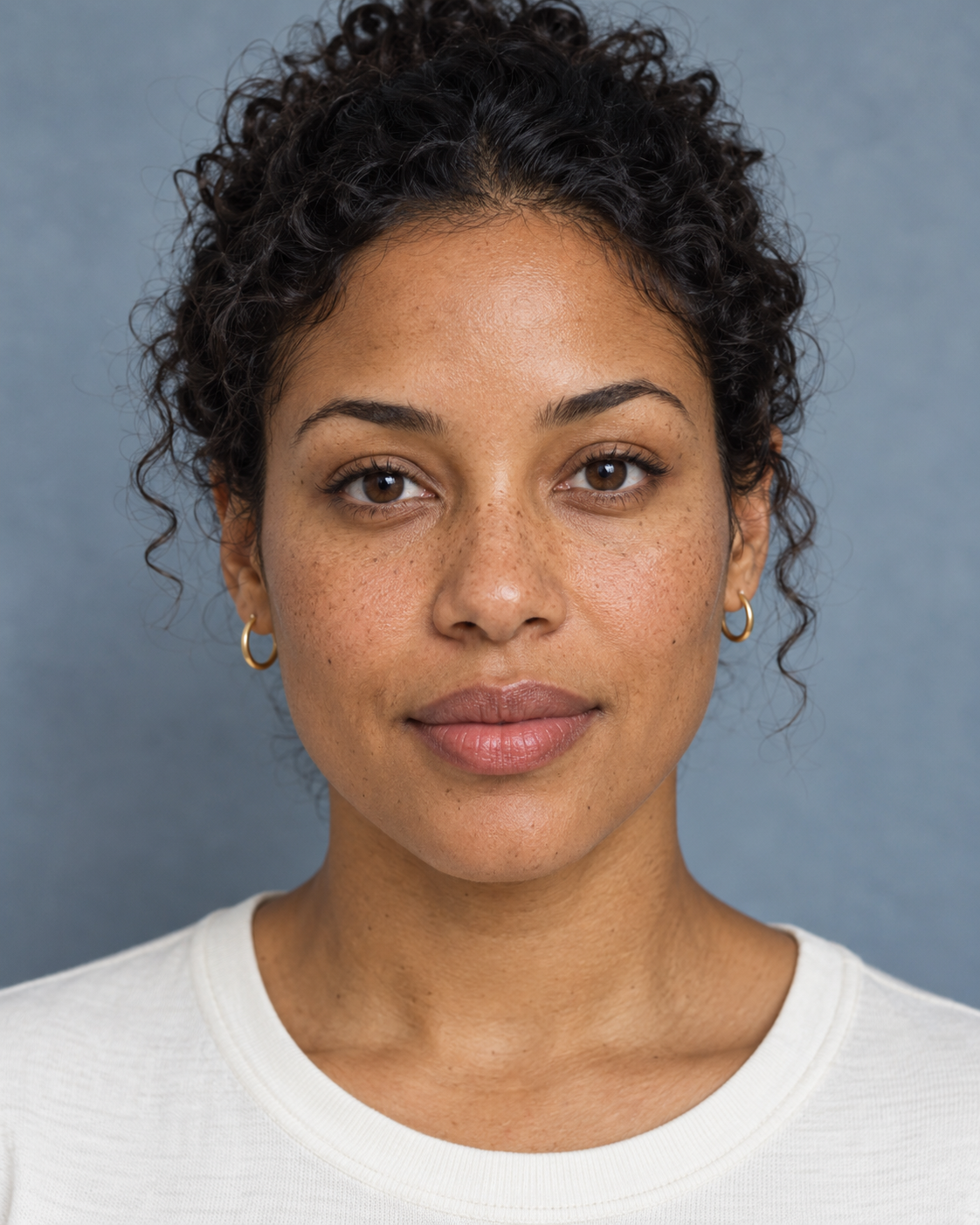
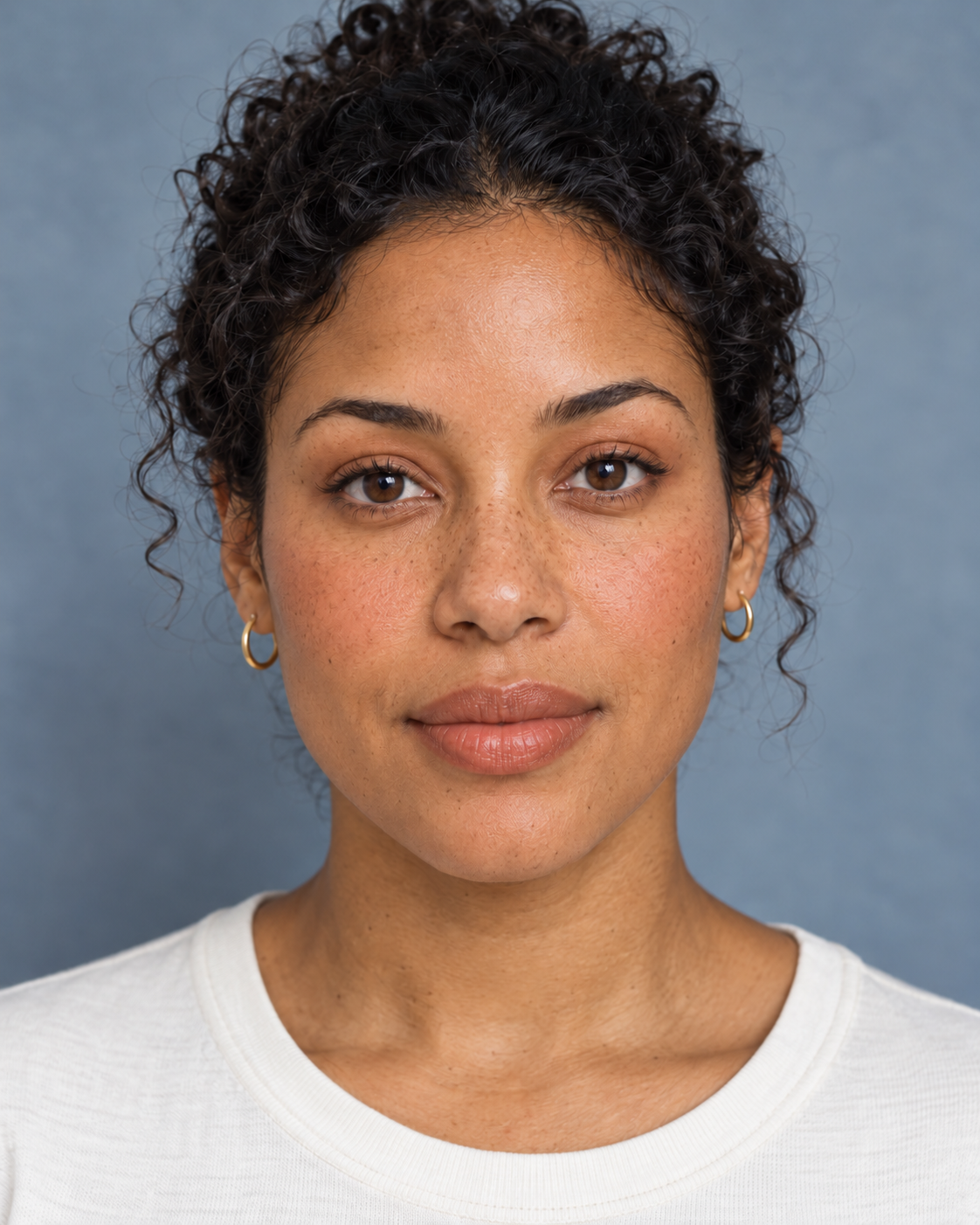
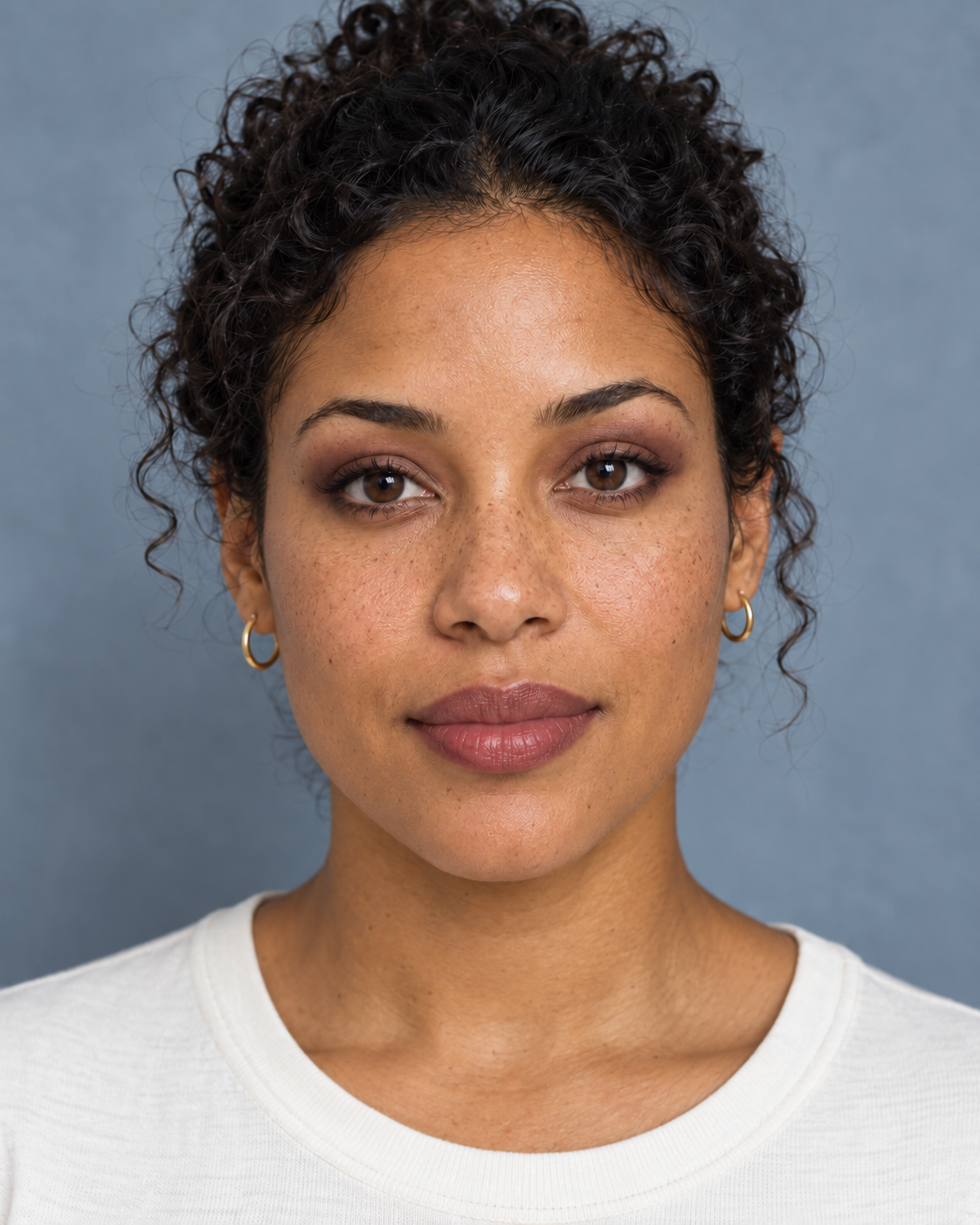
Our original study uses one fictional adult portrait and two separate edits: warm peach and evening plum. Each starts from the untouched source. The comparison viewer above reveals the selected edit against that source; it does not upload a visitor photo, analyze your face or run a new generation.
To combine separate people into one scene, use our AI family portrait study with studio and holiday comparisons from two original references.
Compare two makeup directions from one source
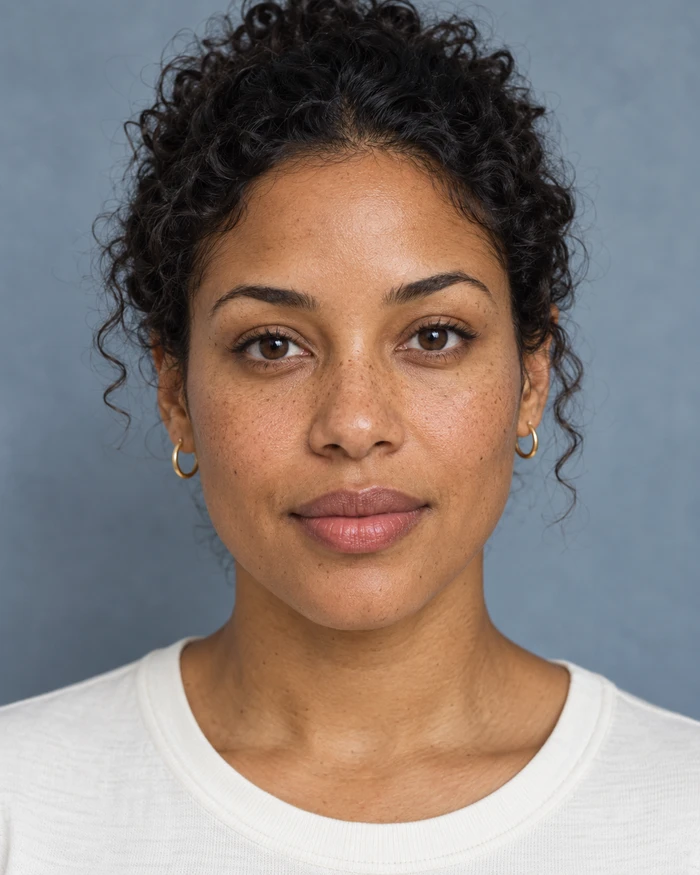
The source has a straight-on pose, visible lips and eyelids, a gray-blue backdrop and even soft light. It already has defined lashes and reflective lips in the generated image. Calling it a clinical makeup-free baseline would overstate what the picture proves. For this exercise, it is simply the unchanged reference from which both revisions begin.
Keeping the source constant makes the creative decision easier to explain. If you also change the hairstyle, expression and lighting, a preference for one result might have little to do with makeup. A separate reference for each variable gives your review a clearer purpose.
Warm peach for a restrained daytime direction
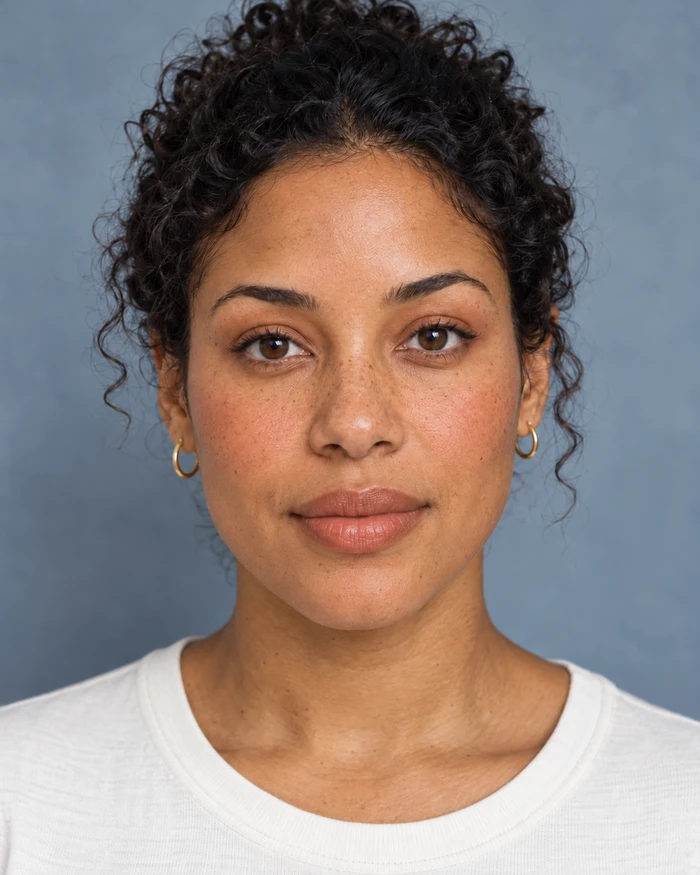
Keep the same fictional adult, framing, brown eyes, pulled-back curls, gold hoops, off-white top, backdrop and soft light. Add warm peach blush, sheer peach-nude satin lips and a restrained warm-brown wash on the upper lids. Keep freckles and natural skin texture visible. Avoid face reshaping, lip enlargement, extra jewelry or a different expression.
This summarizes the creative direction used for the edit. The result visibly warms the cheeks and lips. The broad pose, clothing and accessories remain similar, but fine skin texture changes and looks more patterned in places. The requested preservation rules are instructions, not proof that every original detail survived.
Evening plum for a stronger eye and lip direction
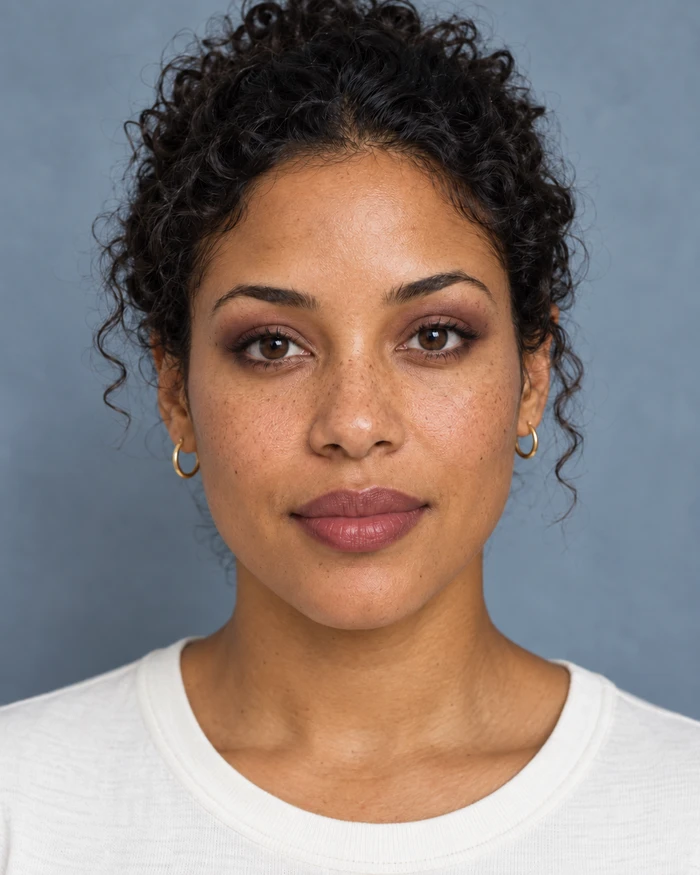
Start from the original portrait. Preserve the person, pose, expression, eye color, hair, earrings, top, background and light as closely as possible. Add muted plum satin lips and soft smoky plum-brown upper eyelid shadow with a fine upper lash line. Avoid heavy foundation, face reshaping, lip enlargement and global beauty smoothing.
The plum edit has a darker lip direction and more visible eyelid shadow than the peach version. It also changes fine texture. Compare the eye and lip boundaries at full size rather than approving only the thumbnail. Neither image is a calibrated cosmetic simulation, a provider benchmark or a measured identity-preservation result.
Choose a makeup editor or product try-on
YouCam’s AI makeup page describes photo upload and controls for eyes, lips and complexion with intensity adjustment. Maybelline’s virtual makeup hub distinguishes product try-on from its foundation finder. These public descriptions establish different intended workflows; we did not upload a photo to either application or test their outputs.
For a creator campaign, a general edit can help establish an approved look before producing a new scene. For a product purchase, use the exact product and shade where available and compare against real references. Lighting, display color, finish and skin appearance all matter. Do not turn an attractive generated image into an unsupported claim about color accuracy or how a product performs.
Review the makeup without overlooking facial drift
| Area | What to inspect | What to record |
|---|---|---|
| Lips | Boundary, corners, shape and finish | Desired color change versus an altered lip outline |
| Eyes | Lid shape, shadow edge, lash line and iris | Cosmetic styling versus a changed eye |
| Complexion | Freckles, pores and overall tone | Added color versus smoothing or texture changes |
| Fixed context | Hair, hoops, top, background and light | Any unrelated revision |
Separate a useful styling choice from an acceptable final image. You might prefer the plum palette while rejecting the texture. Save the original and a concise correction note rather than repeatedly editing an already drifting result. In a production review, compare accepted references and full-resolution downloads together.
Download the original comparison study
Get the native source PNG, peach edit PNG, plum edit PNG, filled visual review, source hashes and limitations and original study brief. All three native files are 1122 by 1402 pixels. The page previews are resized derivatives.
The filled review describes visible changes without assigning a fabricated accuracy score. No real product, SKU, physical application or shade calibration was used. Keep those limits with the files if you reuse the exercise in a creative discussion.
Carry an approved look into a creator workflow
Once you select a direction, record the lip family, finish, eye treatment and intensity in the character brief. Keep the approved portrait with the description. Review the look again when changing the light or camera distance; a style approved in a close portrait may be barely visible in a wide shot.
Use Clout AI Influencer to develop an original recurring creator and Image and Video for campaign imagery. Continue with the hair-color comparison when testing a separate style variable, or the expression study when directing a character’s reaction. Change one creative question at a time so the review stays useful.