An AI family portrait can bring separate reference photos into one composition. The difficult part is keeping each person recognizable while inventing a shared pose, lighting and background. A polished room does not prove that the people survived the edit.
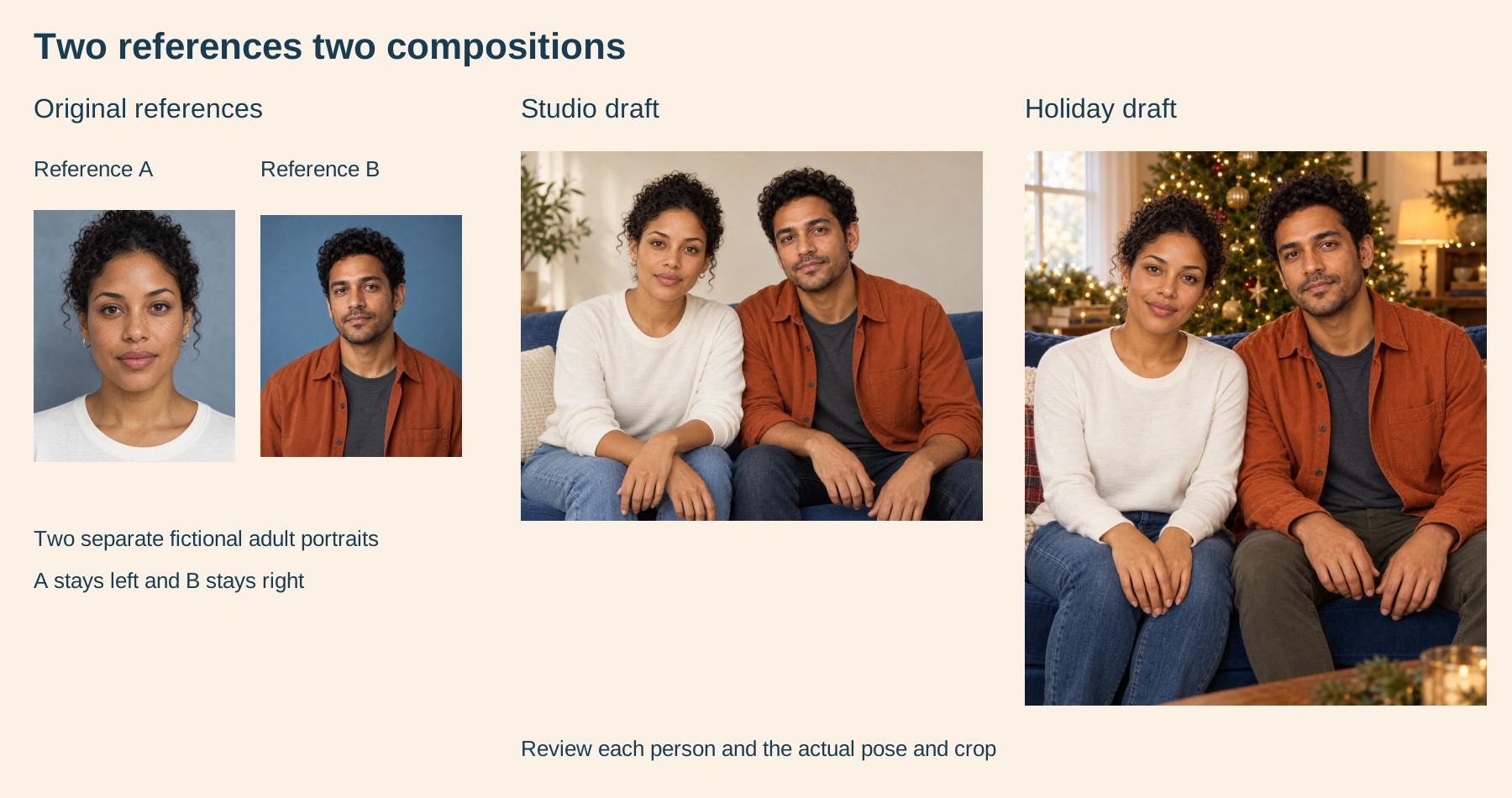
This guide uses two original fictional adults to show that tradeoff directly. We supplied the same two untouched portraits to two independent image requests: a cream studio with a cobalt sofa, then a warm holiday living room. These examples illustrate the workflow, not a real family or a named provider’s performance.
Start with one reference for each person
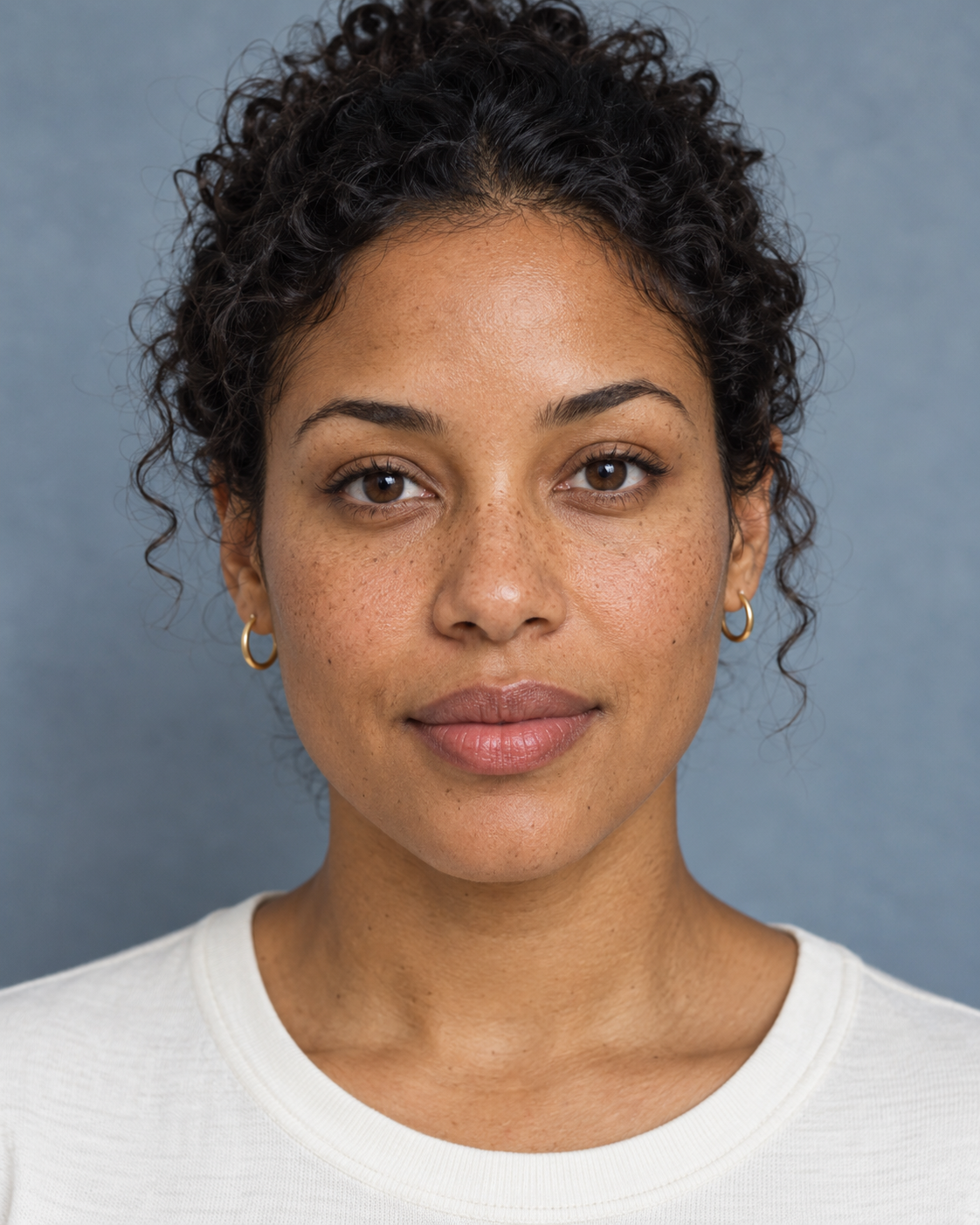
Choose a clear face with enough hair, ears and shoulders to identify the person. Avoid starting from a collage that already makes faces small. Label the files before uploading: Reference A is the left adult and Reference B is the right adult. For a larger group, give every person a distinct label and intended position.
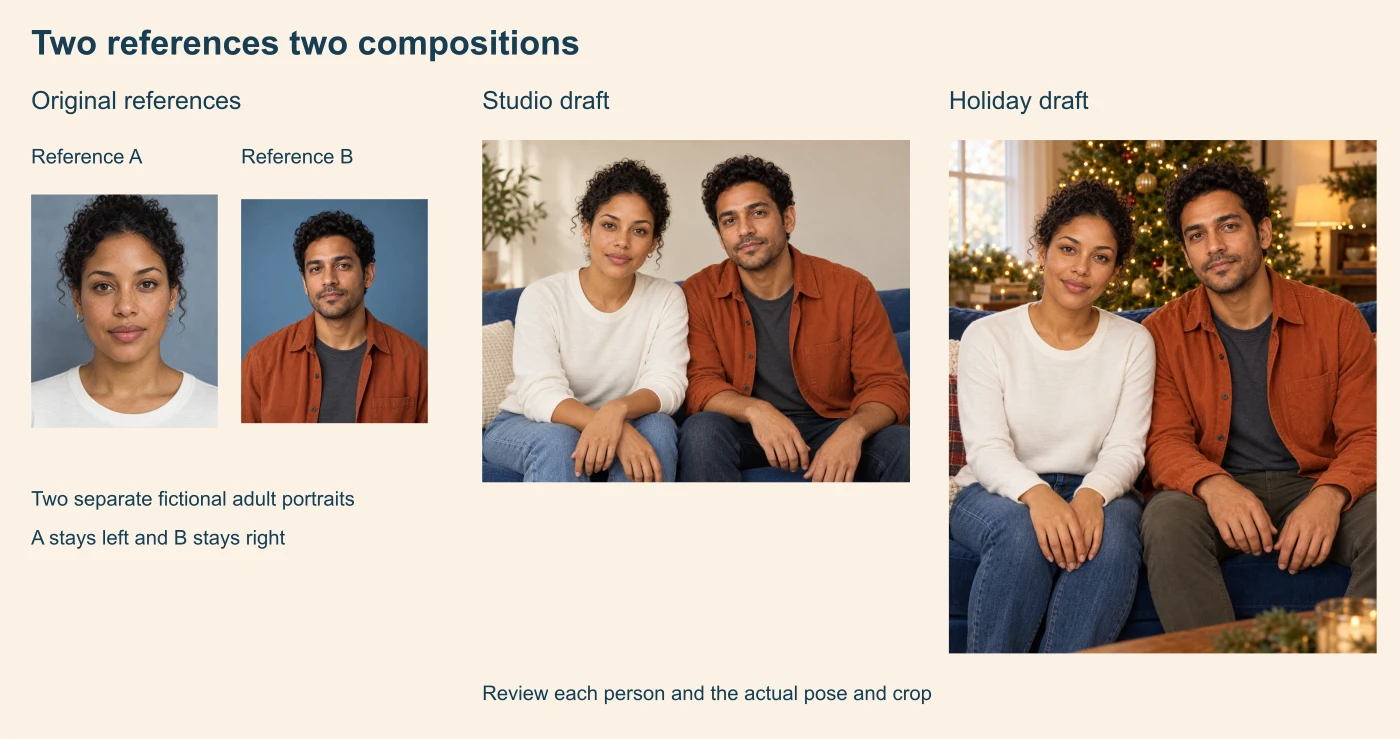
Our A reference supplies an off-white top, small gold hoops, dark curls and broad facial cues. B supplies a rust overshirt, charcoal tee, dark curls and short facial hair. Neither headshot defines trousers, seated hands or a sofa pose. Those details in the composite are newly generated.
Write an AI family portrait prompt around fixed details
Describe who belongs in the picture before describing the room. Set the person count, reference roles and placement, then distinguish appearance anchors from details the model may invent. Use photos you are authorized to work with.
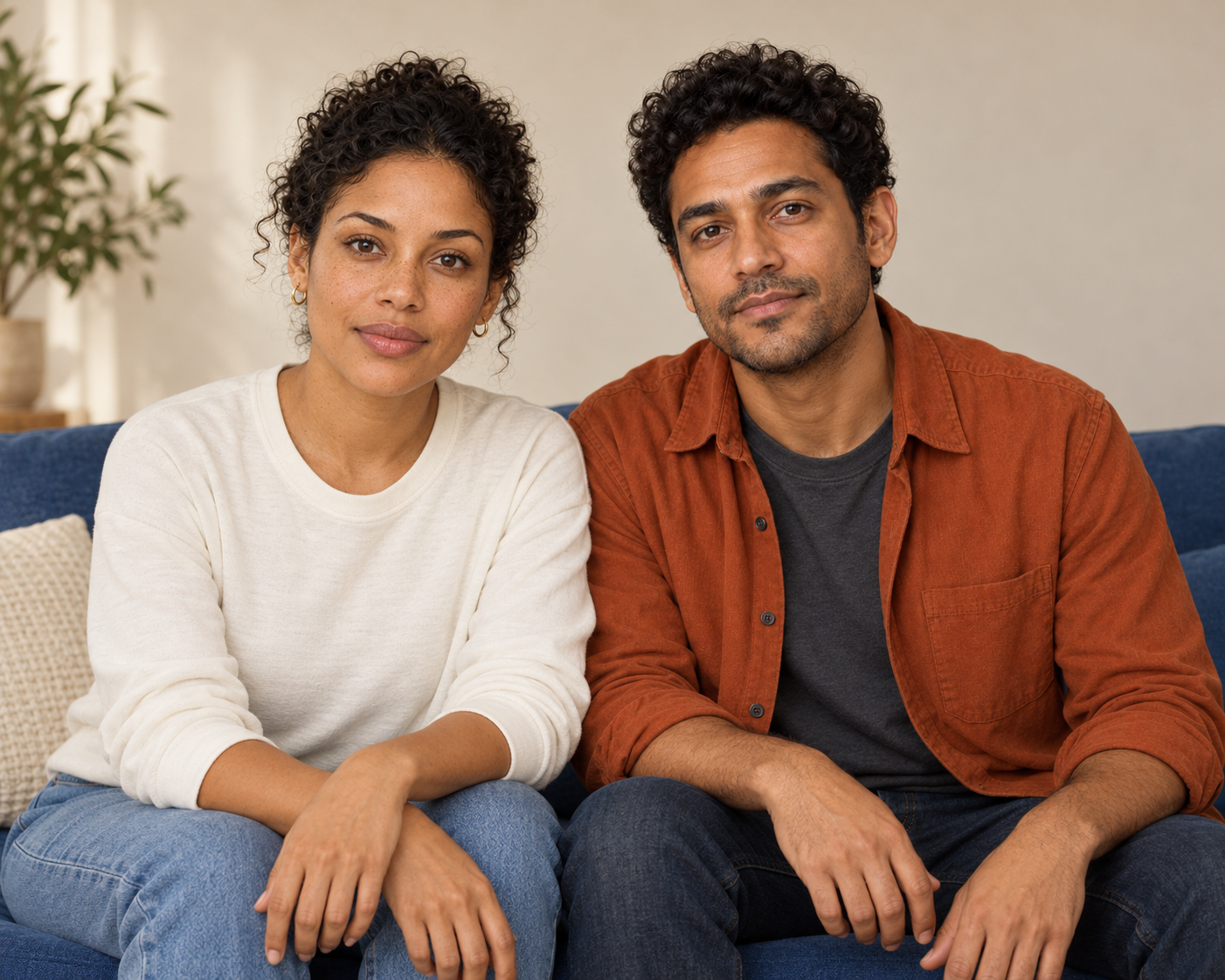
Use Reference A for the adult on the left and Reference B for the adult on the right. Create exactly two adults seated on a muted cobalt sofa in a warm cream studio. Retain their broad facial appearance, dark curls and original upper clothing: A wears an off-white top and small gold hoops; B wears a rust overshirt over charcoal. Use gentle closed-mouth smiles and natural window light. Keep each person’s hands separate on their own knees and fully inside the frame. No extra people, text or logos.
This is the requested direction, not a promise of compliance. Our studio result kept the two-person arrangement and broad wardrobe palette, but the woman’s forearms overlap and some lower fingertips meet the bottom crop. Expressions, head angles and fine skin detail also changed. The requested hand placement was not fully followed.
Inspect the face and the whole body separately
| Check | What our studio draft shows | Next decision |
|---|---|---|
| People and placement | Two adults with A left and B right | Check each reference against its assigned person |
| Appearance | Broad cues resemble the references with changed expressions and fine detail | Do not report an identity accuracy score |
| Wardrobe | Off-white top and rust overshirt remain | Review jewelry, folds and edges separately |
| Hands | Overlapping forearms and fingertips at the lower crop | Revise framing or placement before a finished portrait |
| New information | Seated pose, jeans and lower body invented | Supply additional references if these details matter |
Review faces at useful magnification, then step back and inspect the full image. A reference match can fail in a small feature even when the overall color and hairstyle feel right. Hands can look plausible in isolation while belonging to an awkward pose. Treat these as separate acceptance decisions.
Make AI holiday photos from the original references
For the seasonal version, return to A and B rather than editing the already changed studio output. This avoids silently using the first result as a new identity reference. It also lets you compare what changes between independently requested compositions.
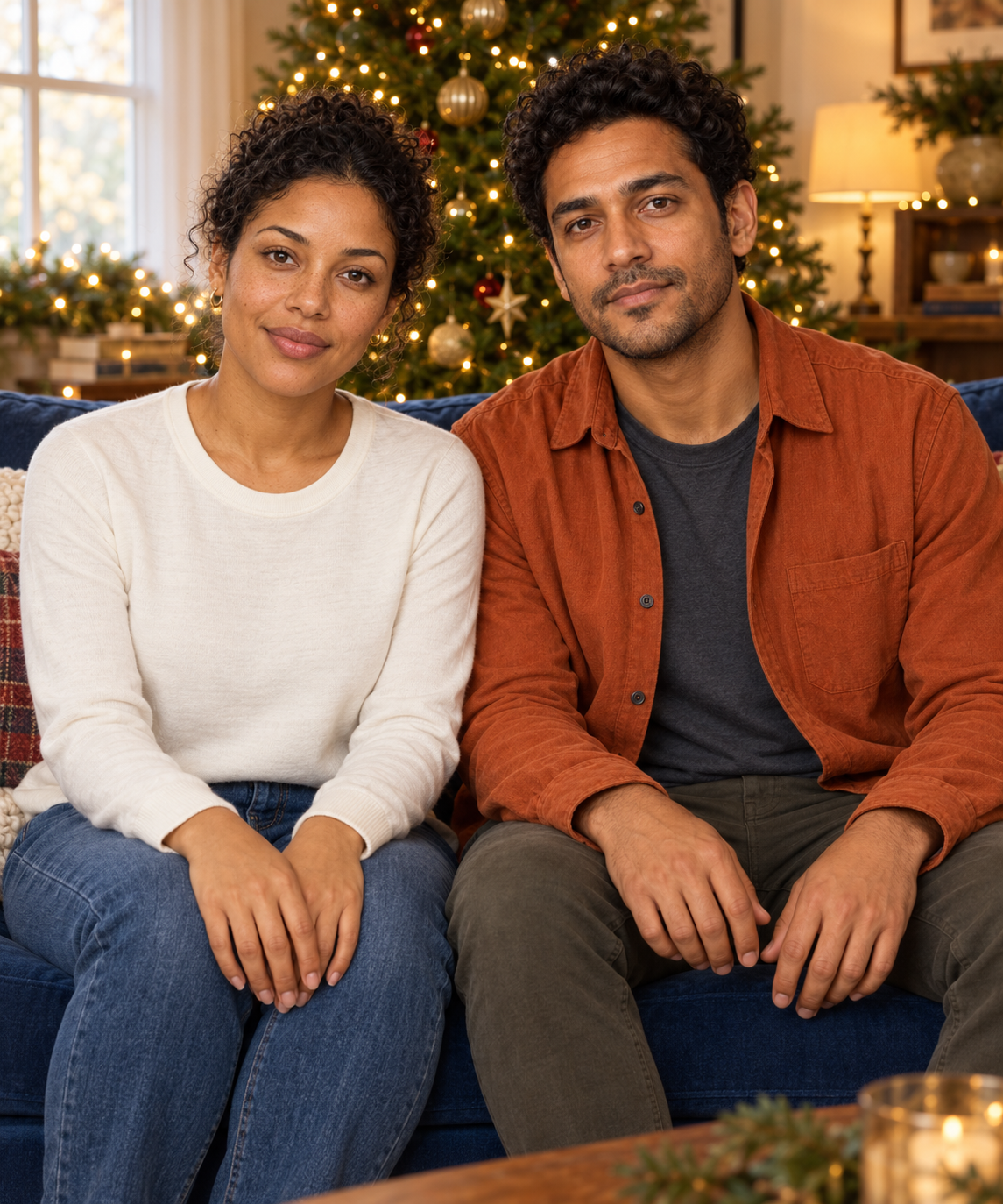
Use the same untouched Reference A on the left and Reference B on the right. Seat exactly two adults on a cobalt sofa in a warm living room with an evergreen tree and small golden lights. Keep the original upper clothing and broad appearance cues. Pull back enough to include all four hands, with each person’s hands separate on their own knees. Use natural warm light. No extra people, text or logos.
The holiday draft includes all four hands and the intended broad upper-body colors. The woman’s hands still overlap rather than resting separately as requested. The pose, lighting and crop differ, and the man now has olive trousers. The headshots never specified trousers. The holiday file is portrait-shaped, while the studio file is landscape-shaped, so this is not a controlled same-crop comparison.
Choose a family portrait tool by its actual inputs
Fotor’s public family portrait page describes separate photo references and shared scenes, including holiday settings. Check the current upload slots and whether the chosen operation accepts all your people at once. This guide did not test its account, export or claimed identity quality.
AI Family Photos in Canva’s marketplace is listed as an app by AI Family Photos Team. An app listing is a different route from editing a normal Canva design. Inspect the app’s current workflow and delivered image before deciding how to finish the layout. We did not run that app.
For a recurring fictional character project, continue with our consistent character workflow and Clout AI Influencer studio. A family composition and a reusable individual character are different production tasks; choose the supported inputs for the one you need.
Download the original study and review resources
Download the original Reference A PNG and Reference B PNG, the studio PNG and holiday PNG. The native studio file is 1402 by 1122 pixels; the holiday file is 1145 by 1374. A larger displayed preview does not add native detail.
The filled review CSV records the observed differences. The reference brief explains the requested placement. The provenance record lists sources and output hashes. Download the editable comparison SVG or comparison source archive to reproduce the layout from derived previews. The archive does not recreate the generated portraits.
Finish the portrait for its actual destination
Decide whether the picture is a landscape print, a portrait card or a social post before making a final revision. Pulling back to include hands changes how much of the frame the faces occupy. Leave deliberate space for card text instead of covering a face after generation. Our invitation guide shows a separate editable text layout.
Check the exported dimensions and intended crop before printing. This study does not prove a physical print size or upscale quality. Keep the accepted image separate from drafts and record why you accepted it: person count, appearance, hands, clothing and composition. That decision is more useful for the next revision than calling the first attractive result finished.