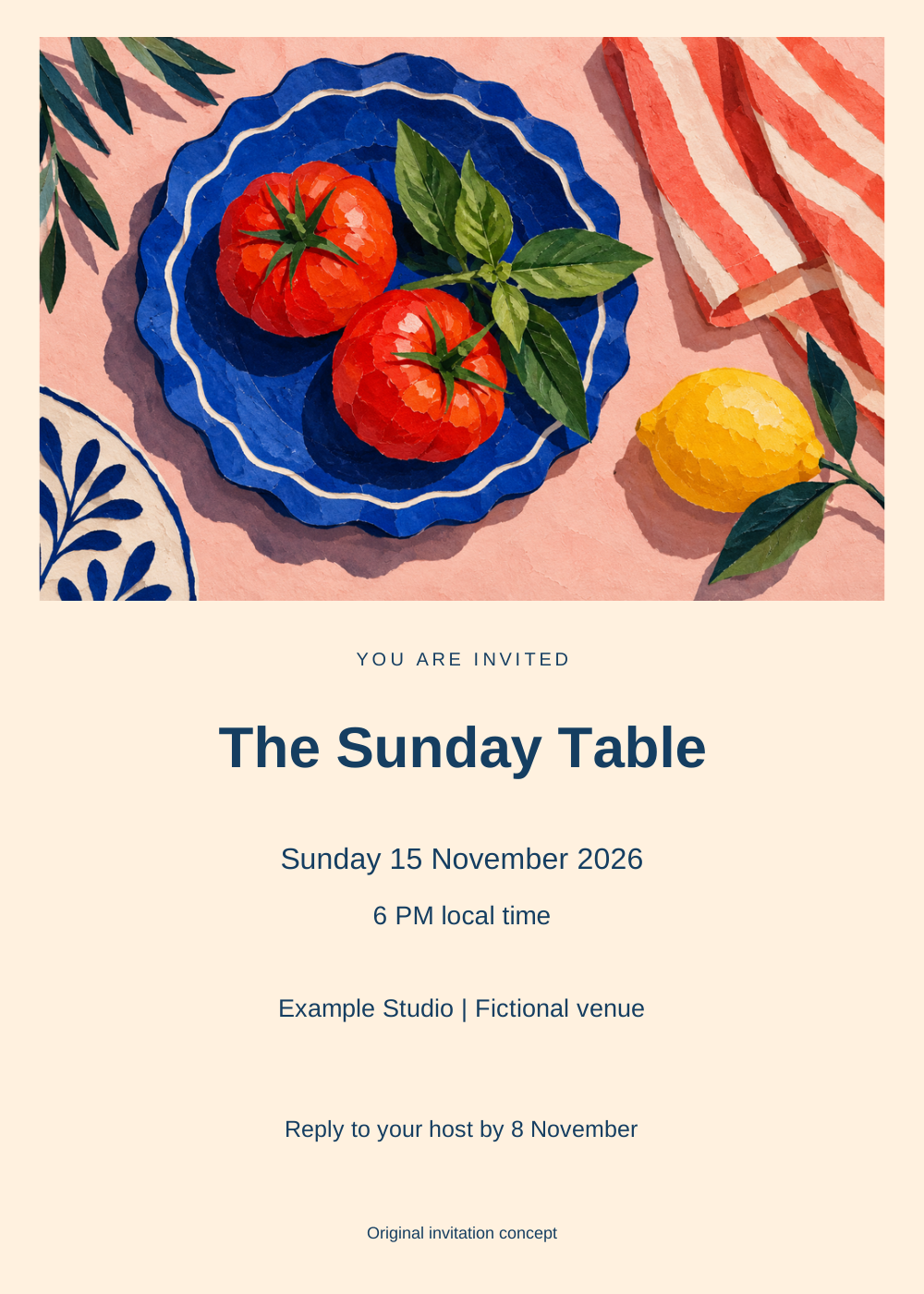
An AI invitation generator can help establish the visual mood of an event, but the guest still needs reliable information. A beautiful card with a wrong date or unclear venue has failed its purpose. Keep artwork generation separate from the exact event copy so you can correct details without rebuilding the image.
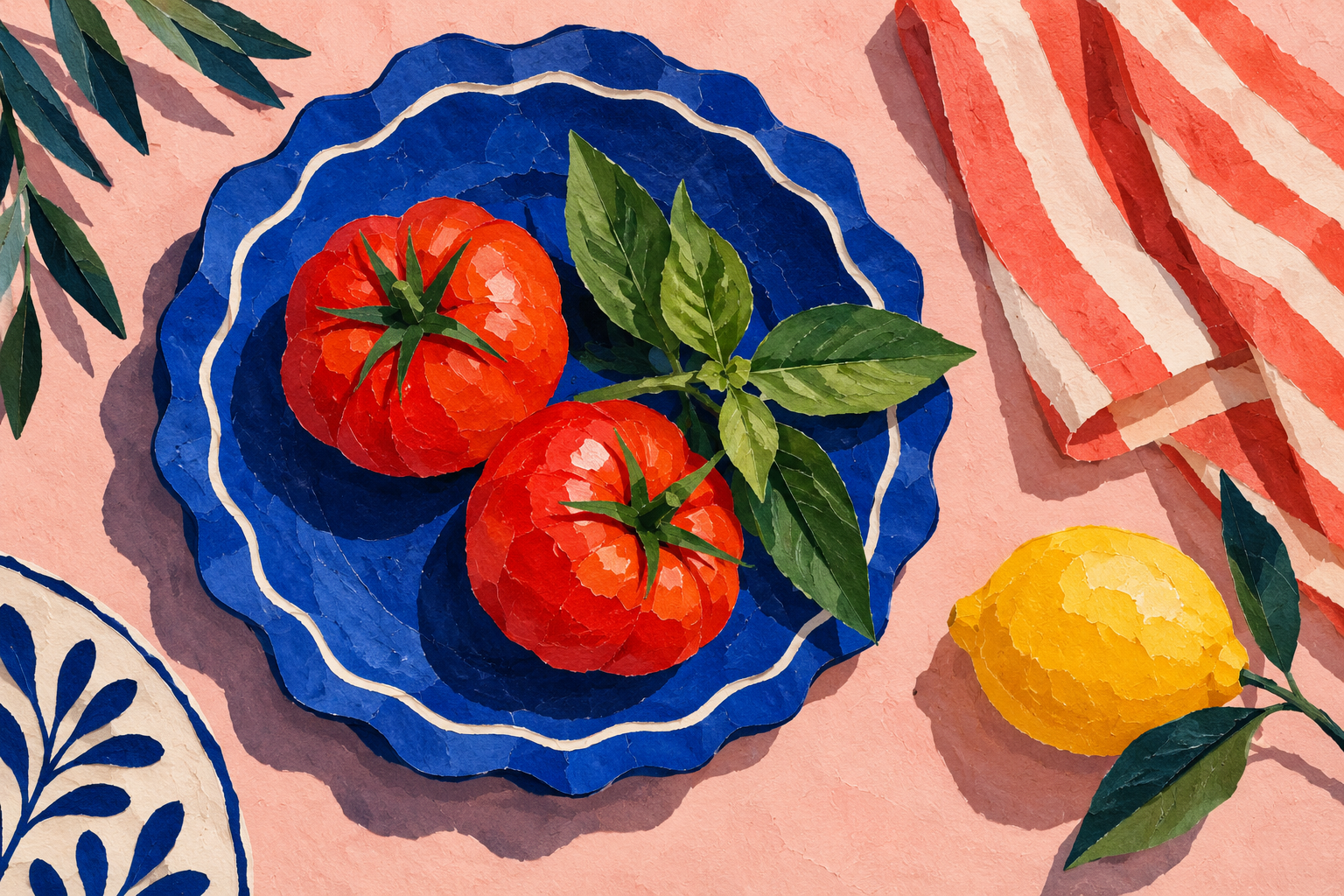
Our original example is The Sunday Table, a fictional supper-club concept. It uses a cobalt plate, red tomatoes, basil and a lemon in a paper-collage illustration. The venue is explicitly fictional. Treat the example as a design exercise and replace all details before sharing your own invitation.
Make an invitation with editable event details
Use the local maker above to change the event name, date, time, venue and RSVP instruction. It loads our original artwork and creates a 1000 by 1400 digital SVG with separate text elements. It does not generate a new image, send a message, validate an address or create an RSVP form.
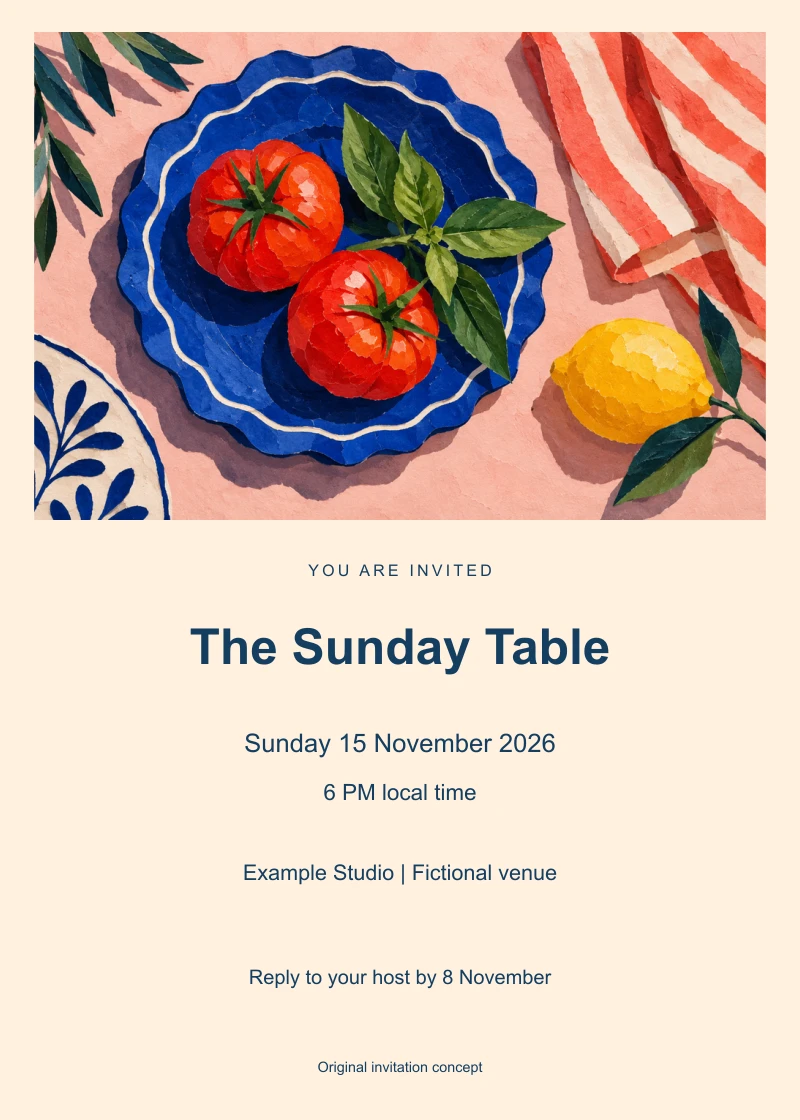
The full artwork is fitted inside the upper panel. The title and event details sit below it on cream, avoiding red text over tomatoes or navy text over the blue plate. This layout favors readability over a full-image background. If you choose a busier design, reserve a quiet area for the essential facts before generating.
Choose an artwork workflow or an invitation service
Adobe Express’s invitation maker describes selecting a template, changing text and photos, and downloading a file. Greetings Island’s invitation page provides Magic invite and upload-your-own routes. We reviewed these public pages without using their editors, generating an invitation or testing account allowances.
Choose by the final job. Artwork creation gives you a visual direction. A layout editor controls exact words and placement. A sending service may offer guest management or reply tracking, but those features require their own verification. A downloaded image alone is not a live invitation system.
Write the event facts before the image prompt
Create a short source record with the host’s approved event name, actual date, local start time and time zone, venue or online joining instructions, and reply method. Decide whether the card needs an RSVP deadline, dress code or additional access information. Keep long directions in a suitable companion page rather than shrinking every word onto the card.
The example uses Sunday 15 November 2026 and 6 PM local time. These belong to a fictional brief, not a real booking. For your event, verify the weekday against the date and state the relevant time zone when guests may be elsewhere. The helper treats dates and times as supplied text; it does not interpret or validate them.
| Field | Source to verify | Guest’s question |
|---|---|---|
| Event name | Host’s approved wording | What am I invited to |
| Date and time | Confirmed schedule | When should I arrive |
| Venue | Confirmed location or joining route | Where do I go |
| RSVP | Working reply method and deadline | How do I respond |
Generate original artwork without baking in the details
Original artwork brief: Create a wide paper-collage and gouache illustration for an intimate supper-club invitation. Show a cobalt scalloped plate with two red tomatoes and basil, a coral striped napkin and a yellow lemon on a pale pink table. Use tactile paper edges and playful asymmetry. Include no text, numerals, logos or badges.
The generated illustration contains the requested still-life elements and a textured cut-paper treatment. It is independent artwork, not an output from Adobe Express or Greetings Island. We resized it once and embedded that PNG in the SVG, leaving the event copy editable.
Adapt the visual brief to the occasion rather than reusing one style for every event. A gallery opening might use one bold abstract shape and restrained type. A garden lunch could use botanical painting and generous margins. A product launch could use an accurate approved product image. Keep the visual promise aligned with what guests will actually attend.
Keep exact wording readable
The helper accepts an event name up to 28 characters, date up to 40, time up to 36, venue up to 48 and RSVP line up to 56. Missing or oversized copy is rejected rather than silently shortened. Whitespace is normalized, and text is escaped before inclusion in the SVG. The layout does not invent missing details.
These limits protect this specific composition. If your venue needs a longer name, use a different layout or a short accurate venue label with directions elsewhere. Do not abbreviate essential information until a guest can no longer identify the place. Review the card at phone size as well as full resolution.
The SVG uses Arial with a sans-serif fallback; fonts are not embedded. Text has bounded width, but appearance and editability can vary in a destination application. Import the file and review every line before delivery.
Download the original invitation and source
Download the editable SVG example, rendered preview, native artwork, complete rendering source, filled review and source hashes and limitations. The archive contains the helper, rendering script, resized artwork and instructions.
The default card includes fictional details. It is not a real invitation, a confirmed reservation or proof of message delivery. The RSVP sentence is plain text, not an active form or a tested contact route.
Prepare the final card for sharing or printing
For digital sharing, check the file formats accepted by your chosen destination. This helper exports SVG, not a JPG or a delivered message. If you convert it, inspect the converted image for missing fonts, cropped lines and legibility. Keep an editable master for a venue or schedule correction.
For printing, obtain trim, bleed, safe area, color and PDF requirements from your printer. The authored digital dimensions here do not establish a physical print size or production quality. We have not printed the example or tested a destination editor.
Use Clout Image and Video for original event imagery, then finish verified text in a suitable layout workflow. For a coordinated launch, continue with the social campaign guide and editable banner workflow. For an illustrated dated keepsake, use the monthly art calendar maker.