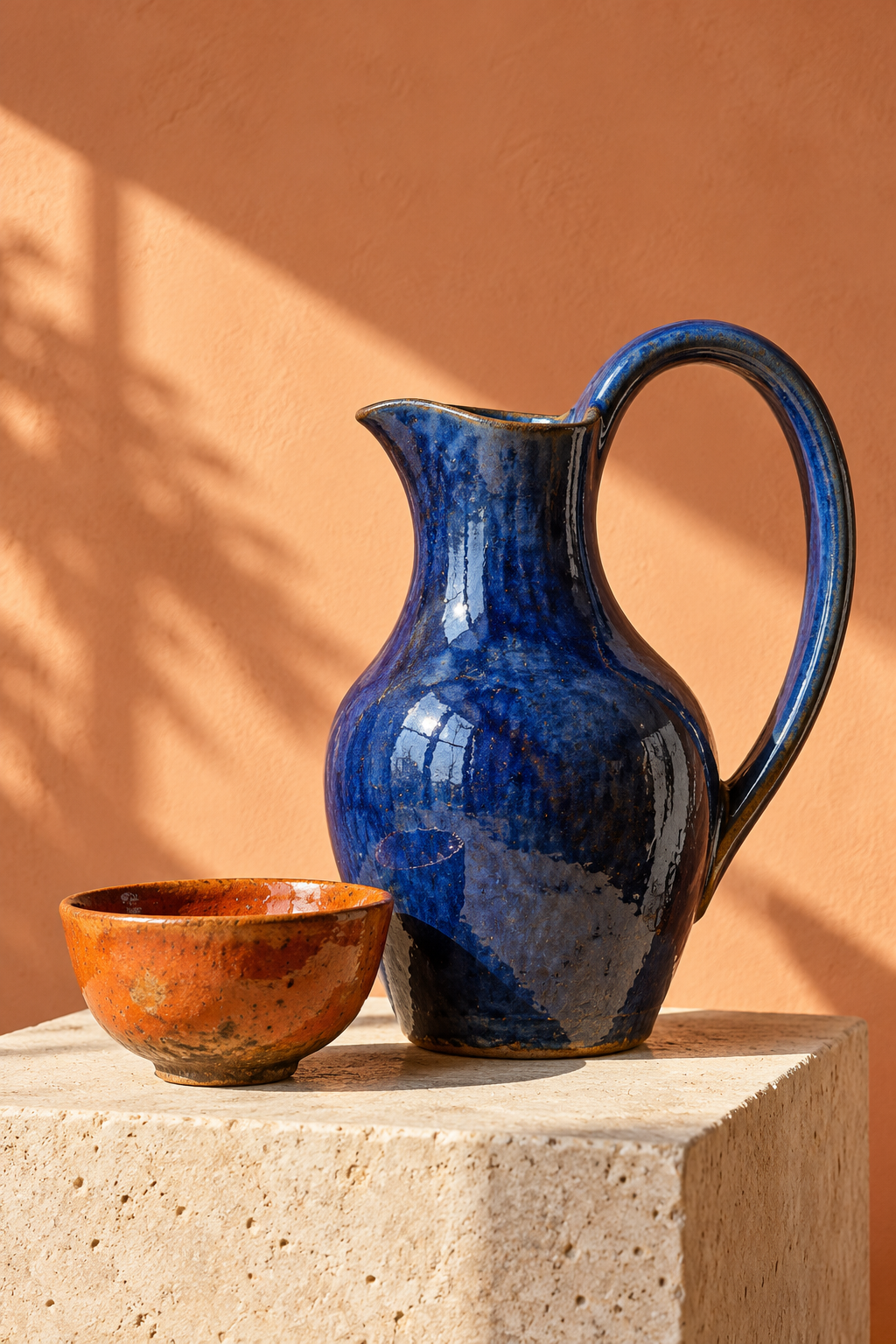
A magazine cover has two jobs: make someone stop and tell them what the issue contains. Beautiful AI artwork can handle the first job while leaving the second unfinished. Start with an editorial idea, generate a photograph with room for the design, then compose exact headlines separately.
The example here is FORM, a fictional ceramics journal. It has one cover story, Clay in a new light, rather than a collection of unrelated claims. The pitcher and bowl are original unbranded generated objects. The cover is a design exercise, not evidence of a real publication, endorsement or product listing.
Make a cover from the original ceramics photo
Use the local maker above to change the masthead, issue line and headline. Download a 1000 by 1500 SVG with separate text elements and an embedded image. This is a layout helper using a ready-made example, not a prompt-to-image service. It runs in your browser after loading the original image from Clout.
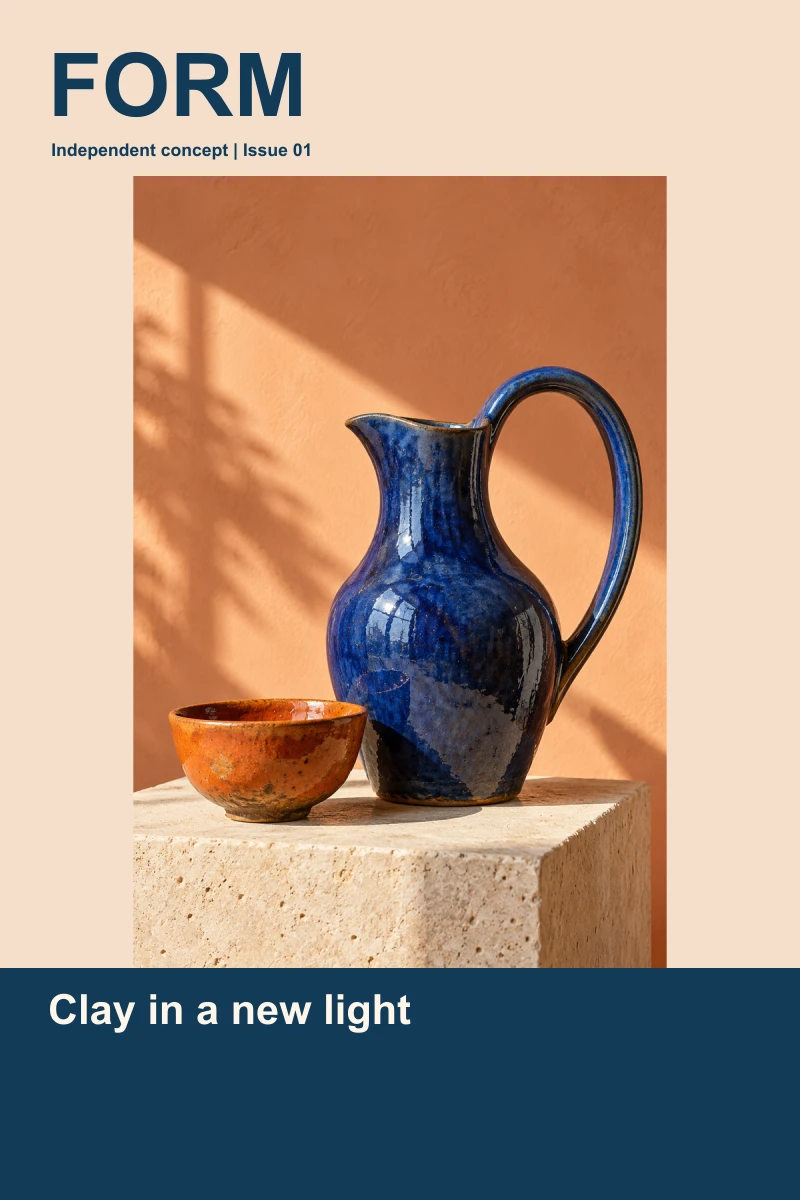
The photograph is fitted inside the image area without cropping. This leaves pale margins around a portrait photograph. Text stays outside the picture, so the masthead cannot obscure the handle and the headline does not fight the glaze reflections. Those are deliberate decisions for this example, not rules for every magazine.
For a dated art edition, use the AI calendar workflow and monthly SVG maker to keep artwork separate from calculated dates.
Choose what you need the generator to create
Separate a cover concept from a finished editable document. A flattened image can visualize a direction but may bake words into pixels. A template editor can keep typography editable. A layered document is useful only if the export retains the objects you need to revise.
Canva’s magazine cover maker describes a template-led editing route with AI media tools. Adobe’s AI magazine cover guide describes creating imagery and working with cover templates. We read these public guides; neither application or export was tested for this article. Check current account access and inspect an actual downloaded file before promising a client a specific editable format.
Write an editorial brief before the image prompt
Pick a reader and a story. Our reader is interested in contemporary craft; the story is about the relationship between clay, glaze and daylight. That suggests tactile surfaces, one strong color contrast and a still-life photograph. A cover for a cycling journal would need a different subject, visual rhythm and headline, even if both are generated with AI.
Original artwork brief: Photograph an unbranded cobalt-blue ceramic pitcher with a large curved handle beside one burnt-orange bowl on pale limestone. Use a peach studio wall, directional afternoon light and visible glaze texture. Keep the whole pitcher and handle visible. Leave quiet space above the objects. Include no text, logos or badges.
The generated photograph shows both objects and their texture. It does not establish physical dimensions, a real ceramic maker or a purchasable product. If you are creating a commercial cover about an actual artist, use approved accurate photographs and attribution rather than silently substituting a fictional object.
Keep the masthead and headline readable
A masthead identifies the publication. A cover line sells the editorial story. Give them distinct positions and a clear size relationship. Here FORM uses large navy type on cream, while the white story headline sits in a navy panel. This avoids placing blue text across the dark pitcher.
The helper accepts a masthead up to 14 characters, a headline up to 48 and an issue line up to 32. Headline words must fit within 20 characters and the layout allows three lines. Copy that does not fit is rejected rather than silently shortened. Whitespace is normalized. Preview the result at thumbnail size and full size; fitting within a box is not the same as choosing a persuasive headline.
Fonts are Arial with a sans-serif fallback and are not embedded. Text width is bounded in the SVG, but font appearance and editing behavior can vary in a destination application. Import and inspect your downloaded file before handing it off.
Download the artwork and editable example
Get the original photograph, native SVG cover, rendered preview and complete rendering source archive, filled cover review and source hashes and limitations. The source archive includes the layout helper used by this page, rendering script, image and instructions. The photograph and text are separate elements inside the SVG; it is not a layered PSD or InDesign package.
Review the cover before publishing
Read every word against your final editorial plan. Check the publication name, issue date, story promise and any person’s name. Keep fictional mockups identified as concepts. Avoid imitating a real publication’s masthead or presenting someone as a featured subject without a real editorial basis.
For digital distribution, check the destination’s dimensions, file format and cropping. For print, obtain the printer’s trim size, bleed, safe area, color and PDF requirements. Our digital SVG has no print-production proof, bleed setup or physical color test. Do not send it straight to a press as a verified production file.
Use Clout Image and Video to develop original campaign imagery, then finish exact typography in your chosen layout application. Continue with the editable banner workflow for a wide campaign asset and the social post campaign guide for a coordinated release.