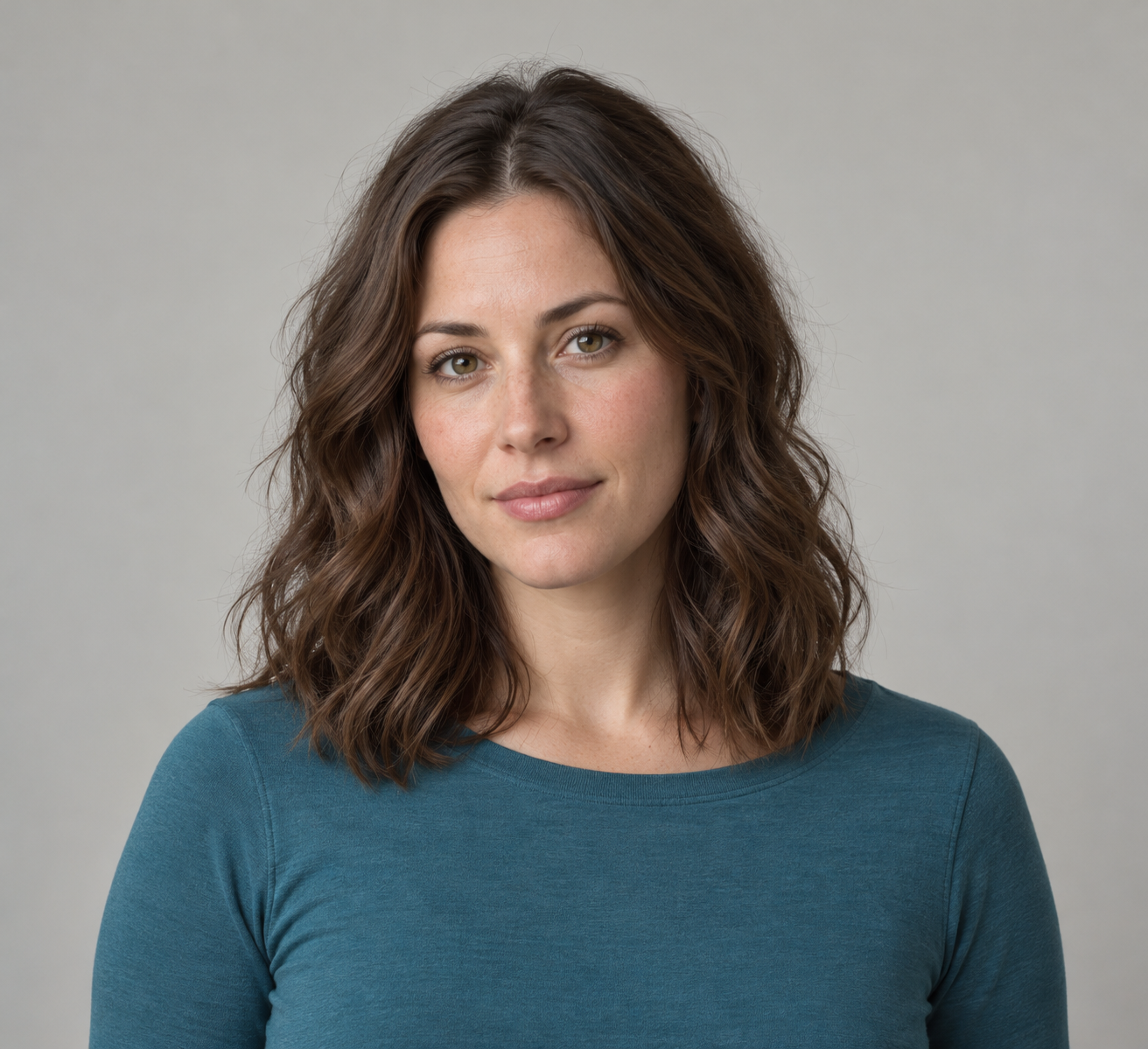
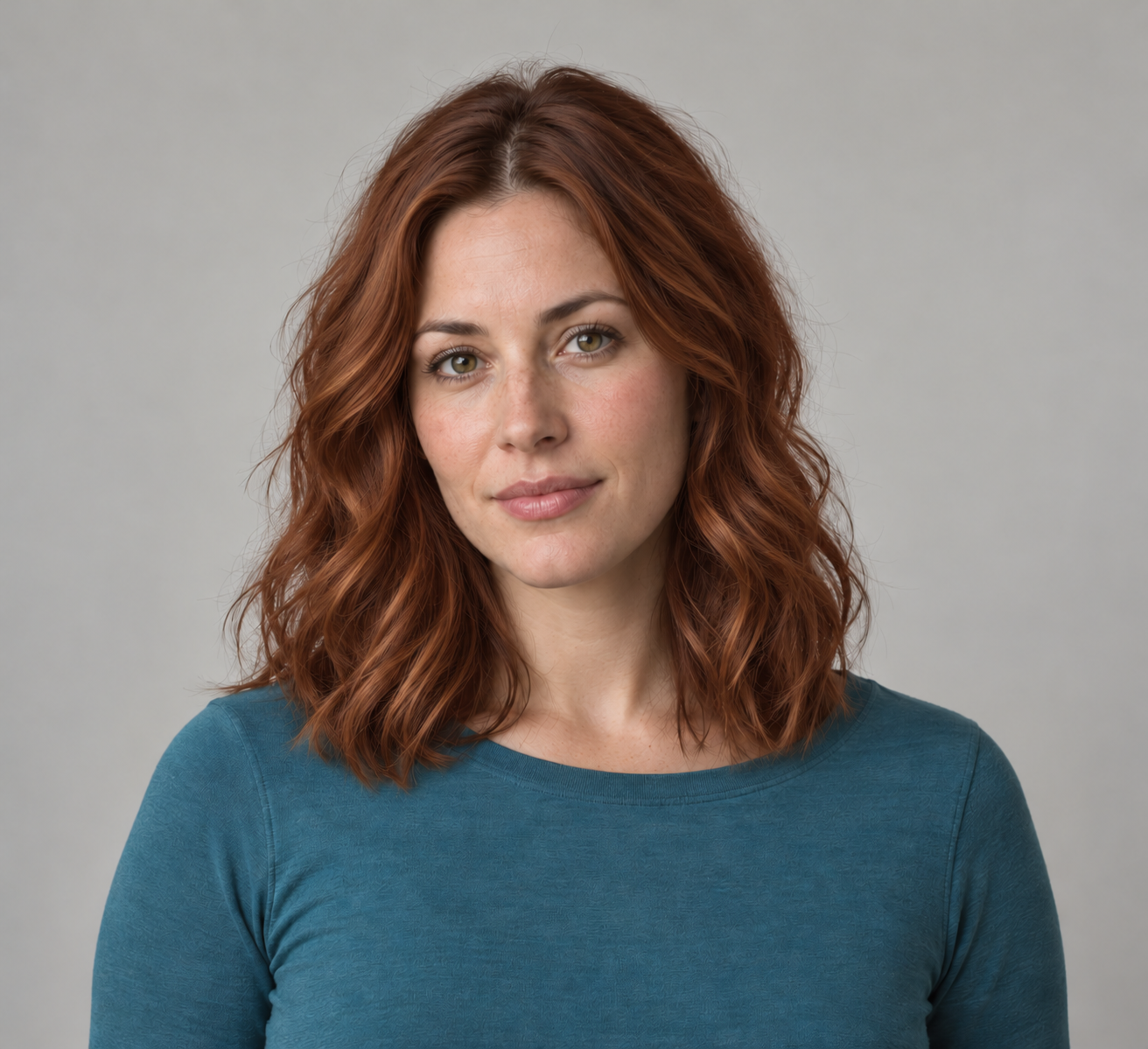
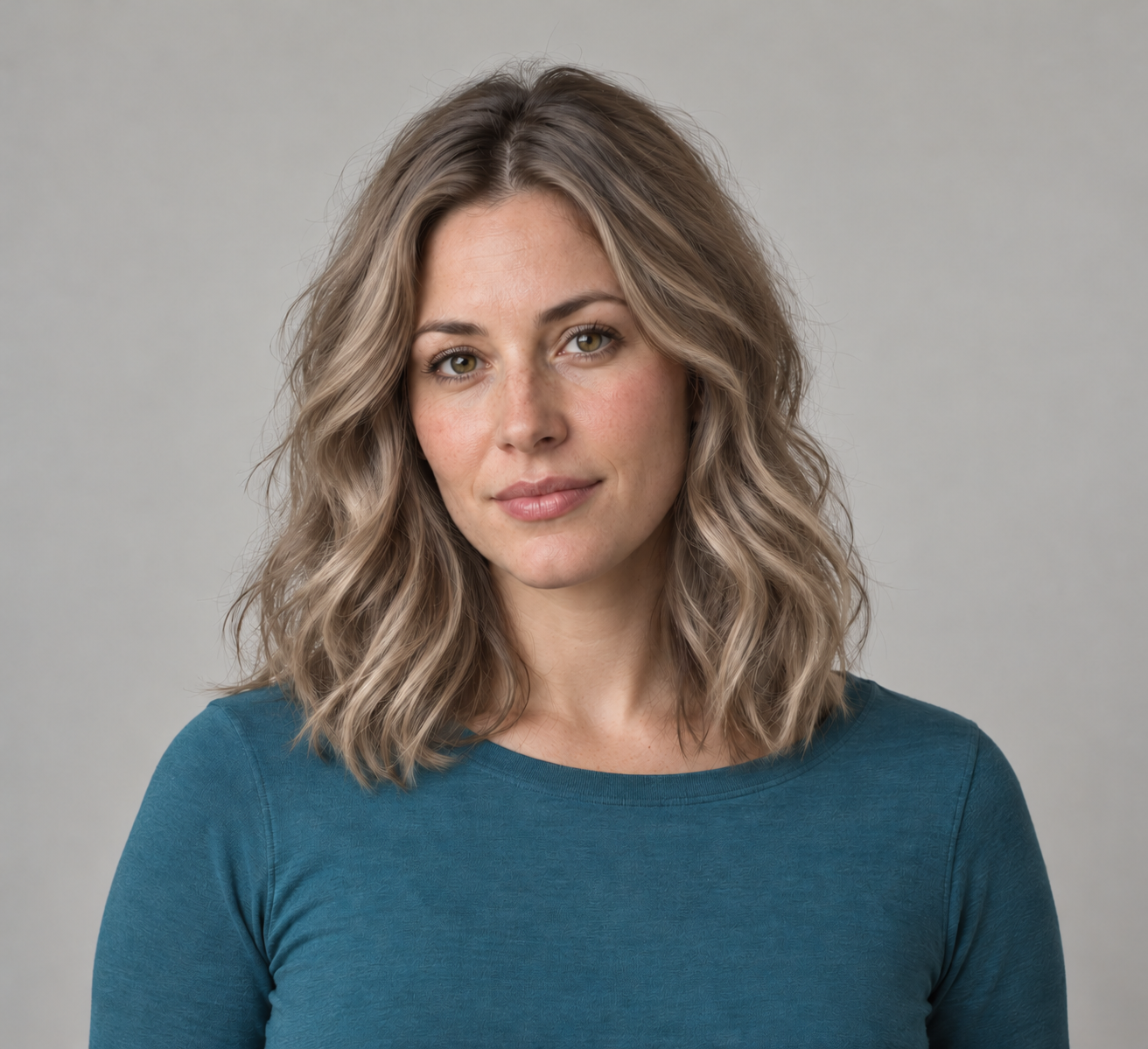
An AI hair color changer is most useful when it helps you compare a shade without quietly changing the rest of the portrait. Start from a clear image, request one color direction and inspect the result around the hairline, face and clothing. This guide includes a real independent image-edit exercise with a fictional adult portrait, two color directions and downloadable originals.
To compare cosmetic styling separately, use the AI makeup generator study with peach and plum edits from one original portrait.
Choose a shade tool or a creative image edit
Garnier’s official virtual try-on page describes camera and selfie modes with product-shade selection. OpenArt’s hair-color page describes uploading a photo, describing a shade and generating a downloadable result. These are different ways to explore a look. We did not test either application, its speed, account access or allowance.
A product-linked shade selector can help organize choices within that product range. A creative image edit can explore a descriptive direction such as muted copper or dark ash blonde. Neither the words in a prompt nor a pleasing digital preview establish how a physical color treatment will look.
Inspect the original brunette portrait and two edits
Our source is an independently generated fictional adult with shoulder-length brunette waves, a teal shirt and a neutral gray background. Each edit uses that same source as its input. The copper result was not used to generate the ash result, so the second direction does not inherit a chain of earlier edits.
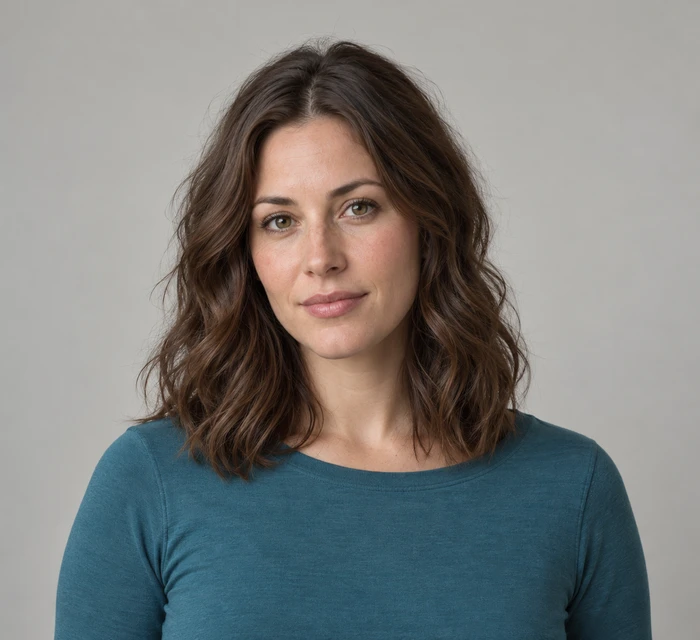
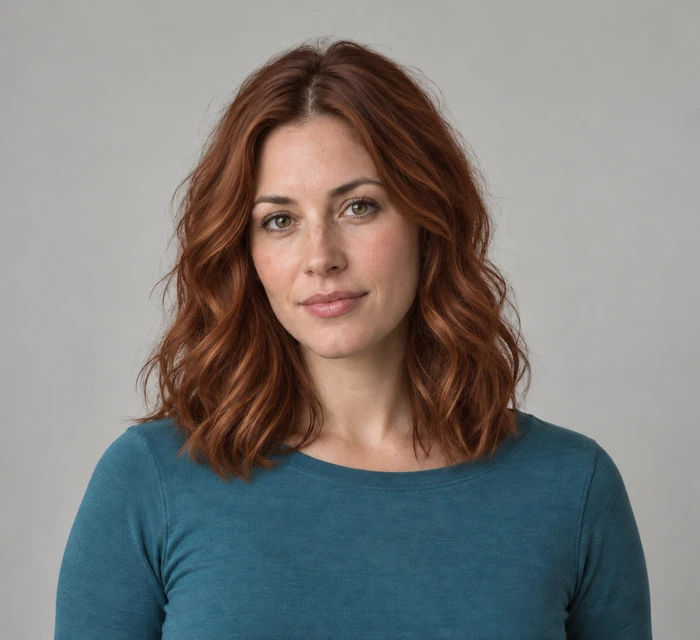
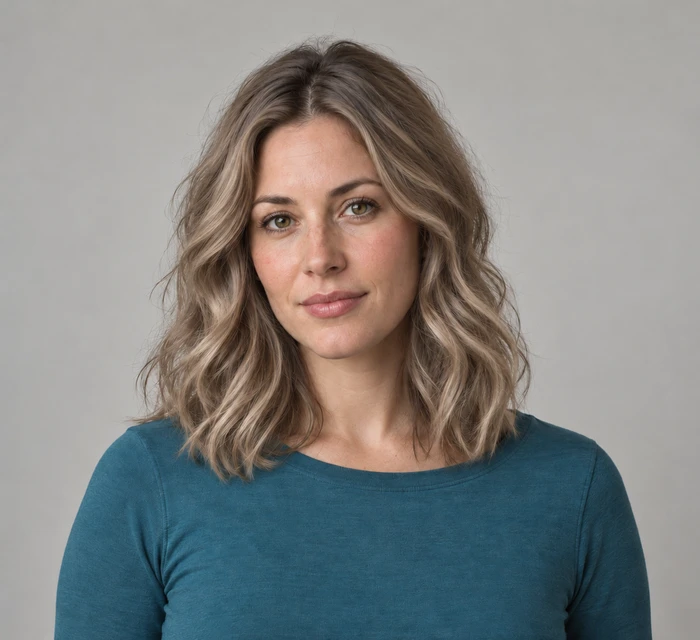
Use the comparison viewer above to reveal an edit against the original. All three native images are 1312 by 1199 pixels. The display previews are resized WebP files; the native PNGs remain available for closer review. These are independent examples, not Garnier or OpenArt outputs.
Download the original PNG, copper edit, ash edit, filled review CSV and source relationships and hashes.
What changed in the actual results
| Area | Copper edit | Ash edit |
|---|---|---|
| Requested hue | Warm copper auburn is visible | Muted beige blonde with darker roots is visible |
| Composition | Broad pose and framing remain similar | Broad pose and framing remain similar |
| Clothing and backdrop | Teal shirt and gray background remain | Teal shirt and gray background remain |
| Unmeasured details | Exact face pixels and individual strands | Exact face pixels and individual strands |
The ash direction is not a uniform pale tint: the roots remain darker and lower strands appear lighter. That is an observed visual distribution, not proof of a particular salon technique or a matched commercial shade. The copper direction reads warmer across the hair, with the existing wave pattern broadly recognizable.
We visually inspected the native files but did not run face-landmark alignment, segmentation or a strand-by-strand comparison. The guide therefore does not claim perfect identity preservation or zero changes outside the hair. Keep those practical limits with the example rather than turning a small before-and-after into a general model benchmark.
Prepare a portrait that makes comparison useful
Choose a source you own or are authorized to edit. Keep the crown, hairline and ends visible, with enough separation from the background to inspect loose strands. Strong colored lighting can make the requested hue harder to judge because a lighting change and a color change can look similar.
Save the untouched source before generating. If you want to compare two shade directions, begin both from the same source and keep the requested cut, pose and lighting stable. Otherwise a preferred result may owe more to a changed expression or a different haircut than to the shade itself.
Write a hair color prompt with clear boundaries
Change only the hair color in this authorized portrait to natural medium copper auburn with realistic roots and strand highlights. Retain the face, expression, hairstyle, length, hairline, waves, lighting, gray background and teal shirt. Keep the eyebrows and skin tone unchanged. Return one edited portrait with no text or beauty retouching.
For the second direction, replace the shade description with cool dark ash blonde, muted beige blonde and slightly darker neutral roots. Those are the kinds of instructions used in this independent exercise. They are requests to verify in the result, not guarantees that an editing system will preserve every listed feature.
Download the original hair-color edit brief. Add the exact source identifier, chosen shade direction and any observed differences after generation. A saved brief is more useful than an unlabeled image when you return to the project later.
Review the boundary and the whole portrait
Inspect the hairline near the forehead, loose strands against the backdrop and the hair resting over the shirt. Look for a color halo, missed dark areas or unintended tint on skin and clothing. Then inspect the whole face and composition: an edit that changes the expression can affect how you feel about the new look.
Use a side-by-side view for overall impression and an aligned reveal for local changes. The viewer here uses equally sized source-derived previews. It is a visual aid, not an automated quality assessment. A clean-looking boundary at a small display size does not prove that every fine strand is correct in the native file.
Save a useful color direction
Keep the original, selected edit, prompt and review notes together. Describe what you like in plain visual terms, such as a warmer tone, darker roots or less contrast in the highlights. Avoid assigning an exact product number to a generated hue unless that link is independently established.
For a creator campaign, review the same character and wardrobe requirements across the final image set. Continue with the AI clothes changer workflow for a separate outfit edit, or the AI picture generator guide for broader image work. Clout Image and Video is a separate creative workspace; inspect its current edit operation and reference support before submitting your own brief.