

A useful MakeInfluencer.AI review has to answer more than whether the demo images look good. The real questions are what the subscription includes, how quickly credits disappear across different models, which features require Pro, and whether a large production stack actually helps you launch a recognizable creator.
MakeInfluencer.AI and Clout aim at nearly the same outcome: a reusable AI influencer who can appear in photos, videos, campaigns, and a real creator business. The difference is the route. MakeInfluencer.AI leads with model choice and production depth; Clout leads with the persona, the content system, and what the creator will do next.
Plan a small image and video production test
Use the AI photoshoot workflow to establish one persona and a short shot list. For motion briefs, see the Wan 2.2 image-to-video prompt guide and Veo prompt guide. Match each guide to the model and controls actually available in your current plan.
What is MakeInfluencer.AI?
MakeInfluencer.AI is an all-in-one AI media platform built around virtual creators. Its current pricing page advertises more than 30 image and video models, an AI persona builder, motion control, talking videos, image and video editing, upscaling, an AI Canvas workflow builder, a public REST API, and a Claude connector.
That is a much broader offer than a basic character generator. A creator can design the identity, choose a generation model, edit or animate the output, and connect the same credit balance to an external workflow. The public pricing page also says the platform is strictly safe for work and actively blocks explicit sexual content.
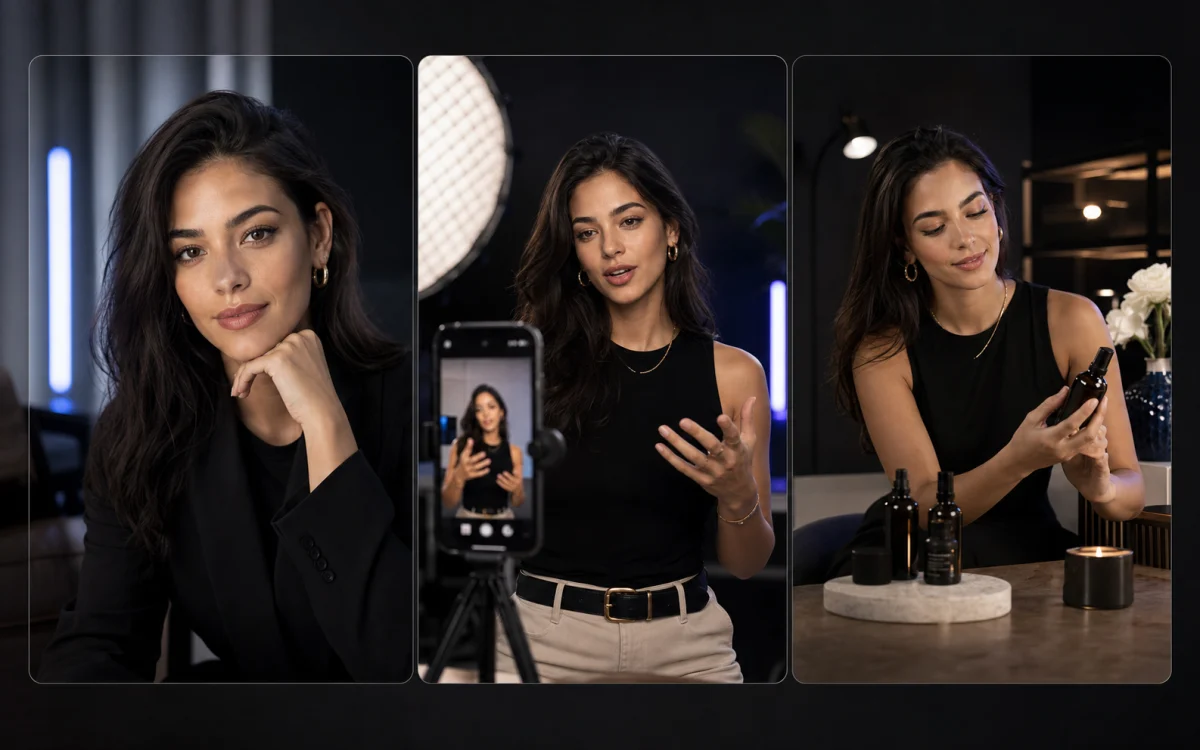
- AI persona builder for style, wardrobe, voice, and a reusable character
- Image and video models from providers including OpenAI, Google, ByteDance, Alibaba, and xAI
- Motion control, character editing, background removal, and upscaling
- Custom character training and talking videos on Pro and Studio
- REST API and Claude connector included on every current plan
- A safe-for-work content policy across the platform
MakeInfluencer.AI review: the pros and tradeoffs
The clearest MakeInfluencer.AI advantage is consolidation. A technical creator can move between image generation, premium video models, motion transfer, lip sync, editing, API jobs, and chat-based generation without opening a separate account for every capability.
The tradeoff is decision load. More models, resolutions, credit rates, and production paths create more ways to solve a job—but also more settings to understand before you know which workflow is repeatable. The platform makes the most sense when that technical control is the reason you are buying it, not simply because the model list looks impressive.
| Where MakeInfluencer.AI stands out | What to check before buying |
|---|---|
| 30+ image and video models | Which models you will actually use and their credit cost |
| Motion control and talking videos | Talking videos, premium video, and higher resolutions require Pro |
| REST API and Claude connector | Useful for automated production; unnecessary if you only need a guided app |
| Custom character training | Whether training produces enough approved weekly content to justify the higher tier |
MakeInfluencer.AI pricing: what it costs in 2026
As checked August 18, 2026, the MakeInfluencer.AI pricing page lists three subscriptions. The lower prices are annual-effective rates and require a full yearly payment; the higher prices are the month-to-month option.
Credits are not the same as finished assets. MakeInfluencer's own examples show how dramatically model choice changes output: the Creator allowance is presented as roughly 89 Seedream 4.5 images or eight Kling v3 Standard clips, while Pro is shown as roughly 199 GPT Image 2 images or 21 Kling v3 Pro clips. Budget for rejected generations, edits, upscales, and retries—not just final posts.
| Plan and public price | What the current plan emphasizes |
|---|---|
| Creator — $39 monthly, or $31/month effective ($379 billed yearly) | 180,000 credits, persona builder, standard image and video access, AI Canvas, motion control, API and Claude connector, 720p video |
| Pro — $89 monthly, or $71/month effective ($859 billed yearly) | 600,000 credits, premium video models, custom character training, talking videos, video editing, 1080p and 4K video, higher upscales |
| Studio — $199 monthly, or $166/month effective ($1,999 billed yearly) | 1,500,000 credits, the highest shared app/API/MCP ceiling, early access, custom feature requests, and direct founder support |
The biggest MakeInfluencer limitation is not image quality
The bigger risk is buying production capacity before you have a creator strategy. Thirty models cannot choose a niche, make the account recognizable, decide what the audience expects each week, or turn a folder of attractive outputs into a brand partnership or product offer.
MakeInfluencer.AI publishes extensive guides, but the app's public positioning still leads with the production stack. That is ideal for someone who already knows the character, channels, formats, cadence, and monetization plan. A beginner may prefer a workflow that narrows those decisions before exposing every model and control.
MakeInfluencer.AI vs Clout
MakeInfluencer.AI foregrounds how the asset gets made. Clout foregrounds what the creator is becoming: shape the persona and niche, produce recognizable photos, reels, and hooks, then connect that content to brand deals, fan subscriptions, courses, digital products, or a brand of your own.
Neither approach wins for every buyer. MakeInfluencer.AI has the stronger public feature list for model-level production and developer access. Clout is intentionally more opinionated for someone who wants to get from an idea to a coherent creator account without assembling the strategy in another document.
| Choose MakeInfluencer.AI when… | Choose Clout when… |
|---|---|
| Named model access and production controls are the buying decision | A clear persona, niche, and publishable content system are the buying decision |
| Motion control, long talking videos, editing, or high-resolution output are central | Consistent photo sets, reels, hooks, and social direction are the immediate need |
| You want an API or Claude connector for your own production workflow | You want a guided creator workflow with fewer technical decisions |
| You already know the content cadence and business model | You want monetization paths visible while you build the creator |
Who should choose Clout as a MakeInfluencer alternative?
Choose Clout as your MakeInfluencer alternative if you care less about controlling every model and more about launching one recognizable creator. Clout is especially well matched to a first AI influencer, a solo creator who does not want a technical production stack, or a team that needs the content and commercial direction to stay attached to the persona.
The goal is a weekly system, not one perfect demo. Use the 30-day AI influencer content calendar to define what the account must publish, then see which product gets you there with fewer dead ends.
- You want the niche and identity decided before generation begins
- You need a coherent batch rather than unrelated one-off images
- You want social hooks and short-form content ideas alongside the visuals
- You are still deciding between brand deals, subscriptions, courses, products, or your own brand
- You value a guided workflow more than a large model catalog
How to test both tools without wasting a month
Run the same seven-asset brief in each product: one profile portrait, two lifestyle images, one product integration, two vertical first frames, and one short motion concept. Keep the character description, references, and approval standard as similar as each tool allows.
Score the complete path, not the best output. Track identity consistency, usable assets, time to first approved batch, credits spent, retries, export quality, and how much planning had to happen outside the product. The best AI influencer generator is the one you can repeat next week without starting over.
Final verdict: is MakeInfluencer.AI worth it?
MakeInfluencer.AI is worth shortlisting when you specifically want a broad AI media stack, named premium models, custom character training, motion control, lip sync, editing, an API, or generation from Claude. Those are real differentiators, and a production-minded user may prefer that breadth.
If your actual bottleneck is deciding who the creator is, keeping the account coherent, and turning content into a business direction, Clout is the sharper alternative. It gives up some model-level breadth in exchange for a guided persona-to-content-to-monetization workflow—the part many first-time AI creator projects are missing.
Read the Clout vs MakeInfluencer.AI comparison for the complete side-by-side decision. Then build your AI influencer in Clout if you want the persona, first content batch, and monetization direction to live in one guided workflow.


