The QuickAds creative generator is a candidate when you want to turn a product brief into campaign assets. Before you compare plans, answer two different questions: what kind of creative do you need, and what can your account actually generate and export during the trial?
This guide covers QuickAds free credits, a practical first-ad brief and the checks that turn a trial into a useful production decision. Clout publishes this article and offers a recurring creator workflow. The example below is original planning material, not a QuickAds output or a measured tool comparison.
What QuickAds free credits actually means
The official QuickAds pricing page, checked October 2, 2026, advertises a DIY free start and Pro plans from $99 per month. The inspected public page does not specify a universal numeric credit allowance. Read your account offer before assuming how many videos, photos or exports you can make.
A free start is not the same as unlimited generation. A balance also does not tell you the cost of each operation. Record the allowance, eligible format, per-job cost and expiry together. If the account displays a different offer from a public article, use the current account terms when deciding whether to proceed.
Do not pay just to discover a detail that should be visible before checkout. If an export rule or credit charge is unclear, ask the provider to clarify it before you submit a job. Save a dated record of the offer and the selected operation so you can compare what was promised with what happened.
Separate the software from managed services
The same pricing page separates DIY Creatives, a managed creative service and a service that adds campaign management. It lists image and video generation, virtual photoshoots and a saved brand kit for DIY. A new-user $1 trial appears in the managed creative section. Do not treat that service promotion as a confirmed DIY credit balance.
Your production decision should identify who does the work. In a software trial, you supply the brief and judge the output. In a managed engagement, clarify deliverables, revisions and turnaround in the scope. Campaign management adds another responsibility: someone handles distribution and budget. Those are different purchases even when they share one website.
| Your job | Route to investigate | Decision to confirm |
|---|---|---|
| Generate and edit your own first asset | DIY software | Allowance, operation cost and export rules |
| Have a team deliver finished creative | Managed creative service | Scope, revisions and ownership of deliverables |
| Have a team handle creative and distribution | Campaign management service | Service fee, media budget and approval process |
Choose one useful deliverable for your trial
Pick a single asset that answers a real production question. A product still can test layout and visual accuracy. A presenter clip can test delivery and voice. An edited ad can test whether the assembled sequence communicates the offer. Trying all three immediately spends the allowance without making the results easy to compare.
Write the acceptance criteria before generating. For a travel organizer campaign, the teal pouch must keep its approved shape, the opening must communicate the cable problem and the closing frame must leave room for the message. If exact pockets or capacity matter, supply approved product media and inspect those details carefully.
Keep the trial brief small enough to diagnose. Use one scene, one action and one main message. A complicated request involving multiple locations, wardrobe changes and a transformation can fail in several ways at once. Start with the simplest version that is still useful to the campaign.
A concrete campaign brief you can adapt
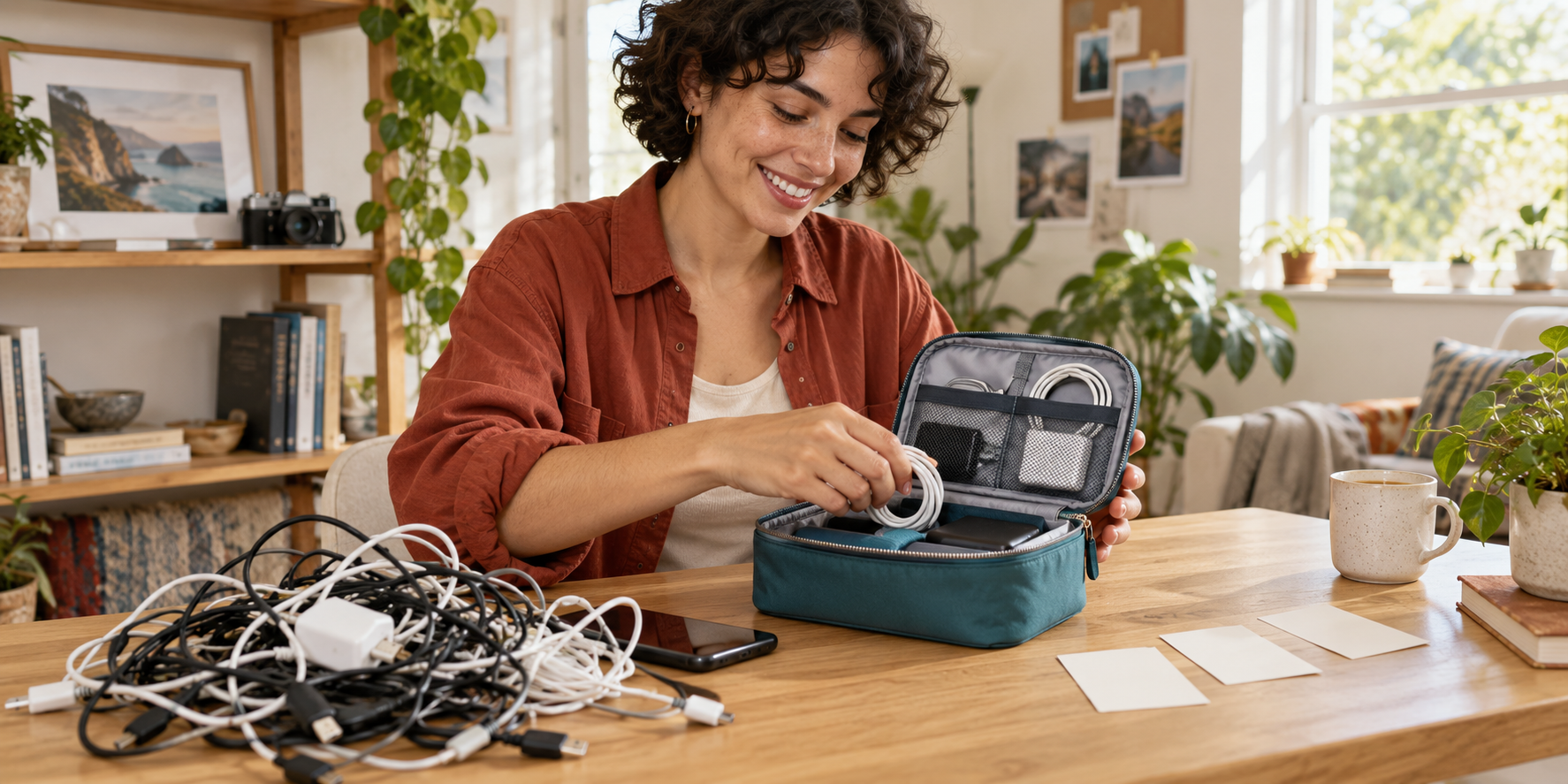
Our fictional product is an unbranded teal zip organizer for charging cables. The audience is a traveler who has to untangle cables at the worst moment. The campaign idea is a casual packing joke: the creator has packed neatly, except for one chaotic pile of cords. The value proposition is organization; no speed, durability or capacity claim is assumed.
The original hero artwork shows that concept. It is an AI-generated still illustration, not a video frame from QuickAds or proof of how an actual organizer performs. Replace the fictional product with your approved photos before creating a real product campaign.
Download the original full-resolution campaign reference and download two original production briefs. The briefs are untested planning examples you can adapt to the controls your chosen tool provides.
Casual packing concept: A creator in a rust overshirt sits at a bright oak table. She lifts one tangled cable bundle, gives it an amused look and sets it beside the teal organizer. Keep the action simple and the product shape visible. Add the caption “Packed everything except my patience” in the editor after approving the shot. Finish with real product footage showing the organizer being packed.
The joke introduces the situation. The real demonstration explains the product. If a generated scene cannot reproduce an exact zipper or compartment, use it for the setup and use approved footage for that detail. You can still create a coherent campaign without asking one generation to do every job.
Use the allowance checklist before each job
Download the blank trial and allowance checklist. Its observation fields are intentionally empty. Enter the information shown in your own account; the file contains no assumed free-credit total or test result.
| Check | What to record | Why it matters |
|---|---|---|
| Allowance and expiry | Displayed balance, unit and expiration | Prevents treating a temporary offer as ongoing access |
| Operation cost | Selected format and displayed charge | Shows how many comparable attempts fit the balance |
| Export conditions | Resolution, watermark and file access | A preview may not be a usable campaign asset |
| Billing conditions | Renewal date, selected plan and cancellation terms | Separates the trial from an ongoing purchase |
| Completed job | Actual deduction and exported file | Tests the offer against the operation you used |
When the cost is shown in a consistent unit, divide the remaining balance by the displayed cost to estimate attempts. Keep a reserve for a corrected render. Do not combine photo credits and video seconds into one total unless the provider explicitly explains the conversion.
Review the exported ad rather than the preview
Play the complete file and inspect the beginning, the main action and the ending. Check product shape, hands, voice timing, spelling and the final message. A good thumbnail does not establish that the whole sequence is usable. Note the exact failure rather than giving the render a vague quality score.
Place captions where they remain readable in the intended crop. Check the actual placement preview, including interface overlays. For a casual comic setup, a short centered caption can work, but move it if it hides the product or expression. Review a phone-sized version with sound off and an audio version with captions on.
Record finishing time as well as generation cost. A cheaper draft that needs extensive reconstruction may be less useful than a more expensive export requiring a quick trim. Compare the cost per approved asset: include paid generation, editing and any purchased source assets. Do not claim a conversion winner until you have campaign data.
Keep the same brief when comparing alternatives
If you compare QuickAds with another workflow, keep the product references, message and acceptance criteria fixed. Change the production route, then record what you had to do to finish the asset. A tool should solve your actual bottleneck: reference creation, presenter delivery, complete assembly or editing.
Clout is relevant when the campaign needs an original recurring creator across photos and video scenes. Establish the identity and reuse the visual direction across the cable joke, a packing photo and a follow-up explanation. Keep exact product details grounded in your approved media.
Continue with the consistent creator workflow, the Facebook ad video generator comparison or the Zeely alternatives guide depending on the production job. For an ecommerce campaign, use the Shopify UGC guide to plan the product explanation.