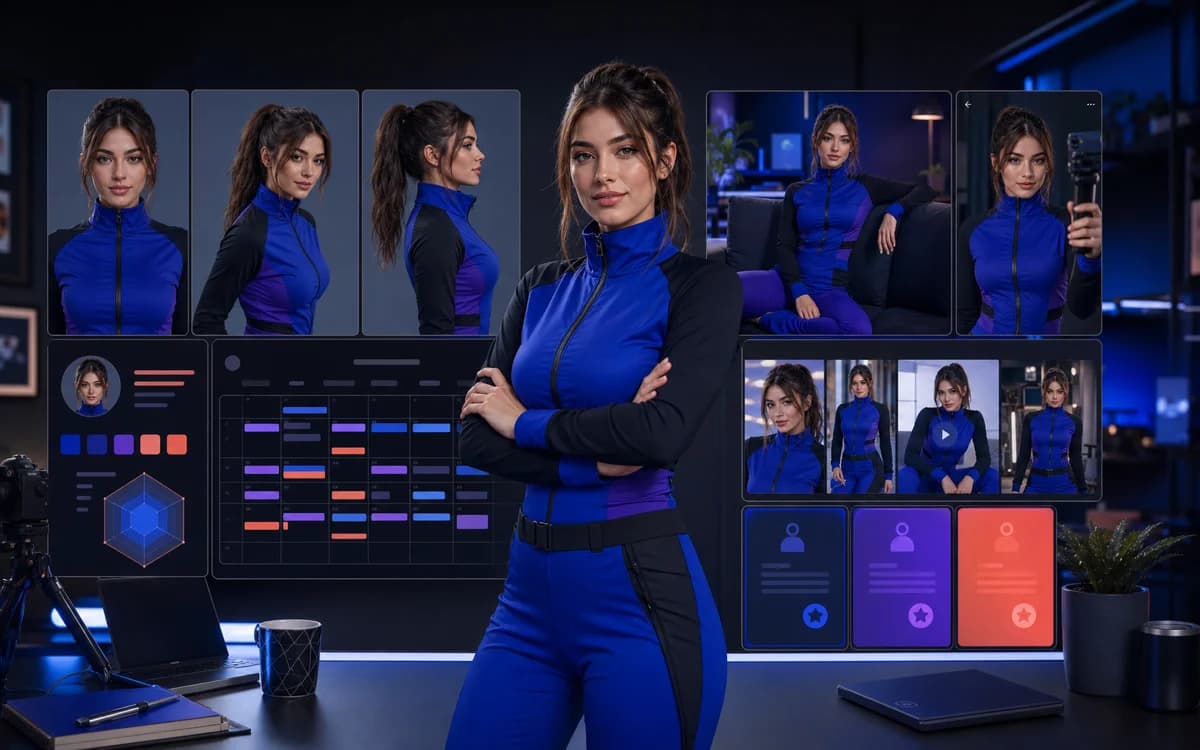
A Fanvue AI influencer is not one attractive generated image. It is an original digital creator who stays recognizable across profile photos, public social posts, short-form video, subscriber content, and weeks of publishing.
The practical workflow has two layers. Clout helps you create the persona and repeatable content assets. Fanvue provides a separate subscription and fan-monetization platform. This guide connects those layers without suggesting a direct integration or guaranteed income.
What a Fanvue AI influencer needs before launch
Start with a creator brief, not a prompt. Define the fictional adult persona's niche, age range, facial anchors, hair, body proportions, wardrobe boundaries, voice, point of view, and audience. The goal is to make every creative decision easier to repeat.
Fanvue permits AI-generated media, but its current rules require clear disclosure and prohibit deceptive or non-consensual uses. Design the identity as an obviously adult, original character rather than copying a celebrity, private person, or creator you do not control.
- One-sentence niche and audience promise
- Five stable identity traits and five styling rules
- Three recurring content pillars
- A disclosure statement for the Fanvue bio and social profiles
- A rights log for every real person, body, brand asset, and reference used
Step 1: build an original adult persona
Use an AI influencer generator to develop an original identity instead of prompting for a real person's likeness. Generate neutral front, three-quarter, profile, waist-up, and full-body references before making campaign scenes.
Choose the set that looks like the same adult person, not merely the six best individual pictures. Reject changes in eye spacing, jawline, hairline, apparent age, or proportions. A smaller reliable reference set is more useful than a large inconsistent gallery.
Step 2: test consistent character AI
Run the persona through a consistent character AI workflow. Change one major variable at a time—location, outfit, crop, prop, or pose—while keeping the face, age, proportions, niche, and camera language stable.
Test the hard cases before committing to the brand: different lighting, close-ups, full-body images, hands near the face, seated poses, and the first frame of a video. If the identity drifts in simple tests, it will drift faster in a daily publishing schedule.
| Change for the test | Keep fixed |
|---|---|
| Location | Face, age, hair, proportions, and niche |
| Outfit | Reference set, realism, and styling boundaries |
| Pose or crop | Recognizable facial structure and body type |
| Still image to video | Identity, lighting logic, and scene continuity |
Step 3: prepare the Fanvue launch asset pack
Do not open the profile with two images and hope consistency appears later. Produce a coordinated launch pack first: avatar, header, safe public profile media, welcome message assets, several feed posts, subscriber-only concepts, short-form first frames, and social discovery posts.
Fanvue's current public-profile guidance requires public media to remain suitable for discovery surfaces. Build that layer separately from paid content so your acquisition assets can travel safely across mainstream social channels.
- One clear avatar and one mobile-safe header
- At least five quality posts before the first payout request
- Three pinned posts that explain the persona and subscriber value
- A seven-to-fourteen-day reserve of content
- Nine social-safe acquisition assets with three different hooks
Step 4: complete KYC, consent, and AI disclosure
The human operator must complete Fanvue's identity verification even when the public persona is synthetic. Fanvue's AI creator KYC guidance also requires verification or documented releases for real people whose bodies or likenesses appear in the content.
Fanvue's Community Guidelines require AI media to be disclosed clearly and prominently through an approved method such as the bio, caption, message, or watermark. Read the dedicated Fanvue AI content policy guide before publishing because disclosure does not excuse misleading, harmful, or non-consensual media.
Step 5: connect content to a Fanvue offer
Choose one primary reason to subscribe. The persona might offer serialized stories, behind-the-scenes creative sets, niche education, interactive requests, or a predictable drop schedule. A generic promise of more content is weaker than a clear recurring experience.
Model the platform economics with the current Fanvue fees, then use the Fanvue monetization guide to map discovery, profile visits, subscriptions, pay-per-view purchases, and retention. Revenue is an outcome of traffic, conversion, delivery, and trust—not an automatic property of an AI model.
Step 6: create a repeatable weekly system
Batch work by job. One session creates references and hero assets; another creates public discovery posts; another builds subscriber drops; another reviews consistency, disclosure, rights, and platform fit. This is faster and safer than making every post from scratch on publishing day.
Use an AI influencer content calendar and keep a rejection log. Record why an asset failed—identity drift, poor hands, age ambiguity, weak hook, policy risk, or off-brand styling—so the next batch improves rather than repeats the same mistakes.
Choosing between Sozee AI, ComfyUI and a hosted creator studio
Choose the production environment around your operator skills. The Sozee AI review covers public features, pricing and content terms; the Clout vs Sozee comparison helps evaluate hosted persona workflows.
If you are researching an NSFW workflow in ComfyUI, review the graph's dependencies, model licenses and maintenance needs separately from Fanvue eligibility. A generator's output is not automatically suitable for public discovery. Keep a non-explicit profile and social asset set, then review each destination's current rules before publishing.
Where Clout fits in the Fanvue workflow
Clout is the upstream creator studio: shape an original persona, make consistent photos and video-ready scenes, test hooks, and build launch batches. Fanvue remains the separate downstream platform for publishing, subscriptions, and fan transactions.
That distinction matters when choosing the best AI generator for Fanvue. Judge tools by identity consistency, usable output rate, content formats, workflow guidance, rights controls, and whether the assets remain useful beyond one destination platform.
Create an original adult AI influencer in Clout, lock the identity, and build the first Fanvue-ready content batch before launch.


