Vmake AI is now presented as Vmake Labs on the official website. Its current product covers social-video creation as well as finishing. This independent guide helps you choose the operation and review small product details before accepting an export.
The practical question is not just whether a file becomes larger. A product label can look softer or change meaning while the export dimensions increase. Our original five-second bottle study gives you a known source, a deliberately degraded copy and a conventional resize to inspect.
Choose creation recreation or finishing
Vmake’s homepage describes product-photo video creation, UGC, avatars, reference-based recreation, translation and enhancement tools. Its enhancer page describes uploading a clip, choosing enhancement and downloading the result. These are provider descriptions; no Vmake account or generation was tested for this guide.
| Your starting point | Task to select | Acceptance question |
|---|---|---|
| Product photo and approved message | Plan a new product-video concept | Does the actual output preserve the product and support the message |
| Reference clip and your own product | Direct a new treatment around a structure | Are the assets authorized and the product interactions believable |
| Accepted but soft exported shot | Evaluate a finishing pass | Does detail improve without changing lettering geometry or timing |
| Subject with an unwanted background | Review isolation and compositing | Do edges and transparency work in the destination editor |
Our video background guide covers the last task separately. A broader brand workflow should not hide the difference between creating a scene and processing an existing export.
Keep an accepted product reference
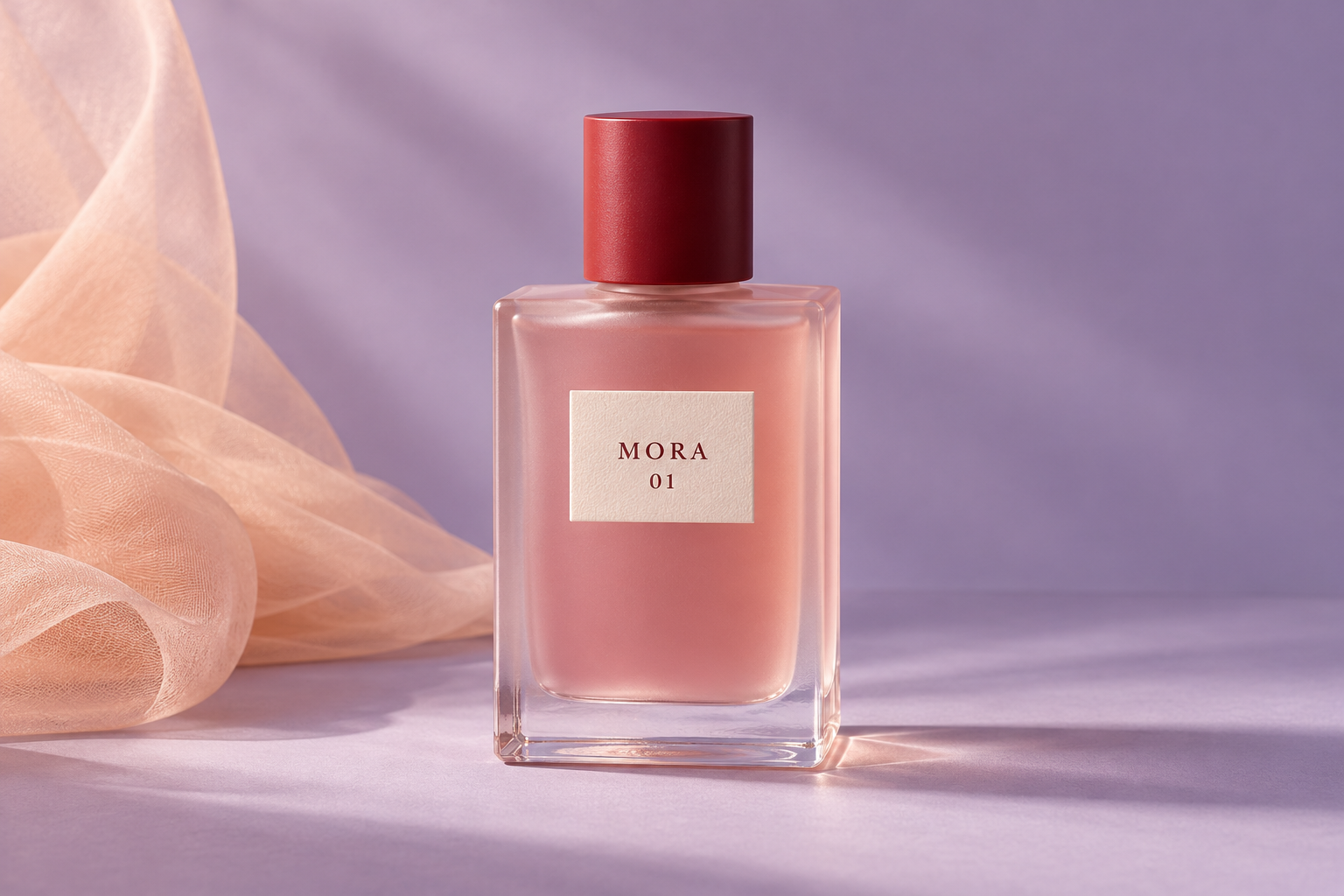
The fictional product in this exercise is a pink bottle with a red cap and an ivory label reading MORA above 01. The accepted photograph supplies a visible lettering reference. It does not establish a real perfume, its ingredients, scent, capacity, effectiveness or safety.
For a real campaign, retain approved packaging and product facts. If a new shot shows a different side, obtain a reference for that side instead of assuming the generator can recover every hidden feature. Review the cap, label position, silhouette and contact with the surface before moving on to finishing.
Use the accepted pink bottle with red cap and MORA 01 label. Preserve the bottle silhouette, the exact visible lettering and the label position. Show the selected source and exported candidate for comparison. Do not add a scent, ingredient, price or performance claim.
This is an original review brief, not an executed Vmake request. Use the actual controls and output from your selected account route when testing the provider.
Inspect the original detail-loss exercise
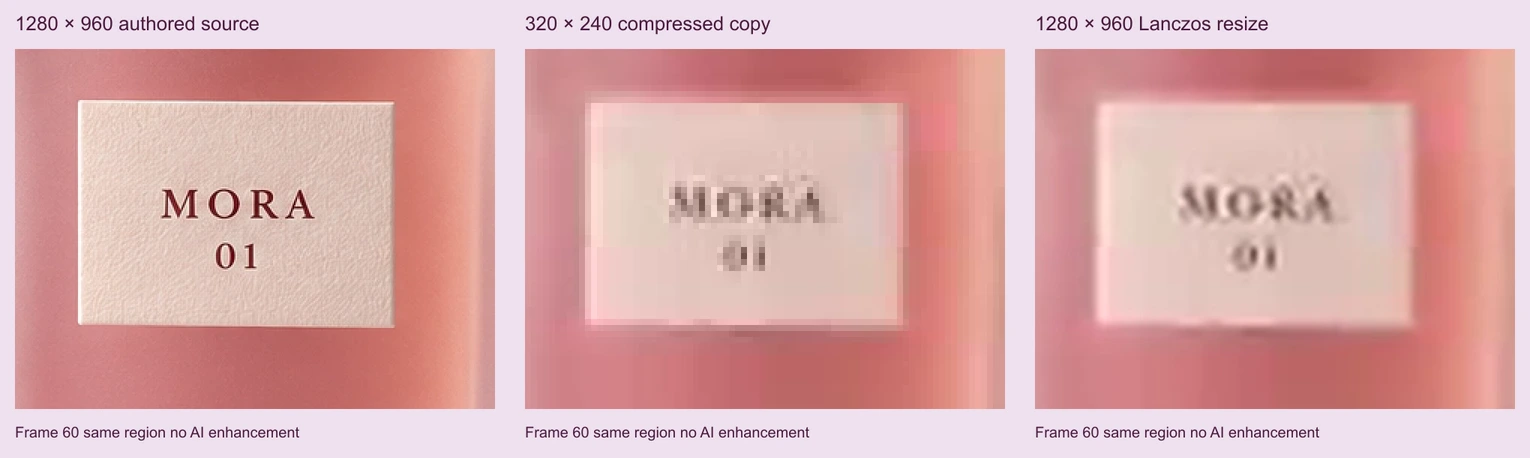
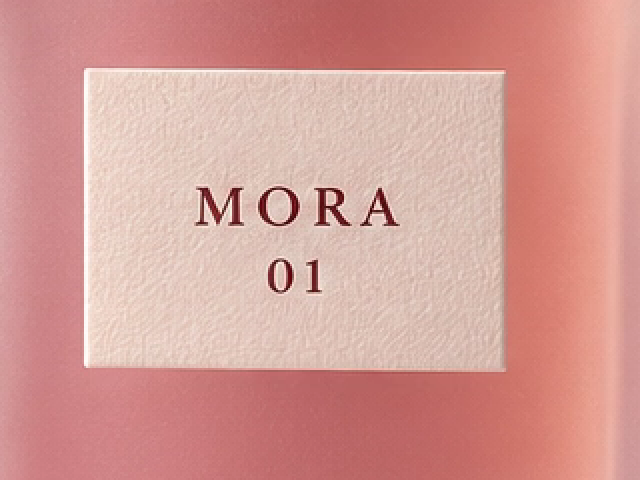
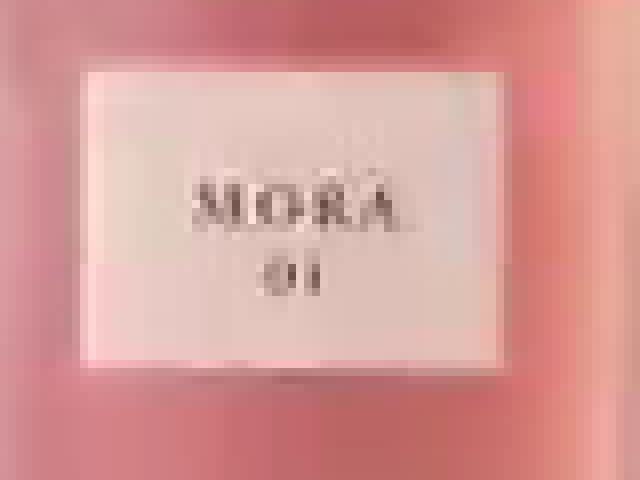
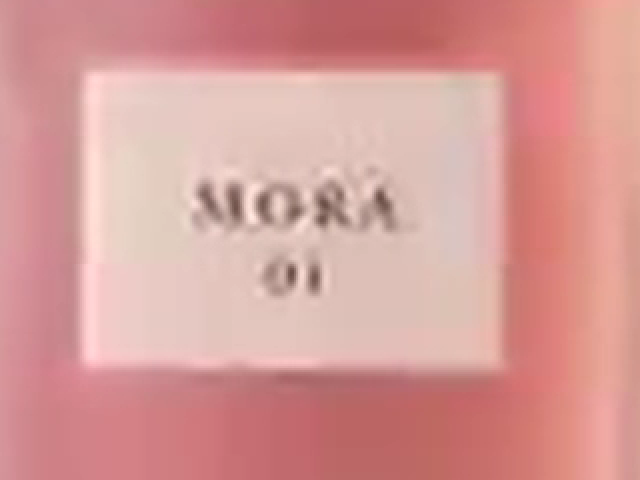
The first column comes from an authored 1280 by 960 pan across one generated photograph. The second is a 320 by 240 compressed copy. The third resizes that low-resolution clip back to 1280 by 960 with Lanczos interpolation. The original and resized exports have the same dimensions, but the label edges and paper grain are visibly different.
The comparison uses zero-based frame 60, at 2.5 seconds. The low-resolution frame is first expanded with nearest-neighbor sampling to the common coordinate space; then all three views use the same 320 by 240 region, displayed at twice its size. The contact sheet is a resized overview, while the individual PNG crops preserve the supplied inspection images.
Download the authored source MP4, compressed MP4 and conventional resize MP4. Each is five seconds, 120 frames at 24 FPS and silent. The movement is a two-dimensional crop across a still photograph, not generated physical motion.
Watch this clip and view its details
Open the source detail crop, compressed detail crop and resized detail crop side by side. The resize smooths the block structure without establishing that the missing original detail has returned. This exercise is not a Vmake quality benchmark.
Compare the same moment and the same region
Keep source and candidate filenames distinct. Record their dimensions, duration, frame rate and sound before judging appearance. If processing changes timing or frame rate, matching a frame number alone may not select the same event.
Our three clips retain the same frame count and timebase, so frame 60 is a useful alignment point. For your own candidate, find a recognizable event and review the surrounding frames too. A label that is readable in one still can flicker or deform during movement.
Use the local comparison tool in our video upscale review guide for your own source and result. Its built-in example is a separate conventional-resize sample. Uploading a file there does not run Vmake enhancement or prove that a provider restored the original scene.
Review text texture and product geometry separately
Start with the lettering. Compare each character and spacing with the approved label. A sharper-looking invented letter is a failed product representation even if it appears visually detailed. Then inspect the label border and its attachment to the bottle surface.
Next check the glass edge, cap shape and subtle texture. Look for halos, repeated grain, unstable reflections or a new edge that was absent from the source. Review the complete candidate at the intended delivery size before relying on an enlarged still.
The filled review CSV records the supplied exercise’s observations and limits. It separates directly observed export facts from untested provider behavior. Replace those rows with observations from your actual processing run when choosing an enhancement tool.
Check the selected route before a batch
Confirm the operation, current access, displayed cost and actual download settings in your account. A public model list or free-access headline does not identify the complete export allowance for a particular job. Start with a short representative segment that contains the detail you need to preserve.
If the candidate changes an accepted product detail, return to the source and identify that defect. Generating another entire scene is a different decision from changing a finishing setting. Keep rejected files with their observations so they do not accidentally become references for the next attempt.
After processing, inspect the delivered file in the final edit. Check sound if present, transitions into adjacent shots and the compressed distribution copy. A successful preview is not the same artifact as the exported or published video.
Download and reproduce the detail study
The editable source archive includes the original reference, TypeScript script, comparison map and filled review. Run bun install and bun vmake-detail-source.ts . with FFmpeg installed. The supplied environment uses Sharp 0.34.5 and FFmpeg 9.0.1; different renderers or encoders can change output bytes.
The comparison map records the crop region, dimensions, frame and interpolation methods. Download the original reference PNG if you want to inspect the starting design at full resolution.
For campaign framing rather than restoration, continue with the Pippit format study. For your own original product concepts, explore Clout Marketing Studio. Clout and Vmake are separate products and accounts; this guide does not claim a direct integration.