VidAU AI is a creative platform whose current website presents a marketing team of agents alongside image, video and reference-based workflows. Start with the official VidAU website for product access. This independent guide focuses on preparing ad variations that remain understandable when you compare them.
Our original lamp exercise changes the opening headline and holds the shared body and closing card fixed. You can download all three six-second videos, inspect the source and read the frame verification. There is no audience-test winner in this example.
Choose the VidAU workflow for your source
VidAU’s homepage separates image-to-video, text-to-video, reference-to-video, ad-reference, remix and avatar routes. It also links a marketing-agent workspace and VidRemake. The public model menu does not prove access to every route in a particular account. We did not connect a VidAU account or run provider generation.
Name the deliverable before selecting the route. A new scene from a product photograph is different from revising an accepted clip or adapting the structure of a reference. Keep the accepted source, intended change and actual exported result together so another editor can follow the decision.
Define the one change you want to compare
Changing the hook, product image, offer and closing action together produces a different ad, but it does not isolate the opening headline. For a controlled media exercise, keep the accepted body and ending fixed while changing the opening treatment you actually want to study.
Our example changes only the authored headline in the first two seconds. The product photograph, layout, supporting line, body card, closing card, dimensions, frame rate and silent audio condition remain fixed. This is a media-control exercise; it does not control the audience, placement or delivery of a real campaign.
| Variant | Opening headline | Body and ending |
|---|---|---|
| A | MEET THE MINI | Same four-second tail |
| B | COLOR FOR YOUR DESK | Same four-second tail |
| C | A SMALL DESIGN MOMENT | Same four-second tail |
Inspect three original hook variations
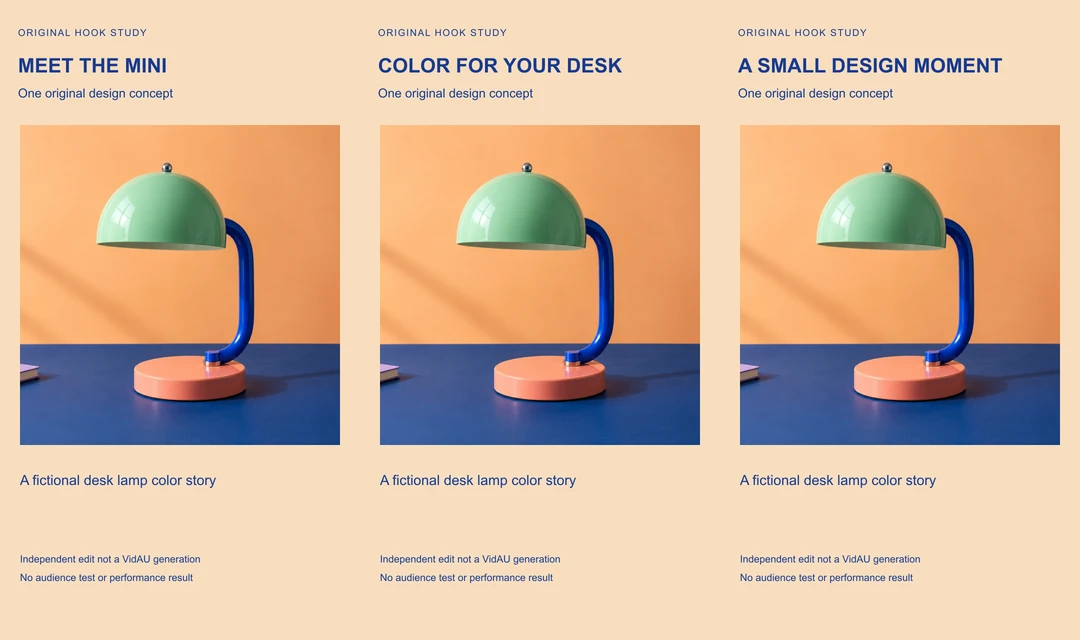
Watch this clip and view its details
Watch this clip and view its details
Watch this clip and view its details
Download variant A, variant B and variant C. Each file is 720 by 1280, six seconds long and silent, with 144 frames at 24 FPS. The opening occupies frames 0 through 47; the shared tail starts at frame 48.
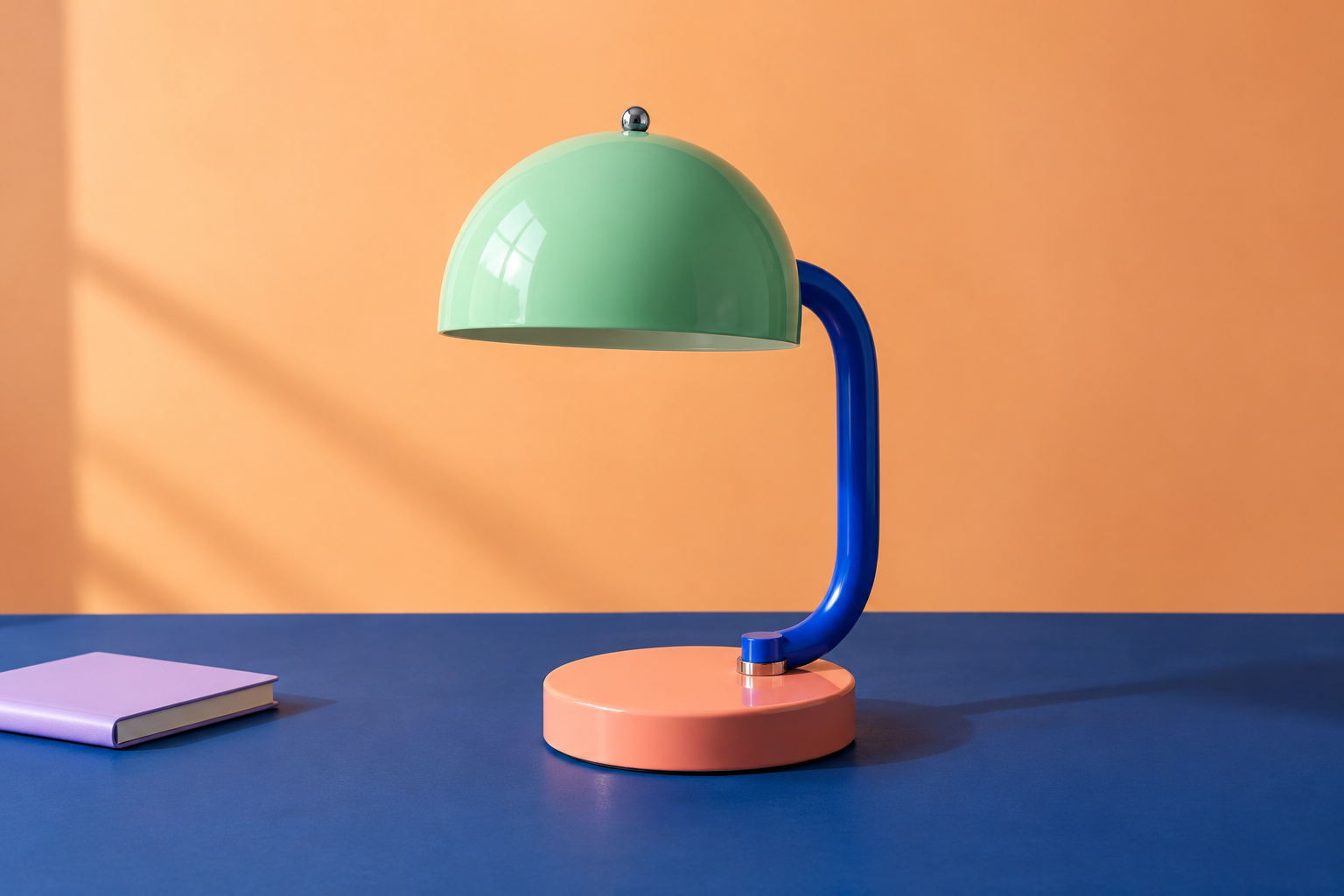
The videos are edits of still-image cards with hard cuts. They do not demonstrate generated subject motion, a functioning lamp or VidAU rendering quality. The fictional lamp has a mint dome, cobalt support and coral base. The reference cannot establish brightness, power use, battery life or electrical safety.
Verify the shared body rather than trusting filenames
The authored opening PNGs differ only inside the headline band. In the encoded videos, the first frames are distinct and all 96 decoded frames after the opening match across A, B and C. The verification record includes the shared frame hashes and the native headline-difference bounds.
This check proves a property of the supplied files. It does not establish that one headline attracts more viewers or produces more qualified actions. Compression can also affect pixels around a changed headline, so the authored-PNG comparison and the encoded-video comparison answer different questions.
For your own files, inspect the actual exported variants after the last revision. A filename ending in final does not establish that the correct body, offer or closing action survived. Compare a visible event or frame sequence when a tool changes the timing or frame rate.
Turn the brief into a reviewable creative request
Use the approved fictional lamp reference and color story. Prepare three opening headlines for the same six-second vertical concept. Keep the product framing, supporting copy, body and closing action fixed. Show the actual selected outputs for review. Do not invent a price, brightness, battery or performance claim.
This is an original planning brief, not an executed VidAU request or API payload. If the provider produces independent scenes for each variation, inspect them for additional changes before treating the files as a headline-only comparison.
A reference ad can help you describe pacing, reveal order or framing. Use authorized assets and your own product facts. A reference’s popularity does not establish that its claims apply to your product or that recreating its appearance will reproduce its performance.
Keep audience results separate from creative review
The test-plan CSV identifies each headline and file while leaving audience outcomes marked Not run. Decide which action matters for your campaign before comparing results, and record the actual destination and measurement window.
Keep the audience, placement, offer and distribution conditions in the campaign record too. If several of those change, describe the result as a comparison of the delivered campaigns rather than a clean estimate of the headline’s effect. A visually attractive card is a creative judgment, not a conversion result.
The filled media review covers what is actually known here: reference design, headline differences, matching tail frames, timing and the lack of an audience experiment. Replace those observations with your own evidence when evaluating a real provider export.
Reproduce the original six-second edits
The editable source archive contains the original reference, TypeScript authoring script, variation map, review and test plan. Run bun install and bun vidau-hook-source.ts . with FFmpeg installed. The supplied environment uses Sharp 0.34.5 and FFmpeg 9.0.1.
The script creates the opening cards, one shared body-and-ending segment and three final edits. The variation map records the source crop and frame boundaries. Download the original lamp reference to inspect the starting artwork. Different fonts or encoder builds can change output bytes.
For destination framing, use the Pippit campaign-format study. For export detail, use the Vmake label-review exercise. For your own product concepts in a separate creative suite, explore Clout Marketing Studio. Clout and VidAU are separate products and accounts.