PixVerse V6 is useful to research at the operation level: what references does your shot need, what should change and which delivered file will you inspect? This independent guide uses an original short-drama reference pair to make those decisions concrete. It also separates V6 from V6 Max rather than treating the newer name as a universal replacement.
For still-image reaction planning, inspect the AI face expression changer guide and original character study.
Check V6 and V6 Max against your operation
The current official capability map lists text and image generation for both models. It lists first/last-frame, multi-subject image references, video references and extension for V6, while V6 Max lacks those operations. The local selector above summarizes that distinction. Confirm the exact endpoint and parameter combination before using a reference-driven workflow.
PixVerse’s documentation changelog records V6 Max text/image support on October 22, 2026. The V6 launch announcement is dated March 30, 2026. These are different events. A recent mention of Max does not make the original V6 a new release.
We did not use a PixVerse account, submit a generation, test its audio or inspect a provider export. The reference artwork and shot plan below are independently authored previsualization resources. They show how to plan a test, not proof of model performance.
Plan one restrained short drama moment
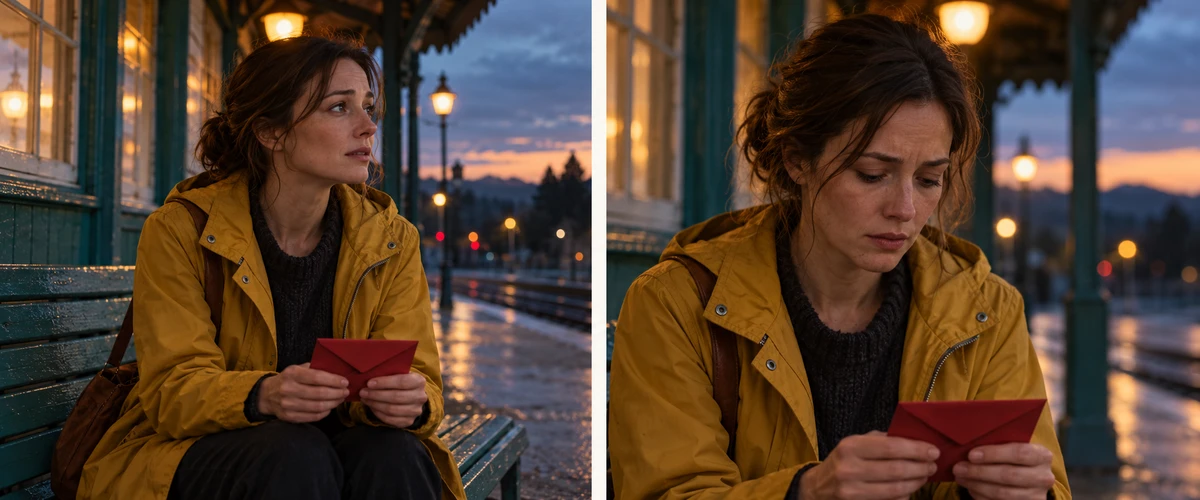
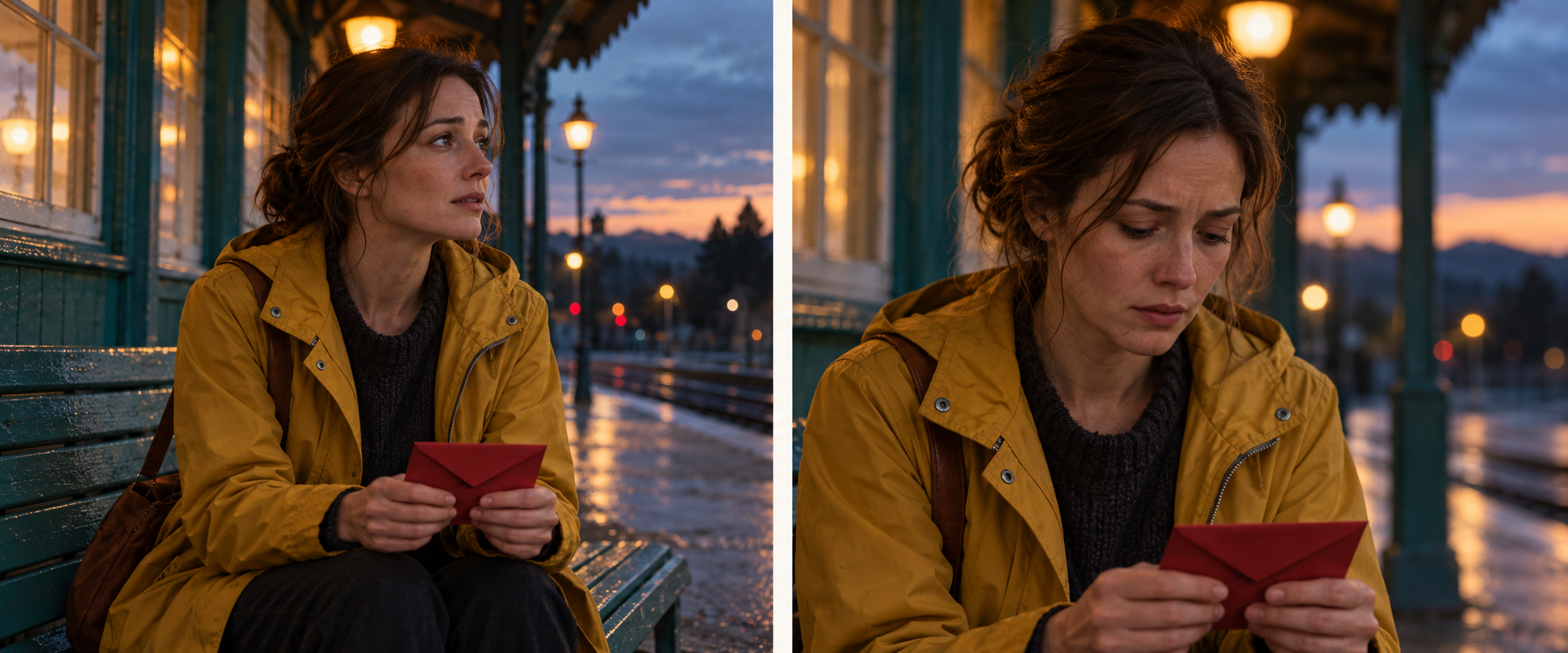
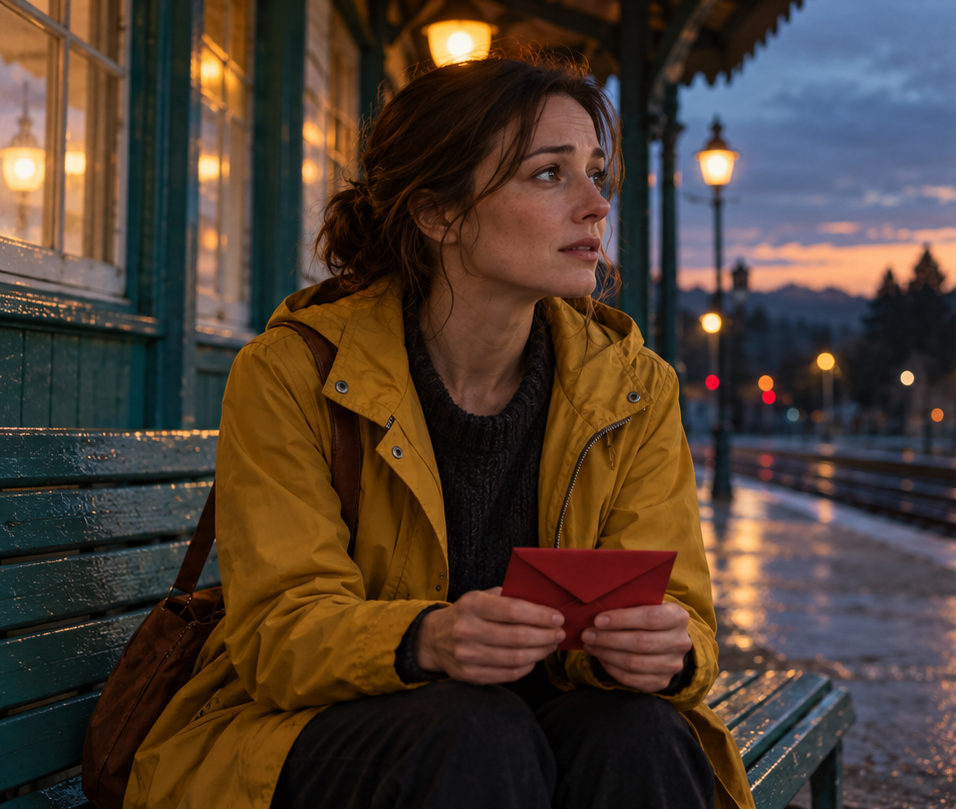
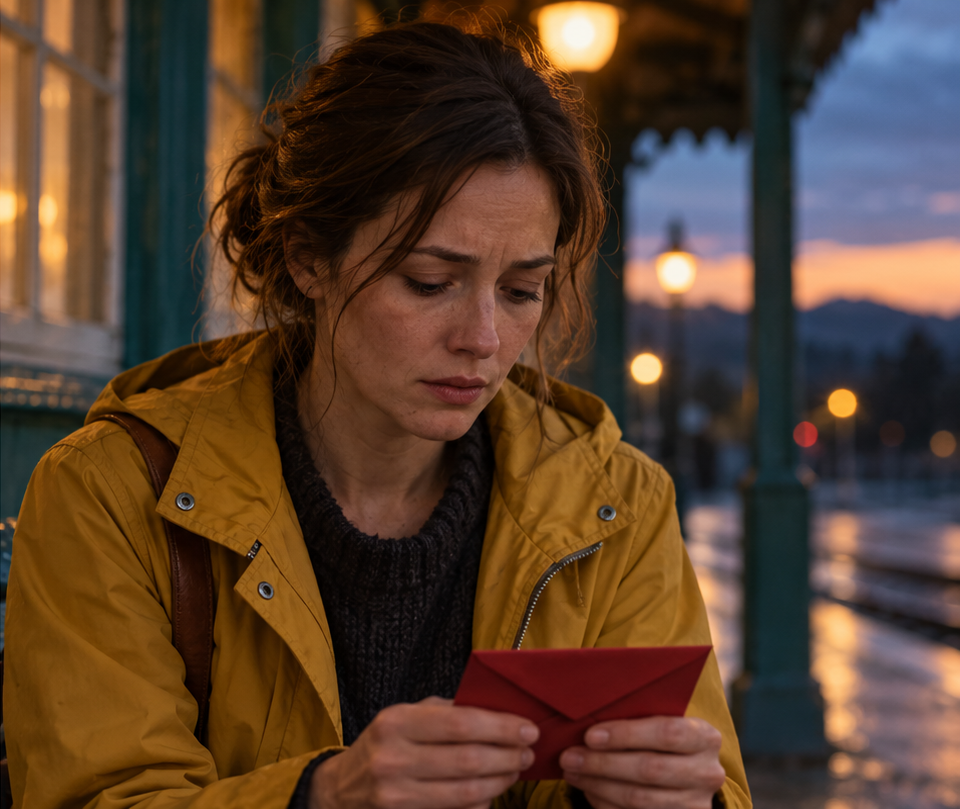
The scene is deliberately small. A traveler waits with a closed red envelope. Her gaze moves from the platform toward the envelope, and anticipation gives way to worry. There is no arrival, letter opening, dialogue or location change in the six-second planned beat.
Download the native reference sheet, start reference PNG, end reference PNG, shot plan JSON and filled still-review CSV. These are original fictional character concepts. The plan’s six seconds are an intended duration, not measured video runtime.
Separate what changes from what stays
| Decision | This scene | Review target |
|---|---|---|
| Performance | Gaze lowers and expression becomes worried | One readable emotional change |
| Wardrobe | Mustard coat and dark knit remain | Collar closures and texture during movement |
| Prop | Red envelope stays closed in her hands | Shape contact and hand movement |
| Setting | Teal station at dusk | Bench geometry and practical-light positions |
| Camera | End reference is tighter | Choose a camera move or a separate shot |
The camera row is an unresolved creative decision, not a hidden technical detail. The second reference is a tighter view. If you want a continuous shot, specify the intended framing change and inspect the resulting camera path. If you want a cut, plan two shots and review the edit. Two attractive endpoint images do not prove that a plausible transition exists between them.
Write the performance prompt around one action
A fictional adult traveler in a mustard raincoat waits on a teal station bench at dusk, holding a small closed red envelope in both hands. She slowly lowers her gaze from the platform to the envelope, quiet worry replacing anticipation. Keep the envelope closed, the coat and station consistent, with no dialogue and no additional action.
This is an original shot brief, not a tested PixVerse recipe. It leaves the camera decision separate so it can be resolved deliberately. Adding a train arrival, another character and an opened letter would introduce more events to verify within the same short beat.
A good brief also says which reference does what. A start image supplies the starting composition; an end reference supplies the intended final view. A wardrobe reference would have a different role. Do not upload a collage and assume the service knows which picture is a character, which is a location and which is the requested endpoint.
Inspect the reference pair honestly
The stills visibly retain a mustard coat, dark knit, closed red envelope and teal station atmosphere. The gaze changes from screen-right to downward, and the end image is closer. Those are observations about two pictures. Temporal identity, hand motion, envelope stability, camera movement and audio remain untested.
The native sheet is 1942 by 809 pixels. The exported start crop begins at x0 with width 956; the end begins at x982 with width 960. Both use the full 809-pixel height, excluding the center gutter. The JSON records those coordinates and SHA256 hashes. The crops have slightly different dimensions and should not be described as identical framing.
Review the full video after a real generation
When you run your own test, keep the returned job identifier and original settings. An accepted job is not a finished clip. Wait for the provider’s completed result and inspect the actual download before treating the shot as usable.
Watch the full sequence at normal speed, then revisit the moments where the head, hands and prop move. Record whether the intended emotional change is readable and whether an unwanted action was added. If audio was requested, listen to it and check its relation to the scene; a silent reference pair proves nothing about sound.
Keep observed failures separate from proposed fixes. “Envelope changes shape at the midpoint” is an observation. “Simplify the hand action” is a revision hypothesis. Run that revision before calling it a solution. Compare the delivered result with the same shot brief so an attractive new composition does not quietly replace the requested action.
Continue into a larger scene workflow
Approve one useful beat before expanding the story. Save the accepted character reference, prop requirements and setting notes with the shot. A sequence needs continuity across shots as well as a good individual generation.
Continue with the Clout AI Cinema workflow for scene planning, or inspect the original reframing example to distinguish a changing crop from newly generated motion. For source-to-scene planning, see the Mootion guide and original story plan. Clout is a separate creative platform; this guide is independent of PixVerse.