

When Qwen Image Edit cannot get the face correct
If Qwen Image Edit changes the person instead of making the requested edit, separate two questions: did the intended change happen, and did the recognizable face remain consistent? A polished output can answer the first question and fail the second. Preserve the original reference and stop treating a drifted result as the unquestioned starting point for the next variation.
This guide provides a controlled troubleshooting method, not a report that every face failure has one cause. Without the exact source, checkpoint, request and settings, you cannot know whether the problem came from conflicting references, a broad instruction, a model limitation or a particular setup. Record those facts before changing several variables.
Build a narrow identity-preserving edit brief
Use the free local brief builder above to separate the editing job from the properties you want to preserve. Choose background, outer garment or a modest viewpoint request, then describe one change. The result is selectable text for manual review. It makes no image upload, model call or biometric comparison.
The generated wording is an original untested starting point. It cannot lock an identity, repair a face or certify a match. Apply only the controls supported by the selected version and inspect the actual output. If you choose a viewpoint change, the brief explicitly notes that unseen details are not established by a single source.
Compare a narrow edit with unintended identity changes
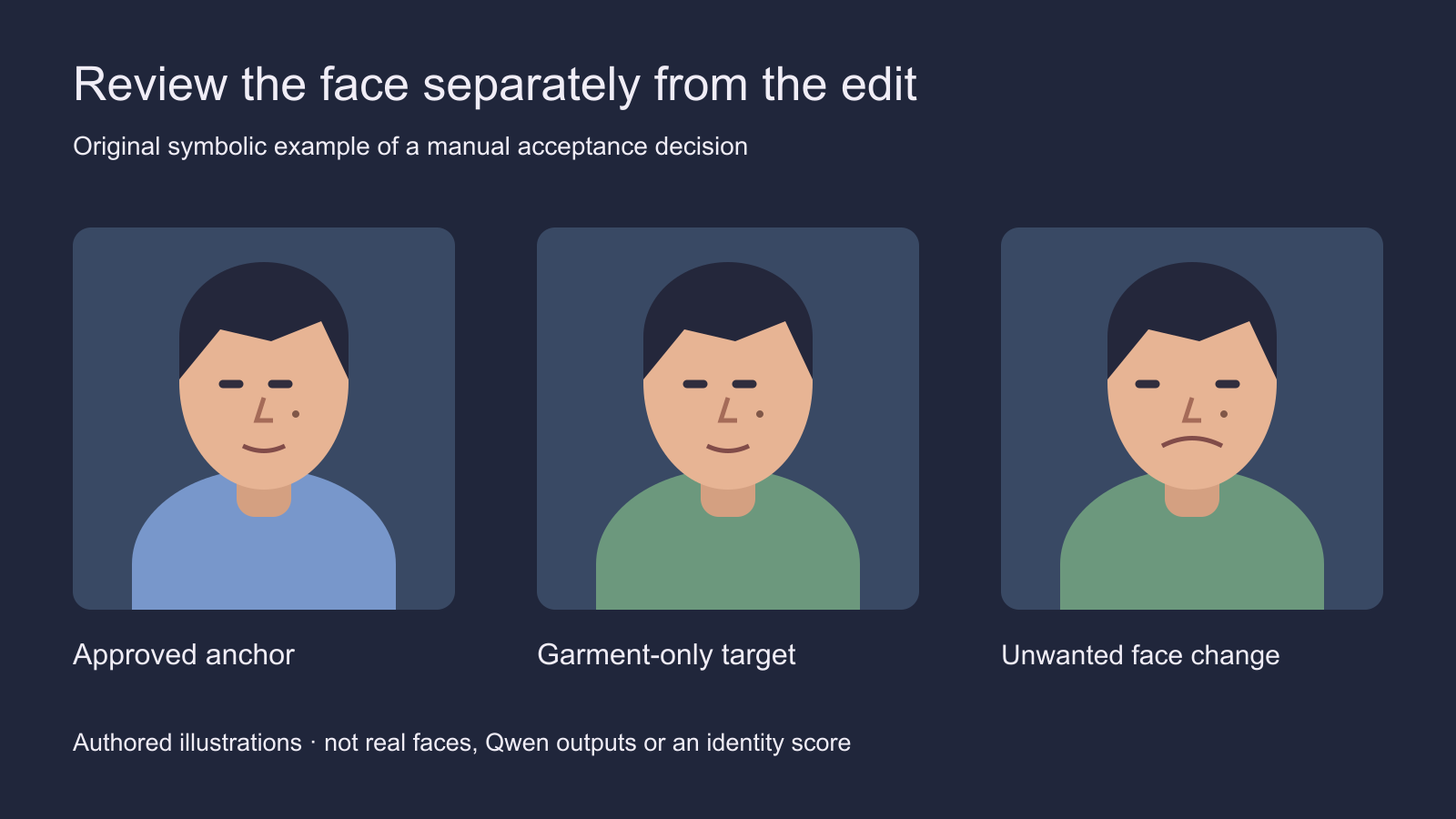
In the original study, the middle drawing changes the garment while keeping the head drawing the same. The third changes facial features as well. It illustrates why accepting the clothing change is a separate decision from accepting the face. Real edits require human review of actual images; a diagram cannot establish how any checkpoint performs.
Inspect the reference before tuning the model
Check whether the source clearly shows the features that matter. Heavy motion blur, tiny faces, occlusion or a dramatic angle leave less visible detail to compare. Choose an approved reference that actually shows the desired appearance. A higher pixel count does not automatically restore detail missing from the source.
When using multiple images, assign their roles explicitly. If one is the person and another is a clothing reference, say so. Remove an unnecessary conflicting portrait for a simpler diagnostic attempt. That is an experiment to isolate a variable, not a claim that every model combines references in the same way.
Change one part of the request at a time
| Observed problem | Controlled next attempt | Keep fixed for comparison |
|---|---|---|
| Face changes during a background edit | Request only the background change | Source head angle expression and crop |
| Identity drifts across repeated edits | Return to the approved original anchor | Checkpoint and intended change |
| New angle invents facial details | Try a smaller viewpoint change | Recognizable features and reference role |
| Result changes after setup edits | Compare with the documented minimal workflow | Input and instruction |
Avoid adding a long list of unrelated aesthetic instructions while diagnosing the face. A request for a new age, beauty treatment, stronger makeup, different expression and different camera view can conflict with preserving the approved appearance. Decide which changes are actually part of the job and judge them separately.
If your environment exposes settings such as guidance, image strength or adapters, use the documentation for that exact operation. Do not assume a parameter exists or has the same direction and scale across hosts. Save an attempt before changing one setting. There is no universal value in this guide that guarantees facial fidelity.
Distinguish documented improvement from guaranteed identity
The official 2511 card presents character consistency as an improvement. That gives context for evaluating the checkpoint, but it does not certify a particular portrait. The Qwen editing workflow guide separates checkpoint and pipeline setup, including the different Turbo workflow. Verify the model you actually ran before comparing advice from another version.
Review at a size where the eyes, nose, mouth, hairline and distinctive visible details can be examined. Compare the same crop when possible, then inspect the complete composition. If the intended use requires a particularly exact person or product, a merely plausible resemblance is not enough. Keep the rejection decision separate from whether the new image looks attractive.
Keep an accepted anchor and a short review record
Save the approved source, the output and the edit request together. Record what changed, which features drifted and whether the image was accepted. Use the blank face-edit review sheet for this manual process. It contains no biometric score or automatic verification.
For original creator characters, Clout’s AI influencer workflow provides a separate path to building and reusing a saved persona. Inspect actual accepted content for consistency rather than assuming every later generation is correct. This guide does not add Qwen to Clout or guarantee a repair through another model. Use the available studio workflows with their supported inputs and current quotes when creating the next asset.


