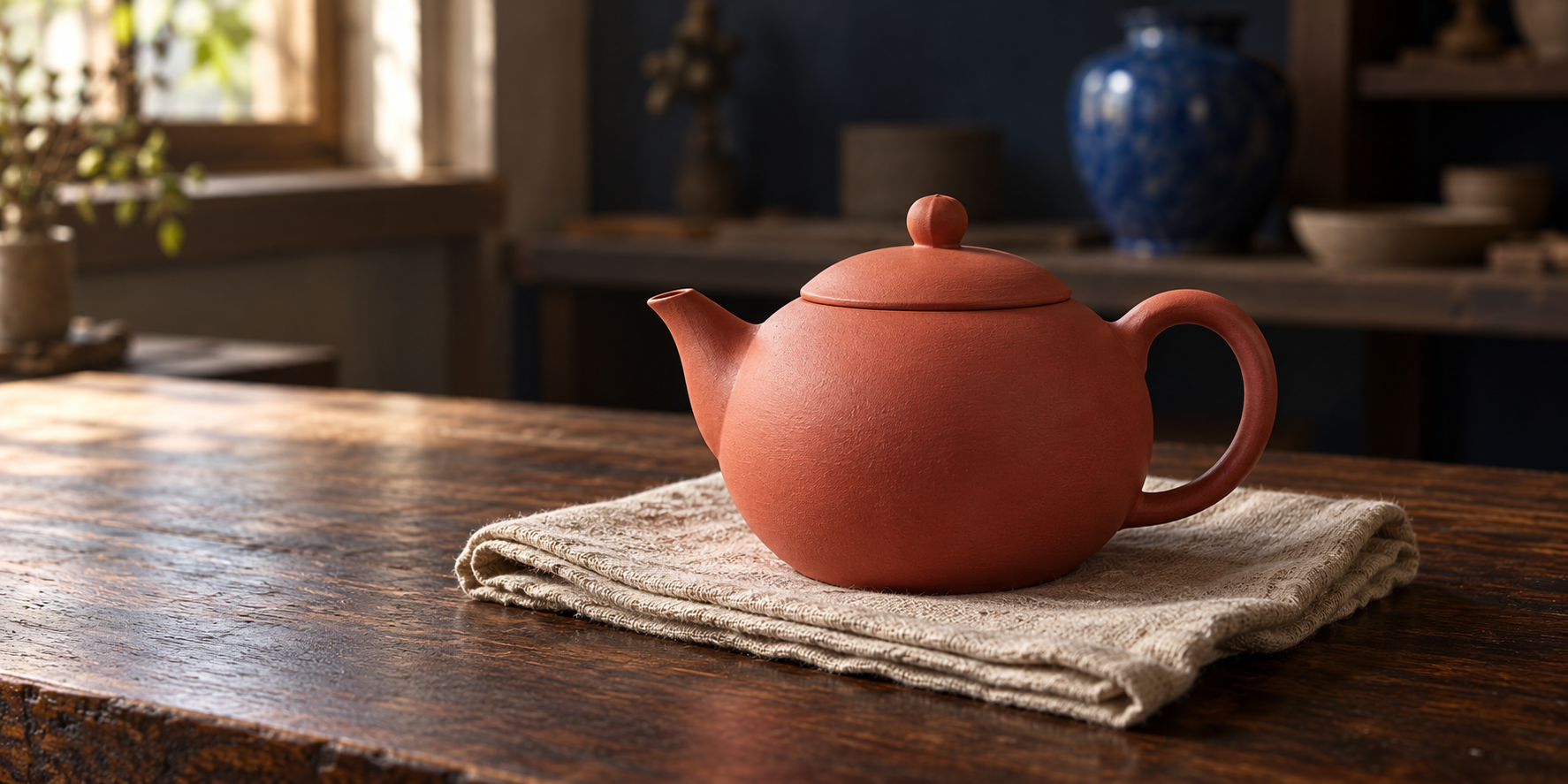
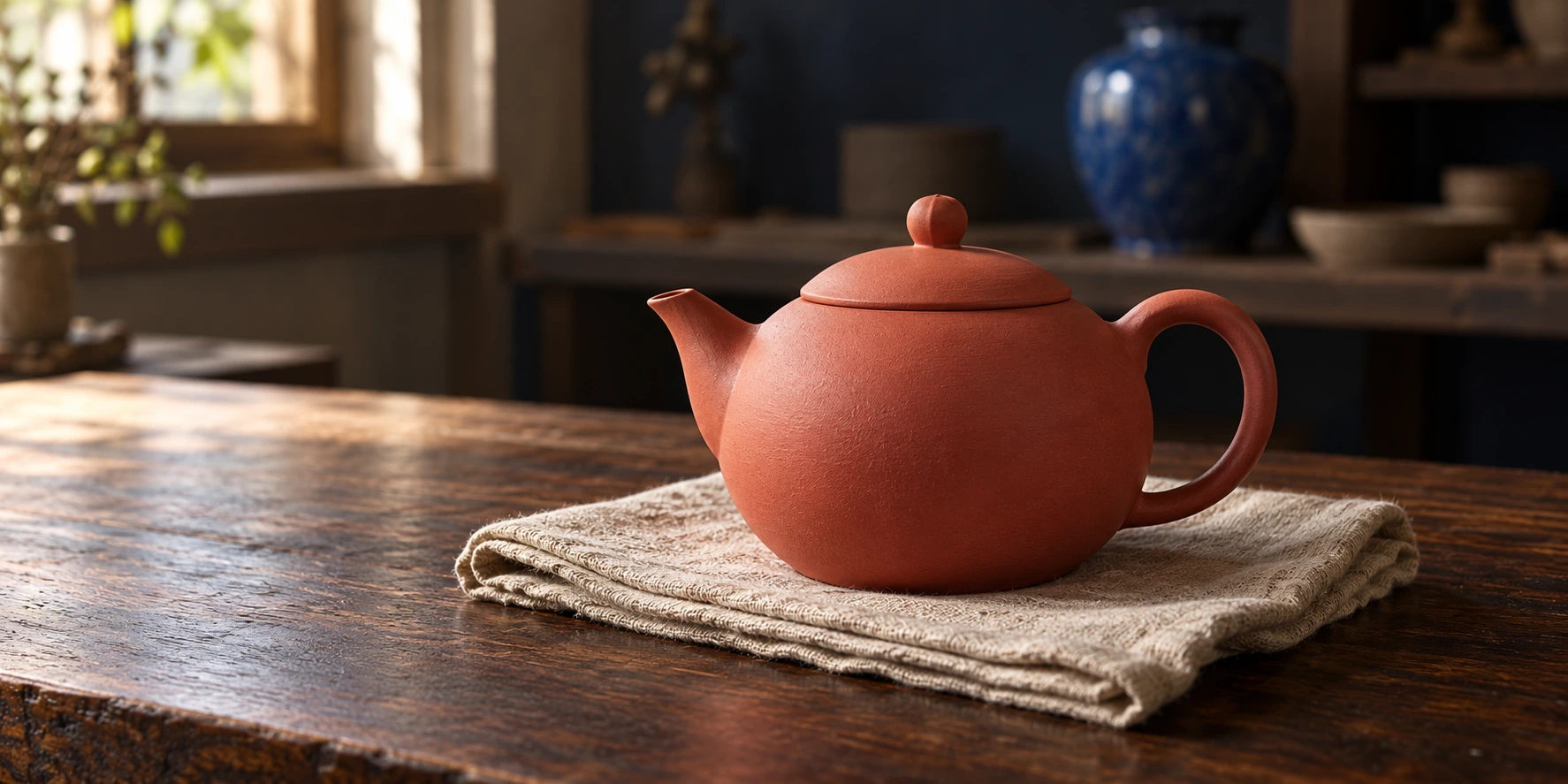
 Coral ceramic teapot
 Looking for the board? Open official Higgsfield Canvas. This independent guide explains the decisions behind a small, reusable workflow.
Higgsfield Canvas is a node-based workspace for connecting prompts, images and video steps. Its official introduction presents chained models, parallel exploration and shared work. A graph makes dependencies visible, but you still need to decide which input belongs in each node and which output is good enough to continue.
The planner above uses an original coral ceramic teapot reference. Switch the video family to see how the proposed image role changes, or compare two camera ideas from the same approved composition. Downloaded JSON is a Clout planning format, not an import file for Higgsfield. Nothing in this example generates a video.
Start with one deliverable and its accepted source
Our example is a quiet product clip: one coral teapot on cream linen, warm studio light, no pouring or steam. The useful first question is whether the source image already supplies the composition you want. If the spout is hidden or the handle is cropped, a motion prompt is the wrong place to repair that decision.
Download the native teapot reference and the original workflow brief pack. The image is fictional product artwork created for this guide. The pack includes a composition brief, two motion proposals and a blank review sheet; none is a paid Higgsfield result.
For a recognizable real product, substitute an image that shows its actual shape, material and identifying details. Keep the original alongside the accepted composition so you can spot a changed handle or invented lid before it becomes an animation problem.
Connect the minimum useful graph
The official Canvas help guide describes adding a prompt node, connecting a generation node, routing its output onward and adding references. It also documents individual or sequential generation and reusable templates. Our signed-out check showed All Canvases, Templates and a sign-in requirement, not a working private board editor. The loaded Templates view included Long Video Example, Simple Seedance 2.0, Extend Video, Image Edit and StoryBoard With Elements cards. Seeing a card does not verify its current internal graph or generation cost.
| Stage | Input | Decision before continuing |
|---|---|---|
| Source | Product reference and composition brief | Is the product readable |
| Compose | An image-generation candidate | Does it preserve the required geometry |
| Approve | The accepted still | Is this the version motion should use |
| Animate | Approved still and one camera instruction | Does the whole clip remain coherent |
| Review | Original export | Accept, revise or reject |
The approval stage is a production habit, not a claim that Canvas provides this exact node type. Place a clear stop in your process before a bad still feeds several video attempts. The planner exports that stop as a manual review record with an empty approval value.
A useful graph has a reason for every connection. A decorative reference that never influences a decision adds confusion. An unreviewed output connected to several downstream jobs can multiply an early error. Start small enough that you can explain the source, transformation and acceptance check in one sentence each.
Match the image connection to the model
The Canvas help guide distinguishes connected Seedance references from Kling start frames. For Seedance, describe the reference's role in the prompt. For Kling character or element references, it describes creating an element first and using its tag, rather than treating a direct image connection as that element.
That is why the planner changes its motion brief when you switch families. A product-reference brief asks the model to preserve the teapot while composing movement. A start-frame brief begins from an approved image and asks motion to continue from that composition. The same picture on a board can serve different functions.
Product-reference proposal: Use the connected image as the product reference for the coral ceramic teapot. Preserve its round body, single handle, tapered spout, fitted lid and matte surface. Keep warm studio light. One slow camera move, no pouring, steam, extra objects or text.
Start-frame proposal: Begin from the approved still of the coral ceramic teapot on cream linen. Preserve the composition and product geometry. Continue one slow camera move. Keep the teapot stationary, with no pouring, steam, extra objects or text.
These are original untested briefs. Check the actual selected model and operation before using them. A reference instruction cannot repair an unsupported input combination, and a visually connected line alone does not explain what the image should control.
Branch after approval to compare one variable
For the first motion candidate, propose a slow push toward the teapot. For the second, propose a gentle lateral move. Keep the same approved still, lighting, product and intended length. Changing the camera instruction alone makes it easier to identify which movement serves the object.
The planner's one-branch version contains two proposed generation nodes: one composition and one video. The two-branch version contains three. Source records and manual reviews do not count as generation nodes. This is a count of the example graph, not a credit calculation or a promise that two attempts will finish the work.
Compare the complete exports. Watch the spout, handle and lid as the camera moves, and check whether the teapot slides on the linen. Record the exact moment of a defect. If both clips fail in the same way, inspect the shared source before spending another attempt on a different camera move.
Record costs at the nodes that actually run
Higgsfield's Canvas help separates board construction from generation charges and says Canvas generations consume credits even when a model has Unlimited access elsewhere. Check the displayed quote for the selected node. A subscription label is not a price for this graph.
Use the blank node review sheet to record each request, quote, actual debit, output filename and decision. Include rejected attempts. Leave a value blank when you have not observed it, rather than substituting a plan or advertised starting price for an actual charge.
If you reuse an accepted image in several motion nodes, distinguish that dependency from regenerating the image for each branch. A collaborator needs to know whether a changed upstream node invalidates the downstream comparison. Save the exact accepted source filename with every retained export.
Save a reusable recipe with a clear handoff
The official Canvas introduction describes sharing a board and working together. Before handing off your own recipe, write down which assets stay fixed, which fields a collaborator may change and who reviews the result. Sharing a workflow is more useful when another person can tell what is safe to replace.
Our teapot recipe fixes the product identity and approved composition while leaving the camera idea open. For a different product, replace the source, revise the composition brief and approve a new still before reusing motion instructions. Do not simply rename the teapot while leaving its image connected.
The downloaded planner JSON records source, composition, approval, motion branches and review, with empty result and actual-charge fields. It does not contain executable API calls, credentials or a claimed Canvas template ID. Use it as a project note while building through the actual platform controls.
Choose Canvas when the connections matter
Higgsfield's tool-selection guide distinguishes Canvas pipelines from Cinema Studio shot direction, Marketing Studio ad production and Supercomputer project briefs. Choose the workspace around the job, not the number of models you can put on a board.
For a short film, use our Cinema Studio guide to plan the shot relationships. For a reference-led clip, compare the Seedance prompt workflow and Kling reference guide. For an original recurring creator, explore Clout AI Influencer; Clout's studio is separate from this Higgsfield Canvas explanation.