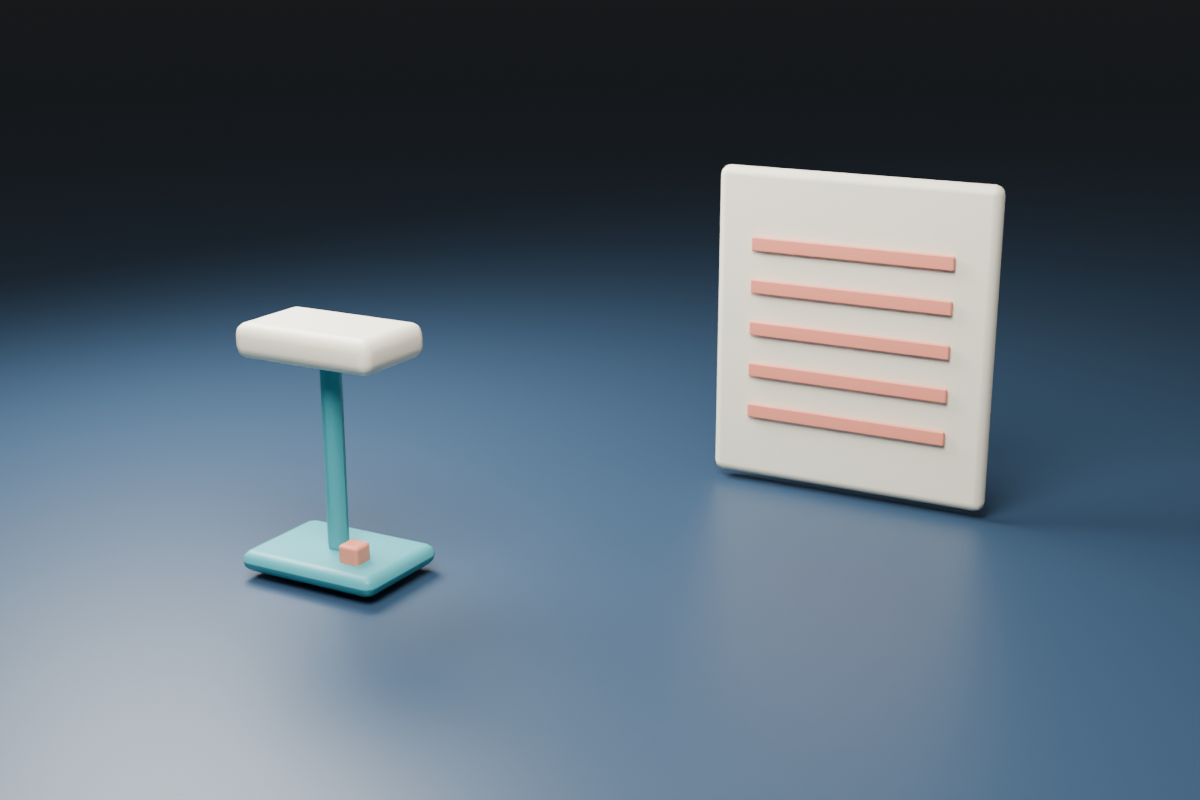
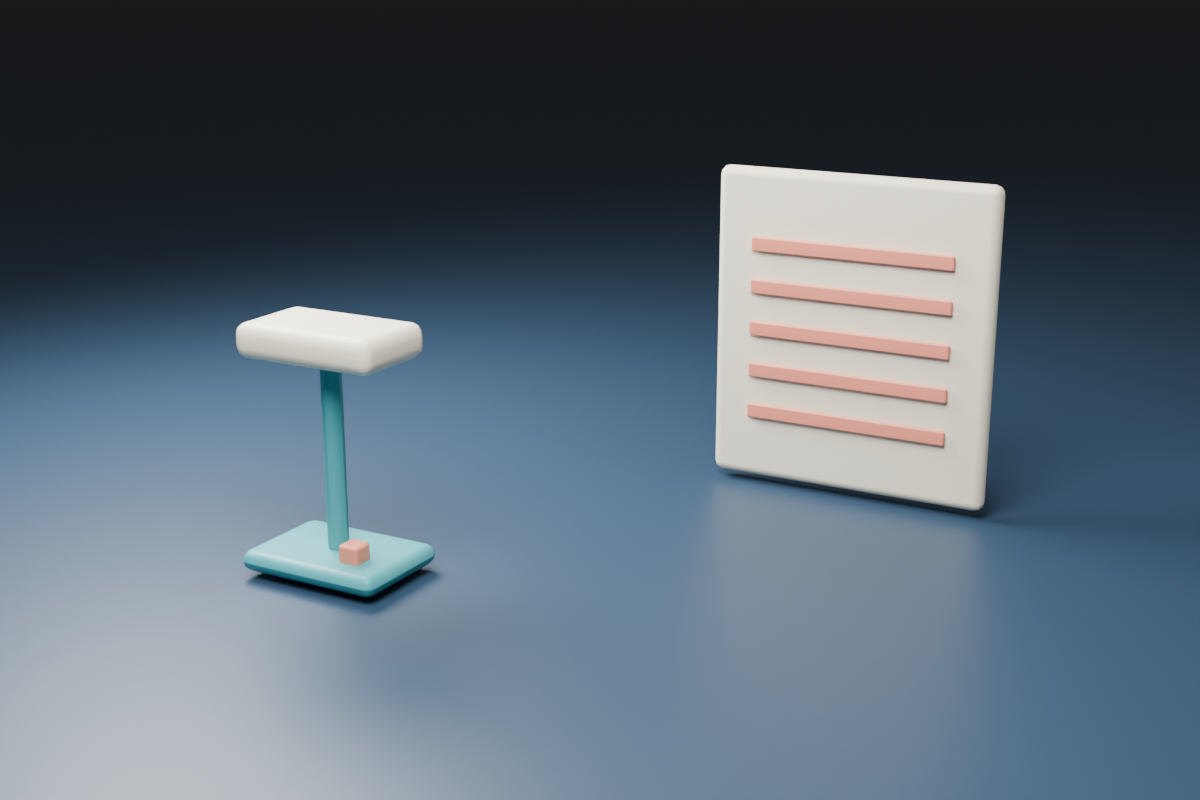
Lens breathing, also called focus breathing, is a change in framing or angle of view as focus changes. During a near-to-far focus pull, the image can appear to tighten or widen even when the camera stays still and the zoom setting is unchanged. Check it at the focus distances and delivery crop your shot actually needs.
This guide includes a free framing-margin planner and an original virtual camera study. The planner illustrates a scale change you choose; it does not measure a lens or correct a video. The native renders separate a focus change from a deliberately changed focal length so the two decisions remain visible.
What lens breathing looks like in a focus pull
Imagine a desk lamp close to the camera and a striped card farther away. The shot begins on the lamp, then focus transfers to the card. If the card also changes apparent size or the edge of the frame moves over nearby objects, review the framing change separately from the intended shift in sharpness.
Canon’s cinema lens explanation connects focus-group movement with a change in magnification. Sony’s lens technology reference likewise identifies focus breathing as angle-of-view instability during focusing. Those optical effects are different from deliberately moving the camera or changing the zoom setting.
A small change may be acceptable in a loose composition but distracting beside a product edge, architectural line or split-screen boundary. Judge it against the purpose of the shot rather than a universal pass percentage. A subtle shift can matter when a logo must remain aligned with a graphic.
Try the free framing margin planner
- Choose an illustrative Framing enlargement from zero to twenty percent. The default eight percent is a planning example, not an estimate for your lens.
- Inspect the dashed retained rectangle inside the original frame. Keep important details within the area needed by both views.
- Read linear retention and area retention separately. An eight percent enlargement does not mean exactly eight percent of the image area is removed.
- Download the SVG, CSV and JSON to retain the assumption with your shot plan.
- Replace the assumption with evidence from a real test and compare the final crop before recording the full production shot.
The default model uses a centered enlargement of 1.08. Retained width and height are each 1 divided by 1.08, or about 92.59 percent of the source. Retained area is the square of that fraction, about 85.73 percent. On the stated 1200 by 800 source, each horizontal edge loses about 44.44 source pixels and each vertical edge about 29.63.
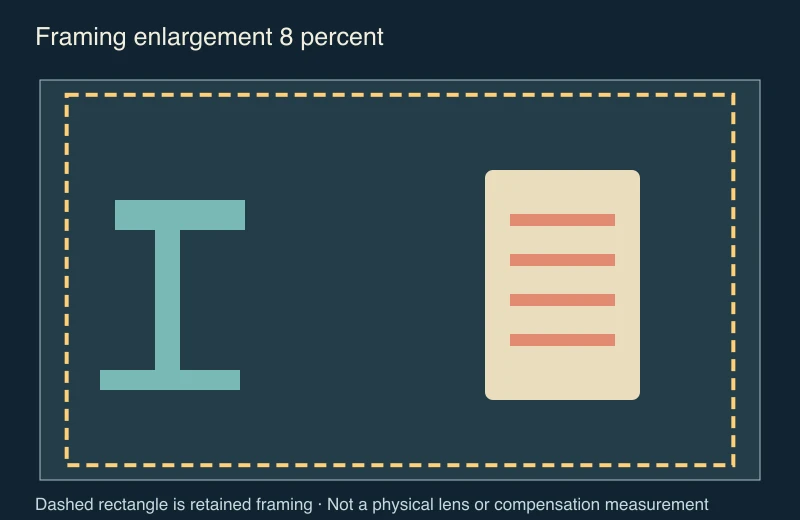
The tool assumes uniform centered scaling. It does not estimate distortion, optical-center movement, rolling shutter, camera travel, lens calibration or the behavior of an in-camera compensation feature. A real focus pull can need a more detailed review than this simple margin model.
Inspect the original native focus study
Our original scene places a teal desk lamp in front of a cream card with five coral stripes. The camera transform and 50 mm focal length stay fixed between the near-focus render and far-focus render. The virtual camera changes its focus target. This establishes an authored focus comparison with unchanged framing parameters, not a physical lens test.
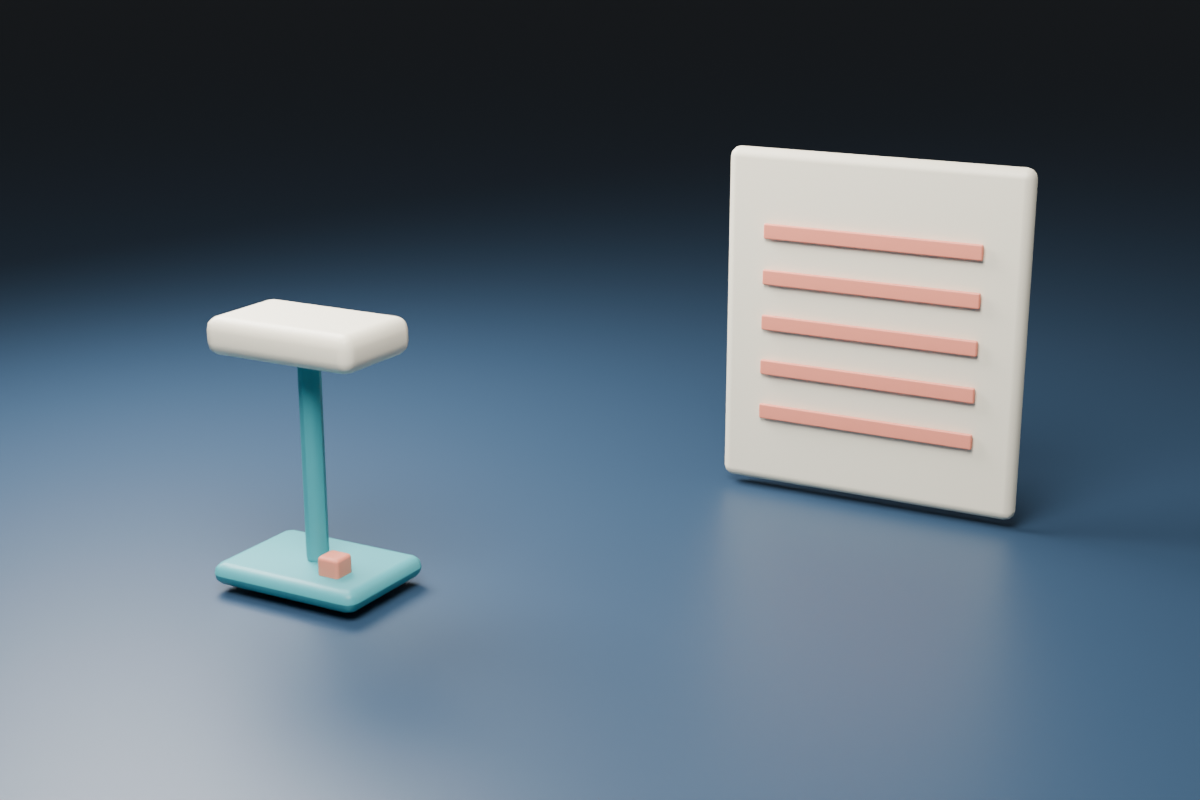
A third narrower framing render deliberately changes the virtual focal length from 50 to 54 mm while retaining the camera transform and far focus target. The ratio is 1.08. That controlled focal-length change illustrates a tighter frame; it is not evidence that the virtual or any real lens breathes by eight percent.
The native record preserves the camera matrices, focus targets, focal lengths and 1200 by 800 render dimensions. Open the original Blender scene to inspect the objects and near-focus setup. The renders were made in Blender with a virtual depth-of-field model. No recorded optical test or AI video output is claimed.
Test your own camera and lens combination
- Lock the camera in the intended position. Compose the near and far targets with recognizable details near the frame edges.
- Keep zoom, camera position and relevant stabilization settings consistent while testing the focus transition.
- Record the near focus hold, the full pull and the far focus hold. Repeat the movement in the other direction when that matters to the scene.
- Inspect the saved footage at the intended crop. Compare stationary edges and the amount of room around critical details.
- If your equipment supports breathing compensation, make a comparable test with the intended feature setting and inspect the resulting crop and image quality.
Use the blank focus and framing review CSV to record the actual camera, lens, focal length, focus endpoints, compensation state and accepted file. Leave unknown measurements blank rather than treating the planner’s example as your test result.
Breathing compensation can change the usable frame
Sony’s breathing compensation support article describes compensation for angle-of-view changes related to focus distance. It applies to specific products and compatible lenses, and notes that compensation may not fully cover every case. Check your exact camera, lens and firmware documentation before depending on the feature.
Review the complete image after enabling a correction. Sony’s movie-lens demonstration notes possible changes to angle of view and image quality. Preserve enough room for the intended frame and any other delivery crop. Do not assume this planner predicts the camera’s proprietary correction amount.
| What changes | What to check |
|---|---|
| Sharpness transfers between stable targets | The intended rack focus and readable holds |
| The frame tightens while focus changes | Possible focus breathing with other movement controlled |
| Foreground and background positions shift differently | Camera translation and parallax as well as focus |
| The crop changes after compensation is enabled | The supported correction and actual exported field of view |
| An AI clip changes object shape during the transition | Generated continuity rather than an assumed physical lens cause |
Use the distinction in an AI product video brief
For the original lamp scene, an untested direction is: keep the camera fixed, begin with the near lamp readable, transfer focus to the far striped card, preserve both objects and keep their framing stable. Name the target, transition and preservation checks instead of relying only on “cinematic focus”.
A text request for no lens breathing does not prove that an AI model implements physical lens correction. Inspect the returned sequence for changing scale, bending edges, altered stripe count, flicker and unwanted camera travel. A generated image looking sharp at the endpoint does not establish that the entire transition followed the brief.
Use the rack focus guide for the attention shift and the gimbal lock lab for a separate native rotation problem. Explore supported source-image and video operations in Clout Image and Video, then review the actual returned clip. For product-reference preparation, the Mage Flow Edit input map shows why a reference can take different shapes before inference.
For a known horizontal squeeze before delivery cropping, use the anamorphic still-frame desqueeze tool.
Reproduce the planning materials
The geometry source builds the margin diagrams and ledgers. The Blender builder recreates the original lamp and card study. The asset builder combines the native renders and produces the downloadable SVG, CSV and JSON with Bun and Sharp. Use new output directories and keep companion files together.
Keep the original footage, chosen review crop, actual settings and final accepted export. That evidence supports a specific production decision. A synthetic margin diagram remains a planning aid even when it resembles the framing change seen in a real shot.