
 Looking for the official service? Open Higgsfield Genjutsu. This independent guide focuses on Genjutsu Object Swap: preparing one local change to a take you want to keep.
The first decision is what should remain unchanged. If the camera, timing and performance already work, write down that accepted baseline before choosing a new product, outfit or character. A vague request to improve the entire video gives you less control over which parts may change.
Starting with images rather than accepted footage? The Higgsfield product-placement and creator reference guide explains the separate ASMR Add-On route.
Object Swap or Motion Transfer
The official Genjutsu page distinguishes targeted replacement from carrying a performance into a rebuilt scene. Use Object Swap as the candidate when one selected element needs to change. Use Motion Transfer as the candidate when the cast, setting or broader look needs rebuilding around existing movement.
| Your brief | Route to evaluate | Keep the review specific |
|---|---|---|
| Replace the left mug in an otherwise accepted take | Object Swap | The other mug, contact, framing and action should stay coherent |
| Use a different creator and location around the same performance | Motion Transfer | Review the rebuilt scene and identity across the full action |
| Redraw the whole clip in an animation style | Restyle workflow | Review the style change as well as motion and timing |
| Change what the performer does | A new source or generation | A replacement reference does not supply a different performance |
See the general Genjutsu guide for the two-mode overview and the Restyle guide for a whole-video appearance change. This page is about one target, its replacement reference and the input checks that precede a run.
Check the route before copying a limit
The Object Swap API reference specifies model higgsfield/genjutsu/object-swap/v1.0. Its documented requirements are summarized below. The checker evaluates these basic fields, not every condition of a successful request.
| API input | Documented rule |
|---|---|
| Source duration | At least 4 seconds; sources over 30 seconds are trimmed |
| Frame area | At least 409,600 pixels, calculated as width × height |
| Reference images | 1–8 |
| Prompt | Optional; up to 10,000 characters |
| Output selection | 480p, 720p or 1080p |
Do not apply the API's reference count universally to the consumer app. The public Genjutsu landing page currently advertises 3–30 second sources and up to 40 references; the introductory article describes up to 30 references. Those pages disagree. Confirm the selected web operation and current account controls instead of mixing those figures into one promise.
The Higgsfield API guide covers integration separately. A local file inspected here is not a remotely accessible source URL, and this tool neither authenticates a request nor verifies its media hosting.
Use the local input checker
Choose your video or load one of the original examples. The browser reports its dimensions and duration. Enter the number of reference images you intend to send, then inspect the result and save the JSON report. Reference count is a manual plan; the checker does not read those image files.
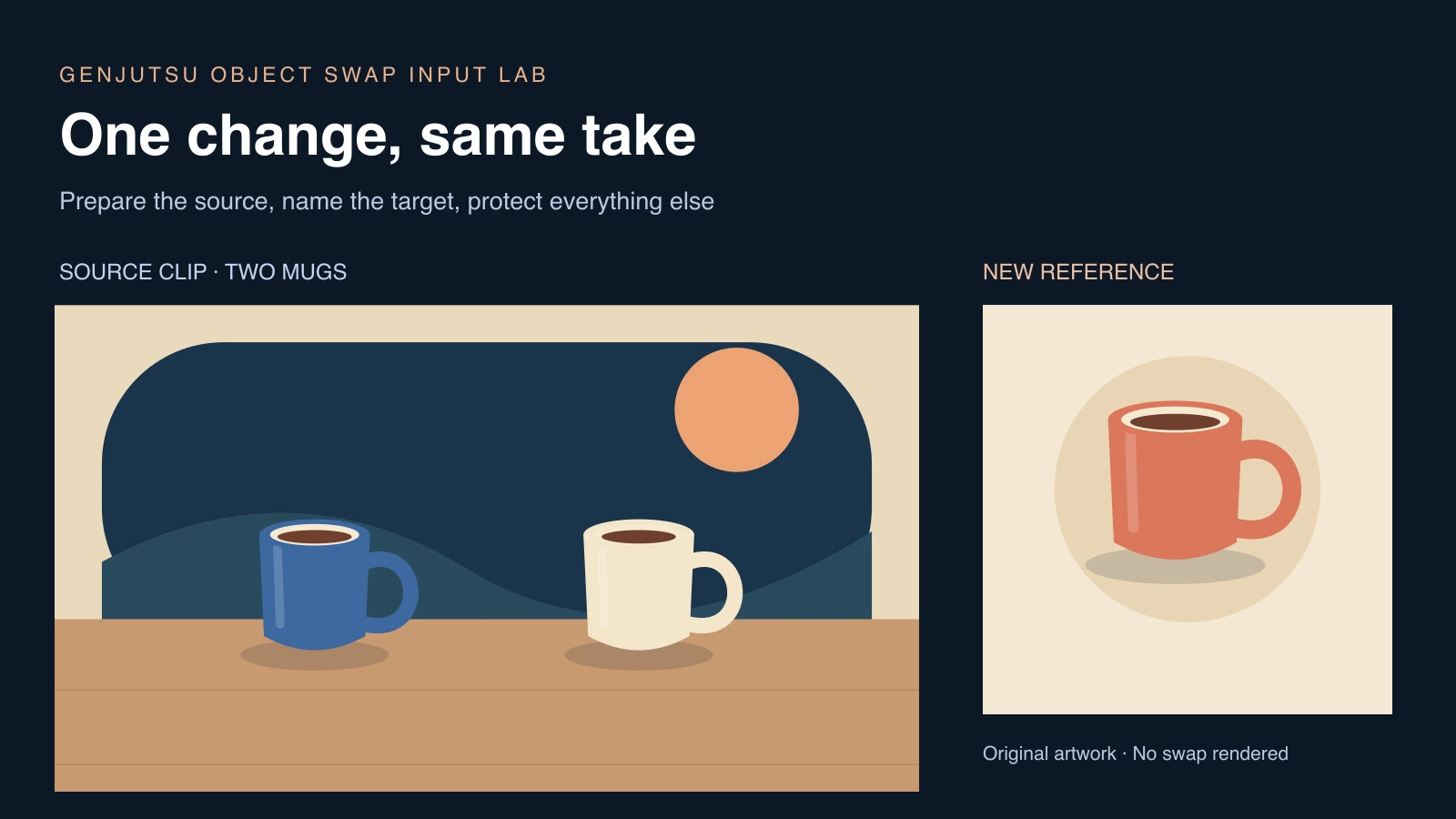
The six-second example is 1280 × 720, with a moving cobalt mug on the left and a cream mug on the right. The three-second example demonstrates the duration boundary. The small-frame example is 640 × 360 and demonstrates why selecting a larger requested output does not change the dimensions of the input file.
Try each example before your own source. A local pass means only that the displayed metadata and entered count meet the tested rules. It says nothing about server-side decoding, URL accessibility, image relevance, account access or the quality of a future result. A browser playback error is likewise not proof that the provider would reject the same codec.
For a long source, the checker reports the documented prepared duration without modifying your local file. If the target event happens late, a trimmed source could lose it. Prepare and inspect the intended segment yourself before submitting a paid job.
An original two-mug replacement exercise
Watch this clip and view its details
Download the source MP4. The cobalt mug moves gently along the tabletop while the cream mug stays fixed. The fixed camera and clear color difference make it possible to name the intended target without inventing a tracked region or assuming that a text instruction will create a mask.

Download the coral mug reference. It has a comparable profile and one handle. The exercise asks for a color-and-identity replacement within an existing take, rather than turning the mug into a different kind of object with new interactions.
Replace only the moving cobalt mug on the left with the coral mug from the reference image. Preserve the cream mug on the right, the tabletop, fixed camera, original movement and timing. Keep the replacement mug upright on the table, with one handle and the same contact with the surface. Do not add lettering or change other objects.
This is an original brief to test, not a claim that the service produced the requested result. No swapped output is included. If your source has two similar targets, name the one you mean using stable visible characteristics and its role in the action, rather than relying only on a position that might change later.
Prepare a replacement that can fit the original action
Inspect the source at the beginning, the closest interaction and the ending. Note where the target touches the table or a hand, which side its handle faces and whether anything passes in front of it. A replacement with a very different shape may need contact or movement that the original footage never supplied.
The official targeted-edit guide distinguishes local changes from new performance, timing and interaction requirements. Use that distinction when the replacement would require a new grip, a new object collision or a different camera relationship. An edit route is not evidence that every physical change can stay local.
For a real product, provide an approved reference whose visible shape, markings and materials are accurate. Check the original image yourself before uploading it. A recognizable silhouette may matter more than decorative detail if the object is small in the final frame. Keep captions or campaign claims outside the generated object unless they are part of the actual approved asset.
Review the result against the accepted source
| Review area | Mug exercise check | Record the actual issue |
|---|---|---|
| Target selection | Only the cobalt mug changes | The wrong mug changed at the opening |
| Shape and contact | One handle remains coherent and the base meets the table | The handle doubles during movement |
| Untouched objects | The cream mug remains the same | The second mug shifts or changes color |
| Motion and timing | The source action remains readable | The replacement slides at a different pace |
| Delivery | The complete download plays at the intended size and length | The final file is incomplete or unsuitable |
The right-hand column gives examples of useful notes, not observed failures from a tested run. Watch the whole export at normal pace, then inspect several clean frames. Keep rejected takes and their settings so you can understand what a revision changed.
A prompt asking to preserve a background is an instruction, not proof of pixel-identical preservation. Check surfaces, shadows and any passing occlusion around the edited target. If those details matter to a product claim, verify them before publishing.
Fix the cause before repeating a generation
For an input problem, compare the actual source and selected route with the current documentation. Changing the requested output resolution does not repair a small source file. Rewording the creative prompt does not make a short clip longer. If a job is stuck or failed, preserve its record and use the Higgsfield troubleshooting guide.
For a creative mismatch, start again from the accepted source and change one major instruction. Narrow the target, choose a more compatible reference or reduce a complicated interaction. Keep the previous version available rather than stacking new requests onto an already drifting result.
Clout publishes this guide and the free local checker. For original character photos and coordinated scenes, you can evaluate Clout AI Influencer or AI Cinema with their own account and credit requirements. This page does not provide a Higgsfield Object Swap generation service.


